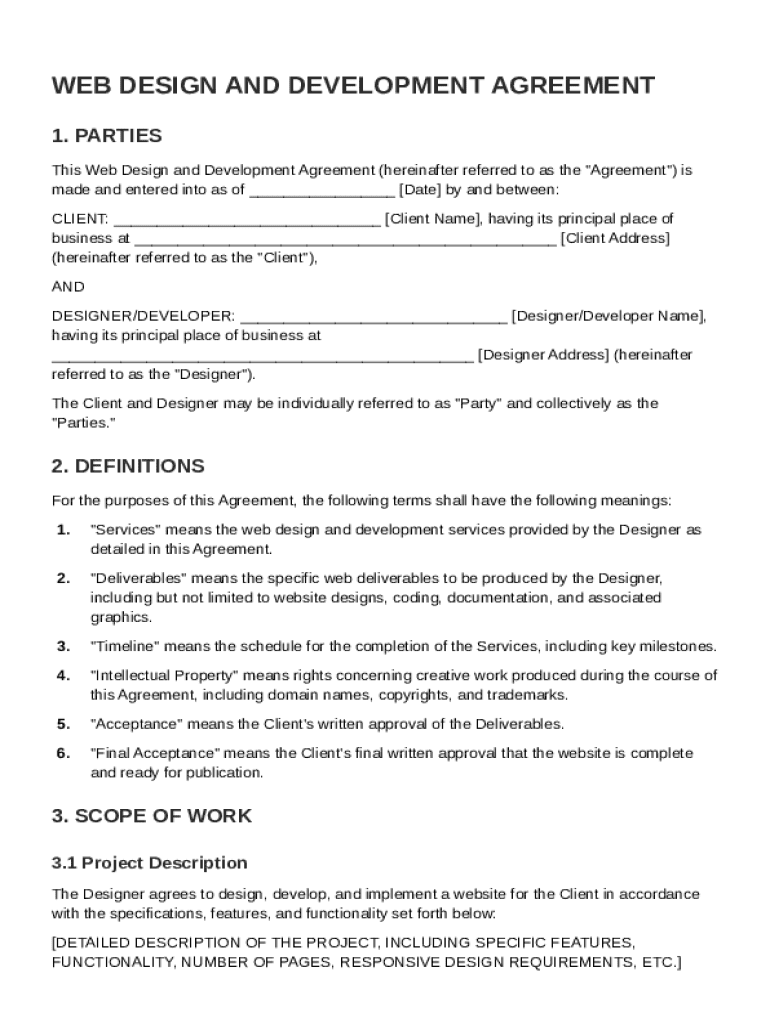
Web Design And Development Agreement Form
Use a Web Design And Development Agreement Template template to make your document workflow more streamlined.
What this agreement form covers
A Web Design And Development Agreement Form records the business terms between a client and the person or company delivering website work. It usually identifies the parties, project scope, deliverables, milestones, fees, payment schedule, revisions, approvals, intellectual property, confidentiality, hosting, support, termination, and dispute terms. In signNow, the sender uploads the document, reviews or adds fillable fields, assigns the client and provider as signers, and sends it electronically. Each signer reviews and signs, while signNow records completion events and provides an audit trail. ESIGN and applicable state law can support electronic contracting when intent, consent, attribution, and record retention requirements are satisfied.
Who benefits from this agreement form
The form supports independent specialists, agencies, and larger organizations that need clear project obligations and reliable signature evidence.
Solo web designers use the agreement to define project scope, milestones, revision limits, ownership transfer, payment terms, and client approval before development begins. Small creative agencies use reusable agreements to coordinate designers, developers, and clients while preserving signed change terms and approval evidence across multiple projects. Enterprise technology teams use role-based templates and audit trails to manage vendor engagements, delegated approvals, intellectual property terms, and standardized web delivery obligations.
These tasks are executed by both individual contributors and centralized administrators depending on organizational policy and required controls.
Key features for web agreements
signNow connects field preparation, signer routing, audit evidence, reusable templates, mobile review, and record preservation for web design and development agreements.
Field detection
Upload the agreement, inspect detected fields, and add signature, date, initials, and approval fields before assigning each party. This keeps project-specific obligations connected to the correct signing workflow.
Signer routing
Send the agreement to the client and provider in a defined signing order. Each party can review scope, fees, revisions, intellectual property, and termination terms before signing the same document.
Audit trail
Record signer actions, timestamps, and delivery events in an audit trail. The evidence helps connect the completed web agreement to the people and events associated with its execution.
Reusable templates
Use templates for recurring web design and development engagements. Reusable fields help preserve required scope, payment, ownership, confidentiality, and approval provisions while allowing project-specific terms to be completed.
Mobile signing
Review and sign from desktop or mobile devices. This supports client and provider approvals when participants are working away from the office or reviewing project terms during a meeting.
Record preservation
Keep the executed agreement and completion evidence together. A coordinated record makes it easier to locate the final scope, payment terms, ownership language, and signing history during project administration.
How to complete this agreement
Use this sequence to prepare the web project terms, collect signatures, and preserve a complete agreement record in signNow.
Upload document:
Upload the agreement PDF. Check fields:
Review detected fields and add missing signature, date, and approval fields. Assign signers:
Add the client and provider as signers in the required order. Send for signing:
Send the agreement and monitor completion status. Store records:
Download the signed agreement and audit trail.
Recommended Agreement Workflow Setup
Configure the agreement workflow around signer identity, evidence preservation, secure storage, and controlled access for client and vendor records.
| Setting | Recommendation |
|---|---|
| Authentication method | Email verification with SMS OTP |
| Signature type | Typed or drawn electronic signature |
| Audit trail | Capture IP address, timestamps, and actions |
| Document retention | Retain signed agreement under company policy |
| Encryption | TLS 1.2/1.3 and AES-256 protection |
 Best ROI. Our customers achieve an average 7x ROI within the first six months.
 Scales with your use cases. From SMBs to mid-market, airSlate SignNow delivers results for businesses of all sizes.
 Intuitive UI and API. Sign and send documents from your apps in minutes.
What the audit trail records
The audit trail connects the web agreement to signer identity, signing time, document integrity, and retrievable evidence for later review.
Authenticate signer:
Capture timestamp:
Hash document:
Seal document:
Log activity:
Export evidence:
Platform requirements for signing
Use signNow with Chrome, Firefox, Safari, or Edge on Windows or macOS; iOS and Android apps support mobile review and signing of the agreement.
Browser support Chrome, Firefox, Safari, and Edge Desktop systems Windows and macOS desktop systems Mobile access iOS and Android mobile apps
Organizations can manage access through controlled devices, role permissions, and signNow administration. Teams requiring integrations can connect the agreement workflow through API or named services, while retention, authentication, and access policies remain organization-specific.



Agreement form use cases
Web design and development agreements serve independent providers, agencies, and technology teams with defined project deliverables.
Creative agency
A web development studio can send a defined scope and payment agreement to a client before design work begins.
- Scope and milestones
- Client signature
- Audit trail export
The signed agreement gives the studio and client one accessible record of deliverables, payment conditions, revision boundaries, and approvals. signNow’s signing history can remain with the project file, helping the parties review what was agreed without relying on email threads or informal approvals.
Construction technology
A construction technology provider can use the form to document website development responsibilities alongside project software implementation terms.
- Provider obligations
- Customer approval
- Completed agreement
Connecting the agreement workflow to project systems such as Procore can help keep the signed terms near implementation records. The parties still control the contract language, but the electronic record provides a documented approval event for the defined web work.
Web Design Agreement Processing Stages
Move the agreement from drafting through signature while preserving the final document and evidence of each signing event.
Prepare the agreement
Deliver to signers
Signer review
Complete and archive
Best practices for this agreement form
Clear scope, ownership language, approval controls, and preserved signing evidence reduce disputes over web design and development work.
Define deliverables before sending
Document payment and change terms
Clarify intellectual property ownership
Preserve the signed record
Risks of incomplete agreement records
Unclear scope
Missing payment terms
Ambiguous IP rights
Incomplete audit trail
Privacy and disclosure pitfalls
Client contact details or project identifiers may be entered inconsistently, making the executed agreement difficult to match with the correct website project. Scope, revision limits, and acceptance criteria may remain vague, creating disagreement about whether requested website changes are included in the agreed fee. Consumer-facing projects may require an ESIGN consent disclosure and accessible electronic records under 15 U.S.C. §7001(c). Broad access permissions can expose client information, pricing, source-code references, or signed agreements to unauthorized team members.
Troubleshooting agreement workflows
These answers address field setup, signer identity, consumer consent, retention, plan features, and payment configuration for this specific agreement.
Upload the agreement PDF, then use signNow’s field detection and editor to check every signature, date, initials, approval, and text field. Add fields manually where the template lacks them, because automated detection should not replace a clause-by-clause review of project terms.
The signNow Business plan is listed at $8 per user per month with annual billing and includes templates and audit trails. Business Premium is listed at $15 per user per month annually and adds bulk send and kiosk mode for larger agreement campaigns.
Use signNow’s signer authentication options, such as email verification or SMS OTP, when the parties need stronger attribution. ESIGN and UETA focus on intent, consent, attribution, and record retention; select authentication based on the agreement’s risk and the parties’ policy.
For consumer-facing website services, review the electronic-record disclosure requirements in ESIGN, 15 U.S.C. §7001(c). The consumer must receive a clear paper-record option, demonstrate electronic access, and receive a process for withdrawing consent before relying on electronic delivery.
Export the completed agreement together with its signNow audit trail and store both under the project’s records policy. Neither ESIGN nor UETA supplies one universal retention period for every private web-services contract, so counsel should assess applicable state and industry rules.
If the agreement includes payment collection, verify the selected signNow plan and payment configuration before sending. The Enterprise plan includes payments and advanced integrations, while the Business plan provides legally binding eSignatures, templates, and audit trails without that stated Enterprise feature.
Key performance indicators that demonstrate SignNow's proven track record.
BE READY TO GET MORE
Get this form now!

If you believe that this page should be taken down, please follow our DMCA take-down process.