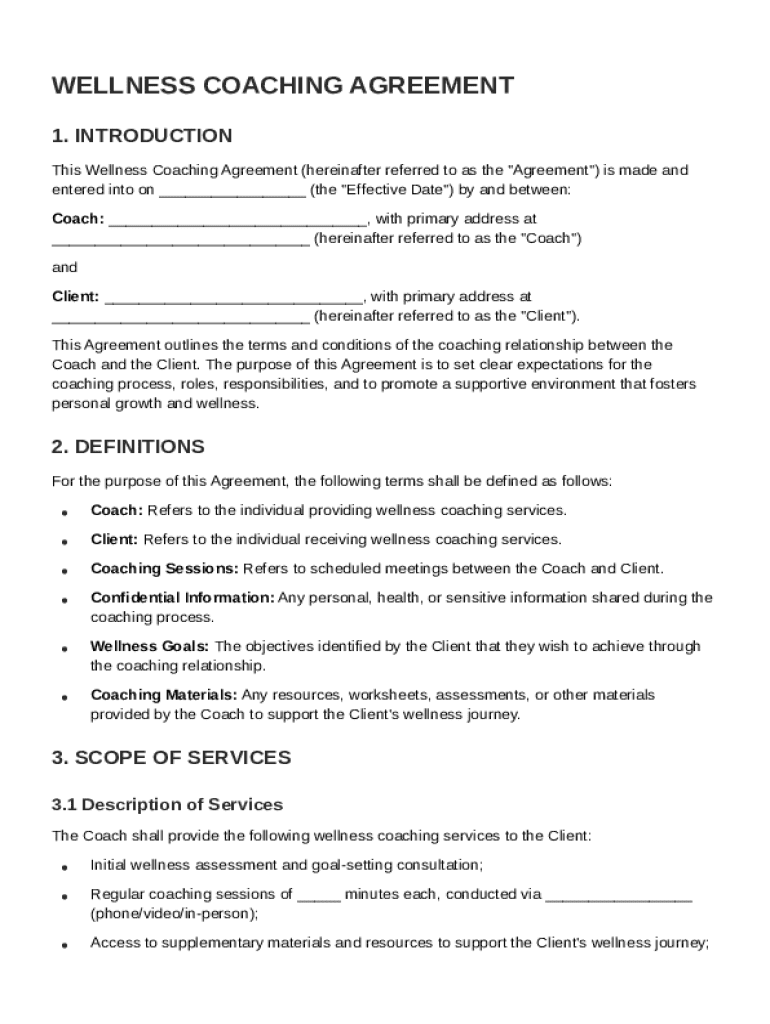
Wellness Coaching Agreement Form
Use a Wellness Coaching Agreement Template template to make your document workflow more streamlined.
What the wellness coaching agreement does
A Wellness Coaching Agreement Form records the client’s and coach’s understanding of a wellness program before services begin. It can identify the parties, describe coaching services, state fees and scheduling terms, address confidentiality and client responsibilities, and capture signatures. In signNow, the sender uploads the agreement, adds or reviews fillable fields, routes it to the coach and client, and preserves the completed PDF with an audit trail. The agreement does not replace professional licensing rules, informed-consent requirements, or privacy obligations that apply to the specific service.
Businesses that use wellness agreements
The form is useful wherever a coach and client need documented service terms, consent, responsibilities, and an accessible signing record.
A solo wellness coach can use a reusable agreement template to define services, fees, scheduling, confidentiality, and client responsibilities before each engagement. A healthcare or wellness practice can route agreements through designated staff, preserve signed records, and apply HIPAA controls when the organization handles protected health information. A multi-location coaching organization can standardize templates, delegate sending, and maintain consistent audit trails across coaches while administrators manage access and retention policies.
These tasks are executed by both individual contributors and centralized administrators depending on organizational policy and required controls.
Key features for wellness agreements
signNow supports the document-specific workflow from reusable agreement preparation through signer routing, completion evidence, mobile access, protected storage, and connected systems.
Reusable template
Upload the Wellness Coaching Agreement Form and place client, coach, date, initials, and signature fields without recreating the document.
Signer routing
Route the agreement to the correct coach and client in a defined order, reducing confusion about who must complete each section.
Audit trail
Capture timestamps, signer actions, and completion history alongside the final agreement for later review.
Mobile signing
Use mobile signing when coaches or clients complete the agreement away from a desk, while retaining the same signed record.
Protected records
Apply access controls and encryption when agreements contain personal or wellness-related information requiring restricted handling.
System connections
Connect completed agreements to systems such as Google Drive, Box, Salesforce, or Microsoft 365 for organized record management.
Complete the wellness coaching agreement
Use this sequence to prepare, send, complete, and preserve a Wellness Coaching Agreement Form in signNow.
Upload form:
Upload the Wellness Coaching Agreement Form PDF. Check fields:
Review detected fields and add missing fields. Add signers:
Enter the coach and client recipients. Send agreement:
Send the agreement for electronic signature. Save records:
Download the signed form and audit trail.
What the audit trail records
The Wellness Coaching Agreement Form audit trail preserves technical evidence around signing, separate from the agreement’s substantive coaching terms.
Authenticate signer:
Timestamp event:
Hash document:
Seal record:
Review history:
Export trail:
 Best ROI. Our customers achieve an average 7x ROI within the first six months.
 Scales with your use cases. From SMBs to mid-market, airSlate SignNow delivers results for businesses of all sizes.
 Intuitive UI and API. Sign and send documents from your apps in minutes.
Recommended workflow setup
Configure the Wellness Coaching Agreement Form around signer identity, documented intent, audit evidence, privacy, and controlled access.
| Setting | Recommendation |
|---|---|
| Authentication method | Email plus SMS authentication |
| Signature type | Electronic signature with intent |
| Audit trail | Capture and export completion evidence |
| Document retention | Six years for HIPAA-covered records |
| Encryption | TLS 1.2/1.3 and AES-256 |
Security for wellness agreements
Transport encryption:
Storage encryption:
Security reporting:
Information security:
Health information:
Electronic signatures:
Platform requirements for signing
The Wellness Coaching Agreement Form can be prepared and signed through supported web browsers on Windows or macOS, with signNow mobile apps available for iOS and Android devices. Use a current browser, an internet connection, and a device that can display the complete agreement before signing.
Browsers Chrome, Firefox, Safari, Edge Desktop systems Windows and macOS desktops Mobile apps iOS and Android mobile apps
Organizations handling sensitive wellness information should manage mobile devices, user access, and storage permissions centrally. If the workflow connects to practice systems, confirm API, SSO, and retention requirements before deployment. A managed process helps keep the signed agreement, audit trail, and related client records together.



Record-keeping practices for wellness agreements
Good record keeping preserves the completed agreement, signing evidence, and privacy controls without imposing one retention period on every wellness practice.
Set the retention period before sending
Export the signed record and audit trail
Archive agreements in controlled storage
Restrict access to sensitive information
Legal standing of the agreement
A Wellness Coaching Agreement Form can document consent and service terms electronically when the parties show intent, consent to electronic records, signer attribution, and reliable record retention. ESIGN, 15 U.S.C. ch. 96, and applicable state law support electronic contracting, but wills, court orders, and certain family-law documents remain excluded.

Review state-specific exclusions
State contract rules
HIPAA coverage
Notarization limits
Excluded documents
Rollout and retention
Plan the agreement workflow from template preparation through signer completion, team adoption, and legally informed record retention.
Prepare template:
First send:
Team onboarding:
Free trial:
HIPAA records:
Tax records:
Secure archive:
Policy review:
Troubleshooting the wellness agreement workflow
Resolve field, consent, authentication, compliance, and retention questions before sending a Wellness Coaching Agreement Form to a client.
Upload the original Wellness Coaching Agreement Form as a PDF, then use signNow’s field tools to place signature, date, and initials fields. Review every detected field before sending, because automatic detection does not replace document review.
The Business plan includes legally binding eSignatures, templates, and audit trails at $8/user/month when billed annually. Business Premium adds bulk send at $15/user/month annually, while Enterprise adds advanced signer authentication at $30/user/month annually.
For consumer-facing wellness services, obtain consent to electronic records and make the record reproducible. ESIGN, 15 U.S.C. §7001(c), requires disclosure of paper-record rights and a way to access electronic records.
signNow supports HIPAA compliance when a business associate agreement is required. HIPAA obligations depend on the parties and information handled, not merely on labeling a document a wellness agreement.
Use signer authentication appropriate to the agreement’s risk. signNow supports two-factor authentication, and Enterprise includes advanced signer authentication; record the selected method in your internal procedure.
A completed agreement should retain the signed PDF and signNow audit trail together. The audit trail records signing activity, while retention periods remain governed by applicable federal and state requirements.
Key performance indicators that demonstrate SignNow's proven track record.
BE READY TO GET MORE
Get this form now!

If you believe that this page should be taken down, please follow our DMCA take-down process.