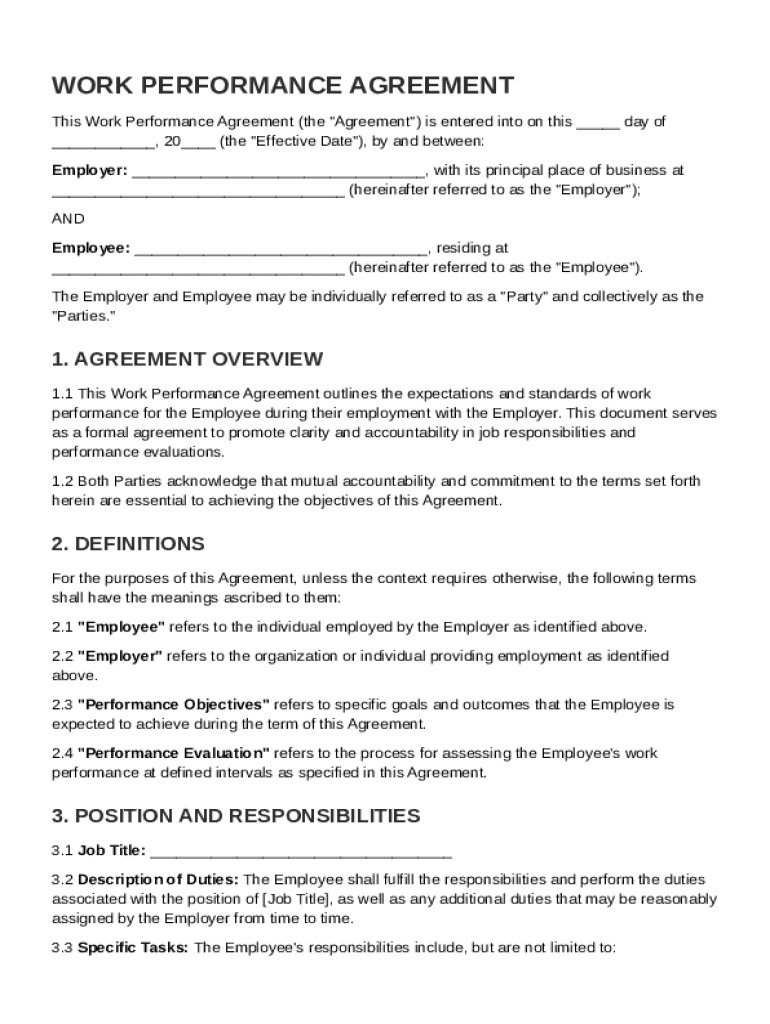
Work Perance Agreement Form
Use a Work Perance Agreement Template template to make your document workflow more streamlined.
What the Work Perance Agreement Form does
The Work Perance Agreement Form records the parties’ agreed work terms, responsibilities, approvals, and signatures in one document. It is completed by entering the required information, reviewing the agreement, and signing with demonstrated intent. signNow lets a sender upload the form, detect or add fillable fields, assign signers, send the document, and retain the completed copy with an audit trail. ESIGN and UETA generally recognize electronic signatures for qualifying U.S. transactions, but state formalities and excluded documents still require separate review.
Who uses the Work Perance Agreement Form
Business teams
Real estate and legal-services teams can prepare Work Perance Agreement Form records alongside lease agreements, contracts, and role-ordered approvals. Healthcare teams should use a HIPAA-compliant workflow with a BAA when protected health information appears. Each audience can preserve signer evidence and completed copies in one controlled process.
Operational users
Independent contractors, employers, and service providers can use the form for documented work arrangements, approvals, and consent records. Finance teams can connect related invoices or payment records through supported integrations, while administrators control templates, sending permissions, and access to completed documents.
How the Work Perance Agreement Form works
The signNow workflow turns the Work Perance Agreement Form into a controlled signing package, from field preparation through signer routing and auditable storage.
Upload form: Upload the Work Perance Agreement Form and identify its fillable areas. Add fields: Place signature, date, initials, and required information fields. Route signing: Send the prepared form to named signers by email or link. Store evidence: Store the completed form with its certificate and audit trail.
Steps to complete the Work Perance Agreement Form
Complete the Work Perance Agreement Form in signNow by preparing the document, assigning every required field, routing it to the correct parties, and retaining the final evidence.
Upload document:
Upload the source document to signNow. Check fields:
Review detected fields and add missing fields. Assign roles:
Assign each field to the correct signer. Send form:
Send the prepared form for completion. Archive records:
Download the signed copy and audit trail.
 Best ROI. Our customers achieve an average 7x ROI within the first six months.
 Scales with your use cases. From SMBs to mid-market, airSlate SignNow delivers results for businesses of all sizes.
 Intuitive UI and API. Sign and send documents from your apps in minutes.
How the Work Perance Agreement Form audit trail works
The audit trail records identity, timing, document integrity, and retrieval details after each Work Perance Agreement Form signing event.
Signer authentication:
Timestamp capture:
Document hashing:
Tamper-evident sealing:
Event history:
Trail export:
Challenges when completing the form
Incomplete role details can leave the Work Perance Agreement Form ambiguous about duties, approvals, compensation, or effective dates. Using an unsigned draft instead of the completed form can weaken evidence that each party accepted the stated work terms. Sending the form to the wrong recipient can expose personal information or produce a signature from an unauthorized party. Poorly labeled versions can make it difficult to identify which Work Perance Agreement Form controls after revisions or renewal.
State rules and document exclusions
State formalities
Real-estate deeds
Wills and codicils
Court documents
Family-law documents
Security controls for Work Perance Agreement Form
Data at rest:
Data in transit:
Security certification:
Information security:
Privacy compliance:
Health data:
Mobile options for Work Perance Agreement Form
The signNow mobile apps support Work Perance Agreement Form preparation and signing on iOS and Android. Users can capture source pages with a camera, continue approved offline signing workflows, and synchronize completed activity when connectivity returns.
Mobile apps iOS and Android apps Offline mode Offline signing for mobile workflows Camera capture Camera capture for source documents
Organizations should manage mobile access according to the form’s sensitivity and signer role. Administrators can combine controlled templates, authentication requirements, audit trails, and secure storage. Regulated deployments should also confirm whether HIPAA, 21 CFR Part 11, or consumer disclosure requirements apply before sending the form.
Recommended setup for the Work Perance Agreement Form
Configure the Work Perance Agreement Form around signer identity, field integrity, audit evidence, retention obligations, encryption, and controlled access.
| Setting | Recommendation |
|---|---|
| Authentication and provisioning | Use role-based access with SMS or email verification |
| Signature type | Use an intent-confirming electronic signature |
| Audit trail | Retain the completion certificate and event history |
| Document retention | Apply the underlying transaction’s legal schedule |
| Encryption | Use TLS in transit and AES-256 at rest |
Best practices for completed work agreements
Accurate fields, signer attribution, audit evidence, and retention controls make the completed Work Perance Agreement Form easier to administer and review.
Use an approved agreement template
Assign fields to named parties
Preserve the audit evidence
Match controls to document sensitivity



Troubleshooting the Work Perance Agreement Form
Resolve field, signer, compliance, plan, and document-scope questions before sending the Work Perance Agreement Form for signature.
Upload the Work Perance Agreement Form as a clear PDF, then inspect every detected field. signNow’s Business plan includes templates and audit trails; manually add fields that automatic detection misses before routing the document.
Use signNow’s signer assignment controls to map each signature, date, and text field to the correct person. Verify email addresses and signing order before sending, because the audit trail records the resulting signer actions.
A typed or drawn e-signature can satisfy ESIGN and UETA when intent, consent, attribution, and record retention are established. For consumer-facing records, provide the ESIGN disclosure and paper-record access process required by 15 U.S.C. §7001(c).
Business costs $8/user/month with annual billing, while Business Premium costs $15/user/month and adds bulk send. Both plans include 100 signature invites per user annually, with overage fees applying beyond the included amount.
If the Work Perance Agreement Form contains protected health information, use a HIPAA-compliant signNow arrangement with a required BAA. HIPAA’s administrative-record retention rule is six years from creation or the last effective date under 45 CFR §164.530(j).
Electronic signatures do not replace exclusions under ESIGN. Wills, codicils, testamentary trusts, court orders, and family-law decrees remain outside the federal electronic-signature substitution rule, so confirm the applicable state and filing requirements.
Key performance indicators that demonstrate SignNow's proven track record.
BE READY TO GET MORE
Get this form now!

If you believe that this page should be taken down, please follow our DMCA take-down process.