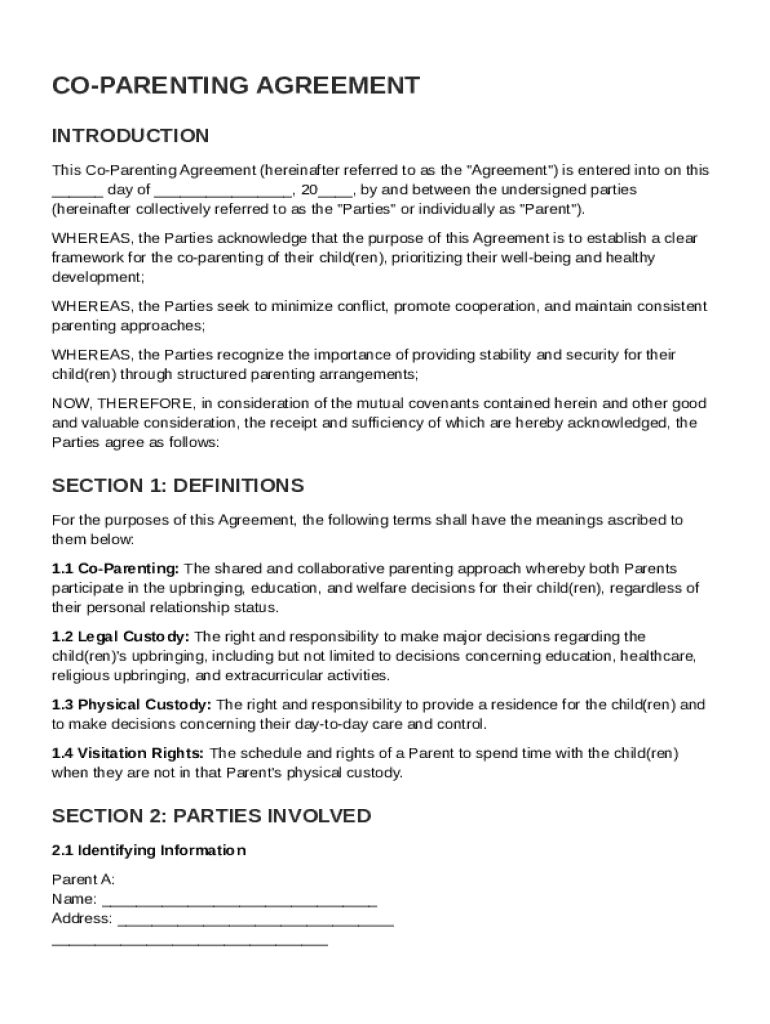
Worksheets Co Parenting Agreement Form
Use a Worksheets Co Parenting Agreement Template template to make your document workflow more streamlined.
What this parenting worksheet does
A Worksheets Co Parenting Agreement Form organizes parents’ proposed arrangements for custody schedules, holidays, exchanges, decision-making, communication, and child-related responsibilities. It gives both parents one document to review, complete, and sign, while signNow can detect fillable fields, route assigned fields, capture signing events, and store the finished record. The worksheet is not automatically a court order or family-law decree. State law may require notarization, filing, judicial approval, or a separate agreement, so confirm enforceability with the relevant court or qualified attorney before relying on it.
Who uses parenting agreement worksheets
Separated parents
Parents can complete schedules, transportation terms, emergency contacts, and decision-making provisions. Each signer reviews assigned fields, signs electronically, and receives the completed worksheet and audit evidence for personal records.
Family-law professionals
Family-law professionals can prepare reusable worksheets, route them to each parent, and preserve signed copies. The worksheet can organize factual terms for review, but counsel or a court must determine whether additional filings or approvals are required.
How the parenting worksheet works
The signNow workflow turns a completed worksheet into a reviewable, signed record while keeping each parent’s fields and signing events identifiable.
Upload: Upload the parenting worksheet Prepare fields: Review detected and required fields Route: Send assigned invitations Complete: Store signed records and audit evidence
Complete the parenting worksheet online
Prepare the worksheet, assign both parents’ fields, collect signatures, and retain the completed record with its audit evidence.
Upload:
Upload the worksheet PDF. Review fields:
Check detected fields and add missing ones. Assign signers:
Assign each parent’s signature and details. Send:
Send invitations and monitor completion. Store:
Download the signed worksheet and audit trail.
 Best ROI. Our customers achieve an average 7x ROI within the first six months.
 Scales with your use cases. From SMBs to mid-market, airSlate SignNow delivers results for businesses of all sizes.
 Intuitive UI and API. Sign and send documents from your apps in minutes.
Recommended parenting agreement setup
Use a controlled workflow that preserves each parent’s consent, completed fields, signed copy, and audit evidence.
| Setting | Recommendation |
|---|---|
| Authentication method | Email link with SMS verification |
| Signature type | Typed or drawn electronic signature |
| Audit trail | Capture timestamps, IP addresses, and actions |
| Document retention | Retain through the applicable state period |
| Encryption | AES-256 at rest and TLS 1.2/1.3 in transit |
Best practices for parenting worksheets
Accuracy, separate consent, and state-law review matter when a parenting worksheet records schedules or decision-making arrangements.
Confirm every parenting term before sending
Assign fields to the correct parent
Capture separate consent and copies
Verify state filing and approval requirements
Privacy and disclosure pitfalls
Including children’s addresses, medical details, school information, or contact numbers in an unrestricted copy can expose sensitive family data to unintended recipients. Sending one parent’s fields to the wrong signer can create disputed consent, inaccurate attribution, and an unreliable record of who approved each provision. Failing to disclose electronic-record terms may weaken evidence of consumer consent when the worksheet is used in a consumer-facing transaction under ESIGN. Treating a signed worksheet as a court-approved custody order can create reliance problems when state filing, notarization, or judicial approval remains necessary.
Legal standing of the worksheet
A completed Worksheets Co Parenting Agreement Form records the parents’ stated terms, signatures, and signing evidence, which can support later review under ESIGN and UETA when intent, consent, attribution, and record retention are established. It does not itself replace excluded wills, court orders, or state-required family-law filings.

Signer authentication options
PKI signatures:
X.509 certificates:
Two-factor authentication:
SMS OTP:
ID verification:
Audit evidence:
Mobile options for parenting agreements
The signNow mobile apps support completing and signing a Worksheets Co Parenting Agreement Form on iOS and Android devices, including captured document images.
iPhone app iOS 16 and later Android app Android 11 and later Camera capture Camera capture for document images
Mobile signing helps separated parents review the same parenting worksheet without meeting in one location. Confirm that each signer can access the completed PDF, understands the electronic-record process, and receives a copy after signing. Offline availability and device behavior should be confirmed in the current app version.
Audit trail for parenting worksheets
The signNow audit trail records technical evidence around each parent’s review and signature without changing the worksheet’s substantive parenting terms.
Authenticate signer:
Capture timestamp:
Hash document:
Seal record:
Track actions:
Export evidence:
State rules and exclusions
State notarization
Wills and trusts
Court orders
Real-estate deeds
Key performance indicators that demonstrate SignNow's proven track record.
Troubleshooting parenting agreement forms
Resolve field, signer, consent, plan, and legal-scope questions before treating a completed parenting worksheet as final.
A parenting worksheet can generally be signed electronically when the parties demonstrate intent, consent to electronic records, attribution, and the ability to retain and reproduce the signed record. signNow audit trails preserve timestamps, signer actions, and document history; ESIGN and applicable state law still govern enforceability.
Open the uploaded worksheet in signNow, review automatically detected fields, and verify every parent’s name, schedule, and signature assignment. Add required fields manually when detection misses a blank, table cell, or initials location before sending the document.
Use separate signer roles and invitations so each parent receives only the fields assigned to them. Review the routing order, email addresses, and authentication method before sending; an incorrect assignment can undermine attribution for the affected provisions.
The Business plan includes templates, audit trails, mobile apps, and legally binding eSignatures at $8 per user per month with annual billing. Business Premium adds bulk send and kiosk mode at $15 per user per month annually.
Consumer-facing electronic records require a clear disclosure of the right to paper records, access to the electronic format, and procedures for withdrawing consent under 15 U.S.C. §7001(c). Configure the process accordingly before requesting a parent’s signature.
A signed parenting worksheet does not replace a will, court order, divorce decree, adoption filing, or other excluded record under ESIGN. Check the relevant state court and family-law requirements before relying on the worksheet for legal enforcement.
BE READY TO GET MORE
Get this form now!

If you believe that this page should be taken down, please follow our DMCA take-down process.