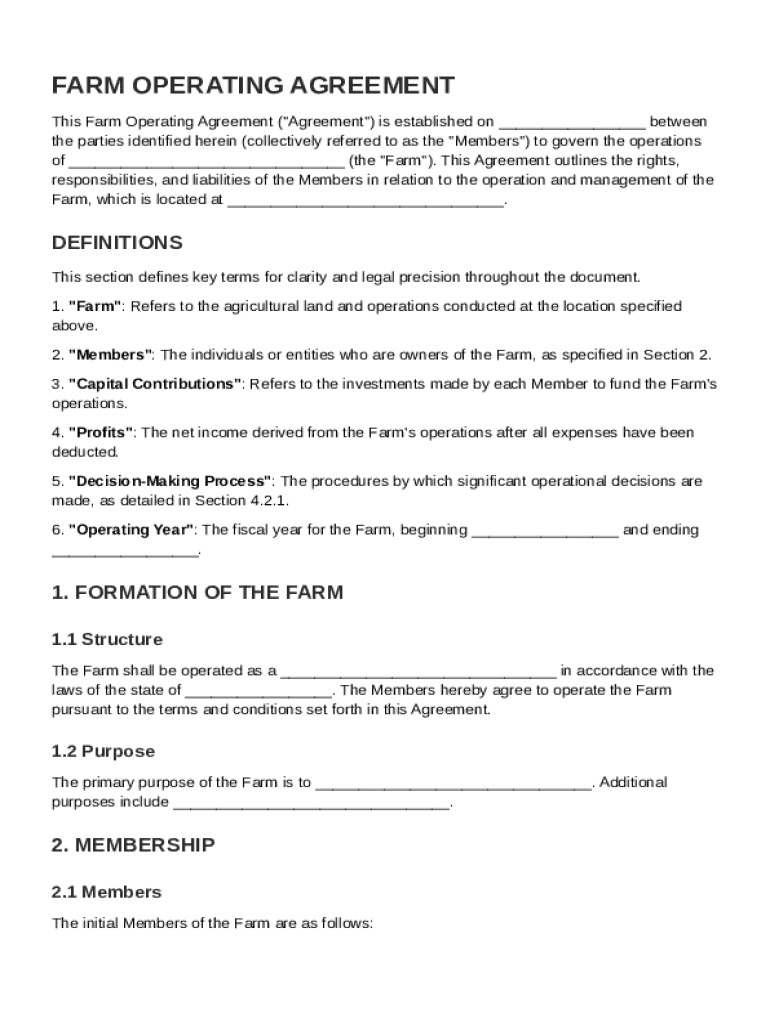
Farm Operating Agreement Form
Use a Farm Operating Agreement Template template to make your document workflow more streamlined.
What a farm operating agreement form does
A Farm Operating Agreement Form records how farm owners or members will contribute resources, share income and expenses, make decisions, and handle changes in ownership or management. It is a private business agreement, not a single federally issued form, so required provisions and execution rules depend on the farm’s entity structure and state law. With signNow, upload the agreement, let the platform detect fillable areas, assign member fields, send signing invitations, and retain the completed document with its audit trail. Review ownership, authority, tax, lending, and succession terms with qualified counsel before signing.
Which farm businesses use this form
Farm owners use this agreement to turn operational expectations into a written record before members sign or business activity begins.
Family-owned farms use the form to document member contributions, voting authority, profit allocations, and succession expectations before operations expand. Agricultural LLCs use it to coordinate multiple owners, equipment contributions, management duties, and approval rights across seasonal production activities. Farm partnerships and cooperatives use it to clarify signing authority, expense sharing, dispute procedures, and records required by lenders or insurers.
These tasks are executed by both individual contributors and centralized administrators depending on organizational policy and required controls.
Who completes a farm operating agreement
Farm owners
Family farm owners and agricultural LLC members can complete operating agreements, ownership schedules, equipment contribution records, and management approvals through assigned signNow fields.
Business advisers
Farm administrators, attorneys, lenders, and business advisers can review or route agreements, while authorized members sign the final ownership and operating terms.
Complete a farm agreement in signNow
Use this sequence to prepare, route, sign, and preserve a Farm Operating Agreement Form in signNow.
Upload agreement:
Upload the farm agreement PDF to signNow. Place fields:
Review auto-detected fields and add missing member fields. Assign members:
Assign names, emails, and signing order. Send for signing:
Send invitations and monitor completion status. Store records:
Download the signed agreement and audit trail.
 Best ROI. Our customers achieve an average 7x ROI within the first six months.
 Scales with your use cases. From SMBs to mid-market, airSlate SignNow delivers results for businesses of all sizes.
 Intuitive UI and API. Sign and send documents from your apps in minutes.
Recommended farm agreement workflow setup
Configure the signing workflow around member identity, reliable evidence, controlled access, and the farm’s recordkeeping obligations.
| Setting | Recommendation |
|---|---|
| Authentication method | Email verification with stronger controls as needed |
| Signature type | Typed or drawn electronic signature |
| Audit trail | Enable signNow audit trail and completion certificate |
| Document retention | Follow lender, tax, insurance, and state requirements |
| Encryption | TLS 1.2/1.3 and AES-256 protection |
How signNow records the agreement audit trail
The signNow audit trail records identity, timing, document activity, and completion evidence separately from the agreement’s business terms.
Authenticate signer:
Capture timestamp:
Hash document:
Seal record:
Log activity:
Export trail:



Security controls for farm agreements
Data encryption:
Independent assurance:
Security management:
Electronic records:
Privacy controls:
Health data:
Privacy and disclosure pitfalls to address
Including Social Security numbers, bank details, or unnecessary personal information can expose members to avoidable privacy and disclosure risks. Sending the agreement before documenting electronic-record consent can weaken evidence that each member knowingly accepted the signing process. Leaving templates broadly accessible may allow unauthorized edits to ownership percentages, contribution terms, or management provisions. Sharing a completed agreement through unmanaged email or personal storage can undermine confidentiality and make later retrieval difficult.
State rules and document boundaries
May affect enforceability
May invalidate execution
Separate recording rules
Excluded from ESIGN
Excluded from ESIGN
Best practices for preparing the agreement
Careful field review, documented consent, and controlled record storage reduce disputes over farm ownership and operating responsibilities.
Verify members and ownership terms
Inspect every detected field
Document electronic consent clearly
Control access and preserve records
Legal standing of a farm agreement
A signed Farm Operating Agreement Form can provide contract evidence when members show intent, consent to electronic records, signer attribution, and reliable record retention. ESIGN, 15 U.S.C. ch. 96, and UETA generally support electronic transactions, but state contract law controls many terms. Wills, codicils, testamentary trusts, court orders, and family-law decrees are excluded.

Key performance indicators that demonstrate SignNow's proven track record.
Farm operating agreement troubleshooting questions
Review these signNow and legal questions before circulating a Farm Operating Agreement Form for signature.
Upload the completed agreement to signNow, use auto-detect to place fields, and assign each signer. Business includes templates and audit trails; Business Premium adds bulk send when many farm agreements share the same structure.
A typed, drawn, or uploaded signature can document intent under ESIGN and applicable state law. Confirm every member consents to electronic records, can access the agreement, and receives a reproducible signed copy before relying on it.
Business is listed at $8 per user per month with annual billing and includes 100 signature invites per user annually. Business Premium is $15 and adds bulk send; overage fees may apply when invite limits are exceeded.
Use signNow signer authentication options appropriate to the agreement’s risk, including email access or stronger controls where available. For ownership disputes, verify identities independently and consult counsel about state-specific execution requirements.
SignNow supports ESIGN and UETA compliance, but those frameworks do not replace state contract law or legal review. Wills, court orders, and family-law decrees remain outside the ordinary electronic-signature framework.
Export the completed agreement and its signNow audit trail, then retain both according to the farm’s legal, tax, lender, and insurance requirements. Federal retention periods vary by record type; state rules may require longer storage.
BE READY TO GET MORE
Get this form now!

If you believe that this page should be taken down, please follow our DMCA take-down process.