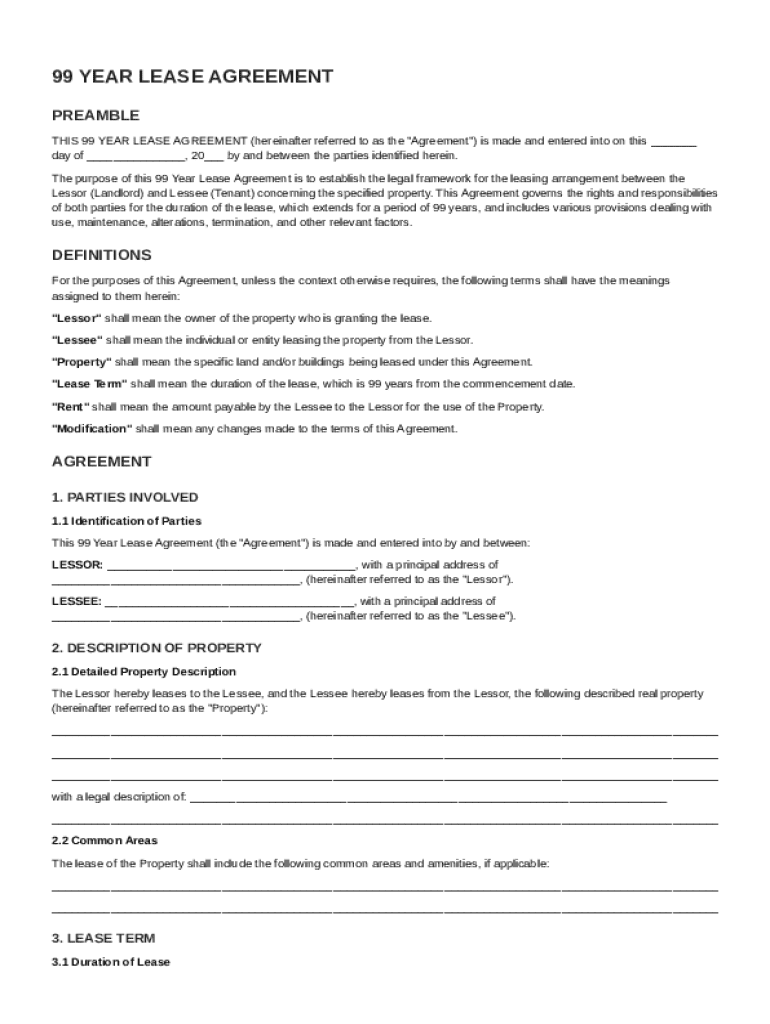
99 Year Lease Agreement Form
Use a 99 Year Lease Agreement Template template to make your document workflow more streamlined.
What the 99 Year Lease Agreement Form does
The 99 Year Lease Agreement Form records a long-term leasehold arrangement between a property owner and a lessee. It identifies the parties, property, lease term, financial consideration, permitted use, obligations, transfer conditions, default remedies, and execution requirements. Because a 99-year lease can affect possession, financing, inheritance, and title records for generations, the parties should confirm state and local real-estate rules, recording requirements, and notarization needs before signing. signNow can route the completed agreement for electronic signatures, capture an audit trail, and preserve the executed record, but it does not replace legal review or required recording.
Who uses this lease agreement
Property transactions
Property owners and lessees use the 99 Year Lease Agreement Form to document possession, consideration, maintenance duties, permitted use, transfer rights, and long-term obligations. Real-estate counsel, title professionals, lenders, and property managers may review the executed record before recording or financing.
Lease administration
Organizations handling long-term ground leases can route the agreement among owners, lessees, guarantors, witnesses, and attorneys. The form is not a substitute for the jurisdiction’s deed, recording, notarization, tax, or title requirements.
Features for long-term lease agreements
signNow organizes the 99 Year Lease Agreement Form from field preparation through signature collection, evidence capture, and controlled record storage.
Structured fields
Upload the lease template, place fields for parties, dates, consideration, initials, and signatures, and keep one controlled version for every property transaction.
Signer routing
Route the 99 Year Lease Agreement Form to owners, lessees, guarantors, and witnesses in the required order without exchanging incomplete attachments.
Role-based signing
Use role-based fields to distinguish owner obligations, lessee covenants, payment terms, renewal language, and property-specific acknowledgments.
Audit trail
Capture signer actions, timestamps, IP information, and document history so the executed lease has supporting transaction evidence.
Record preservation
Download the signed lease and completion certificate for secure storage alongside title, survey, tax, and recording documents.
Mobile access
Use mobile signing for property managers and parties who review the 99-year agreement away from an office.
How to complete the lease online
Use this sequence to move the 99 Year Lease Agreement Form from a reviewed draft to a documented electronic signing transaction.
Upload: Upload the final 99 Year Lease Agreement Form. Check fields: Auto-detect fields, then verify every assignment. Route: Send the agreement to named parties. Preserve: Store signatures with the audit trail.
 Best ROI. Our customers achieve an average 7x ROI within the first six months.
 Scales with your use cases. From SMBs to mid-market, airSlate SignNow delivers results for businesses of all sizes.
 Intuitive UI and API. Sign and send documents from your apps in minutes.
Steps to sign the lease
Prepare the property-specific agreement first, then use signNow to route signatures and preserve the completed transaction record.
Upload document:
Upload the reviewed lease PDF. Check fields:
Verify detected fields and signer roles. Send agreement:
Send invitations to each party. Complete signing:
Review, sign, and download the record.
Complete and archive the lease
Prepare the 99 Year Lease Agreement Form, route it to every party, collect signatures, and preserve the completed record.
Prepare lease details
Deliver to signers
Complete signer review
Archive completed records
How the lease audit trail works
The audit trail links each signer action to the executed 99 Year Lease Agreement Form and creates retrievable evidence for the transaction record.
Authenticate signer:
Capture timestamp:
Protect document:
Seal record:
Complete certificate:
Export evidence:
Platform requirements for lease signing
The 99 Year Lease Agreement Form can be prepared in Chrome, Firefox, Safari, or Edge on Windows 10, macOS, iOS, or Android. signNow encrypts data in transit with TLS 1.2 or TLS 1.3, and its mobile apps support document workflows away from a desk.
Supported browsers Chrome, Firefox, Safari, and Edge Operating systems Windows 10, macOS, iOS, and Android Secure connection TLS 1.2 or TLS 1.3 connection
Organizations should manage access through approved devices and identity controls before sending this long-term lease agreement. Enterprise deployments can connect signNow through API access and SSO provisioning, while certificate settings and audit-trail retention should match the transaction, state-law, and records-management requirements that apply to the property.



Record-keeping practices for the lease
A 99-year lease deserves controlled drafting, execution evidence, and property-specific archival decisions from the start.
Verify every property and lease term
Check state recording and notarization rules
Preserve the executed evidence package
Set a property-specific retention schedule
Rules that may affect lease validity
Recording omission
Invalid acknowledgment
Missing witnesses
Unclear lease terms
Security for signed lease records
Transport encryption:
Storage encryption:
Security assurance:
Information security:
Electronic signatures:
Signer authentication:
Key performance indicators that demonstrate SignNow's proven track record.
Troubleshooting the lease workflow
These answers address field assignment, plan limits, signer access, legal formalities, and record handling for the 99 Year Lease Agreement Form.
Upload the final 99 Year Lease Agreement Form as a PDF or supported document, then use signNow’s field tools to place required signature, date, initials, and acknowledgment fields. Review field assignments before sending so owners, lessees, guarantors, and witnesses receive only their designated fields.
The Business plan includes templates and audit trails at $8 per user per month with annual billing. Business Premium adds bulk send at $15 per user per month annually. Confirm the selected plan before sending repeated lease packages or multiple property agreements.
Electronic signatures generally receive federal recognition under ESIGN, 15 U.S.C. chapter 96, and state rules such as UETA or New York ESRA. However, a county recording office, notary, witness rule, or state real-estate statute may impose additional requirements.
If the lease requires notarization, select a signing and notarization process that satisfies the applicable state law. Remote online notarization rules vary; confirm current requirements with the state notary authority before relying on electronic notarization.
If a signer cannot open the invitation, verify the email address, resend the invitation, and provide the signing link through an approved channel. The signer should use a supported browser such as Chrome, Firefox, Safari, or Edge and complete any configured authentication step.
A long-term lease may contain ownership, financial, and property information. Limit template and document access through signNow roles, export the audit trail with the signed PDF, and retain the record according to applicable state, tax, lender, and property-record requirements.
BE READY TO GET MORE
Get this form now!

If you believe that this page should be taken down, please follow our DMCA take-down process.