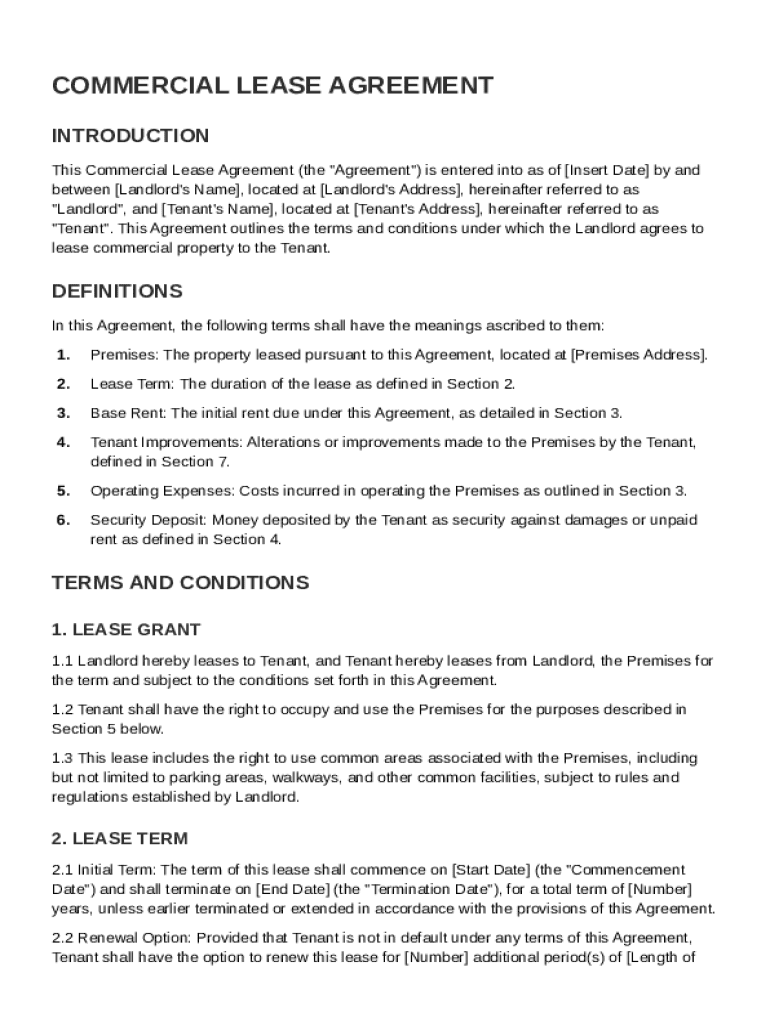
Association Of Realtors Commercial Lease Agreement Form
Use a Association Of Realtors Commercial Lease Agreement Template template to make your document workflow more streamlined.
What this commercial lease form does
The Association Of Realtors Commercial Lease Agreement Form records the negotiated relationship between a commercial landlord and tenant for identified premises. It usually organizes the property description, lease term, rent, deposits, permitted use, maintenance, insurance, utilities, default provisions, renewal rights, and signatures. With signNow, a sender uploads the lease, places fields for each party, sends the document for review and electronic signature, and stores the completed PDF with an audit trail. ESIGN and applicable state electronic-transactions law can recognize the signatures when intent, consent, attribution, and record retention requirements are met.
How the commercial lease workflow works
signNow turns the Association Of Realtors Commercial Lease Agreement Form into a routed signing workflow while preserving the document and completion evidence.
Upload document: Upload the completed lease PDF Add fields: Place landlord and tenant fields Route for signature: Send the signing request Archive records: Store the signed lease and audit trail
Steps to complete the commercial lease form
Use this sequence to prepare the lease, identify every signing party, and preserve the completed agreement with its signNow audit trail.
Upload lease:
Upload the Association Of Realtors Commercial Lease Agreement Form PDF. Map fields:
Place required signature, initials, date, and text fields. Assign parties:
Assign fields to landlord, tenant, broker, or guarantor. Complete signing:
Send, monitor completion, and download the signed lease.
Recommended lease workflow settings
Configure the commercial lease workflow around signer identity, electronic records, access controls, and the retention rule applicable to the property and parties.
| Setting | Recommendation |
|---|---|
| Authentication method | Email verification with SMS OTP |
| Signature type | Electronic signature with completion certificate |
| Audit trail | Retain exported audit evidence |
| Document retention | Follow applicable state contract rules |
| Encryption | TLS 1.2/1.3 and AES-256 |
 Best ROI. Our customers achieve an average 7x ROI within the first six months.
 Scales with your use cases. From SMBs to mid-market, airSlate SignNow delivers results for businesses of all sizes.
 Intuitive UI and API. Sign and send documents from your apps in minutes.
Features for this commercial lease form
signNow applies field mapping, signer routing, audit trails, templates, mobile signing, and integrations to the specific execution process for this commercial lease agreement.
Field placement
Upload the Association Of Realtors Commercial Lease Agreement Form and place fields for every required party without rebuilding the document from scratch.
Signer routing
Route landlord, tenant, broker, and guarantor signatures in a defined order, reducing missed approvals and incomplete commercial lease execution.
Audit trail
Capture timestamps, identity events, and document history so parties can review evidence associated with the completed lease.
Reusable templates
Use reusable templates for recurring commercial lease transactions while preserving the form’s negotiated property and financial terms.
Mobile signing
Complete lease signing from signNow mobile apps when parties are working away from the office or property location.
Integrations
Connect lease records with supported tools such as Salesforce, NetSuite, Google Drive, Box, or Procore when that workflow is appropriate.



Signer authentication and signing security
Digital certificates:
X.509 certificates:
Two-factor authentication:
SMS OTP:
ID verification:
Signing evidence:
What the lease audit trail records
The audit trail documents who interacted with the commercial lease, when each event occurred, and how the completed record can be retrieved.
Authenticate signer:
Capture timestamp:
Hash document:
Seal record:
Review events:
Export trail:
Best practices for commercial lease execution
A careful lease workflow combines accurate business terms, deliberate field assignment, documented consent, and secure preservation of the executed agreement.
Review every commercial lease term
Assign fields to the correct parties
Preserve the signed lease record
Separate platform controls from legal review
State rules and excluded documents
State execution rules
Notarization
Wills and trusts
Family-law documents
Real-estate deeds
Association Of Realtors Commercial Lease Agreement Form troubleshooting
Resolve field, authentication, consent, and enforceability questions before sending this commercial lease agreement for signature.
If a commercial lease PDF does not expose fields, upload the original file and use signNow’s field-placement tools. Business plan users can prepare reusable templates, then assign landlord, tenant, broker, and guarantor fields before sending.
Business includes legally binding eSignatures and audit trails, while Business Premium adds bulk send. For one Association Of Realtors Commercial Lease Agreement Form, Business can handle preparation, routing, signing, and completion records.
Use signNow’s signer authentication options, including email verification or SMS code authentication where configured. ESIGN and UETA recognize electronic signatures when intent, consent, attribution, and record retention requirements are satisfied.
For consumer-facing electronic records, provide the ESIGN disclosure explaining paper-record rights, electronic access, and withdrawal procedures under 15 U.S.C. §7001(c). Business workflows should preserve that disclosure with the completed lease.
A signed lease can remain enforceable under the Federal ESIGN Act and applicable state law, including UETA in participating jurisdictions. New York uses ESRA instead of UETA. Review state-specific execution, witness, and notarization rules before relying on electronic signing.
If the lease includes a deed transfer, notarized acknowledgment, or another excluded transaction, do not treat the lease workflow as sufficient for that separate document. ESIGN excludes wills, court filings, family-law decrees, and other listed records.
Key performance indicators that demonstrate SignNow's proven track record.
BE READY TO GET MORE
Get this form now!

If you believe that this page should be taken down, please follow our DMCA take-down process.