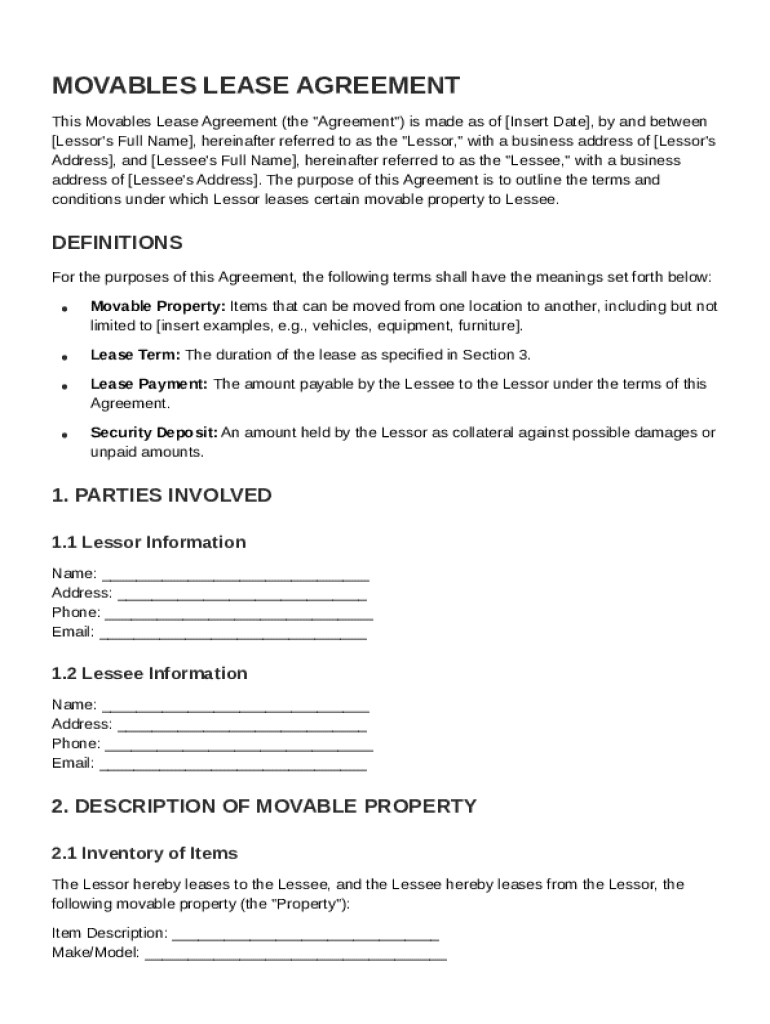
Movables Lease Agreement Form
Use a Movables Lease Agreement Template template to make your document workflow more streamlined.
What a movables lease agreement covers
A Movables Lease Agreement Form records the terms for leasing movable property between a lessor and a lessee. It identifies the asset, lease term, payment amount, deposit, delivery or possession conditions, maintenance duties, insurance responsibilities, default rules, renewal terms, and return obligations. With signNow, the sender uploads the document, reviews automatically detected fillable areas, adds signer roles and required fields, sends it for electronic signature, and stores the completed agreement with an audit trail. State contract law and any required notarization or recording rules still govern the transaction.
Who uses movables lease agreements
Asset lessors
Property owners and equipment lessors can send vehicle, machinery, furniture, or other movable-asset lease agreements to lessees for review and signature, while preserving asset identifiers, payment terms, delivery conditions, and return obligations in one executed record.
Business lessees
Businesses leasing movable property can review the exact asset description, term, rate, deposit, maintenance duties, and renewal or return conditions before signing through a tracked signNow workflow.
Features that support movables lease agreements
signNow organizes the parties, property details, signing evidence, and completed records needed to manage Movables Lease Agreement Form workflows.
Field placement
Upload a Movables Lease Agreement Form, detect its fillable areas, and place fields for lessor, lessee, asset description, payment terms, dates, signatures, and initials before sending.
Signer routing
Route the agreement to the lessor and lessee in a defined order, reducing missing approvals and clarifying who must sign each movable-property term.
Complete execution
Capture signatures, initials, dates, and consent in one digital workflow, helping both parties review the same asset, payment, delivery, and return conditions.
Audit trail
Preserve the executed agreement with timestamps, signer activity, and document history so the parties can review evidence if a lease dispute arises.
Reusable templates
Use templates for recurring equipment, vehicle, or furniture leases while updating asset identifiers, rates, deposits, and term dates for each transaction.
Connected records
Connect completed agreements to Google Drive, Box, Salesforce, NetSuite, or other named systems for organized storage and downstream lease administration.
How a movables lease workflow works
A Movables Lease Agreement Form moves from document preparation to verified signing and organized record storage in four practical stages.
Upload document: Upload the Movables Lease Agreement Form and let signNow detect fillable areas. Review terms: Check asset details, lease dates, rates, deposits, and signer roles. Add fields: Place signatures, initials, dates, and acknowledgments for each party. Complete record: Send the agreement and store the signed copy with its audit trail.
 Best ROI. Our customers achieve an average 7x ROI within the first six months.
 Scales with your use cases. From SMBs to mid-market, airSlate SignNow delivers results for businesses of all sizes.
 Intuitive UI and API. Sign and send documents from your apps in minutes.
Steps for completing the lease form
Prepare the asset and payment terms first, then use signNow to complete and document the signing process.
Upload document:
Upload the completed lease PDF. Check fields:
Review detected fields and asset terms. Assign signers:
Assign lessor and lessee signing roles. Finish workflow:
Send, sign, and archive the record.
Complete movables leases from mobile devices
Use the signNow iOS or Android app to prepare, capture, and sign a Movables Lease Agreement Form while traveling between locations.
iOS app iOS 15 or later with the signNow mobile app Android app Android 10 or later with the signNow mobile app Offline tools Camera capture and offline signing support
Camera-based document capture helps convert a paper Movables Lease Agreement Form into a working document. Offline signing supports disconnected work, while synchronization resumes when the device reconnects. Confirm device access, app permissions, and the final signed copy before storing the completed agreement.
Recommended setup for lease signing
Configure the Movables Lease Agreement Form around signer identity, executed-record evidence, encryption, and the retention rule governing the transaction.
| Setting | Recommendation |
|---|---|
| Authentication method | Email with SMS verification |
| Signature type | Typed or drawn electronic signature |
| Audit trail | Enable audit trail and completion certificate |
| Document retention | Follow the applicable state and federal rule |
| Encryption | TLS 1.2/1.3 and AES-256 protection |
Signer authentication for lease records
Digital certificates:
X.509 signatures:
Two-factor authentication:
SMS verification:
ID verification:
Signing evidence:
Retention periods for lease records
Retention depends on the Movables Lease Agreement Form’s business purpose, related records, and governing state or federal rule.
Three years from filing
Three years for payroll records
Five years after injury year
Seven years for audit records
State period may exceed federal
Record-keeping practices for lease agreements
Keep the executed Movables Lease Agreement Form, audit evidence, and related asset records together under an approved retention policy.
Export the signed agreement and audit trail
Map retention to the applicable rule
Archive every related lease record securely
Reconcile terms before final archival
Why teams look for DocuSign alternatives
Organizations seek alternatives when they need different pricing models, stronger native automation, simpler bulk affidavit workflows, or more flexible identity-verification options than those available in a legacy envelope-based vendor.

Troubleshooting movables lease workflows
Resolve field, plan, authentication, legal, and storage issues before relying on a completed Movables Lease Agreement Form.
On signNow Business, upload the Movables Lease Agreement Form and inspect the detected fields before sending. Add separate roles for the lessor and lessee, then place required signature, date, initials, and acknowledgment fields manually where detection misses them.
Business includes 100 signature invites per user annually, with overage fees. Business Premium adds bulk send, while Site License uses $1.50 per signature invite. Review the selected plan before sending multiple Movables Lease Agreement Form transactions.
signNow supports ESIGN and UETA compliance, but the agreement still needs intent, consent, attribution, and reliable record retention. For consumer-facing electronic records, provide the ESIGN disclosure and confirm electronic access before signing.
Use SMS authentication or stronger signer authentication when the asset value, counterparty risk, or internal policy requires more than email access. Enterprise adds advanced signer authentication; document the chosen method in the transaction record.
A completed signature does not cure inaccurate asset identifiers, payment terms, dates, deposits, or return conditions. Reopen the draft, correct the Movables Lease Agreement Form, and send a new version rather than editing the executed record.
Business provides templates and audit trails; Enterprise adds advanced integrations and formula or conditional fields. Store the final agreement and audit trail in an approved repository such as Google Drive, Box, or an integrated records system.
Key performance indicators that demonstrate SignNow's proven track record.
BE READY TO GET MORE
Get this form now!

If you believe that this page should be taken down, please follow our DMCA take-down process.