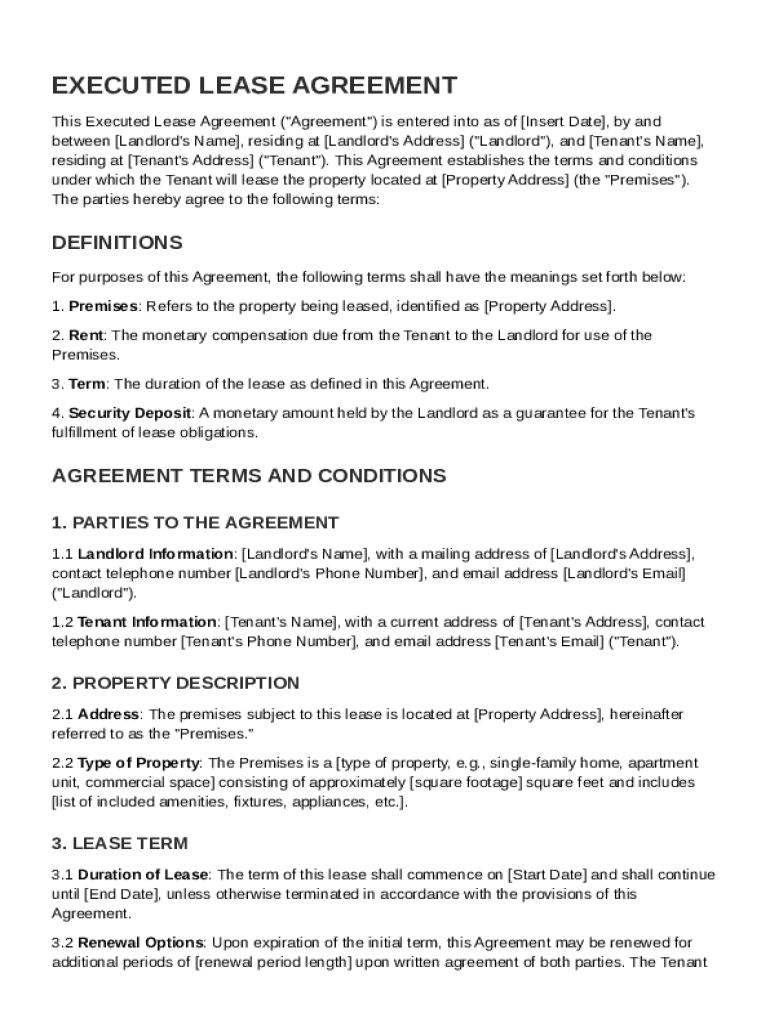
Executed Lease Agreement Form
Use a Executed Lease Agreement Template template to make your document workflow more streamlined.
What an executed lease agreement is
An Executed Lease Agreement Form is the completed rental contract showing that the required parties accepted and signed the lease terms. It identifies the premises, parties, payment obligations, dates, and other negotiated conditions; its exact fields depend on the agreement being used. With signNow, a sender uploads the lease, reviews automatically detected fillable areas, assigns signature and date fields to landlords, tenants, guarantors, or witnesses, sends the document, and stores the completed PDF with an audit trail. ESIGN and UETA generally recognize qualifying electronic signatures and records, subject to state law and statutory exclusions.
Who benefits from executed lease agreements
Property managers and leasing coordinators use executed lease agreements to collect tenant and landlord signatures, preserve the final contract, and maintain a searchable completion record without coordinating repeated office visits. The workflow fits residential and commercial leasing operations that need consistent document handling across locations and devices. Real estate attorneys and transaction teams prepare lease agreements, route signatures in the required order, and retain the completed document with its audit trail. signNow supports role-based signing workflows, helping counsel distinguish landlord, tenant, guarantor, and witness actions when the agreement requires multiple participants.
Features that support executed lease agreements
signNow combines document preparation, assigned signer fields, remote execution, and evidence preservation for lease agreements handled by landlords, tenants, guarantors, and property teams.
Field detection
Upload the negotiated lease agreement and use detected fields to prepare signature, initials, date, and required information areas before sending it to the correct parties.
Role assignment
Route landlord, tenant, guarantor, and witness fields to named recipients so each person completes only the obligations assigned to them.
Remote signing
Send the lease agreement by email or signing link, allowing recipients to review and sign without coordinating an in-person document exchange.
Audit trail
Preserve the completed lease agreement with an audit trail containing signing events, timestamps, and other transaction evidence for later review.
Reusable templates
Use templates for recurring lease agreement formats, reducing repeated field placement while keeping each transaction’s parties and terms separate.
Mobile access
Access the lease workflow through signNow mobile apps when property teams need to review or sign agreements away from the office.
How to complete an executed lease agreement
The signNow workflow moves the lease agreement from an uploaded PDF to an executed, traceable record without changing the agreement’s negotiated terms.
Upload document: Upload the lease agreement PDF to signNow and let the platform detect fillable areas. Prepare fields: Review detected fields, then assign signature, date, initials, and required information fields. Send agreement: Enter each landlord, tenant, guarantor, or witness and send the agreement for signing. Store completion: Signers complete the lease; signNow stores the executed PDF and audit trail.
Recommended lease agreement workflow setup
Configure the lease workflow around signer identity, electronic intent, transaction evidence, secure storage, and controlled access to completed agreements.
| Setting | Recommendation |
|---|---|
| Authentication method | Email link with SMS OTP |
| Signature type | Intent-based electronic signature |
| Audit trail | Enabled for every lease transaction |
| Document retention | Six years for HIPAA records |
| Encryption | TLS 1.2/1.3 and AES-256 encryption |
 Best ROI. Our customers achieve an average 7x ROI within the first six months.
 Scales with your use cases. From SMBs to mid-market, airSlate SignNow delivers results for businesses of all sizes.
 Intuitive UI and API. Sign and send documents from your apps in minutes.
Security for executed lease agreements
Encryption controls:
Independent assurance:
Security management:
Privacy safeguards:
Protected health information:
Electronic signature validity:



What the lease agreement audit trail records
The audit trail documents who accessed, signed, and completed the executed lease agreement, preserving technical evidence separate from the contract’s business terms.
Authenticate signer:
Capture timestamps:
Hash document:
Seal record:
Track actions:
Export evidence:
Retention periods for executed lease records
Keep the executed lease agreement and audit evidence according to the transaction’s purpose, contract terms, applicable state law, and any federal recordkeeping rule.
Contract-defined retention
Three years for tax records
Six years for understatement
Six years for HIPAA records
Three years for payroll records
Best practices for lease agreement records
Prepare the executed lease as a controlled record, verify each assigned field, and preserve the evidence needed to explain how the agreement was completed.
Archive the complete transaction record
Validate every assigned field
Control names and access
Preserve audit evidence
State rules and document exclusions
State requirements
Real estate deeds
Excluded documents
Party identification
Executed lease agreement use cases
Real estate and construction teams use remote signing workflows when lease parties, property staff, or project personnel cannot meet at one location.
Real estate operations
Martin Properties processes rental applications and lease agreements for parties who may not be in the same location.
- Mobile and offline signing support
- Executed documents returned to necessary parties
Tim Martin, founder of Martin Properties, describes processing documents online with built-in security, including mobile and offline work. That workflow directly suits leasing teams that need to circulate agreements between property staff, landlords, tenants, and other parties without relying on a shared office appointment.
Construction contracts
Construction teams often review and sign project documents at job sites or from an office before work begins.
- On-site contract execution
- Office-based document review
signNow’s construction use case covers bids and contracts signed on-site or from the office. The same controlled workflow can help a construction landlord or tenant execute a lease agreement while preserving the completed PDF and audit trail for project records.
Legal standing of an executed lease agreement
An executed lease agreement records the parties’ assent to defined rental terms and can be retained as evidence when attribution, intent, consent, and accessible reproduction are established. ESIGN, 15 U.S.C. ch. 96, and UETA generally recognize electronic records and signatures, but exclude wills, certain court orders, and family law decrees.

Troubleshooting executed lease agreements
Resolve lease-specific preparation, signer authentication, plan, legal-scope, and retention questions with the workflow and authorities that apply to this document.
Upload the negotiated lease agreement as a PDF, review signNow’s detected fields, and verify every landlord, tenant, guarantor, and witness assignment before sending. Auto-detection accelerates preparation, but the sender remains responsible for matching fields to the contract’s signature requirements and state-specific execution rules.
A signNow audit trail records signer actions, timestamps, and transaction history. Under ESIGN, 15 U.S.C. ch. 96, electronic records must remain accessible and reproducible; export the completed lease and audit trail together for retention.
Business plans include legally binding eSignatures, audit trails, templates, and mobile apps. Business is listed at $8/user/month with annual billing. Business Premium adds bulk send at $15/user/month, while Enterprise adds advanced signer authentication at $30/user/month.
Use signNow’s SMS OTP or another available authentication method when the lease workflow requires stronger signer attribution. Advanced signer authentication is listed for Enterprise; select the method based on party identity risk and applicable state requirements.
A lease agreement is generally an ordinary business contract, but ESIGN and UETA do not override exclusions such as wills, certain court orders, or family law decrees. Check state law before using an electronic workflow for a document outside the lease itself.
For protected health information included in a lease workflow, signNow identifies HIPAA compliance as requiring a business associate agreement. Retain HIPAA-covered records for six years under 45 CFR §164.530(j), and restrict access to authorized users.
Key performance indicators that demonstrate SignNow's proven track record.
BE READY TO GET MORE
Get this form now!

If you believe that this page should be taken down, please follow our DMCA take-down process.