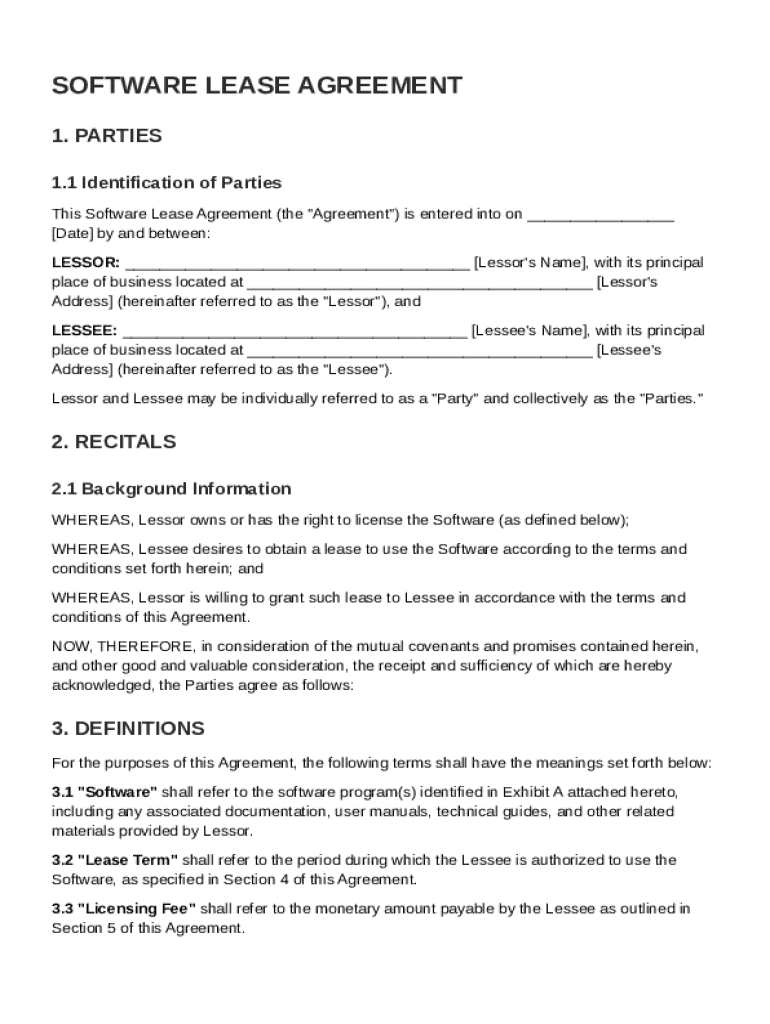
Software Lease Agreement Form
Use a Software Lease Agreement Template template to make your document workflow more streamlined.
What is a software lease agreement form?
A Software Lease Agreement Form records the terms under which a software provider gives a business defined access to software for an agreed period or fee. It identifies the provider and licensee, describes the software and permitted use, and sets payment, support, renewal, security, termination, and signature terms. To complete it in signNow, upload the agreement, review automatically detected fields, add or assign fields for each party, send it for signature, and retain the signed PDF with its audit trail. ESIGN and applicable state electronic-transactions law can support electronic execution when intent, consent, attribution, and record reproduction are established.
Who uses a software lease agreement?
Software vendors
Software vendors use the form to document license scope, permitted users, implementation duties, support commitments, renewal terms, and payment responsibilities before granting access to leased software.
Business lessees
Businesses use it to review license restrictions, service levels, data responsibilities, renewal dates, and authorized signers before accepting software access under agreed commercial terms.
Key features for software leases
signNow organizes the Software Lease Agreement Form from field preparation through signature evidence and connected recordkeeping.
Field detection
Upload the agreement and review automatically detected fields before adding missing signature, initials, date, or acknowledgment fields.
Signer routing
Assign vendor and licensee fields separately, then send the agreement in a defined signing order when approvals require sequencing.
Audit trail
Capture delivery, authentication, timestamps, actions, and completion evidence in an audit trail connected to the executed agreement.
Reusable templates
Use templates for recurring software leases while preserving the specific license, payment, renewal, and support terms for each transaction.
Mobile signing
Let authorized parties review and sign from signNow mobile apps when lease execution does not require an in-person meeting.
Business integrations
Connect signed agreements with Salesforce, NetSuite, Google Drive, Box, or Procore for organized contract administration and archival.
How to complete the agreement
Prepare the Software Lease Agreement Form in signNow, verify every commercial term, then collect signatures and preserve completion evidence.
Upload document:
Upload the agreement PDF and confirm the correct version. Add fields:
Review detected fields and add missing lease fields. Assign signers:
Assign vendor and licensee roles in signing order. Send agreement:
Send invitations or create a signing link. Store evidence:
Review signatures, download the certificate, and archive records.
 Best ROI. Our customers achieve an average 7x ROI within the first six months.
 Scales with your use cases. From SMBs to mid-market, airSlate SignNow delivers results for businesses of all sizes.
 Intuitive UI and API. Sign and send documents from your apps in minutes.
Recommended software lease workflow setup
Configure the Software Lease Agreement Form around signer identity, evidence preservation, access control, and secure storage.
| Setting | Recommendation |
|---|---|
| Authentication method | Email verification with SMS authentication |
| Signature type | Legally binding electronic signature |
| Audit trail | Export the completed audit trail |
| Document retention | Retain agreement and certificate together |
| Encryption | AES-256 at rest and TLS 1.2/1.3 in transit |
What the audit trail records
The signNow audit trail provides execution evidence separate from the agreement’s commercial terms, helping reviewers reconstruct how the Software Lease Agreement Form was completed.
Authenticate signer:
Capture timestamps:
Track document history:
Seal evidence:
Log activity:
Retrieve audit trail:
Security for software lease records
Data encryption:
Transport security:
Security reporting:
Information security:
Signature compliance:
Health data protection:



Platform requirements for signing
Use Chrome, Firefox, Safari, or Edge on Windows or macOS, or use the signNow mobile app on iOS or Android. Secure connections use TLS 1.2/1.3.
Browsers Chrome, Firefox, Safari, and Edge Desktop systems Windows and macOS desktop access Mobile apps iOS and Android mobile apps
Organizations can connect the Software Lease Agreement Form to managed workflows through API access, SSO provisioning, and named integrations. Confirm device management, signer authentication, and certificate settings before deploying lease agreements across regulated teams.
Software lease agreement best practices
Accurate fields, assigned signer roles, exported evidence, and controlled archival storage make the completed Software Lease Agreement Form easier to administer and review.
Verify commercial terms before sending
Assign fields to correct parties
Preserve the execution record
Archive agreements securely
Privacy and disclosure pitfalls
Leaving licensee names, administrator contacts, or payment details visible to unauthorized recipients can expose personal or confidential business information. Skipping electronic-consent language may weaken evidence that each party agreed to receive and sign the Software Lease Agreement Form electronically. Assigning every field to one signer can produce an agreement without the required vendor, licensee, or guarantor acknowledgment. Using a shared signing link without access controls can make signer attribution harder when several employees handle the same lease.
Legal standing of the agreement
A Software Lease Agreement Form can serve as an electronic business record when the parties show intent, consent to electronic transactions, signer attribution, and reliable retention under ESIGN, 15 U.S.C. ch. 96, and applicable UETA or New York ESRA rules. Wills, codicils, testamentary trusts, court orders, and specified family-law documents are excluded from ESIGN.

Software lease agreement troubleshooting
Resolve field, signing, plan, and compliance questions before the Software Lease Agreement Form is executed and stored.
Upload the Software Lease Agreement Form as a PDF, then use signNow’s field detection and manually verify every lease term, payment field, renewal clause, and signature assignment.
signNow Business includes templates, audit trails, and mobile apps. Business Premium adds bulk send, while Enterprise adds advanced signer authentication, formula fields, and conditional fields.
For U.S. business transactions, signNow supports ESIGN and UETA workflows. Confirm intent, electronic consent, signer attribution, and record retention before relying on the executed agreement.
Business and Business Premium plans include 100 signature invites per user annually, with overage fees. The Site License uses $1.50 per signature invite for organizations processing 1,000 or more documents yearly.
If a signer cannot open the agreement, resend the signNow invitation or create a shareable signing link. Check the recipient address, browser access, and any SMS authentication requirement.
HIPAA compliance applies when the lease workflow contains protected health information and requires a business associate agreement. Do not place unnecessary patient data in software lease documents.
Key performance indicators that demonstrate SignNow's proven track record.
BE READY TO GET MORE
Get this form now!

If you believe that this page should be taken down, please follow our DMCA take-down process.