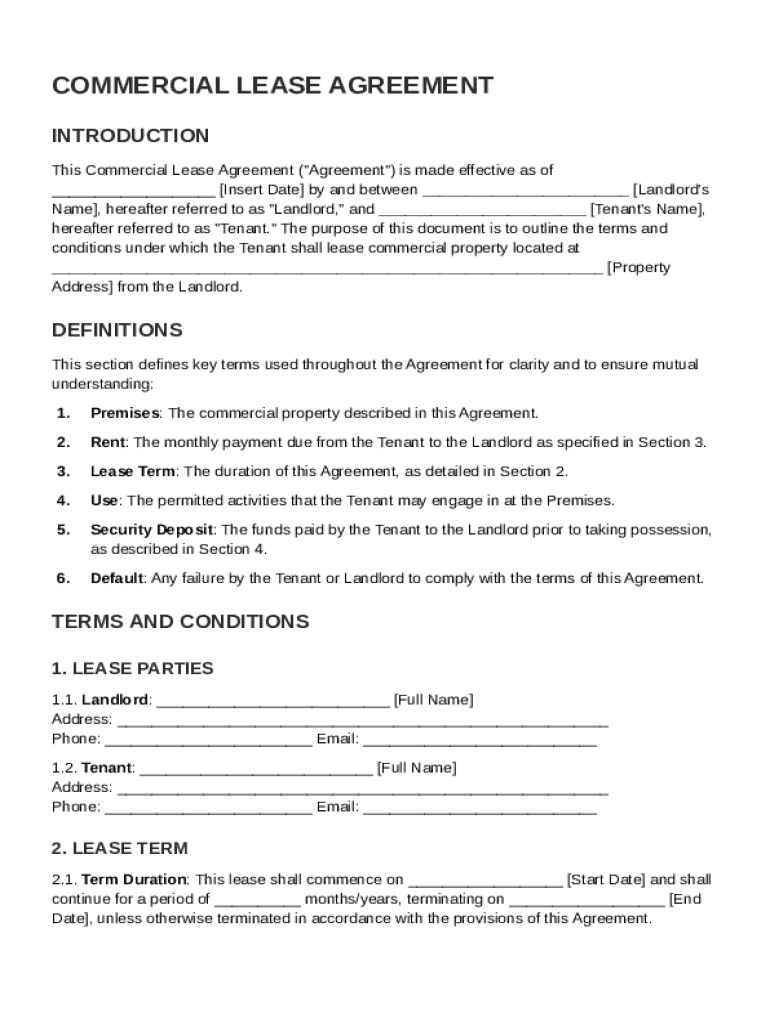
Standard Commercial Lease Agreement Form
Use a Standard Commercial Lease Agreement Template template to make your document workflow more streamlined.
What a commercial lease form covers
A Standard Commercial Lease Agreement Form is a written contract for renting business premises. It identifies the landlord and tenant, describes the premises, states the lease term and rent, and allocates responsibilities for use, repairs, utilities, insurance, taxes, improvements, defaults, and renewal. Parties complete the negotiated provisions, attach exhibits or rules, and sign the final record. With signNow, a sender uploads the lease, reviews detected fillable fields, assigns signature and date fields, routes it to authorized parties, and stores the completed document with its audit trail. State law governs enforceability and required clauses.
Business types that use commercial lease forms
Commercial lease forms help businesses document premises, financial obligations, permitted uses, and approval responsibilities before occupancy begins.
Solo legal practices use the form to document office leases, renewal terms, tenant improvements, and operating expenses without coordinating repeated paper exchanges. Regional medical clinics use commercial lease agreements to record premises, permitted healthcare uses, build-out responsibilities, insurance requirements, and access terms for each facility. Multi-location enterprises use standardized lease forms to coordinate property teams, finance reviewers, and authorized signers while preserving consistent commercial terms across office and retail sites.
These tasks are executed by both individual contributors and centralized administrators depending on organizational policy and required controls.
Who uses a commercial lease form
Landlords and managers
Commercial landlords and property managers use the form for office, retail, industrial, and mixed-use premises, recording rent, term, permitted use, operating expenses, repairs, insurance, renewal options, and delivery conditions before possession.
Tenants and reviewers
Business tenants, legal reviewers, and authorized signers use it to confirm premises, payment obligations, improvement responsibilities, access rights, default provisions, and attached rules before accepting occupancy commitments.
Key features of a commercial lease form
A commercial lease form organizes property, payment, occupancy, maintenance, insurance, renewal, and signature information so all parties review the same negotiated record.
Defined lease terms
A structured lease captures the property address, suite or premises description, parties, term, rent, deposits, permitted use, and negotiated responsibilities in one reviewable document.
Financial clarity
Separate fields for rent, increases, deposits, operating expenses, taxes, utilities, and maintenance help reviewers identify the financial obligations before signing.
Assigned signing
Signature, initials, date, and text fields assign each required action to the landlord, tenant, guarantor, or authorized representative.
Attached exhibits
Completed leases can include exhibits, rules, insurance requirements, improvement allowances, and addenda without separating supporting terms from the principal agreement.
Audit evidence
The final document and audit trail provide a chronological record of invitations, signing actions, timestamps, and completion for internal review.
Reusable template
Reusable templates help property teams preserve approved clauses while allowing premises, rent, term, and party information to change for each location.
How a commercial lease agreement works
A commercial lease records the property arrangement first, then routes defined obligations and signature fields to the authorized parties for completion.
Define terms: The completed agreement becomes a single record for premises, rent, duties, and negotiated lease terms. Prepare document: signNow detects fillable areas and lets the sender place signature, initials, date, and text fields. Route signatures: Each landlord, tenant, guarantor, or authorized representative receives assigned fields and signing instructions. Store record: The completed lease and audit trail remain available as evidence of the signing sequence and final terms.
 Best ROI. Our customers achieve an average 7x ROI within the first six months.
 Scales with your use cases. From SMBs to mid-market, airSlate SignNow delivers results for businesses of all sizes.
 Intuitive UI and API. Sign and send documents from your apps in minutes.
How to complete the lease online
Use this sequence to turn the completed commercial lease into a controlled signing workflow with clear responsibility for every required field.
Upload lease:
Upload the finalized commercial lease PDF to signNow. Check fields:
Review detected fields and add missing signature, date, initials, and text fields. Assign parties:
Assign every field to the landlord, tenant, guarantor, or authorized representative. Complete and store:
Send the agreement, monitor completion, and preserve the signed lease with its audit trail.
Recommended lease workflow setup
Configure the lease workflow around signer identity, field responsibility, audit evidence, controlled retention, and protected access to executed records.
| Setting | Recommendation |
|---|---|
| Authentication method | Email link with SMS verification |
| Signature type | Typed or drawn electronic signature |
| Audit trail | Capture and export with completed lease |
| Document retention | Apply state and business records schedule |
| Encryption | TLS 1.2/1.3 and AES-256 protection |
What the lease audit trail records
A signNow audit trail documents the technical history behind the completed commercial lease rather than merely repeating the agreement’s setup steps.
Authenticate signer:
Capture timestamps:
Record document hash:
Seal history:
Link events:
Export evidence:
Security for commercial lease records
Transport encryption:
Storage encryption:
Control certification:
Security certification:
Electronic signing:
Signing evidence:



Common commercial lease drafting challenges
Incomplete premises descriptions or missing suite details can create uncertainty about the space covered by the commercial lease agreement. Unclear responsibility for repairs, utilities, taxes, and maintenance can produce disputes after the tenant takes possession. Unsigned exhibits, addenda, or personal-guaranty pages can leave important negotiated terms outside the executed lease record. Different versions circulated by email may cause parties to sign inconsistent rent, renewal, or improvement provisions.
Risks of incomplete lease execution
Incomplete execution
Payment dispute
Maintenance dispute
Missing obligations
Best practices for lease record retention
Commercial lease records should remain complete, retrievable, and connected to their audit evidence throughout occupancy, renewal, review, and dispute-resolution periods.
Set a documented retention schedule
Export the audit trail
Archive completed leases securely
Approve destruction before disposal
Commercial lease processing stages
Processing time depends on document readiness and signer availability; these four stages keep the commercial lease review and archival sequence clear.
Prepare lease
Deliver to signers
Complete signatures
Archive completion
Commercial lease form troubleshooting
These answers address field setup, electronic signing, state-law formalities, plan selection, and preservation of the completed commercial lease record.
Upload the final PDF again and inspect detected fields before sending. Add missing signature, initials, date, or text fields manually, then assign each field to the correct landlord, tenant, guarantor, or representative.
Use signNow’s audit trail to verify the invitation, signer identity, timestamps, actions, and completion status. Compare the final PDF with the negotiated commercial lease and confirm every exhibit was included before archival.
The Business plan includes templates, audit trails, mobile apps, and legally binding eSignatures at $8/user/month with annual billing. Business Premium adds bulk send at $15/user/month when multiple lease packages require distribution.
Electronic signatures generally have legal effect under ESIGN, 15 U.S.C. ch. 96, and applicable UETA rules when intent, consent, attribution, and record retention are established. Review state-specific commercial leasing requirements before relying on electronic execution.
A completed lease does not replace state-specific requirements for recording, notarization, brokerage disclosures, or other property documents. Confirm the transaction’s jurisdiction and whether the document is a lease rather than a deed requiring separate formalities.
Export the signed lease and audit trail together, restrict archival access, and apply the organization’s state, tax, accounting, lender, and litigation-hold schedule. No single federal retention period governs every commercial lease record.
Key performance indicators that demonstrate SignNow's proven track record.
BE READY TO GET MORE
Get this form now!

If you believe that this page should be taken down, please follow our DMCA take-down process.