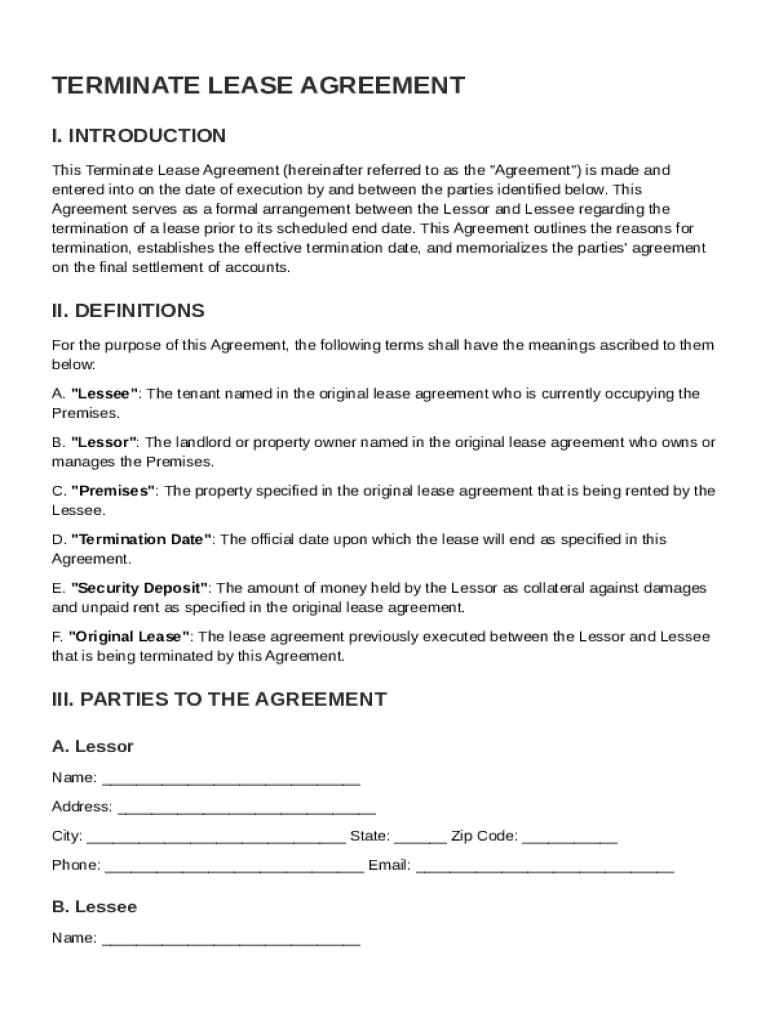
Terminate Lease Agreement Form
Use a Terminate Lease Agreement Template template to make your document workflow more streamlined.
What a Terminate Lease Agreement Form does
A Terminate Lease Agreement Form records the parties’ agreement to end a lease and identifies the property, effective termination date, notice terms, and any remaining obligations. In practice, the landlord or property manager prepares the document, confirms its terms against the original lease, and sends it to the tenant and other required parties for signature. signNow lets the sender upload the document, detect or place fillable fields, route it for signing, and retain the completed agreement with an audit trail. State landlord-tenant law controls required notices and termination conditions.
Businesses that use lease termination forms
Landlords, property managers, and real estate teams use this form to document agreed lease endings and preserve signed records.
Independent landlords can prepare a termination notice, record agreed move-out terms, and obtain the tenant’s signature without coordinating an office appointment. Property management firms can route termination agreements to tenants, owners, and authorized representatives while preserving each signer’s completed document and audit history. Enterprise real estate departments can standardize lease-exit approvals across regional portfolios, using reusable templates and controlled access for consistent recordkeeping.
These tasks are executed by both individual contributors and centralized administrators depending on organizational policy and required controls.
Key features for lease termination
signNow connects document preparation, signer routing, audit evidence, and record storage for a clearer lease termination workflow.
Field preparation
Upload the existing lease termination document and prepare its signature, date, initials, and acknowledgment fields without recreating the agreement from scratch.
Signer routing
Route the agreement to landlords, tenants, guarantors, or agents in a defined signing order when multiple approvals are required.
Audit evidence
Capture signer actions, timestamps, and document history alongside the completed termination agreement for later review.
Reusable template
Reuse an approved termination template so property teams apply consistent dates, parties, premises, and move-out terms across agreements.
Mobile signing
Allow signers to review and execute the termination agreement from supported mobile apps when an office meeting is impractical.
Record storage
Store the completed agreement with its audit record so the parties can reproduce the signed lease-exit record when needed.
How the lease audit trail works
The audit trail records technical evidence around the Terminate Lease Agreement Form, separate from preparing its lease-specific terms and signature fields.
Authenticate signer:
Record timestamp:
Hash document:
Seal record:
Review history:
Export evidence:
 Best ROI. Our customers achieve an average 7x ROI within the first six months.
 Scales with your use cases. From SMBs to mid-market, airSlate SignNow delivers results for businesses of all sizes.
 Intuitive UI and API. Sign and send documents from your apps in minutes.
Mobile options for lease termination
Prepare or review the Terminate Lease Agreement Form through signNow mobile apps for iOS and Android, including offline signing and camera-based document capture.
Mobile apps iOS and Android apps Offline mode Offline signing supported Document capture Camera-based document capture
Before sending, verify that every captured page is legible and that the agreement identifies the correct parties, premises, termination date, notice terms, and signature assignments. Managed teams should apply their organization’s access and retention policies.



Best practices for lease termination
Accuracy matters because this agreement records the parties, property, termination date, and obligations that end or survive the lease.
Verify every lease-specific field
Assign fields to named parties
Control the approved template
Archive the signed record
Lease termination legal boundaries
State notary rules
Wills and codicils
Court orders
Real estate deeds
Lease termination processing stages
Processing depends on document accuracy, signer availability, and the termination date required by the underlying lease and applicable state law.
Prepare the document
Deliver to signers
Complete signer review
Archive completion
Retention periods for related records
A lease termination agreement has no single federal retention period. Apply the record category and state requirements, then preserve the signed document and audit evidence accordingly.
Lease-specific policy period
3 or 6 years tax records
3 years or 1 year I-9
6 years HIPAA records
3 years payroll records
Security for lease termination records
Encrypted transmission:
Encrypted storage:
SOC 2 Type II:
ISO 27001:
ESIGN and UETA:
Audit trail:
Lease termination challenges to avoid
An incorrect effective termination date can conflict with the lease’s notice period and create disagreement about rent, possession, or continuing obligations. Leaving a tenant, landlord, guarantor, or property manager off the signing route can weaken evidence that every required party accepted the agreement. A scanned document with undetected fields may leave signatures, dates, or initials missing unless the sender reviews the completed PDF before delivery. Storing the signed agreement without its audit trail can make it harder to establish signer identity, timing, and document history during a dispute.
Troubleshooting lease termination workflows
Resolve field assignment, signer consent, plan selection, enforceability, and retention questions before the termination agreement is finalized.
Upload the lease termination document again and confirm that the file is a supported format. signNow can detect fillable fields, but scanned pages may require manually placing signature, date, and initials fields before sending.
Open the document in signNow, review every date and notice term, then correct the field assignment before sending. A landlord, tenant, or authorized agent should sign only the fields assigned to that person.
Business includes legally binding eSignatures, templates, audit trails, and mobile apps at $8 per user monthly when billed annually. Business Premium adds bulk send and costs $15 per user monthly annually.
signNow records signer actions and timestamps in an audit trail. ESIGN and UETA recognize electronic signatures when intent, consent, attribution, and record retention requirements are satisfied; state lease law still governs notice and termination terms.
For a consumer-facing electronic record, provide the ESIGN disclosure, explain the right to receive paper records, confirm electronic access, and explain withdrawal procedures under 15 U.S.C. §7001(c).
Use signNow’s audit trail and completed document together, then retain them under the applicable lease, business, and state records policy. No single federal rule sets one retention period for every lease termination agreement.
Key performance indicators that demonstrate SignNow's proven track record.
BE READY TO GET MORE
Get this form now!

If you believe that this page should be taken down, please follow our DMCA take-down process.