Train Consultant Contract Form
Use a Train Consultant Contract Template template to make your document workflow more streamlined.
What the Train Consultant Contract Form does
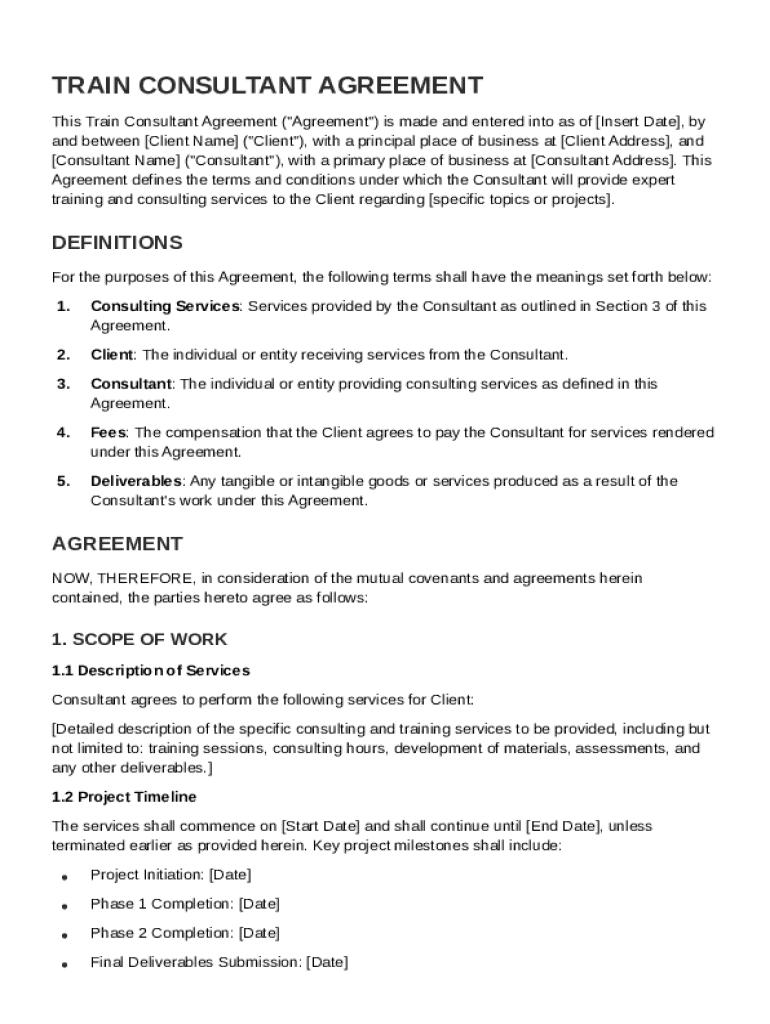
The Train Consultant Contract Form is a business agreement used to document a consultant’s training services, responsibilities, payment terms, and client acceptance. It identifies the parties, describes the training scope, records deliverables and scheduling expectations, and provides signature fields for approval. With signNow, upload the contract, let the platform detect fillable fields, review or add signer fields, send it to the consultant and client, and retain the completed PDF with its audit trail. The form’s specific legal requirements depend on the agreement and applicable state law.
Who uses this consultant contract form
Training companies
Training companies use the form to define course delivery, instructor duties, schedules, materials, and payment terms before a consultant begins work. Operations staff can route the agreement to internal approvers, while clients review the exact services and sign electronically. The completed contract and audit trail provide a consistent record for administration and later reference.
Consultants and clients
Independent instructors and consulting firms use the form to confirm the training assignment, deliverables, cancellation terms, confidentiality obligations, and compensation. Client-side procurement or legal teams can review the same document before signing, reducing uncertainty about who approved the engagement and what the consultant agreed to provide.
Business types that use this form
The form is most useful when a training engagement needs a written scope, commercial terms, multiple approvals, and a retrievable signed record.
Independent training consultants can define one client engagement’s scope, schedule, deliverables, payment terms, and approval path before beginning services. Training companies can reuse a controlled agreement template while routing each instructor contract through operations, finance, and client-side signers. Enterprise learning departments can standardize consultant engagements across business units while preserving role-based access, completion records, and audit trails.
These tasks are executed by both individual contributors and centralized administrators depending on organizational policy and required controls.
Features that support consultant agreements
signNow keeps the Train Consultant Contract Form structured from upload through signature, helping training organizations and consultants manage the agreement’s terms and completion record.
Fillable fields
Upload the Train Consultant Contract Form and use detected fields as a starting point. Add or adjust names, dates, initials, payment details, and signature fields before sending the agreement for review.
Signer routing
Assign consultant, client, and approver roles so each person receives the fields and signing order relevant to the training engagement described in the contract.
Complete agreement
Capture signatures, initials, dates, and acknowledgments in one controlled document rather than exchanging separate consultant contract versions by email.
Audit trail
Keep the signed consultant contract and its completion record together, helping operations teams locate the approved scope, deliverables, and payment terms later.
Mobile access
Use signNow mobile apps when an instructor or client reviews the training agreement away from a desk, without changing the document’s defined obligations.
Reusable template
Reuse a reviewed contract template for recurring training engagements while updating the consultant, client, scope, schedule, and compensation fields for each assignment.
 Best ROI. Our customers achieve an average 7x ROI within the first six months.
 Scales with your use cases. From SMBs to mid-market, airSlate SignNow delivers results for businesses of all sizes.
 Intuitive UI and API. Sign and send documents from your apps in minutes.
How to complete the consultant contract
Use this sequence to prepare, route, sign, and retain the Train Consultant Contract Form without losing the agreement’s commercial terms or completion evidence.
Upload document:
Upload the completed consultant contract file. Check fields:
Review detected fields and add missing ones. Set signers:
Assign consultant, client, and approver roles. Send contract:
Send the agreement and monitor completion. Store records:
Download the signed PDF and audit trail.
Mobile options for consultant contracts
The Train Consultant Contract Form can be reviewed through signNow mobile apps for iOS and Android. Mobile users can capture documents with a camera and, where supported, continue signing workflows offline before synchronization.
Mobile apps iOS and Android apps Offline work Offline signing available Document capture Camera document capture
Organizations should manage mobile access through their device and identity policies, especially when consultant contracts include client information, payment terms, or confidential training materials. Confirm signer identity, preserve the final PDF, and retain the audit trail according to the organization’s records policy and applicable contract requirements.
Security for consultant contracts
Data in transit:
Stored documents:
Independent controls:
Security management:
Health information:
Electronic signatures:



Challenges when preparing this contract
Leaving the training scope in an email can create uncertainty about deliverables, dates, materials, or acceptance obligations when the signed contract is reviewed later. Sending the contract before confirming signer authority can produce a completed document that the consultant or client’s organization disputes as unauthorized. Including unnecessary personal or payment information increases disclosure exposure if the completed consultant agreement is shared beyond the people managing the engagement. Using an outdated template can carry forward incorrect rates, cancellation terms, ownership language, or client details into a new training assignment.
Best practices for this consultant agreement
Accurate parties, clear training deliverables, reviewed commercial terms, and controlled recordkeeping make the Train Consultant Contract Form easier to administer after signature.
Verify every contracting party before sending
Describe the training scope precisely
Check business terms before signature
Archive the signed contract and audit trail
Processing stages for this contract
The Train Consultant Contract Form has no supplied federal filing deadline; its processing sequence follows the parties’ approval and recordkeeping process.
Prepare the agreement
Deliver to signers
Obtain signatures
Complete and archive
Troubleshooting consultant contract workflows
Resolve field, signer, plan, consent, and legal-scope questions before treating the Train Consultant Contract Form as fully executed.
Upload the final Train Consultant Contract Form as a PDF or supported document, then inspect the detected fields. If a training scope, payment term, or signature field is missing, add it manually before sending; automatic detection does not validate contract completeness.
The Business plan includes templates, audit trails, mobile apps, and legally binding eSignatures at $8/user/month when billed annually. Business Premium is $15/user/month annually and adds bulk send, kiosk mode, request payments, and quick invite links.
Electronic signatures generally receive legal recognition under ESIGN, 15 U.S.C. chapter 96, and UETA where applicable when intent, consent, attribution, and record retention requirements are met. Review state contract law and the agreement’s subject matter before relying on an electronic contract.
If a signer cannot open the invitation, verify the email address, resend the request, or provide a controlled signing link. Do not create an untracked replacement copy, because separate versions can obscure which consultant contract was actually approved.
Use signNow’s audit trail to review the signing event, timestamps, signer actions, and completion record. For consumer-facing electronic records, address the ESIGN consumer-disclosure requirements in 15 U.S.C. §7001(c), including access to electronic records and paper-copy rights.
A consultant contract is not a substitute for documents excluded by ESIGN, including wills, codicils, testamentary trusts, court orders, and certain family-law decrees. If the engagement document includes a separately regulated transaction, obtain advice on the applicable state requirements.
Key performance indicators that demonstrate SignNow's proven track record.
BE READY TO GET MORE
Get this form now!

If you believe that this page should be taken down, please follow our DMCA take-down process.