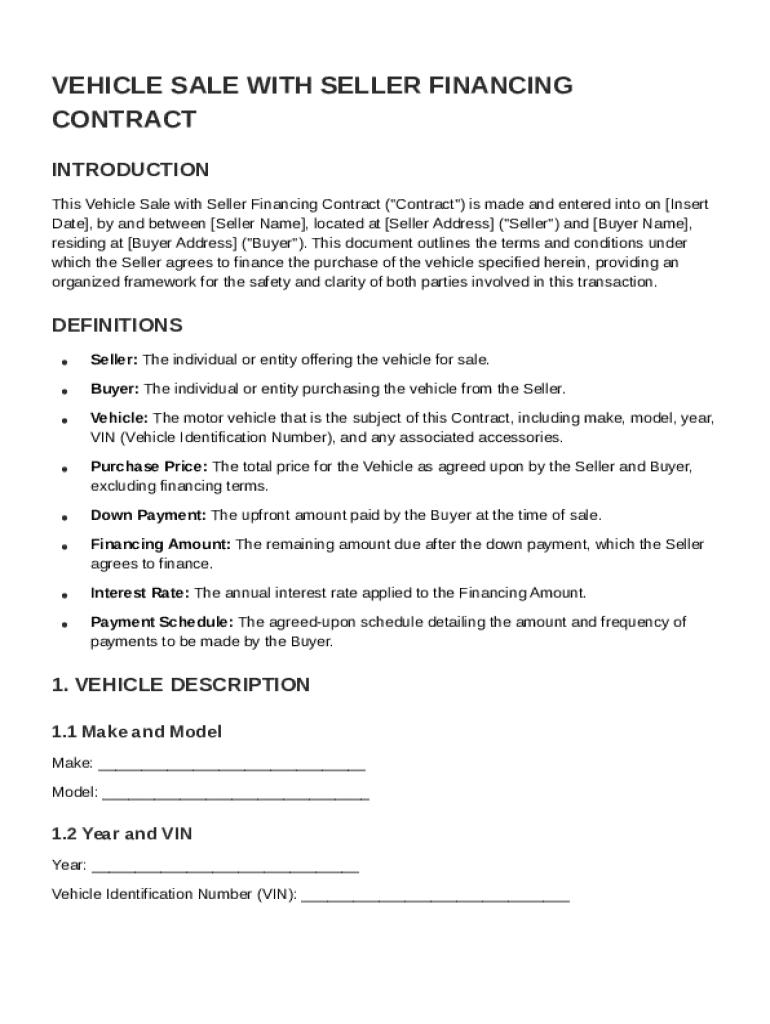
Vehicle Sale With Seller Financ Contract Form
Use a Vehicle Sale With Seller Financ Contract Template template to make your document workflow more streamlined.
What this vehicle financing form does
A Vehicle Sale With Seller Financ Contract Form records a vehicle purchase where the seller accepts payment over time instead of receiving the full price at closing. It typically identifies the seller, buyer, vehicle, sale price, down payment, financed balance, interest or payment terms, due dates, default provisions, and signatures. The parties should adapt the document to applicable state title, lien, disclosure, consumer-credit, and repossession rules. signNow can upload the contract, detect fillable fields, route it to the parties, capture signatures, and retain the completed file with an audit trail.
Features for vehicle financing contracts
signNow organizes the vehicle details, financing terms, approvals, and evidence needed to manage a seller-financed transaction digitally.
Complete terms
Capture the buyer, seller, vehicle identification, purchase price, down payment, financed amount, and payment schedule in one structured record.
Assigned fields
Place signature, initials, date, and acknowledgment fields where each party must approve the transaction.
Signing order
Route the contract to the buyer, seller, and reviewer in a defined order before completion.
Audit trail
Preserve signer activity, timestamps, and document history for later review of the financed sale.
Reusable template
Reuse a prepared contract layout while changing transaction-specific vehicle and payment information for each buyer.
Mobile signing
Let parties review and sign from supported desktop or mobile devices without exchanging paper copies.
Who uses this vehicle contract
Private vehicle sales
Private sellers and buyers use the form to document vehicle identity, price, down payment, financed balance, installment dates, and signatures.
Dealership transactions
Dealership finance teams use reusable contracts to route seller-financed purchases, capture approvals, and retain signed records with transaction-specific fields.
How the vehicle contract workflow works
The signNow workflow moves the seller-financed vehicle contract from preparation through signatures and documented storage.
Upload document: Upload the seller financing contract. Prepare fields: Auto-detect fields and add missing terms. Route for signing: Send assigned fields to each signer. Archive record: Store the completed contract and audit trail.
Steps to complete this contract online
Prepare the vehicle and financing details before sending the contract through signNow for signature and documented storage.
Upload contract:
Upload the completed vehicle financing contract. Add fields:
Add vehicle, payment, and signature fields. Assign signers:
Assign each field to the correct party. Complete record:
Send, sign, and save the final record.
Recommended contract workflow setup
Configure the seller-financed vehicle contract for verified signing, complete activity records, protected storage, and controlled access.
| Setting | Recommendation |
|---|---|
| Authentication method | Email verification with SMS OTP |
| Signature type | Typed or drawn electronic signature |
| Audit trail | Enabled for every signer and action |
| Document retention | Secure archive for contract and certificate |
| Encryption | TLS 1.2/1.3 and AES-256 |
 Best ROI. Our customers achieve an average 7x ROI within the first six months.
 Scales with your use cases. From SMBs to mid-market, airSlate SignNow delivers results for businesses of all sizes.
 Intuitive UI and API. Sign and send documents from your apps in minutes.
How the audit trail records this contract
The audit trail preserves signer identity, timing, document integrity, and workflow history for a completed vehicle financing contract.
Authenticate signer:
Capture timestamp:
Hash document:
Seal record:
Log activity:
Export evidence:
Privacy and disclosure issues to avoid
Vehicle identification numbers, mileage, lien status, or title information may be omitted or entered inconsistently between parties. Consumer consent to electronic records may not be documented before sending a seller-financed contract for signature. Personal addresses, driver information, and financial terms may remain accessible to users without transaction-level permissions. Payment changes agreed by text or email may never be added to the signed financing contract.
Legal standing of the signed contract
A seller-financed vehicle contract can be electronic evidence when the parties show intent, consent, attribution, and reliable record retention under ESIGN, 15 U.S.C. ch. 96, and applicable state law such as UETA. These frameworks do not cover wills, certain court orders, or family-law decrees, and state title or notarization rules still apply.

Risks of incomplete financing contracts
Incomplete payment terms
Unclear lien rights
Unsigned amendments
Missing disclosures
Recordkeeping practices for vehicle contracts
Accurate fields, controlled access, complete audit evidence, and state-law review help preserve the value of a seller-financed vehicle contract.
Archive the complete transaction record
Limit access to signed records
Check state vehicle rules
Document every contract amendment
Security for vehicle contract records
Transit encryption:
Stored encryption:
SOC 2 Type II:
ISO 27001:
ESIGN and UETA:
Signing history:



Vehicle sale financing in practice
Seller-financed vehicle transactions benefit from a single signed record containing vehicle details, payment terms, and each party’s approval.
Private vehicle sale
A vehicle seller can use signNow to send the financing contract, payment terms, and vehicle details to a buyer without coordinating an office appointment.
- Buyer reviews financed purchase terms
- Seller receives a completed contract
The completed document preserves the agreed vehicle description, financed balance, payment schedule, and signatures in one audit-trailed record. Parties should still confirm title-transfer, disclosure, lien, and state-law requirements before relying on the contract.
Small dealership
A small dealership can route seller-financed vehicle contracts to buyers and internal reviewers while keeping every approval and signature event documented.
- Finance terms follow a defined signing order
- Completed records remain searchable
Using a reusable signNow template helps the dealership present consistent financing language while adapting buyer, vehicle, and payment fields for each transaction. The audit trail records signer activity, supporting later review when ownership, payment, or contract terms are questioned.
Processing stages for vehicle financing contracts
The transaction moves from accurate preparation to signer delivery, completion, and preservation of the final financing record.
Prepare contract
Deliver to signers
Collect signatures
Complete and archive
Business types using this form
Seller-financed vehicle contracts serve private transactions, dealerships, and larger automotive organizations with different approval and recordkeeping needs.
Private vehicle sellers use the form to document installment pricing, payment dates, buyer obligations, and signatures without assembling separate paper pages. Independent dealerships use reusable signNow templates to prepare seller-financed vehicle contracts, route them to buyers, and preserve completed records for transaction review. Enterprise automotive groups use controlled workflows and audit trails to coordinate financing documents across locations while separating transaction data and signer permissions.
These tasks are executed by both individual contributors and centralized administrators depending on organizational policy and required controls.
Vehicle contract troubleshooting questions
Resolve field, signer, consent, plan, and record-retention issues before relying on a completed seller-financed vehicle contract.
Upload the contract as a PDF or supported document, then use signNow’s field detection and manually verify every vehicle, payment, and signature field before sending.
Confirm each signer’s email, assigned fields, and signing order. signNow’s Business plan includes templates and audit trails, while Business Premium adds bulk send for repeated transactions.
Use SMS OTP or another available authentication control when identity risk warrants it. Record any required consumer electronic-record consent under ESIGN, 15 U.S.C. §7001(c).
The completed file and audit trail can support evidence of intent, attribution, and record integrity, but state title, lien, disclosure, and consumer-credit requirements remain separate.
Business Premium is listed at $15/user/month with annual billing and includes bulk send. The Business plan is $8/user/month annually; plan availability should match transaction volume.
Export and retain the signed contract, completion certificate, and audit trail under the business’s applicable record policy. State retention rules may exceed federal requirements for specific records.
Key performance indicators that demonstrate SignNow's proven track record.
BE READY TO GET MORE
Get this form now!

If you believe that this page should be taken down, please follow our DMCA take-down process.