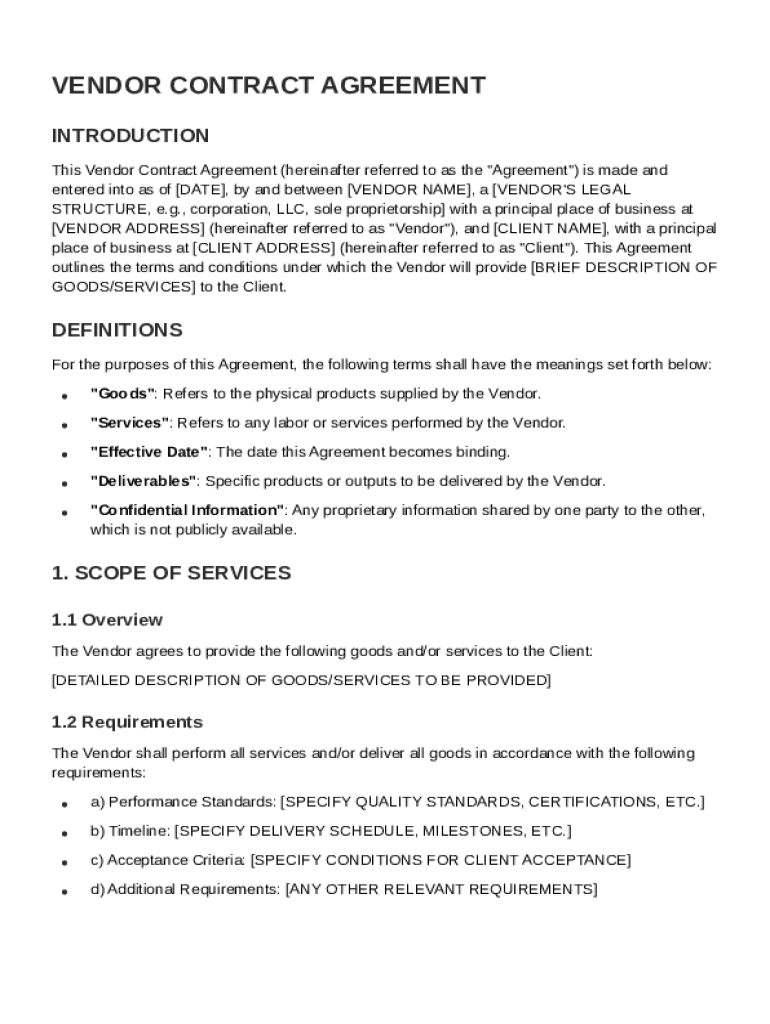
Vendor Contract Form
Use a Vendor Contract Template template to make your document workflow more streamlined.
What a Vendor Contract Form does
A Vendor Contract Form records the commercial terms, responsibilities, approvals, and signatures governing a company’s relationship with a supplier or service provider. In signNow, upload the contract, review detected fillable fields, assign vendor and internal signers, and send it for electronic signature. Each signer reviews the agreement before signing, while the completed contract and audit trail preserve evidence of the signing process. ESIGN and UETA generally recognize electronic signatures for business transactions when intent, consent, attribution, and record retention requirements are satisfied.
Who benefits from vendor contracts
Vendor Contract Form supports independent professionals, operating teams, and procurement departments that need documented supplier terms and accountable signatures.
Solo consultants can use the Vendor Contract Form to define scope, payment terms, confidentiality duties, and signatures before beginning a client or supplier engagement. Real estate and construction businesses can route vendor agreements between field teams, suppliers, and office approvers, reducing paper handling while preserving signed contract records for project files. Enterprise procurement teams can standardize vendor onboarding with templates, delegated sending, role-based approvals, and integrations that connect executed agreements with Salesforce, NetSuite, or cloud storage.
These tasks are executed by both individual contributors and centralized administrators depending on organizational policy and required controls.
Features that support vendor contracts
Vendor Contract Form workflows combine document preparation, signer routing, evidence collection, storage, and integrations for procurement and operations teams.
Field detection
Upload a vendor agreement and review its detected fields before adding missing signature, date, or approval fields. This reduces manual setup while keeping the document-specific terms visible for review.
Signer routing
Assign vendor representatives, company approvers, and internal reviewers to defined signing roles. Role-based routing keeps each party responsible for the correct contract section and approval action.
Audit trail
Collect electronic signatures with a documented signing event. Audit trails record actions, timestamps, and related activity so procurement teams can reconstruct how the vendor contract was completed.
Reusable templates
Reuse an approved Vendor Contract Form template for recurring suppliers. Templates help preserve required clauses, signer roles, and field placement across repeated vendor onboarding workflows.
Business plan
Use signNow Business at $8/user/month when billed annually for legally binding eSignatures, audit trails, templates, and mobile apps supporting vendor contract workflows.
Named integrations
Connect vendor agreements with NetSuite, Salesforce, Google Drive, Box, or Procore to reduce duplicate entry and keep executed contracts available in the systems teams already use.
How to complete a vendor contract
Complete the Vendor Contract Form in signNow by preparing the document, assigning signers, collecting signatures, and preserving the completed record.
Upload contract:
Upload the completed vendor contract file to signNow. Check fields:
Review detected fields and add missing signer, date, and approval fields. Assign signers:
Enter vendor and company signer details, then assign each signing role. Send contract:
Send the contract for electronic signature and monitor completion status. Store records:
Download the signed contract and audit trail for organized vendor records.
 Best ROI. Our customers achieve an average 7x ROI within the first six months.
 Scales with your use cases. From SMBs to mid-market, airSlate SignNow delivers results for businesses of all sizes.
 Intuitive UI and API. Sign and send documents from your apps in minutes.
Recommended vendor contract setup
Configure each Vendor Contract Form workflow around signer identity, evidence preservation, secure storage, and the retention rule tied to the agreement.
| Setting | Recommendation |
|---|---|
| Authentication method | Email verification with SMS authentication |
| Signature type | Electronic signature with recorded signer intent |
| Audit trail | Export the completed audit trail |
| Document retention | Follow the contract’s governing retention rule |
| Encryption | TLS 1.2/1.3 and AES-256 protection |
What the vendor contract audit trail records
The signNow audit trail documents the technical and evidentiary events surrounding each Vendor Contract Form signature, separate from contract setup.
Authenticate signer:
Capture timestamp:
Protect document:
Seal record:
Create certificate:
Export evidence:
Security for vendor contracts
Transport encryption:
Stored encryption:
Security certification:
Information security:
Healthcare safeguards:
Electronic signatures:



Vendor contract record retention periods
Retention depends on the contract’s business purpose and related records. Apply the governing federal rule, then check state and industry requirements before deletion.
3 years from filing
6 years when understatement exceeds 25%
6 years from creation
6 years for books and records
3 years for payroll records
Best practices for vendor contract records
Preserve the executed Vendor Contract Form, its audit trail, and related records according to the agreement’s purpose and applicable federal, state, and industry rules.
Match retention to contract purpose
Export the audit trail with every agreement
Archive signed contracts securely
Check state and industry requirements
Privacy and disclosure pitfalls
Personal data in vendor agreements may be exposed when broad sharing permissions include unrelated employees or external recipients. A missing signer-consent record can weaken evidence that the vendor agreed to electronic execution. Unassigned approval fields can leave pricing, insurance, or indemnity terms incomplete before signature. Saving only the signed PDF without its audit trail can make the execution history harder to establish.
Documents needing special handling
May require a notary
Excluded from ESIGN
Excluded from ESIGN
State recording rules apply
Vendor Contract Form troubleshooting
Resolve Vendor Contract Form issues by checking field assignments, signer identity, plan capabilities, legal scope, and preservation of the signed record.
Upload the contract as a supported document and inspect signNow’s detected fields before sending. Add missing signature, date, and approval fields manually so every required term has an assigned action.
The Business plan costs $8/user/month when billed annually and includes legally binding eSignatures, templates, audit trails, and mobile apps. Business Premium adds bulk send at $15/user/month annually.
A vendor can sign electronically when intent, consent, attribution, and record retention requirements are satisfied. ESIGN, 15 U.S.C. ch. 96, and applicable UETA rules provide the legal framework for business transactions.
Use signNow’s signer routing to assign the vendor representative and internal approver separately. Confirm each person’s email address and signing order before sending, then review the audit trail after completion.
HIPAA compliance is relevant only when the vendor contract workflow handles protected health information. signNow identifies HIPAA compliance with a required BAA; retention still follows 45 CFR §164.530(j).
Download the completed Vendor Contract Form together with its audit trail. Store both in an approved repository, restrict deletion access, and apply the retention rule tied to the contract’s business purpose.
Key performance indicators that demonstrate SignNow's proven track record.
BE READY TO GET MORE
Get this form now!

If you believe that this page should be taken down, please follow our DMCA take-down process.