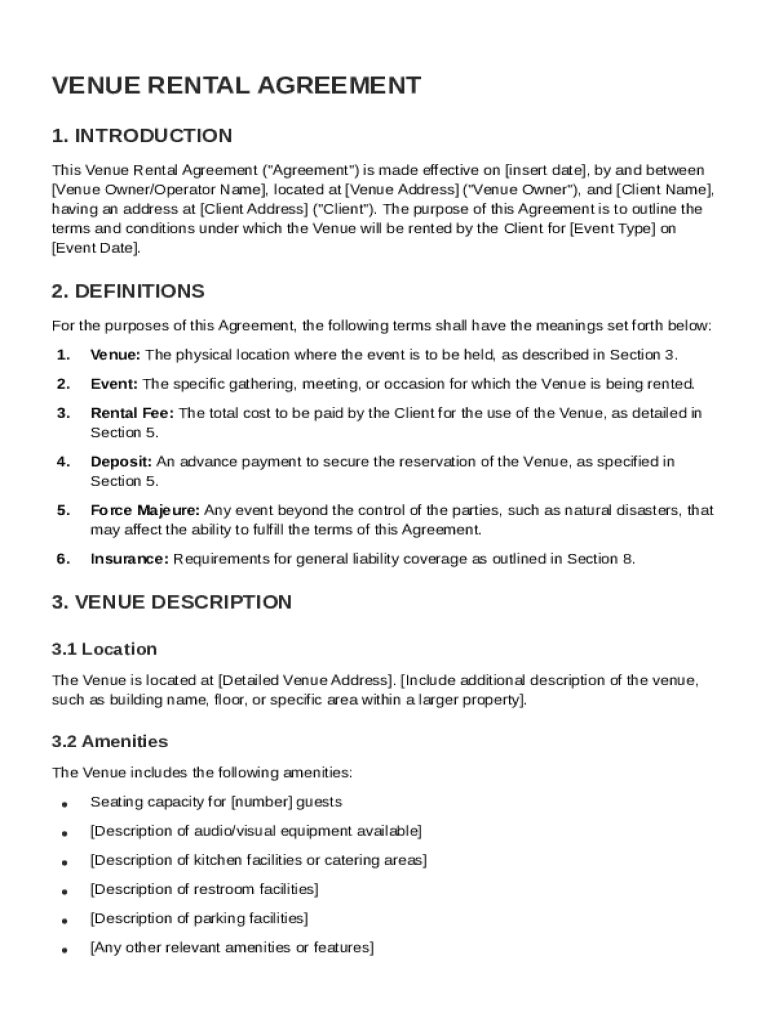
Venue Contract Form
Use a Venue Contract Template template to make your document workflow more streamlined.
What a Venue Contract Form covers
A Venue Contract Form records the parties, location, event or occupancy terms, dates, fees, responsibilities, and approvals for using a venue. It is not a single federally issued form, so required fields and clauses depend on the agreement and applicable state law. With signNow, upload the form, let the platform detect fillable areas, add signer and date fields, route it to the venue and counterparty, and preserve the completed document with its audit trail. Review insurance, cancellation, liability, and required notarization terms before sending.
Businesses that use venue contracts
Venue Contract Form supports organizations that must document space reservations, event responsibilities, and approvals before access or use begins.
Event venues use the form to document booking dates, permitted activities, deposits, cancellation terms, and facility responsibilities before customers receive access to the space. Construction companies use venue agreements for training sites, temporary meeting spaces, and project events, routing signatures between field leaders, operations staff, and property representatives. Corporate operations teams use the form for conferences, client events, and recurring space reservations, preserving approvals and executed terms without circulating paper copies.
These tasks are executed by both individual contributors and centralized administrators depending on organizational policy and required controls.
How to complete a Venue Contract Form
Prepare the venue terms first, then use signNow to route the exact agreement to every required signer.
Upload form:
Upload the completed Venue Contract Form PDF. Check fields:
Review detected fields and add missing fields. Assign signers:
Assign venue, customer, and approver roles. Complete workflow:
Send, monitor, and download the executed agreement.
Features that support venue agreements
Venue Contract Form workflows combine structured fields, signer routing, authentication, mobile access, and audit evidence for agreements involving venues, renters, vendors, and approvers.
Reusable template
Upload the Venue Contract Form and place signature, initials, date, and approval fields without rebuilding the document. Reusable templates keep recurring venue terms and signer roles consistent across events or locations.
Signer routing
Send the completed venue agreement to multiple parties in a defined signing order. Role-specific fields help distinguish venue representatives, renters, vendors, and approving managers before execution.
Audit trail
Capture email events, signer actions, timestamps, and completion history with the Venue Contract Form. The resulting audit trail helps connect the executed agreement to its signing process.
Mobile signing
Use signNow’s mobile apps when venue representatives or contractors review agreements away from a desk. The same form fields and signing sequence remain available across supported workflows.
Signer authentication
Add SMS-based authentication when the venue agreement requires more than an email link. Configure the control for the document’s risk instead of treating it as a substitute for notarization.
Record control
Store the completed venue agreement with its signing evidence so authorized teams can retrieve the exact executed record. Apply the organization’s retention schedule and access controls after completion.
 Best ROI. Our customers achieve an average 7x ROI within the first six months.
 Scales with your use cases. From SMBs to mid-market, airSlate SignNow delivers results for businesses of all sizes.
 Intuitive UI and API. Sign and send documents from your apps in minutes.
What the Venue Contract audit trail records
The audit trail connects each Venue Contract Form signature to signer activity, timing, document integrity, and later record retrieval.
Authenticate signer:
Timestamp actions:
Hash document:
Seal record:
Track history:
Export trail:
When Venue Contract Forms Are Legally Effective
A Venue Contract Form can support a U.S. business transaction when the parties show intent, consent to electronic records, and can attribute the signature to the signer. ESIGN, 15 U.S.C. ch. 96, and UETA generally recognize electronic records, but exclude wills, certain court orders, and family-law decrees.

Signer authentication for venue agreements
PKI certificates:
X.509 certificates:
Two-factor authentication:
SMS OTP:
ID verification:
Signing evidence:
Best practices for venue contract execution
Accurate venue details, deliberate signer assignment, complete attachments, and controlled archival reduce disputes about what the parties approved.
Identify every venue term
Map roles before sending
Attach referenced schedules
Archive the executed record
Venue Contract Form challenges to avoid
Leaving the venue address, event dates, permitted use, or cancellation terms incomplete can create disputes about the parties’ actual agreement. Sending the form to an employee or vendor without authority can leave the venue contract’s approval and attribution unclear. Referencing insurance certificates, schedules, or house rules without attaching them can make the executed agreement incomplete. Failing to preserve the audit trail and final PDF can weaken evidence about delivery, signing sequence, and document integrity.
State rules affecting venue agreements
State notarization
Wills and codicils
Court orders
Family-law documents
Venue Contract Form use cases
Organizations use Venue Contract Form workflows to document bookings, event arrangements, site access, and approvals across venue-facing operations.
Event venue
A regional event venue uses a reusable Venue Contract Form for bookings that require signatures from the venue manager and customer. The workflow separates commercial terms from internal approval.
- Reusable booking terms
- Sequential signer routing
- Mobile review
The venue can send the same structured agreement for each booking while updating dates, fees, and event details. signNow’s audit trail records the signing sequence and completion activity, giving the venue and customer a single executed copy to reference when questions arise about approval or delivery.
Construction company
A construction company reserves venues for training sessions and project meetings, using a Venue Contract Form that identifies the location, schedule, responsible team, and cancellation terms.
- Project-specific details
- Office and field access
- Stored completion evidence
The operations team can route the agreement to the project lead and venue representative without relying on paper circulation. Mobile signing supports field-based review, while the completed record and audit history remain available for internal administration and later contract review.
Venue Contract Form processing stages
No universal federal deadline governs a private Venue Contract Form; set timing from the booking date, access date, and agreement terms.
Prepare the contract
Deliver to signers
Collect signatures
Complete and archive
Venue Contract Form troubleshooting questions
Resolve field, consent, authentication, notarization, and retention questions before sending a Venue Contract Form to its authorized signers.
Upload the Venue Contract Form as a PDF, then use signNow’s field tools to place required signer, date, initials, and approval fields. Business includes templates and audit trails; verify every venue-specific term before sending.
A signer can often complete a signNow request without creating an account. Use email delivery for routine venue agreements or add SMS authentication when stronger identity evidence is appropriate. Business Premium and Enterprise include additional workflow controls.
For consumer-facing transactions, provide the electronic-record disclosure required by ESIGN, 15 U.S.C. §7001(c), including paper access and withdrawal procedures. signNow can preserve the signed record and audit trail, but your disclosure process remains your responsibility.
Business includes audit trails, while Enterprise adds advanced signer authentication. Configure authentication based on the venue agreement’s risk, signer relationship, and personal information; do not describe authentication alone as notarization.
Venue agreements may require notarization under governing state law or a transaction-specific clause. An electronic signature does not replace a required notarial act; arrange in-person or remote notarization only where the applicable state permits it.
After completion, retain the signed Venue Contract Form and audit trail in a reproducible format. signNow supports document history and audit trails; apply your organization’s approved retention policy and any industry-specific rule that actually covers the record.
Key performance indicators that demonstrate SignNow's proven track record.
BE READY TO GET MORE
Get this form now!

If you believe that this page should be taken down, please follow our DMCA take-down process.