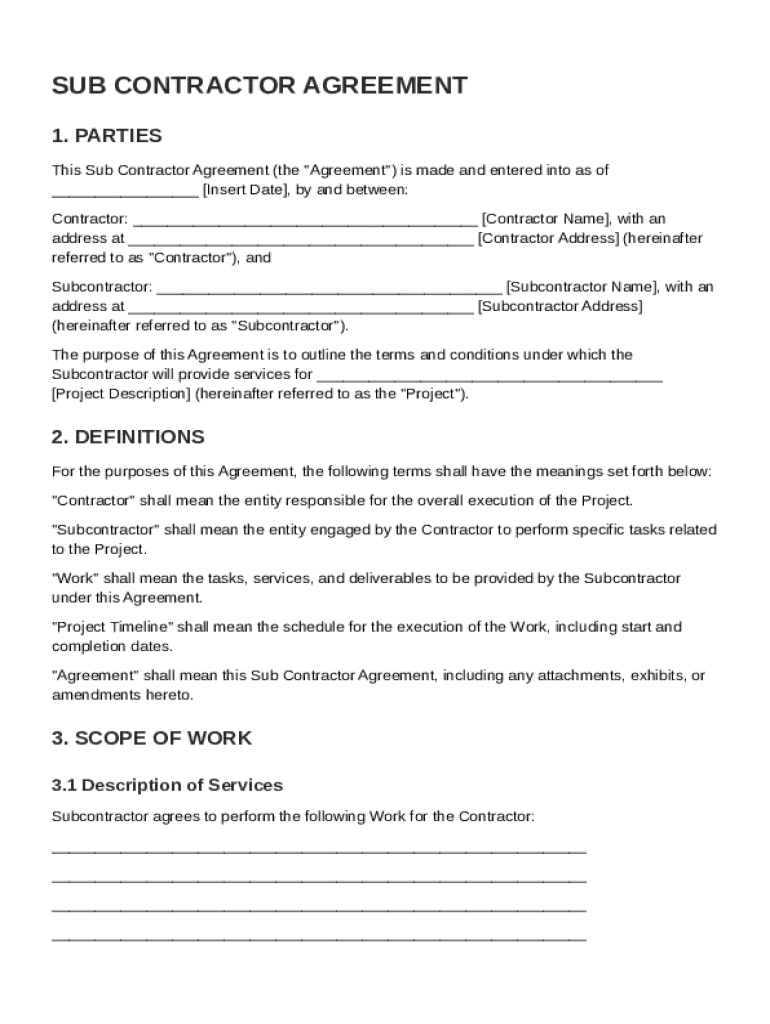
Sub Contractor Agreement Form
Use a Sub Contractor Agreement Template template to make your document workflow more streamlined.
What the subcontractor agreement does
A Sub Contractor Agreement Form is a written contract between a hiring business and an independent subcontractor that defines the assigned work, deliverables, payment terms, deadlines, insurance obligations, confidentiality duties, and signatures. It helps the parties document the commercial arrangement before performance begins. With signNow, the sender uploads the agreement, reviews or adds fillable fields, assigns the business and subcontractor signing roles, sends the document, and stores the completed agreement with its audit trail. State contract law and the actual project terms control enforceability.
Businesses that use this form
Subcontractor agreements help businesses document independent work, project responsibilities, payment terms, and signature authority before services begin.
A construction contractor can reuse a controlled agreement template, assign project-specific fields, and delegate sending while administrators manage permissions and completed records in signNow. A staffing or facilities company can send agreements to multiple independent subcontractors, use shared templates, and limit delegated users to approved documents without granting broader administrative access. An enterprise procurement team can centralize templates, assign role-based access, and connect signNow with NetSuite, Microsoft 365, or cloud storage for controlled agreement workflows.
These tasks are executed by both individual contributors and centralized administrators depending on organizational policy and required controls.
How the subcontractor form works
The signNow workflow turns a subcontractor agreement into a completed, traceable record without changing its negotiated terms.
Upload document: Upload the agreement template and identify its fillable fields. Complete fields: Add company, project, payment, insurance, and signature information. Send for signature: Assign signing roles and send the agreement to each party. Store records: Download the executed agreement with its audit trail.
Complete the form in signNow
Prepare the Sub Contractor Agreement Form in five controlled steps, from uploading the contract through preserving the signed document and its completion evidence.
Upload agreement:
Upload the completed agreement template to signNow. Map fields:
Review auto-detected fields and add missing fields. Assign signers:
Assign the hiring business and subcontractor roles. Request signatures:
Send the agreement and monitor signature status. Archive records:
Download the executed agreement and audit trail.
Ways to send and sign agreements
- Use the signNow web app when preparing a subcontractor agreement, mapping fields, assigning roles, and reviewing the final document on a desktop or laptop.
- Use the signNow mobile app when a project manager or subcontractor must review and sign the agreement from a jobsite or another location.
- Use kiosk mode when multiple subcontractors sign agreements on one supervised device, such as during an organized contractor onboarding session.
- Use a shareable signing link when the same agreement template must reach subcontractors through a controlled website, message, or internal workflow.
 Best ROI. Our customers achieve an average 7x ROI within the first six months.
 Scales with your use cases. From SMBs to mid-market, airSlate SignNow delivers results for businesses of all sizes.
 Intuitive UI and API. Sign and send documents from your apps in minutes.
Inside the subcontractor audit trail
The audit trail records who handled the Sub Contractor Agreement Form, what they did, and when the executed record was completed.
Authenticate signer:
Capture timestamp:
Hash document:
Seal document:
Log events:
Export evidence:
Recommended agreement workflow setup
Configure the Sub Contractor Agreement Form around signer identity, signature evidence, controlled access, and a retention policy approved for the project and jurisdiction.
| Setting | Recommendation |
|---|---|
| Authentication method | Email verification with SMS OTP |
| Signature type | Typed or drawn electronic signature |
| Audit trail | Certificate of completion and event history |
| Document retention | Retain under contract and state policy |
| Encryption | TLS 1.2/1.3 in transit, AES-256 at rest |
Privacy risks in subcontractor agreements
Signed subcontractor agreements may expose taxpayer identification numbers, addresses, payment details, or banking information to unauthorized recipients. A missing electronic-records disclosure can weaken evidence that each subcontractor consented to receive and sign the agreement electronically. Shared folders without role-based permissions can let unrelated employees download completed agreements containing confidential rates and project information. Using an outdated agreement template can disclose personal data unnecessarily and create inconsistent consent or confidentiality terms across subcontractors.
Risks of incomplete subcontractor agreements
Scope dispute
Execution defect
Version conflict
Confidentiality exposure
Legal standing of the agreement
A signed Sub Contractor Agreement Form can support a U.S. business transaction when the parties show intent, consent to electronic records, signer attribution, and reliable record retention under ESIGN, 15 U.S.C. ch. 96, and applicable UETA law. Wills, codicils, testamentary trusts, court orders, and family-law decrees remain excluded.

Features for subcontractor agreements
signNow combines structured fields, signer routing, audit evidence, reusable templates, and integrations to manage Sub Contractor Agreement Forms from preparation through storage.
Field mapping
Upload the Sub Contractor Agreement Form and preserve its original clauses while adding structured fields for project, payment, insurance, and signature information.
Role assignment
Assign the hiring business and subcontractor as signers, then send the agreement in the required order without relying on paper delivery.
Audit trail
Capture timestamps, signer actions, and completion history so the executed agreement has supporting evidence under an ESIGN or UETA workflow.
Reusable templates
Reuse an approved subcontractor template while keeping project-specific scope, rates, dates, and responsibilities editable for each engagement.
Mobile signing
Collect signatures from desktops or mobile devices when project personnel and subcontractors work from different locations or jobsites.
Record connections
Connect completed agreements with Google Drive, Box, Egnyte, Microsoft 365, NetSuite, or Procore for organized project records.
Security for signed agreements
Data encryption:
Security reporting:
Information security:
Electronic signatures:
Signer verification:
Sensitive records:
Platform requirements for signing
Use signNow through Chrome, Firefox, Safari, or Edge on Windows or macOS. The signNow mobile apps support iOS and Android, while encrypted connections use TLS 1.2 or TLS 1.3.
Browser support Chrome, Firefox, Safari, and Edge Desktop systems Windows and macOS desktops Mobile access iOS and Android mobile apps
Organizations should manage access through approved devices and user permissions. Enterprise deployments can connect signNow through API access, SSO provisioning, and integrations such as Microsoft 365, NetSuite, Google Drive, Box, or Procore.



Best practices for this agreement
Careful scope definition, signer verification, controlled templates, and organized evidence reduce disputes about what the subcontractor agreed to perform.
Define the project scope
Review every variable
Verify signer authority
Archive supporting evidence
Key performance indicators that demonstrate SignNow's proven track record.
Sub Contractor Agreement Form troubleshooting
Resolve field, signer, evidence, plan, and legal-scope questions before sending a Sub Contractor Agreement Form for execution.
Upload the original Sub Contractor Agreement Form again and check whether text layers are selectable. If signNow cannot detect fields, add signature, date, initials, and text fields manually before assigning signer roles.
A signNow Business subscription includes templates and audit trails, while Business Premium adds bulk send. If multiple subcontractors need individualized agreements, confirm the selected plan supports the intended sending volume and workflow.
ESIGN and UETA generally recognize electronic signatures when intent, consent, attribution, and record retention are demonstrated. For consumer-facing transactions, provide the required electronic-record disclosure under 15 U.S.C. §7001(c).
Use signNow’s audit trail and certificate of completion to connect the signer, timestamps, IP information, and document events with the executed agreement. Keep the agreement and evidence together under the applicable contract policy.
Use role-based access, approved templates, and signer authentication controls to prevent unauthorized changes or disclosure. signNow supports TLS 1.2/1.3 in transit and AES-256 encryption at rest.
Do not use electronic signing alone for wills, codicils, testamentary trusts, court orders, or family-law decrees. Those ESIGN exceptions require separate legal handling and may require paper, witnesses, notarization, or court procedures.
BE READY TO GET MORE
Get this form now!

If you believe that this page should be taken down, please follow our DMCA take-down process.