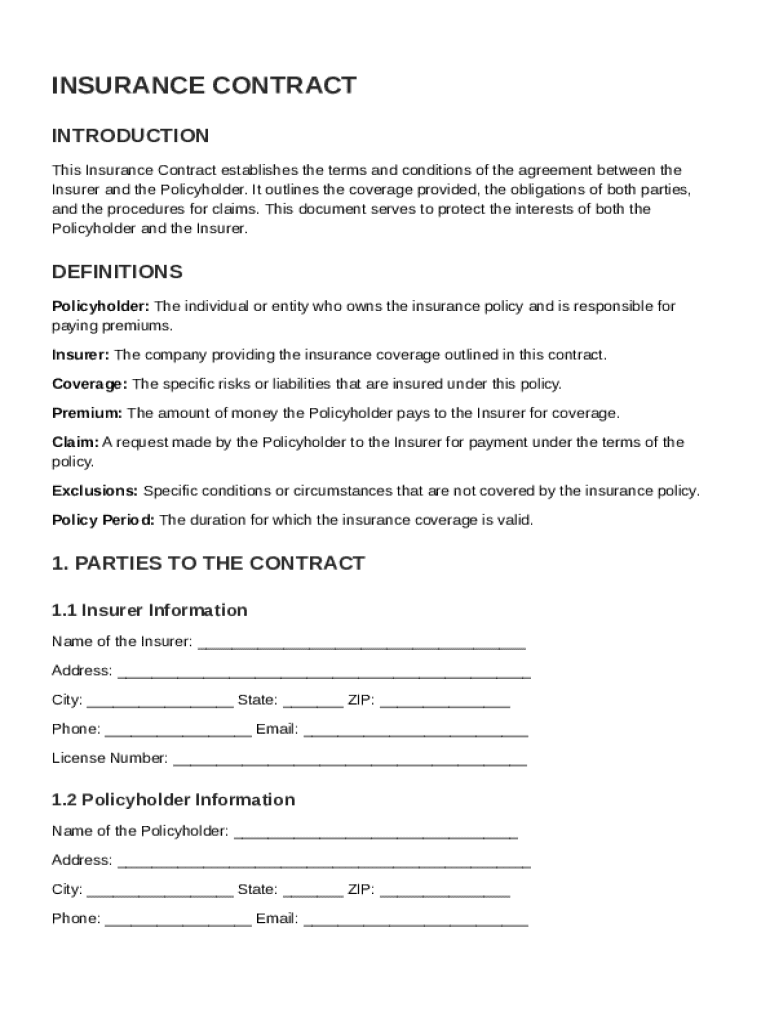
Insurance Contract Form
Use a Insurance Contract Template template to make your document workflow more streamlined.
What Insurance Contract Form does
An Insurance Contract Form records the parties, policy details, coverage choices, disclosures, and signatures needed to establish or administer an insurance agreement. In the United States, signNow lets an agent upload the form, auto-detect fillable fields, assign applicant and insurer roles, send it for electronic signatures, and retain the completed document with an audit trail. Electronic signing may be recognized under ESIGN and applicable state law when intent, consent, attribution, and record reproducibility are established. State insurance requirements still control the form’s contents and delivery.
Who benefits from this insurance form
Insurance Contract Form workflows help individual agents, agencies, and insurers collect complete information and documented agreement from policyholders.
Independent insurance agents use the form to collect applicant details, coverage selections, and signatures during client meetings or remote consultations. Regional insurance agencies use reusable Insurance Contract Form templates to route applications, endorsements, and policy acknowledgments among agents, clients, and carriers. Enterprise insurers use controlled workflows for high-volume policy documents, combining role-based access, audit trails, and integrations with existing customer or claims systems.
These tasks are executed by both individual contributors and centralized administrators depending on organizational policy and required controls.
Who uses Insurance Contract Form
Insurance professionals
Insurance agents and brokers use Insurance Contract Form to collect applicant information, coverage selections, disclosures, and signatures from individuals or business policyholders.
Carriers and agencies
Insurance carriers and agencies use the form for policy applications, endorsements, renewals, and acknowledgments that require an auditable electronic record.
Features that support insurance workflows
Insurance Contract Form workflows combine field preparation, signer routing, audit evidence, reusable templates, and system connections for policy-related document handling.
Field detection
Auto-detected fields help agents identify where applicants, policyholders, dates, coverage selections, and signatures belong before the Insurance Contract Form is sent for completion.
Signer roles
Assigning each field to an applicant, agent, or insurer representative clarifies responsibility and reduces incomplete Insurance Contract Form submissions.
Flexible signing
Email invitations, mobile signing, kiosk mode, and shareable links accommodate client meetings, remote applications, and supervised completion of insurance documents.
Audit trail
The audit trail preserves signer actions, timestamps, and document history alongside the completed Insurance Contract Form for review and recordkeeping.
Reusable templates
Templates let agencies reuse approved Insurance Contract Form layouts while keeping recurring fields and signer sequences consistent across applications.
Business integrations
Integrations with systems such as Salesforce, NetSuite, Google Drive, and Box help route completed insurance records into established business workflows.
Complete the insurance form online
Follow these steps to turn an Insurance Contract Form into a signed, traceable electronic record.
Upload form:
Upload the completed Insurance Contract Form PDF. Check fields:
Review auto-detected fields and add missing ones. Send form:
Assign fields to each signer and send. Store records:
Download the signed form and audit trail.
 Best ROI. Our customers achieve an average 7x ROI within the first six months.
 Scales with your use cases. From SMBs to mid-market, airSlate SignNow delivers results for businesses of all sizes.
 Intuitive UI and API. Sign and send documents from your apps in minutes.
Choose the right signing method
- Use the web app to upload the Insurance Contract Form, place fields, and send it when staff need a controlled desktop workflow.
- Use the signNow mobile app to review, complete, or sign the Insurance Contract Form while working with clients away from the office.
- Use kiosk mode when a client signs the Insurance Contract Form on a shared device under staff supervision.
- Create a shareable signing link when many insurance applicants need access to the same Insurance Contract Form without individual email invitations.
How Insurance Contract Form works
The workflow moves the Insurance Contract Form from upload to field completion, signature collection, and auditable storage in four controlled stages.
Prepare form: Upload the Insurance Contract Form and let signNow detect fillable fields. Assign signers: Assign applicant, agent, and insurer fields to each signer. Request signatures: Send the form by email or signing link. Preserve record: Store the completed form with its audit trail.
Recommended Insurance Contract Form setup
Configure the Insurance Contract Form around signer identity, documented consent, controlled access, and retention rules established for the applicable insurance business and state.
| Setting | Recommendation |
|---|---|
| Authentication method | Email links with SMS verification |
| Signature type | Typed or drawn electronic signature |
| Audit trail | Capture timestamps and signer actions |
| Document retention | Follow applicable state insurance requirements |
| Encryption and provisioning | Use encrypted storage with administrator-managed users |
Security for insurance documents
Transit encryption:
Storage encryption:
Security report:
Management standard:
Health information:
Electronic signatures:
Platform requirements for insurance forms
Use signNow through Chrome or Edge on Windows or macOS, or through the signNow mobile apps on iOS and Android. TLS 1.2 and TLS 1.3 protect data in transit, while mobile access supports reviewing and signing Insurance Contract Form away from the office.
Desktop browsers Chrome and Edge Mobile apps iOS and Android Computer systems Windows and macOS
Organizations handling policyholder information should manage supported devices, administrator access, and retention policies centrally. Teams can connect Insurance Contract Form workflows through the signNow API or named integrations, then preserve completed records and audit trails according to applicable insurance, privacy, and state requirements.



Privacy and disclosure pitfalls
Insurance Contract Forms can expose policyholder addresses, identification details, beneficiary information, or payment data when recipients receive uncontrolled copies. A consumer-facing workflow may require disclosure of the right to paper records and electronic access under ESIGN, 15 U.S.C. §7001(c). Unrestricted template or completed-document access can let unauthorized staff view private insurance information or alter fields before signature. Incomplete applicant information can create coverage disputes when policy selections, exclusions, dates, or signatures are missing from the completed form.
How the audit trail protects evidence
The signNow audit trail records identity, timing, document integrity, and retrieval details for each completed Insurance Contract Form without replacing the form itself.
Authenticate signer:
Record timestamps:
Hash document:
Seal record:
Build audit trail:
Export evidence:
Key performance indicators that demonstrate SignNow's proven track record.
Insurance Contract Form troubleshooting
Resolve field, consent, authentication, plan, privacy, and record-retrieval issues before relying on a completed Insurance Contract Form.
Upload the original Insurance Contract Form as a supported document, then review signNow’s detected fields before sending. Add or correct applicant, agent, date, and signature fields manually when auto-detection does not identify a required location. The Business plan includes templates and audit trails for repeat workflows.
Use signNow’s signer assignment tools to identify each applicant, agent, or insurer representative. A recipient can often sign without creating an account, but the sender should verify the recipient address and select SMS verification when stronger identity evidence is needed for the insurance workflow.
For consumer-facing electronic records, provide the ESIGN disclosure explaining the right to paper records, electronic access, and withdrawal procedures under 15 U.S.C. §7001(c). Keep evidence that the policyholder consented before relying on the electronic Insurance Contract Form.
The Business plan is listed at $8 per user per month when billed annually and includes 100 signature invites per user per year. Business Premium is $15 annually billed and adds bulk send, which may suit repeated insurance applications.
signNow states that HIPAA compliance requires a business associate agreement. If the Insurance Contract Form contains protected health information, confirm the BAA and configure access controls before sending or storing the document.
If a completed form cannot be located, search the signNow account’s documents and templates, confirm the sender and recipient addresses, and retrieve the completed file with its audit trail. Preserve both records according to applicable state insurance and organizational retention requirements.
BE READY TO GET MORE
Get this form now!

If you believe that this page should be taken down, please follow our DMCA take-down process.