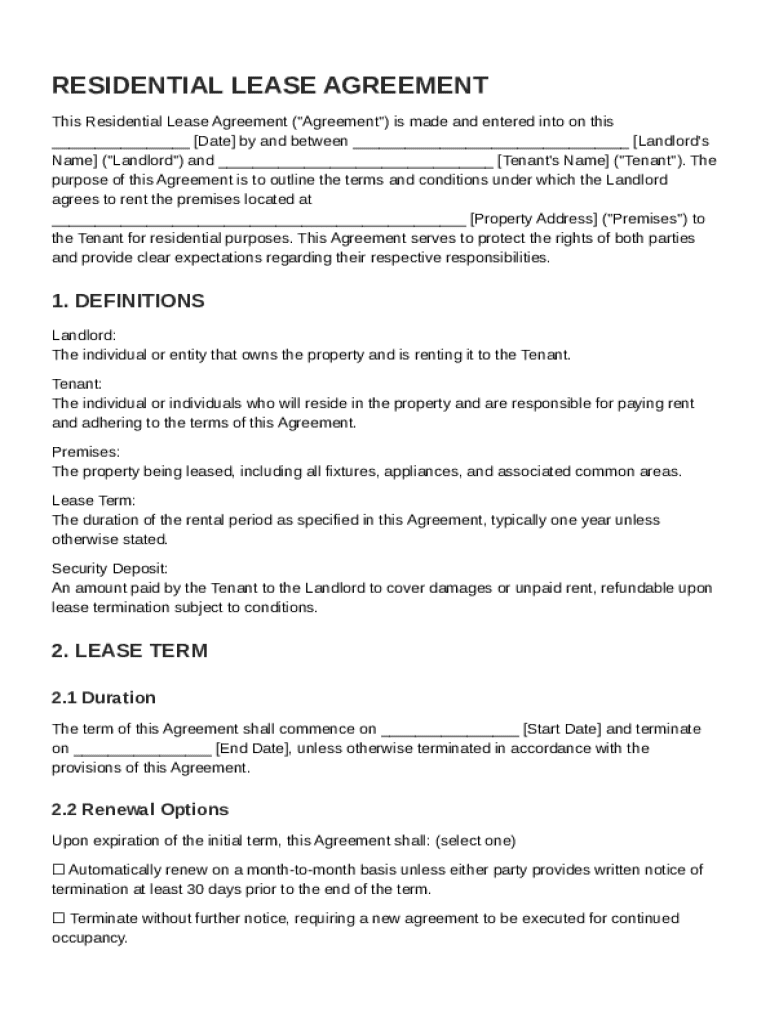
Landlord Contract Form
Use a Landlord Contract Template template to make your document workflow more streamlined.
What a landlord contract form does
A Landlord Contract Form records the agreement between a property owner or authorized manager and a tenant about a specific rental property. It commonly identifies the parties, premises, rent, security deposit, lease term, maintenance responsibilities, notices, and signatures. The parties should confirm that the document matches applicable state landlord-tenant requirements before signing. With signNow, a sender uploads the agreement, reviews detected fillable fields, assigns signature and date fields, sends it to each signer, and retains the completed PDF with an audit trail showing the signing history.
Who uses a landlord contract form
Property management
Landlords and property managers use the form to document rent, deposits, maintenance duties, notice periods, occupancy terms, and signatures before a tenant moves in.
Leasing teams
Residential leasing teams use it to coordinate landlord, tenant, guarantor, and co-signer approvals while keeping each completed agreement available for later review.
Who benefits from landlord contracts
Landlords, property managers, and leasing teams use the form to document rental terms and obtain accountable signatures from every required party.
Independent landlords can prepare one agreement for a specific rental property, assign tenant and guarantor fields, and collect signatures remotely while retaining the completed contract and audit trail with their property records. Property management companies can standardize approved lease-related templates across staff, route contracts to multiple parties, and connect completed agreements with storage or operational systems without repeatedly recreating signature fields. Real estate leasing teams can send rental agreements while coordinating landlords, tenants, and co-signers across locations, using signNow mobile workflows when parties review or sign away from an office.
These tasks are executed by both individual contributors and centralized administrators depending on organizational policy and required controls.
How landlord contract signing works
signNow turns a prepared landlord contract into a structured signing workflow while preserving the completed agreement and its audit trail.
Upload document: Upload the completed landlord contract PDF. Check fields: Review detected fields and add missing signature dates. Add signers: Enter tenant and landlord email addresses. Complete signing: Send, sign, and retain the completed record.
 Best ROI. Our customers achieve an average 7x ROI within the first six months.
 Scales with your use cases. From SMBs to mid-market, airSlate SignNow delivers results for businesses of all sizes.
 Intuitive UI and API. Sign and send documents from your apps in minutes.
Steps to complete a landlord contract
Prepare the rental agreement, route it to every required party, and retain the signed document with its completion evidence.
Upload contract:
Upload the landlord contract PDF. Prepare fields:
Review fields and add signers. Send agreement:
Send the agreement for signature. Store records:
Download the signed copy and audit trail.
Key features for landlord contracts
signNow organizes landlord contract preparation, signature routing, and recordkeeping around the parties, property terms, and approvals each rental agreement requires.
Document upload
Upload an existing landlord agreement and preserve its property terms, rent clauses, deposit details, and signature areas in one digital workflow.
Field detection
Auto-detected fields help identify signature, date, and text areas, reducing manual preparation before sending the contract to tenants or landlords.
Signer routing
Route the agreement to landlords, tenants, guarantors, or co-signers in the required order and track completion without exchanging paper copies.
Flexible delivery
Use email delivery or a signing link when parties need to review the same rental agreement from different locations or devices.
Audit trail
The completed contract remains connected to an audit trail recording signing activity, timestamps, and document history for later review.
Reusable templates
Templates help property teams reuse approved landlord contract language while maintaining consistent fields and signer roles across properties.
Security for landlord contract records
Encryption:
Security certification:
ISO certification:
Signature compliance:
Transport security:
Storage encryption:
Platform requirements for landlord contracts
Complete and sign a Landlord Contract Form through Chrome, Firefox, Safari, or Edge on Windows, macOS, iOS, or Android.
Desktop browsers Chrome, Firefox, Safari, and Edge on Windows or macOS Mobile browsers Safari on iOS and Chrome on Android Secure connection TLS 1.2 or newer required
Property managers can use managed Windows or macOS devices for office workflows and iOS or Android devices for field signing. Keep browser software current, use TLS 1.2 or newer, and confirm organizational controls for access, storage, and signer identity before sending lease-related documents.



Best practices for landlord contract records
Accurate fields, controlled access, and documented retention help property teams preserve a reliable record of each signed landlord agreement.
Verify property and payment terms
Assign every signer field
Archive the signed agreement securely
Protect tenant and landlord information
Legal standing of landlord contracts
A landlord contract can be an electronic record when the parties show intent, consent to electronic transactions, and the ability to access and reproduce the agreement. ESIGN, 15 U.S.C. ch. 96, and applicable state law support electronic signatures, but state rules may still require special formalities for deeds, notarization, or excluded documents.

Landlord contract troubleshooting
Resolve field, delivery, plan, enforceability, retention, and electronic-consent questions before relying on a signed landlord agreement.
Upload the original PDF again and review signNow’s detected fields. Auto-detection may not identify every custom clause or signature location, so add missing fields manually and confirm each field is assigned to the correct landlord, tenant, guarantor, or co-signer.
Check the recipient email address, signer order, and delivery status first. If the tenant cannot open the request, resend it or provide a controlled signing link. Do not create a second conflicting agreement before confirming which version remains authoritative.
The Business plan is listed at $8 per user per month with annual billing and includes templates and audit trails. Business Premium is $15 per user per month annually and adds bulk send, which may help repeated property workflows.
Electronic signing does not replace state-specific landlord-tenant requirements. Review required disclosures, notices, witnessing, notarization, and delivery rules for the property’s jurisdiction before sending; ESIGN and UETA address electronic records but do not eliminate every state-law formality.
signNow records signing activity in an audit trail and supports document history retention. Export the signed agreement and audit trail together, restrict access, and apply the retention rule required by the relevant state, tax, insurance, or litigation context.
A consumer-facing electronic record may require an ESIGN disclosure explaining paper-record rights, electronic access, and consent withdrawal procedures under 15 U.S.C. §7001(c). Confirm whether the transaction and parties trigger those consumer-disclosure requirements before requesting an electronic signature.
Key performance indicators that demonstrate SignNow's proven track record.
BE READY TO GET MORE
Get this form now!

If you believe that this page should be taken down, please follow our DMCA take-down process.