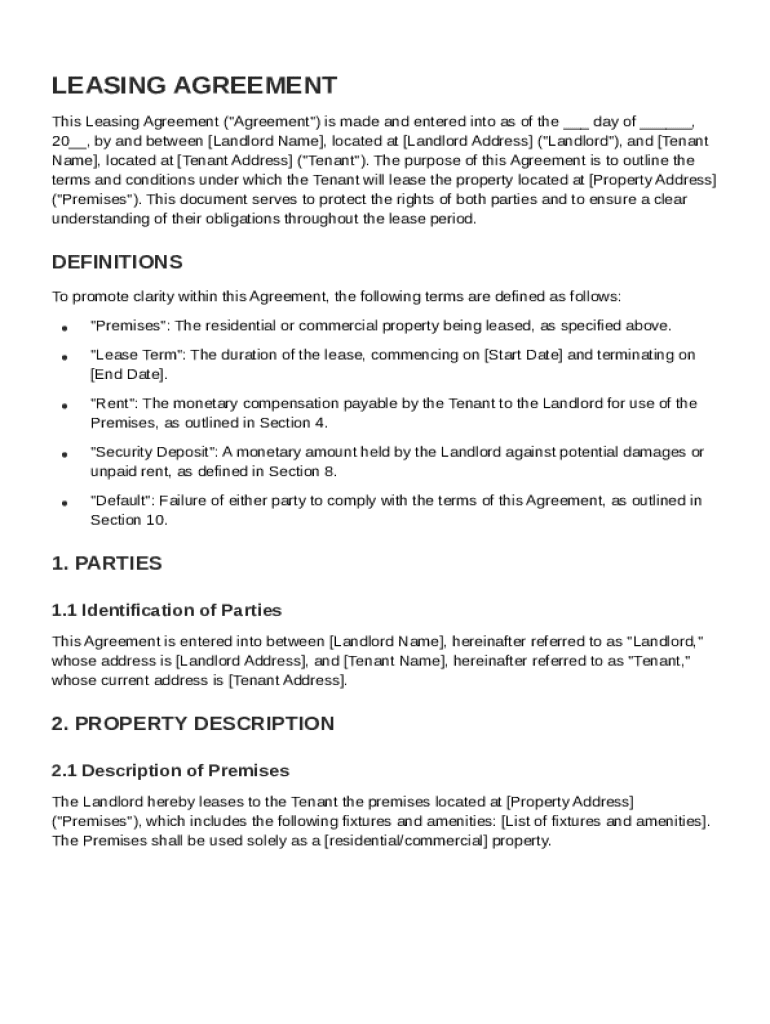
Leasing Contract Form
Use a Leasing Contract Template template to make your document workflow more streamlined.
What a leasing contract form does
A Leasing Contract Form records the agreement between parties for using specified property under stated financial, occupancy, maintenance, renewal, and notice terms. In signNow, the sender uploads the lease, reviews detected fillable fields, assigns fields to the landlord, tenant, guarantor, or other participants, and sends it for electronic signatures. Each signer reviews the assigned content, completes required fields, and signs. The completed lease can be downloaded with its audit trail. ESIGN and UETA generally support electronic contracts, subject to state requirements and statutory exclusions.
Features for leasing contract workflows
signNow supports the leasing contract process from document preparation through signer routing, completion evidence, and controlled record storage.
Field detection
Upload an existing leasing contract and use signNow field detection to identify areas requiring tenant, landlord, guarantor, initials, dates, or signatures before sending.
Role assignment
Assign each leasing contract field to a specific signer so the landlord, tenant, guarantor, or agent completes only the information tied to that role.
Remote signing
Send the completed lease for sequential or parallel review and signature without requiring every participant to meet in the same location.
Audit trail
Preserve timestamps, signer activity, and completion evidence with the signed leasing contract for later property management or dispute review.
Reusable templates
Use reusable templates for recurring leases while keeping property-specific terms and attachments available for each individual tenancy.
Mobile access
Review and sign leasing contracts from signNow mobile apps when property managers or tenants are away from a desktop workstation.
Business types using leasing contracts
Leasing Contract Forms support individual property managers, regional operators, and enterprise real estate teams with different approval and recordkeeping needs.
Solo property managers can use reusable leasing templates to send agreements, collect tenant signatures, and preserve completed records without coordinating repeated paper exchanges. Regional property management companies can route leases among owners, tenants, guarantors, and internal reviewers while maintaining shared templates, permissions, and audit evidence. Enterprise real estate operators can connect leasing workflows with systems such as Salesforce, NetSuite, Google Drive, or Box for controlled document movement and organizational oversight.
These tasks are executed by both individual contributors and centralized administrators depending on organizational policy and required controls.
How leasing contract signing works
The leasing workflow moves from document preparation to assigned signatures, then preserves the completed agreement and its audit evidence.
Upload: Upload the lease Detect fields: signNow detects fillable areas Assign: Route fields to each party Complete: Signers complete and sign
How to complete a leasing contract
Prepare a Leasing Contract Form in signNow by uploading the document, checking its fields, routing it to the right parties, and preserving the completed record.
Upload contract:
Upload the Leasing Contract Form to signNow. Check fields:
Review detected fields and add missing ones. Assign signers:
Assign landlord, tenant, and guarantor roles. Send lease:
Send the contract for review and signature. Store records:
Download the completed lease and audit trail.
 Best ROI. Our customers achieve an average 7x ROI within the first six months.
 Scales with your use cases. From SMBs to mid-market, airSlate SignNow delivers results for businesses of all sizes.
 Intuitive UI and API. Sign and send documents from your apps in minutes.
What the leasing audit trail records
The audit trail connects each leasing contract signature to authentication, timing, document integrity, and retrievable completion evidence.
Authenticate signer:
Capture timestamps:
Hash document:
Seal record:
Retrieve evidence:
Export audit trail:
Recommended leasing contract setup
Configure the Leasing Contract Form around signer identity, assigned roles, audit evidence, encryption, and the retention policy applicable to the property and jurisdiction.
| Setting | Recommendation |
|---|---|
| Authentication method | Email verification with SMS OTP |
| Signature type | Typed or drawn electronic signature |
| Audit trail | Capture timestamps and signer actions |
| Document retention | Follow applicable state lease rules |
| Encryption | AES-256 at rest and TLS 1.2/1.3 |
Security for leasing contract records
Encryption at rest:
Transport encryption:
Security certification:
Information security:
Electronic transactions:
Protected health data:



Platform requirements for leasing contracts
To complete a Leasing Contract Form online, use Chrome, Firefox, Safari, or Edge on Windows or macOS. signNow also provides iOS and Android mobile apps for reviewing and signing leasing documents.
Supported browsers Chrome, Firefox, Safari, and Edge Desktop systems Windows and macOS desktop access Mobile apps iOS and Android mobile apps
Organizations should manage access through approved devices and workspace permissions when leasing contracts contain tenant identity, payment, or property information. Enterprise deployments may also require API access, SSO provisioning, and retention controls aligned with internal policy and applicable state landlord-tenant requirements.
Best practices for leasing contracts
A controlled template, deliberate signer assignment, and preserved audit evidence help keep each leasing contract complete and reviewable.
Control the approved contract template
Assign each signer’s exact role
Archive the signed record
Check state-specific lease requirements
Risks of incomplete leasing contracts
No enforceable agreement
Property terms disputed
Required notice challenged
Signature attribution questioned
Leasing contract processing stages
Processing depends on document preparation, signer availability, and the routing order selected for the Leasing Contract Form.
Prepare the contract
Deliver to signers
Collect signatures
Complete and archive
Leasing contract mistakes to avoid
Missing rent, deposit, renewal, or maintenance terms can leave the parties disputing core obligations after signing. Using inconsistent tenant and property details across pages can create ambiguity about which premises the leasing contract covers. Collecting signatures before reviewing attachments may leave important move-in rules, disclosures, or exhibits outside the signed agreement. Sending the contract without confirming signer identity and authority can weaken evidence that the correct parties accepted the lease.
Key performance indicators that demonstrate SignNow's proven track record.
Leasing contract troubleshooting questions
Resolve field, signer, plan, electronic-signature, consumer-disclosure, and retention questions before treating a Leasing Contract Form as complete.
Upload the source lease again as a readable PDF, then review signNow’s detected fields manually. Add missing landlord, tenant, guarantor, date, initials, and signature fields before assigning recipients. Detection identifies candidate fields, but the sender remains responsible for confirming every required leasing term and attachment.
Check the recipient email address, signing order, and assigned fields first. A signer cannot complete a field assigned to another participant. If the lease requires multiple parties, update routing and resend the incomplete request rather than asking participants to alter the document outside signNow.
The Business plan includes legally binding eSignatures, templates, audit trails, and mobile apps at $8/user/month when billed annually. Business Premium is $15/user/month annually and adds bulk send, kiosk mode, payments, and quick invite links. Month-to-month pricing is higher for both plans.
Electronic execution of a lease generally receives federal support under ESIGN, 15 U.S.C. ch. 96, and UETA in adopting jurisdictions. Confirm state landlord-tenant rules, required disclosures, notarization, recording, and consumer consent requirements before relying on an electronic lease.
For a consumer-facing lease transaction, review the ESIGN consumer-disclosure requirements in 15 U.S.C. §7001(c), including access to electronic records and the right to paper records. Use signNow’s signing workflow only after the required disclosure and consent process is addressed.
Export the completed Leasing Contract Form together with its audit trail or certificate of completion, then store both under the property record. Apply the retention period required by the relevant state and local landlord-tenant rules; no single federal lease-retention period applies to every tenancy.
BE READY TO GET MORE
Get this form now!

If you believe that this page should be taken down, please follow our DMCA take-down process.