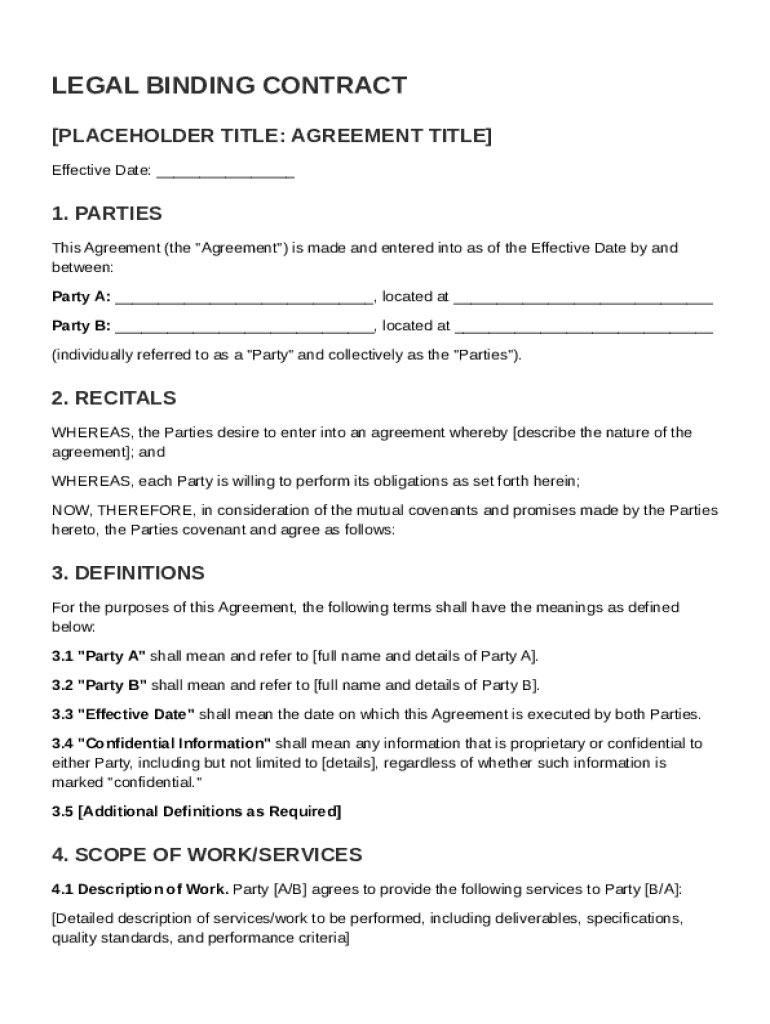
Legal Bind Contract Form
Use a Legal Bind Contract Template template to make your document workflow more streamlined.
What Legal Bind Contract Form means
A Legal Bind Contract Form is a business document intended to create, record, or confirm obligations between parties. It usually identifies the parties, states the agreed terms, and captures signatures or approvals. With signNow, upload the document, let the platform detect fillable areas, review or add fields, and send it to the required signers. Each signer reviews the terms and signs electronically, while the completed document and audit trail preserve the signing history. Enforceability depends on signer intent, consent, attribution, record retention, and applicable state law.
Who uses Legal Bind Contract Form
Legal services
Legal departments use Legal Bind Contract Form for agreements, amendments, NDAs, and approval records. They assign signing order, preserve negotiated language, and retain the completed document with its audit trail. ESIGN and UETA may support electronic execution when intent, consent, attribution, and reproducibility are established.
Business operations
Real estate, construction, financial-services, and healthcare teams use Legal Bind Contract Form for agreements, applications, invoices, consent records, and approvals. Healthcare workflows require attention to PHI, HIPAA obligations, and a BAA where applicable; state law may impose additional contract or notarization requirements.
Key features for Legal Bind Contract Form
signNow connects document preparation, signer routing, electronic execution, and evidence preservation for Legal Bind Contract Form workflows.
Field detection
Upload the Legal Bind Contract Form and review detected fields before assigning each signer, reducing omissions in multi-party agreements.
Role routing
Assign signers and signing order directly in the form, helping each party complete only the fields intended for that role.
Audit trail
Capture signatures, timestamps, and action history in an audit trail that supports later review of the completed agreement.
Reusable templates
Use reusable templates for recurring Legal Bind Contract Forms while preserving the approved wording and required field structure.
Mobile signing
Send the form from desktop or mobile workflows, allowing authorized users to handle time-sensitive agreements away from the office.
Record storage
Store the signed document and completion record together so contract administrators can retrieve the executed terms and signing evidence.
How the form moves through signNow
The signNow workflow converts the Legal Bind Contract Form from an uploaded file into a signed, traceable business record.
Upload document: Upload the Legal Bind Contract Form to signNow. Prepare fields: Review detected fields and add missing signature fields. Invite signers: Send the completed form to identified signers. Complete record: Collect signatures and store the signed record.
Inside the Legal Bind Contract Form audit trail
The audit trail documents who handled the Legal Bind Contract Form, what they did, and when the completed record was finalized.
Authenticate signer:
Timestamp action:
Hash document:
Seal record:
Track activity:
Export trail:
 Best ROI. Our customers achieve an average 7x ROI within the first six months.
 Scales with your use cases. From SMBs to mid-market, airSlate SignNow delivers results for businesses of all sizes.
 Intuitive UI and API. Sign and send documents from your apps in minutes.
Recommended workflow configuration
Configure Legal Bind Contract Form around signer identity, evidence preservation, access control, and the record-retention policy governing the agreement.
| Setting | Recommendation |
|---|---|
| Authentication method | Email link with SMS OTP |
| Signature type | Typed or drawn eSignature |
| Audit trail | Enabled with completion certificate |
| Document retention | Retain under contract policy |
| Encryption | TLS 1.2/1.3 and AES-256 |
Security controls for Legal Bind Contract Form
Data encryption:
Security reporting:
Security management:
Privacy controls:
Health information:
Signature legality:
Platform requirements for the form
Legal Bind Contract Form workflows run through signNow using Chrome, Firefox, Safari, or Edge on Windows and macOS, with mobile apps available for iOS and Android. Secure connections use TLS 1.2/1.3.
Browsers Chrome, Firefox, Safari, and Edge Operating systems Windows, macOS, iOS, and Android Connection security TLS 1.2/1.3 for secure connections
Organizations should also review managed-device policies, identity provisioning, and retention controls before deployment. API, SSO, certificate, or advanced authentication requirements depend on the selected signNow plan and the sensitivity of the Legal Bind Contract Form.



Best practices for this legal form
A controlled preparation and signing process helps preserve the meaning, evidence, and accessibility of Legal Bind Contract Form.
Verify the approved document before sending
Assign every field to the correct signer
Preserve the signed record and audit trail
Check consent and legal exclusions first
Privacy and disclosure pitfalls
Including Social Security numbers, health information, or bank details without limiting access exposes sensitive data beyond the contract’s business purpose. Skipping the ESIGN consumer disclosure can weaken evidence that a consumer consented to receive and sign the Legal Bind Contract Form electronically. Leaving completed forms accessible to every workspace user can disclose negotiated terms, personal information, or audit-trail details to unauthorized recipients. Using an electronic signature for a will, court filing, or state-required notarized instrument can produce a record that does not satisfy the governing rule.
Limits and state-law exceptions
Notarized instruments
Wills and codicils
Family-law decrees
Real-estate deeds
Legal standing and document limits
For U.S. business transactions, a signed Legal Bind Contract Form may be admissible when the parties show intent, consent, attribution, and the ability to retain and reproduce the record under ESIGN, 15 U.S.C. ch. 96, and applicable UETA or New York ESRA rules. Those frameworks exclude wills, codicils, testamentary trusts, court orders, and certain family-law documents. State law may also require notarization for particular instruments.

Troubleshooting Legal Bind Contract Form workflows
These answers address signing, plan, consent, audit-trail, and protected-information issues that can affect a Legal Bind Contract Form workflow.
The Business plan includes legally binding eSignatures, templates, audit trails, and mobile apps at $8/user/month when billed annually. It includes 100 signature invites per user annually; additional invites may incur overage fees, so review usage before sending this form repeatedly.
For consumer-facing Legal Bind Contract Forms, ESIGN, 15 U.S.C. §7001(c), requires disclosure of the right to receive paper records, access to electronic records, and procedures for withdrawing consent. Configure the disclosure before requesting an electronic signature.
If a signature field is missing, return to the uploaded document and add the required signer, initials, date, or text fields before sending. Auto-detection can identify fillable areas, but the sender remains responsible for reviewing every field.
A completed Legal Bind Contract Form should retain its audit trail with the signed document. signNow records signing actions, timestamps, and signer details; export both records together when your contract policy or applicable state law requires independent archival.
Business Premium adds bulk send at $15/user/month annually, which is useful when the same Legal Bind Contract Form goes to many separate recipients. A single negotiated agreement may instead require individually assigned signers and should not be bulk-sent accidentally.
HIPAA compliance applies when the Legal Bind Contract Form contains protected health information and requires a business associate agreement. The signNow Site License lists HIPAA and 21 CFR Part 11 as add-ons; confirm the selected plan and contractual terms before processing PHI.
Key performance indicators that demonstrate SignNow's proven track record.
BE READY TO GET MORE
Get this form now!

If you believe that this page should be taken down, please follow our DMCA take-down process.