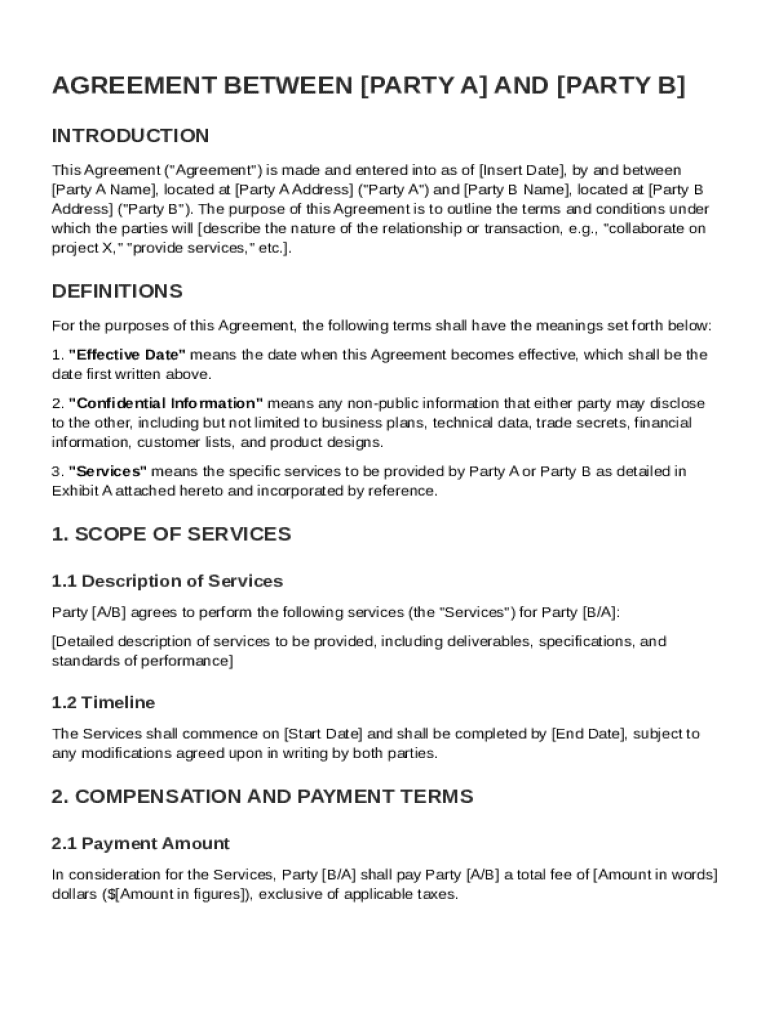
Legal Between Two Parties Contract Form
Use a Legal Between Two Parties Contract Template template to make your document workflow more streamlined.
What this bilateral contract form does
A Legal Between Two Parties Contract Form records the agreed duties, rights, consideration, and signatures of two contracting parties. It is not a government-issued form with one universal field set; the parties must define terms clearly, identify each signer, and retain the executed record. In signNow, upload the final agreement, review auto-detected fillable fields, assign signature and date fields, send it to both parties, and preserve the completed PDF with its audit trail. ESIGN and UETA generally support electronic contracts when intent, consent, attribution, and reproducibility are established, subject to statutory exclusions and state law.
Features for bilateral contract completion
A bilateral contract workflow should protect the agreed text, identify both parties, document consent, and preserve evidence of execution.
Field placement
Upload the contract and place signature, initials, date, and text fields without recreating the agreement. Auto-detection helps identify fillable areas, while sender review keeps party names, terms, and execution requirements aligned.
Signer routing
Route the contract to two parties in a defined signing order or invite them simultaneously. Each signer receives the required fields and can complete the document from a supported desktop or mobile device.
Audit trail
Capture timestamps, signer activity, and document history with the completed agreement. The resulting audit evidence helps connect each signature to the person, action, and executed contract record.
Reusable templates
Reuse an approved contract template for recurring bilateral agreements. Templates reduce accidental changes to clauses, party fields, signature locations, and required dates while preserving a controlled document workflow.
Business integrations
Connect contract completion with Salesforce, NetSuite, Google Drive, Box, or Microsoft 365. The selected integration can move agreement data or completed files into the system used for relationship, finance, or records management.
Flexible signing
Use email invitations, signing links, or mobile signing for counterparties who cannot meet in person. The workflow keeps the legal document and execution record together instead of relying on informal email approvals.
Recommended contract workflow setup
Configure the bilateral agreement around signer identity, execution evidence, controlled retention, and protected storage before sending it for signature.
| Setting | Recommendation |
|---|---|
| Authentication method | Email invitation with SMS verification |
| Signature type | Typed or drawn electronic signature |
| Audit trail | Export with completed contract |
| Document retention | Apply the governing rule |
| Encryption | AES-256 at rest and TLS 1.2/1.3 |
How to complete this contract in signNow
Prepare the final agreement first, then use signNow to identify fields, route both parties, collect signatures, and preserve execution evidence.
Upload contract:
Upload the final bilateral contract file to signNow. Check fields:
Review auto-detected fields and add missing signature fields. Assign parties:
Assign each field to the correct contracting party. Send for signing:
Send invitations and monitor completion status. Store evidence:
Download the executed contract and audit trail.
What the contract audit trail records
The audit trail links the two parties’ actions to the executed agreement, supporting attribution, review, and later record retrieval.
Identify signer:
Timestamp action:
Track history:
Connect fields:
Seal evidence:
Export record:
 Best ROI. Our customers achieve an average 7x ROI within the first six months.
 Scales with your use cases. From SMBs to mid-market, airSlate SignNow delivers results for businesses of all sizes.
 Intuitive UI and API. Sign and send documents from your apps in minutes.
Security for contract records
Encryption:
Transport security:
Security certification:
Information security:
Electronic signatures:
Healthcare protection:



Record-keeping practices for signed contracts
Preserve the executed agreement, its audit evidence, and the retention rule that governs the parties’ specific transaction.
Apply the applicable retention period
Export the audit trail
Archive executed contracts securely
Document the controlling rule
Retention periods for contract records
Retention depends on the contract’s subject matter and regulated data; apply the specific federal or state rule governing the record.
Commercial contracts — rule-specific period
HIPAA records — 6 years
Tax records — 3 or 6 years
Payroll records — 3 years
OSHA injury records — 5 years
Privacy and disclosure pitfalls
Personal addresses, identification details, and payment terms remain visible in the executed PDF unless the parties limit unnecessary disclosure and access. A consumer may sign without receiving the electronic-record disclosure required by 15 U.S.C. §7001(c), weakening the documented consent process. A signer may receive fields assigned to the wrong party, creating uncertainty about attribution and requiring the agreement to be corrected and re-executed. Shared links can be forwarded beyond the intended counterparty, so stronger authentication and controlled access may be necessary for sensitive agreements.
Documents requiring special handling
Notarization
Wills
Family law
Real estate deeds
Legal standing and business value
A bilateral contract creates a durable record of the parties’ agreement, obligations, and consent. Under the ESIGN Act, 15 U.S.C. ch. 96, and UETA as adopted by most states, an electronic signature can carry the same legal effect as a handwritten signature when intent, consent, attribution, and reproducible records are established. Wills, codicils, testamentary trusts, and certain court filings remain excluded.

Platform requirements for contract signing
Use signNow in Chrome, Firefox, Safari, or Edge on Windows or macOS. Signers can also use iOS or Android mobile apps for contract review and signing, subject to device access and connectivity.
Browsers Chrome, Firefox, Safari, Edge Operating systems Windows, macOS, iOS, Android Devices Desktop and mobile signing
Organizations handling sensitive bilateral contracts should manage device access, user provisioning, and retention outside the document workflow as well. Enterprise deployments can evaluate SSO, API access, and advanced signer authentication requirements before connecting signNow with CRM, ERP, or records systems.
Troubleshooting contract completion and signing
Resolve field, consent, authentication, retention, and plan questions before treating the contract as fully executed.
Upload the final contract as a PDF or supported document, then verify every detected field. signNow’s Business plan provides templates and audit trails at $8 per user per month with annual billing; correct field placement before sending prevents incomplete execution.
A signer can use the email invitation or a generated signing link, depending on your workflow. For stronger attribution, Business Premium or Enterprise features can support additional controls; signNow’s ESIGN and UETA compliance does not replace required signer consent.
Consumer-facing contracts require an electronic-record disclosure under 15 U.S.C. §7001(c), including paper-record rights, electronic-access capability, and consent withdrawal procedures. Add and document that disclosure before sending when the counterparty is a consumer.
Keep the completed contract, certificate of completion, and audit trail together. signNow audit trails record actions, timestamps, and signer activity, while ESIGN and UETA establish electronic-signature validity when intent, attribution, consent, and reproducibility are demonstrated.
HIPAA-covered contract records require a six-year retention period from creation or the last effective date under 45 CFR §164.530(j). signNow identifies HIPAA compliance as requiring a business associate agreement; confirm the applicable plan and organizational controls before processing PHI.
The Business plan includes 100 signature invites per user per year, with overage fees. Business Premium is $15 per user per month annually and adds bulk send; Enterprise is $30 and adds advanced signer authentication and conditional fields.
Key performance indicators that demonstrate SignNow's proven track record.
BE READY TO GET MORE
Get this form now!

If you believe that this page should be taken down, please follow our DMCA take-down process.