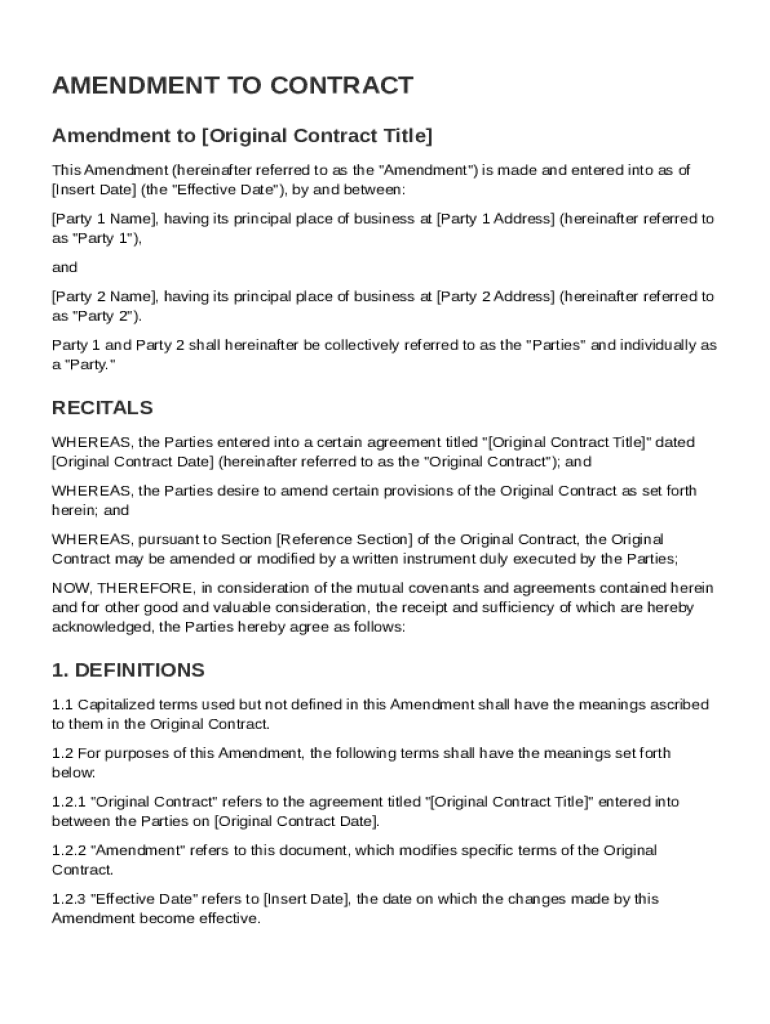
Ammendment Contract Form
Use a Ammendment Contract Template template to make your document workflow more streamlined.
What an amendment contract form does
An Ammendment Contract Form records an agreed change to an existing contract, such as revised payment terms, dates, services, or responsibilities. The completed amendment should identify the original agreement, state the exact replacement language, name every affected party, and specify its effective date. With signNow, upload the amendment, confirm detected fields, assign signers, send it electronically, and retain the signed PDF with its audit trail. ESIGN and applicable UETA rules can support electronic execution when intent, consent, attribution, and record reproduction are established.
Who benefits from amendment workflows
Amendment forms are useful wherever an existing agreement changes and the parties need a clear, signed record of the replacement terms.
Solo practitioners can prepare client-specific amendments, add the affected clause and effective date, then collect signatures without coordinating paper exchanges or repeated manual follow-up. Real estate and construction businesses can route lease, scope, pricing, or schedule amendments between owners, contractors, tenants, and authorized representatives while retaining a searchable signed record. Enterprise legal and procurement teams can standardize amendment templates, delegate sending, connect records to systems such as Salesforce or NetSuite, and preserve audit evidence across distributed contract workflows.
These tasks are executed by both individual contributors and centralized administrators depending on organizational policy and required controls.
Key features for amendment contract forms
A controlled amendment workflow connects the changed terms, responsible parties, signature evidence, and final record without separating the amendment from its underlying agreement.
Field detection
Upload the amendment PDF and confirm automatically detected fields before assigning each signature, initial, date, or acknowledgment field to the correct party.
Role routing
Route the amendment to parties in a defined order, keeping legal, finance, and contract-owner review ahead of external signature when approval policy requires it.
Audit trail
Capture signer actions, timestamps, IP information, and completion status in an audit trail that stays with the signed amendment record.
Reusable templates
Use reusable amendment templates for recurring changes while preserving the original agreement reference, changed clause, effective date, and approval structure.
Mobile signing
Let parties review and sign amendment documents through web and mobile workflows, reducing dependence on in-person contract meetings or paper exchanges.
System connections
Connect completed amendments with storage and business systems so teams can locate the signed agreement, supporting audit trail, and related contract data together.
How signNow handles an amendment
The signNow workflow moves the amendment from a controlled PDF to a completed, traceable contract record.
Upload document: Upload the amendment PDF and let signNow detect fillable fields. Assign fields: Add or confirm fields for every amendment party and approver. Send for signature: Send the amendment by email or create a signing link. Store signed record: Collect signatures and retain the completed file with its audit trail.
How the amendment audit trail is built
The audit trail records identity, timing, document integrity, and retrieval events separately from the amendment’s substantive contract language.
Authenticate signer:
Capture timestamps:
Hash document:
Seal record:
Build certificate:
Export evidence:
 Best ROI. Our customers achieve an average 7x ROI within the first six months.
 Scales with your use cases. From SMBs to mid-market, airSlate SignNow delivers results for businesses of all sizes.
 Intuitive UI and API. Sign and send documents from your apps in minutes.
Ways to send and sign amendments
- Use signNow’s web app when reviewing the amendment on a desktop, adding fields, routing parties, and monitoring completion from one browser-based workspace.
- Use the signNow mobile app when a contract owner or counterparty needs to review and sign an amendment away from a desk.
- Use kiosk mode for supervised, on-site signing where multiple parties complete amendments on a shared device; Business Premium includes kiosk mode.
- Create a shareable signing link when the same amendment must reach an approved audience without preparing a separate email invitation for every signer.



Security for amendment contract records
Stored data:
Data transmission:
Security assurance:
Information security:
Health information:
Electronic signatures:
Legal standing of amendment contracts
An Ammendment Contract Form can provide evidence of amended terms when parties show intent, consent, signer attribution, and a reproducible record under ESIGN and applicable UETA law. Wills, codicils, testamentary trusts, court orders, and family law decrees are excluded from ESIGN’s coverage and may require separate procedures.

Privacy and disclosure pitfalls to avoid
Including bank details, health information, or personal identifiers in an amendment can expose data to recipients who only need contract terms. Sending an amendment before recording the signer’s electronic consent can weaken evidence that the party agreed to electronic delivery. Giving every workspace member editing rights can allow unauthorized changes to effective dates, payment terms, or signature fields. Using an outdated amendment template can create conflicting versions, unclear supersession language, or missing references to the original agreement.
Platform requirements for amendment signing
Complete an Ammendment Contract Form through supported Chrome, Firefox, Safari, or Edge browsers on Windows or macOS. signNow also provides mobile apps for iOS and Android, allowing parties to review and sign the amendment from supported mobile devices.
Browsers Chrome, Firefox, Safari, and Edge Desktop systems Windows and macOS desktop signing Mobile apps iOS and Android mobile apps
Organizations should manage amendment access through approved accounts, workspace permissions, and controlled templates. Teams requiring stronger controls can configure signNow authentication, API access, SSO, or certificate workflows according to their plan and internal contract policy.
Best practices for amendment contract forms
Accurate amendment records depend on controlled templates, clear approval routing, complete context, and an immutable record after every party signs.
Confirm every changed clause before sending
Route amendments through authorized reviewers
Link amendments to original agreements
Preserve the signed amendment record
Amendment signing platform pricing comparison
signNow pricing is verified from its annual Business plan listing; competitor prices and features are marked Not verified where the supplied vendor data does not confirm them.
| Features | signNow | DocuSign | Adobe Sign | PandaDoc | Dropbox Sign |
|---|---|---|---|---|---|
| Starting price | $8/user/mo annual Business | Not verified | Not verified | Not verified | Not verified |
| Free trial | 7 days, no card required | Not verified | Not verified | Not verified | Not verified |
| Bulk send | Business Premium includes it | Not verified | Not verified | Not verified | Not verified |
| Audit trail | Included with Business | Not verified | Not verified | Not verified | Not verified |
| HIPAA compliance | Available with BAA | Not verified | Not verified | Not verified | Not verified |
Amendment contract form troubleshooting
Resolve field, authentication, legal-effectiveness, version-control, and document-scope questions before distributing an amended agreement.
Upload the amendment as a PDF, review signNow’s detected fields, and add missing signature, date, initials, or acknowledgment fields manually. Confirm that the amendment identifies the original agreement and effective date before sending it through the Business plan workflow.
The signNow Business plan includes legally binding eSignatures, templates, and audit trails at $8 per user per month when billed annually. Business Premium adds bulk send at $15 per user per month annually. Annual billing and plan limits affect the available workflow.
Use signNow’s signer authentication options, including SMS codes where configured, and retain the completion certificate with the signed amendment. For consumer-facing transactions, provide the ESIGN Act electronic-record disclosure and paper-access procedures required by 15 U.S.C. §7001(c).
signNow is ESIGN and UETA compliant, but legal effectiveness still depends on intent, consent, attribution, and record retention. ESIGN is codified at 15 U.S.C. chapter 96; UETA generally governs intrastate transactions where adopted by the relevant state.
A signed amendment should remain linked to the agreement it changes, including the original date, parties, clause references, and effective date. Export the completed PDF and audit trail from signNow so the record can be reproduced without relying on workspace access.
Do not use electronic signing alone for wills, codicils, testamentary trusts, court orders, or family law decrees. ESIGN excludes these categories, and state law may impose additional notarization or witnessing requirements for deeds and other instruments.
Key performance indicators that demonstrate SignNow's proven track record.
BE READY TO GET MORE
Get this form now!

If you believe that this page should be taken down, please follow our DMCA take-down process.