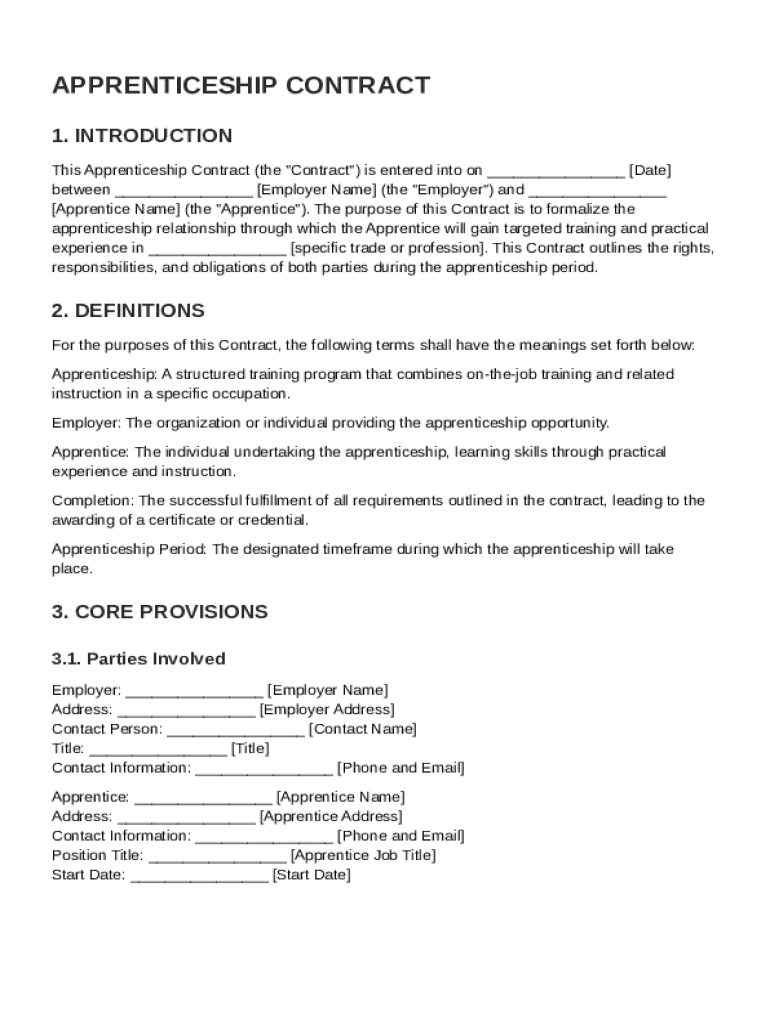
Apprenticeship Contract Form
Use a Apprenticeship Contract Template template to make your document workflow more streamlined.
What an Apprenticeship Contract Form does
An Apprenticeship Contract Form records the agreement between an apprentice and the organization or sponsor responsible for the training arrangement. It typically identifies the parties, occupation or program, training expectations, compensation or related terms, dates, and signatures. In the United States, the completed agreement can be prepared and signed electronically when the parties demonstrate intent, consent to electronic records, and can retain an accurate reproduction. ESIGN and applicable state electronic-transactions law support this process, but state apprenticeship requirements and any agency submission rules must still be checked.
Who uses this apprenticeship agreement
Apprenticeship sponsors
Apprenticeship sponsors use the form to document program participation, training obligations, wage terms, and approvals before an apprentice begins or continues structured workplace learning.
Employers and apprentices
Employers and apprentices use the signed agreement to confirm responsibilities, program details, dates, and the records needed for internal administration or agency review.
Businesses that use this form
The form connects training sponsors, employers, and apprentices around one documented workplace-learning arrangement.
Small construction contractors use the form to document an apprentice’s occupation, training arrangement, workplace expectations, and authorized signatures before field work begins. Trade schools and apprenticeship sponsors use reusable agreements to coordinate apprentice enrollment, employer participation, scheduled instruction, and records required for program administration. Enterprise workforce departments use controlled templates and delegated sending to manage multiple apprenticeship agreements while preserving consistent terms, approvals, and signed records.
These tasks are executed by both individual contributors and centralized administrators depending on organizational policy and required controls.
How the Apprenticeship Contract Form works
Complete the form in signNow by preparing its fields, routing it to the required parties, and preserving the executed agreement.
Upload form: Upload the Apprenticeship Contract Form to signNow and confirm its required fields. Prepare fields: Review detected fields and add signatures, dates, initials, and acknowledgments. Send document: Send the prepared form to the apprentice, sponsor, or employer for signing. Archive record: Store the completed agreement with its audit trail and signed PDF.
 Best ROI. Our customers achieve an average 7x ROI within the first six months.
 Scales with your use cases. From SMBs to mid-market, airSlate SignNow delivers results for businesses of all sizes.
 Intuitive UI and API. Sign and send documents from your apps in minutes.
Quick steps for completing the form
Use this sequence to prepare, sign, and retain an Apprenticeship Contract Form electronically.
Upload form:
Upload the completed Apprenticeship Contract Form template. Add fields:
Place signature and date fields for every signer. Route agreement:
Send the agreement through signNow’s signing workflow. Save agreement:
Review signatures, then download the completed record.
What the audit trail records
The audit trail documents who interacted with the Apprenticeship Contract Form, when actions occurred, and how the completed record can be reviewed.
Signer authentication:
Timestamp capture:
Document hashing:
Tamper sealing:
Action history:
Audit export:
Useful features for apprenticeship agreements
These signNow features map the Apprenticeship Contract Form’s parties, training terms, signature requirements, and recordkeeping needs into one workflow.
Party details
Keep apprentice, sponsor, and employer information together with the agreement so reviewers can identify the parties and their respective responsibilities.
Training terms
Capture occupation, program, schedule, and training terms in one signed record instead of relying on separate email exchanges.
Signer routing
Route the agreement to the apprentice and authorized representatives with assigned signature and date fields.
Audit trail
Preserve the completed PDF and audit trail for internal review, disputes, or authorized program administration.
Reusable template
Use reusable fields and templates when a sponsor administers multiple apprenticeship agreements with consistent terms.
Mobile access
Access the signing workflow from supported signNow web or mobile applications when parties work across locations.
Best practices for this contract
Accurate party information, deliberate field assignment, documented consent, and controlled retention reduce disputes over apprenticeship terms.
Check program details before sending
Assign every field to the right signer
Capture electronic consent clearly
Archive the executed agreement
Recommended workflow setup
Configure the Apprenticeship Contract Form around signer identity, electronic consent, event history, and the sponsor’s approved retention policy.
| Setting | Recommendation |
|---|---|
| Authentication method | Email verification with SMS OTP |
| Signature type | Typed or drawn electronic signature |
| Audit trail | Enabled for every signing event |
| Document retention | Keep under the sponsor’s state policy |
| Encryption | TLS 1.2/1.3 and AES-256 protection |
Signer authentication and certificates
Digital certificates:
Certificate format:
Two-factor authentication:
SMS OTP:
ID verification:
Signing evidence:



Mobile options for this form
signNow mobile apps support Apprenticeship Contract Form workflows on iOS and Android. Users can review documents, capture pages with a device camera, and sign when connectivity is limited, subject to app and account capabilities.
Mobile apps iOS and Android Offline mode Offline signing Document capture Camera capture
For managed apprenticeship programs, administrators should control mobile access, verify signer identity, and synchronize completed agreements with the organization’s approved record system. Confirm device policy, offline behavior, and any required agency submission process before relying on mobile completion for a specific state program.
Key performance indicators that demonstrate SignNow's proven track record.
Apprenticeship Contract Form troubleshooting
These answers address field detection, multi-party signing, electronic validity, plan selection, identity checks, and record retention for this contract.
Upload the Apprenticeship Contract Form as a PDF or supported document, then inspect the detected fields before sending. signNow’s Business plan includes templates and audit trails; correct field placement manually when the source form has unusual formatting or blank lines.
Assign separate signature and date fields to the apprentice, employer representative, and sponsor representative when required. A completed document should show each party’s intent and attribution rather than relying on one person’s signature for every role.
ESIGN and UETA recognize electronic signatures when intent, consent, attribution, and record retention requirements are met. For consumer-facing records, review the paper-record and access requirements in 15 U.S.C. §7001(c) before sending.
The Business plan lists $8/user/month when billed annually and includes legally binding eSignatures, audit trails, templates, and mobile apps. Business Premium adds bulk send at $15/user/month annually; confirm the plan before sending multiple agreements.
Use SMS OTP or another available authentication control when the sponsor needs stronger evidence that the intended apprentice or representative signed. Advanced signer-authentication options are associated with Enterprise features; configure them according to organizational policy.
Download the completed Apprenticeship Contract Form and its audit trail, then store them under the sponsor’s retention policy. No federal apprenticeship-wide period is supplied here; state program rules and the organization’s records policy control retention.
BE READY TO GET MORE
Get this form now!

If you believe that this page should be taken down, please follow our DMCA take-down process.