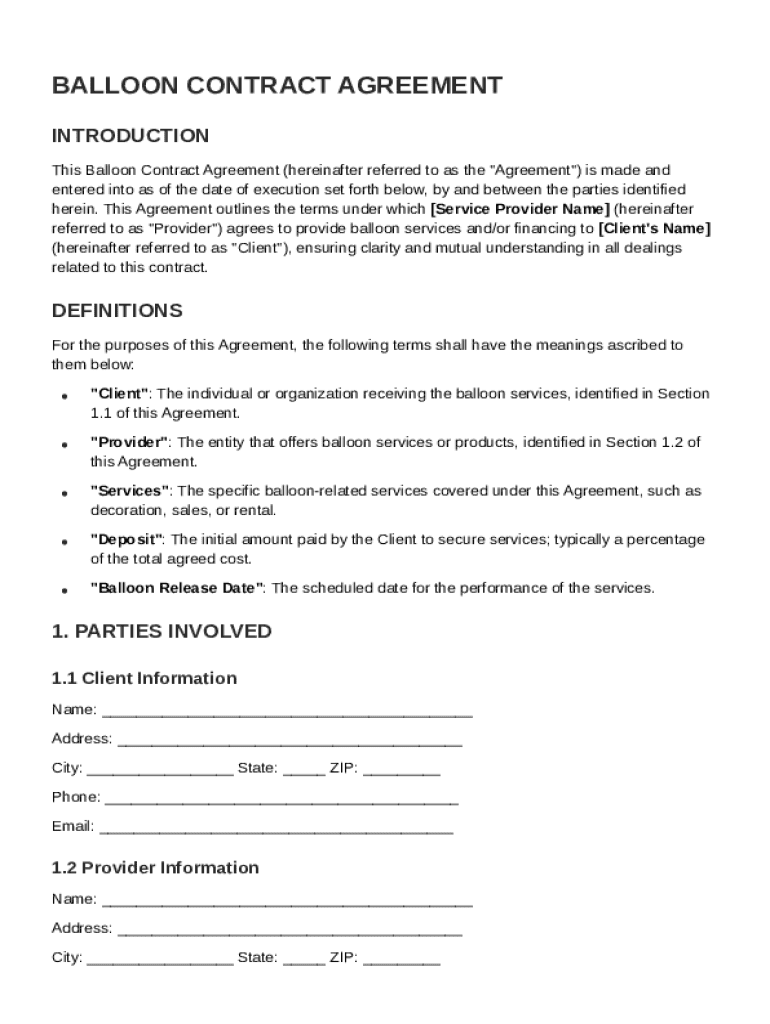
Balloon Contract Form
Use a Balloon Contract Template template to make your document workflow more streamlined.
What a balloon contract form records
A Balloon Contract Form records an agreement that includes a larger payment due at a stated future date, often called a balloon payment. It identifies the parties, describes the underlying transaction, sets installment obligations, and states the amount and due date of the final payment. The completed form should be reviewed for accurate figures, interest terms, default provisions, and applicable state-law requirements before signing. signNow can convert an uploaded document into a fillable workflow, route it to the parties, capture signatures, and preserve the completed record with an audit trail.
How the balloon contract workflow works
Use this sequence to prepare, sign, and retain a Balloon Contract Form with the transaction details visible to every party.
Upload document: Upload the Balloon Contract Form. Add details: Add parties, amounts, and dates. Place fields: Place required signature fields. Complete record: Route, sign, and retain the record.
Who uses this contract form
Borrowers
Borrowers review installment amounts, the balloon-payment date, interest terms, and default provisions before signing the agreement.
Lenders and sellers
Lenders or sellers complete the payment schedule, identify the secured transaction, and retain the signed contract and audit trail.
Features that support contract completion
Balloon Contract Form workflows benefit from structured payment fields, controlled signer routing, reusable templates, and a record of the completed signing event.
Payment clarity
A dedicated field for the final balloon payment helps parties identify the amount due at maturity instead of confusing it with regular installments.
Payment schedule
Separate fields for principal, interest, installments, and maturity date make the payment schedule easier to review before signing.
Signer routing
Signer routing sends the agreement to each required party in sequence or at the same time, depending on the transaction.
Reusable template
A reusable template can preserve recurring terms while allowing transaction-specific amounts, dates, and party information to be completed accurately.
Audit trail
The completed agreement and audit trail remain together, helping parties document who signed, when, and through which signing event.
Mobile signing
Mobile access allows parties to review and sign the Balloon Contract Form without printing, when electronic signing is legally appropriate.
 Best ROI. Our customers achieve an average 7x ROI within the first six months.
 Scales with your use cases. From SMBs to mid-market, airSlate SignNow delivers results for businesses of all sizes.
 Intuitive UI and API. Sign and send documents from your apps in minutes.
Why teams look for DocuSign alternatives
Organizations seek alternatives when they need different pricing models, stronger native automation, simpler bulk affidavit workflows, or more flexible identity-verification options than those available in a legacy envelope-based vendor.

Recommended contract workflow setup
Configure the Balloon Contract Form around signer identity, payment-term accuracy, evidence preservation, and the retention rules governing the transaction.
| Setting | Recommendation |
|---|---|
| Authentication method | Email verification with SMS OTP |
| Signature type | Typed or drawn electronic signature |
| Audit trail | Enabled for every signing event |
| Document retention | Follow applicable state and transaction rules |
| Encryption | TLS 1.2/1.3 and AES-256 |
Complete the Balloon Contract Form
Follow these steps to prepare the payment terms, obtain signatures, and retain the completed Balloon Contract Form.
Upload form:
Upload the completed contract. Review terms:
Check payment fields and dates. Add signers:
Add each signer’s email. Send request:
Send the signing request. Retain copy:
Download the completed record.
Security controls for signed contracts
Encryption:
Security reporting:
Information security:
Electronic signatures:
Protected health data:
Signer controls:



Check exclusions and state rules
Notarization rules
Wills and trusts
Family law orders
Real-estate deeds
Balloon Contract Form troubleshooting
Resolve field, signer, evidence, plan, and state-law questions before treating the Balloon Contract Form as complete.
Upload the original Balloon Contract Form again and check that the file opens normally before placing fields. If the layout remains incorrect, add fields manually rather than relying on automatic detection. The Business plan includes templates and audit trails for the completed agreement.
Confirm that each signer has a unique email address and that the signer order matches the contract. If a signer cannot open the request, resend the invitation or use a signing link. Do not substitute a different person without updating the agreement.
A typed or drawn signature can support an electronic signing event when intent, consent, attribution, and record retention are established. For a consumer transaction, provide the ESIGN Act disclosure and access procedures required by 15 U.S.C. §7001(c).
Use signNow’s audit trail to preserve the signer identity, timestamps, actions, and completion record. ESIGN and UETA provide the legal framework, but the parties must still satisfy any applicable state contract, lending, recording, or notarization requirements.
The Business plan is listed at $8/user/month when billed annually and includes audit trails, templates, and mobile apps. It includes 100 signature invites per user annually; additional invite charges may apply. Business Premium adds bulk send and kiosk mode.
A signNow workflow does not replace a required notary acknowledgment, witness procedure, recording, or in-person filing. Check the state law governing the transaction before sending the Balloon Contract Form for electronic signature.
Key performance indicators that demonstrate SignNow's proven track record.
BE READY TO GET MORE
Get this form now!

If you believe that this page should be taken down, please follow our DMCA take-down process.