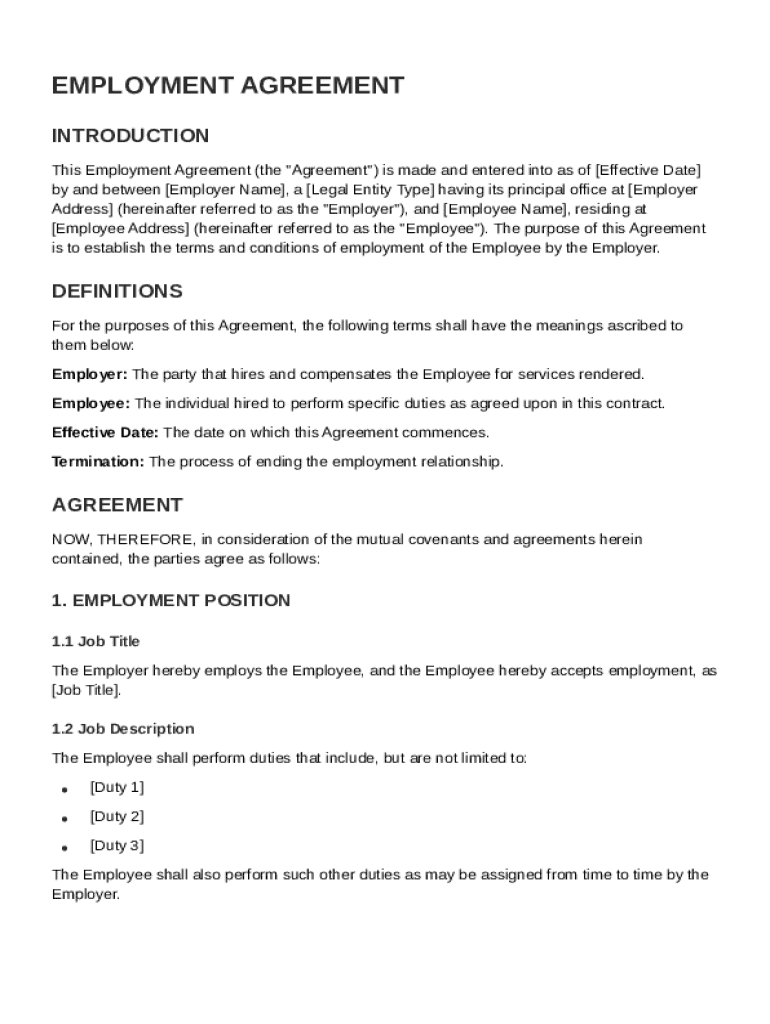
Between Employer And Employee Contract Form
Use a Between Employer And Employee Contract Template template to make your document workflow more streamlined.
What this employer employee contract does
A Between Employer And Employee Contract Form records the agreed terms of an employment relationship between a business and an individual worker. It can identify the parties, describe duties, set compensation and benefits, establish working hours, address confidentiality or intellectual property, and state termination terms. The employer prepares the document, the employee reviews the specific provisions, and both sign the final version. U.S. enforceability depends on contract principles, applicable state law, and mandatory employment rules; electronic execution may be recognized under ESIGN and UETA when consent and record access requirements are met.
Recommended contract workflow settings
Use identifiable signers, a complete audit trail, and a retention policy aligned with the employment relationship and state requirements.
| Setting | Recommendation |
|---|---|
| Authentication method | Email verification with SMS OTP |
| Signature type | Typed or drawn electronic signature |
| Audit trail | Export the completed audit trail |
| Document retention | Retain under the applicable state policy |
| Encryption | TLS 1.2/1.3 and AES-256 |
How this contract workflow works
The signNow workflow turns the prepared employer employee agreement into a controlled document process from upload through signed-record storage.
Upload contract: Upload the employer employee contract PDF to signNow and inspect the detected fields. Check fields: Place or correct fields for names, dates, terms, initials, and signatures. Route signers: Send the contract to the employer and employee in the required signing order. Archive record: Collect signatures, then store the completed PDF and audit trail together.
 Best ROI. Our customers achieve an average 7x ROI within the first six months.
 Scales with your use cases. From SMBs to mid-market, airSlate SignNow delivers results for businesses of all sizes.
 Intuitive UI and API. Sign and send documents from your apps in minutes.
Features for employee contract execution
signNow combines field preparation, signer routing, authentication, audit evidence, and storage options for employer employee contract workflows.
Guided fields
Place the employer and employee names, dates, compensation, duties, and signature fields directly on the contract so each party signs the intended version.
Signer tracking
Send the completed agreement to the employee by email and track whether the document was opened, signed, or still awaiting action.
Audit trail
Capture timestamps, signer actions, and access details in an audit trail that supports the contract’s execution history and internal recordkeeping.
Reusable template
Reuse an approved employer employee contract template while preserving variable fields for role, pay, start date, schedule, and applicable policy terms.
Mobile signing
Let employees review and sign from supported mobile apps when an office meeting is impractical, while retaining the same completed document record.
Workflow integrations
Connect contract completion with systems such as Microsoft 365, Google Drive, Salesforce, or NetSuite when the organization’s workflow requires centralized records.
What the contract audit trail records
An audit trail explains how this employer employee agreement moved from invitation to completion and supplies execution evidence for later review.
Authenticate signer:
Capture timestamp:
Record document integrity:
Seal completion:
Log actions:
Export evidence:
Security for employee contracts
Data in transit:
Data at rest:
Security reporting:
Information security:
Electronic signatures:
Health information:
Recordkeeping practices for signed contracts
Preserve the signed agreement, execution evidence, and related employment records according to the applicable legal and organizational retention schedule.
Set retention by employment record type
Export the audit trail with the contract
Archive the signed version securely
Check every variable before sending
Challenges when preparing the contract
Using an outdated template can leave compensation, duties, start dates, or termination terms inconsistent with the employee’s actual offer. Sending the contract before correcting variable fields can bind the parties to an incorrect salary, job title, work location, or start date. A missing employee signature, incomplete consent record, or unavailable final copy can weaken evidence of agreement and electronic-record access. State employment rules may limit provisions such as noncompete restrictions, wage deductions, arbitration clauses, or termination terms even when both parties signed.



Troubleshoot employer employee contracts
Resolve field, authentication, consent, plan, and enforceability questions before the signed contract becomes part of the employment record.
Upload the original contract as a PDF, then verify that signNow’s detected fields align with the employer name, employee name, compensation terms, dates, initials, and signature locations. Add or remove fields manually before sending.
The signNow Business plan includes legally binding eSignatures, templates, audit trails, mobile apps, ISO 27001, and SOC 2 Type II. Business Premium adds bulk send, while Enterprise adds advanced signer authentication and conditional fields.
Use signNow’s audit trail to document the signing sequence, timestamps, IP information, and completed actions. ESIGN and UETA recognize electronic signatures when intent, consent, attribution, and record retention requirements are satisfied.
For a consumer-facing employment arrangement, provide the required electronic-record disclosure and confirm access to the electronic format under 15 U.S.C. §7001(c). Keep the disclosure and consent evidence with the signed contract.
Business Premium includes bulk send for repeated contract packages. For a single employee agreement, send the prepared document directly and confirm every variable term before delivery; bulk workflows should not replace individualized review.
A contract may be electronically signed under ESIGN and applicable state law, but signNow does not determine whether a noncompete, wage term, arbitration clause, or termination provision is enforceable. Review state employment law before sending.
Key performance indicators that demonstrate SignNow's proven track record.
BE READY TO GET MORE
Get this form now!

If you believe that this page should be taken down, please follow our DMCA take-down process.