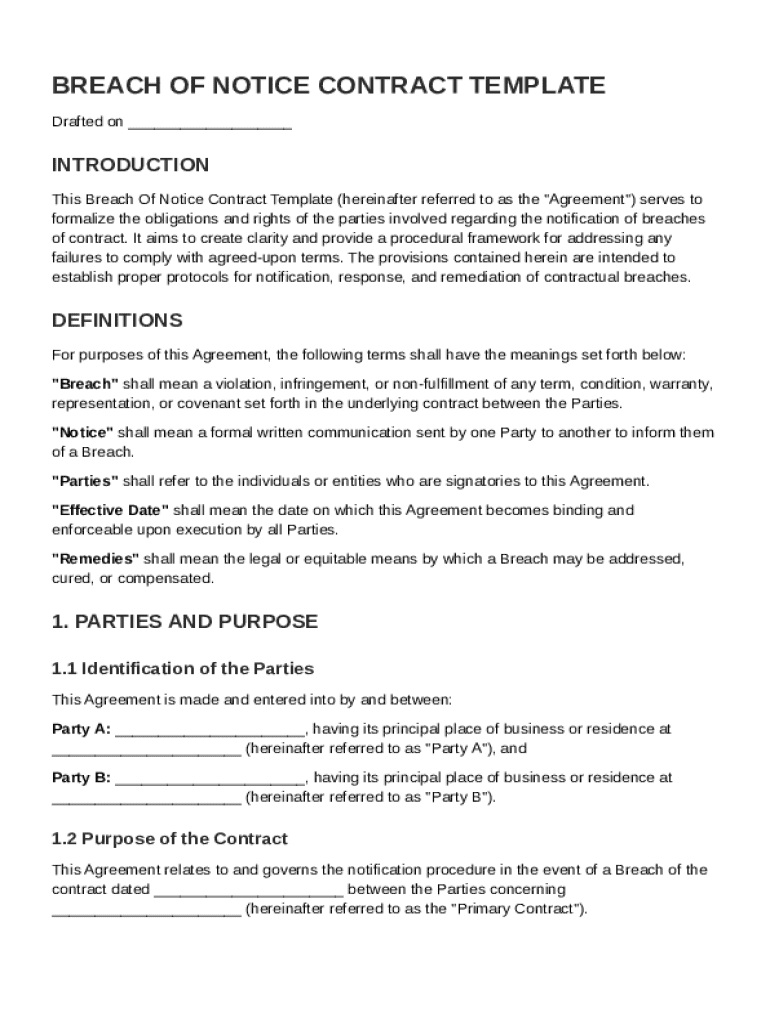
Breach Of Notice Contract Form
Use a Breach Of Notice Contract Template template to make your document workflow more streamlined.
What this breach notice form does
The Breach Of Notice Contract Form records a party’s notice that another party allegedly failed to meet a contractual obligation. It organizes the agreement reference, breach description, notice date, requested cure or response, and signer information into a document that can be delivered and retained. In signNow, a sender uploads the form, places or confirms fillable fields, assigns recipients, and sends it for electronic signature. The completed document and audit trail help show what was presented, who acted, and when, subject to the contract and applicable state law.
How to complete the breach notice
Use signNow to move the Breach Of Notice Contract Form from upload through field review, delivery, signature, and documented completion.
Upload form: Upload the Breach Of Notice Contract Form to signNow. Review fields: Confirm detected fields and add missing signature or date fields. Send notice: Assign the notice recipient and send the document. Store evidence: Collect signatures and store the completed record with its audit trail.
Recommended notice workflow setup
Configure the form around signer identity, document integrity, audit evidence, and the retention rule governing the underlying contract.
| Setting | Recommendation |
|---|---|
| Authentication method | Email verification with SMS OTP |
| Signature type | Electronic signature with intent |
| Audit trail | Enabled for every signer action |
| Document retention | Follow the contract and state rule |
| Encryption | TLS 1.2 or newer in transit |
How the notice audit trail works
The audit trail connects signer identity, document integrity, and each action taken on the Breach Of Notice Contract Form.
Authenticate signer:
Capture timestamp:
Hash document:
Seal record:
Log activity:
Export trail:
 Best ROI. Our customers achieve an average 7x ROI within the first six months.
 Scales with your use cases. From SMBs to mid-market, airSlate SignNow delivers results for businesses of all sizes.
 Intuitive UI and API. Sign and send documents from your apps in minutes.
Signer authentication and certificates
PKI signatures:
X.509 certificates:
Two-factor authentication:
SMS OTP:
Identity verification:
Signer attribution:
Platform requirements for online notice signing
Complete the Breach Of Notice Contract Form in Chrome, Firefox, Safari, or Edge on Windows 10, Windows 11, or macOS with TLS 1.2 or newer.
Browser support Chrome, Firefox, Safari, and Edge on Windows or macOS Operating systems Windows 10, Windows 11, macOS, iOS, and Android Connection security TLS 1.2 or newer with JavaScript enabled
Organizations using the form should keep managed Windows, macOS, iOS, or Android devices updated and permit secure browser sessions. Administrators may also review API access, SSO provisioning, and certificate or long-term validation requirements before deploying the workflow across regulated teams.
Processing stages for breach notices
Move from document preparation to delivery, signer review, completion, and archival without losing the notice record.
Prepare the notice
Deliver to signers
Review and sign
Archive the record
Best practices for breach notices
Accuracy, signer control, electronic consent, and secure recordkeeping make the completed notice easier to review and defend.
Verify contract details before sending
Assign each signer deliberately
Document electronic consent clearly
Archive the signed notice securely
Privacy and disclosure pitfalls
Including unnecessary personal information can expose sensitive data to recipients who only need contract and notice details. Skipping electronic-consent disclosures can weaken evidence that a consumer agreed to receive and sign the notice electronically. Sending without role-based permissions may expose the breach notice, contract terms, or audit trail to unauthorized users. Using an outdated notice template can omit cure language, contract references, or signature fields required by the agreement.
State rules and document exclusions
Required acknowledgment
Excluded document
Excluded decree
State recording
Breach notice troubleshooting questions
Resolve field, delivery, authentication, consent, and plan questions while keeping the notice record tied to its contract and applicable U.S. requirements.
Upload the completed Breach Of Notice Contract Form to signNow, then use field detection and the editor to confirm every notice, date, and signature field before sending. Business includes templates and audit trails for this document workflow.
Check the recipient email, signing order, and assigned fields before resending. signNow supports email delivery and signing links; Business Premium also includes quick invite links. Preserve the original audit trail and avoid creating duplicate signed records.
Business includes audit trails, while stronger signer controls may require an appropriate enterprise configuration. Use two-factor authentication or advanced signer authentication when the contract, organization, or risk assessment requires more than email verification.
A signed electronic record can support attribution and intent under ESIGN and applicable UETA rules, but the underlying contract and state law still control notice requirements. Do not use electronic signing for excluded records such as wills or court filings.
Business is listed at $8 per user per month with annual billing and includes 100 signature invites per user per year. Additional invitations may incur overage fees, so review plan limits when sending repeated notices.
For consumer-facing electronic records, 15 U.S.C. §7001(c) requires disclosure of the right to paper, electronic-access capability, and withdrawal procedures. Capture that consent separately before the signer completes the notice.
Key performance indicators that demonstrate SignNow's proven track record.
BE READY TO GET MORE
Get this form now!

If you believe that this page should be taken down, please follow our DMCA take-down process.