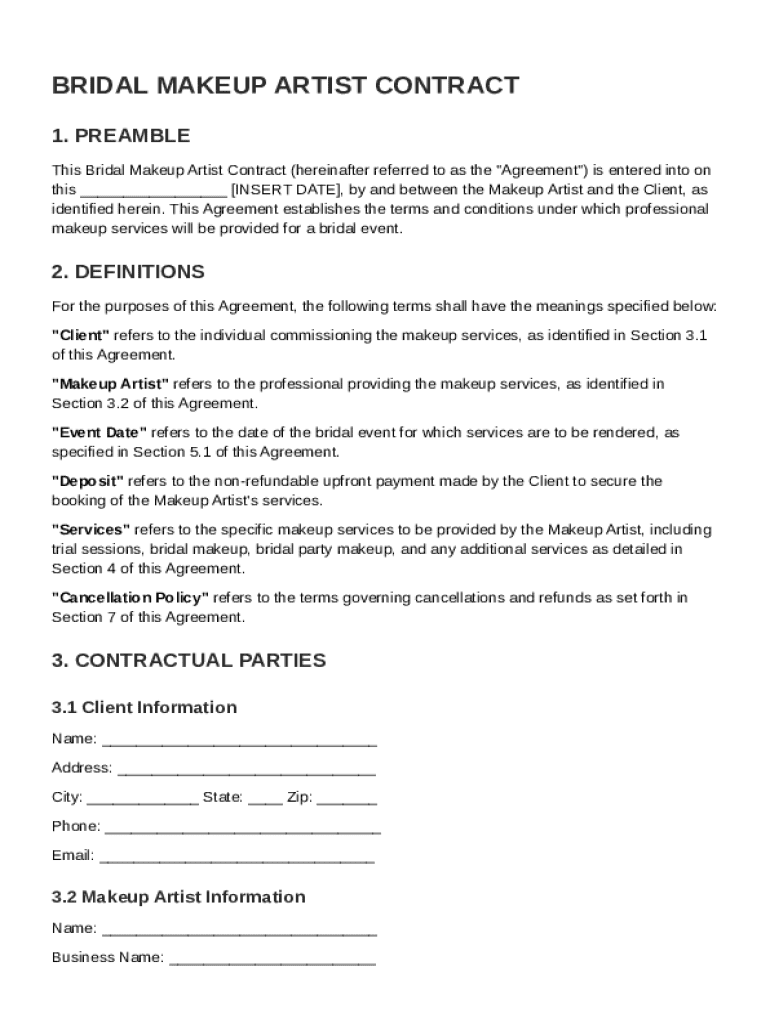
Bridal Makeup Artist Contract Form
Use a Bridal Makeup Artist Contract Template template to make your document workflow more streamlined.
What this bridal contract covers
A Bridal Makeup Artist Contract Form records the agreement between a makeup artist or studio and a wedding client for identified beauty services. It normally captures the wedding date, trial appointment, preparation location, arrival time, number of people, service pricing, deposit, balance, travel charges, cancellation terms, and responsibilities. With signNow, the sender uploads the contract, reviews automatically detected fillable fields, assigns signer roles, and sends it electronically. Each signer reviews and signs, while the completed PDF and audit trail preserve the agreed booking record.
Who uses this bridal contract
Independent artists
Independent bridal makeup artists use the form to document wedding-day services, trial appointments, locations, timing, deposits, cancellation terms, and client responsibilities before reserving the date.
Beauty studios
Bridal beauty studios use shared templates for multiple artists, preserving consistent pricing, service descriptions, signature roles, and booking terms across wedding parties and coordinators.
Features that clarify bridal bookings
A structured Bridal Makeup Artist Contract Form keeps services, timing, payment terms, and signer evidence together from consultation through the wedding date.
Reusable templates
Upload the bridal makeup contract, place fields over services, dates, pricing, deposits, cancellation terms, and signature lines, then reuse the approved template for future clients.
Signing order
Send the contract to the bride and makeup artist in signing order, reducing missing signatures before the wedding date or trial appointment.
Audit trail
Capture signed terms, timestamps, signer actions, and document history in an audit trail that helps resolve questions about agreed services or payment terms.
Mobile signing
Allow clients to review and sign from a phone or computer, which suits consultations, venue visits, and time-sensitive wedding planning.
Secure records
Keep completed contracts and their audit records together so the artist can confirm booked services, agreed prices, and cancellation conditions.
Integrations
Connect completed agreements with Google Drive, Box, or Salesforce workflows when client and booking records require centralized storage.
How to complete the bridal contract
Prepare the wedding-specific details, then use signNow to route the contract for signatures and preserve the completed record.
Upload contract:
Upload the completed contract template. Check fields:
Review detected fields and add missing ones. Assign signers:
Assign bride and artist signer roles. Send contract:
Send the contract for electronic signatures. Store records:
Download the signed contract and audit trail.
 Best ROI. Our customers achieve an average 7x ROI within the first six months.
 Scales with your use cases. From SMBs to mid-market, airSlate SignNow delivers results for businesses of all sizes.
 Intuitive UI and API. Sign and send documents from your apps in minutes.
Recommended setup for bridal contracts
Use a clear signer identity, complete audit record, and controlled access for each bridal makeup booking.
| Setting | Recommendation |
|---|---|
| Authentication method | Email verification with SMS OTP for higher-risk bookings |
| Signature type | Typed or drawn electronic signature with signer intent |
| Audit trail and retention | Export the completed record and audit trail after signing |
| Encryption | TLS 1.2 or 1.3 in transit and AES-256 at rest |
| User provisioning | Assign salon staff roles with least-privilege access |
Ways to send and sign bridal contracts
- Use the signNow web app to upload a Bridal Makeup Artist Contract Form, place fields over booking details, and send it from a desktop during client administration or consultation follow-up.
- Use the signNow mobile app when a bride or makeup artist needs to review and sign the contract during a venue visit, trial appointment, or mobile consultation.
- Use kiosk mode for an in-person studio consultation where the client signs on a shared device; Business Premium includes kiosk mode for this workflow.
- Generate a shareable signing link when the same approved bridal contract must be distributed through a booking page, email, or coordinator communication.
Processing stages for bridal contracts
The contract moves from wedding-specific preparation through signer review, execution, and organized archival.
Document preparation
Delivery to signers
Signer turnaround
Completion and archival
Best practices for bridal makeup agreements
Accurate booking details and a controlled signing record make this contract easier to administer and explain.
Record every appointment detail before sending
State pricing and cancellation terms precisely
Confirm both contracting parties
Archive the executed contract and audit trail
Signer authentication for bridal contracts
Digital certificates:
Certificate identity:
Two-factor authentication:
SMS verification:
ID verification:
Signer attribution:



What the bridal contract audit trail records
The audit trail connects the wedding booking, signer identity, signing events, and final Bridal Makeup Artist Contract Form.
Authenticate signer:
Capture timestamp:
Preserve document:
Record actions:
Export evidence:
Archive record:
Troubleshooting bridal contract signing
Resolve field, signer, consent, plan, and record questions before the Bridal Makeup Artist Contract Form is finalized.
Upload the original Bridal Makeup Artist Contract Form as a PDF or supported document, then review signNow’s detected fields. Add or move fields manually when service details, deposit amounts, or signature locations were not recognized correctly.
The Business plan includes legally binding eSignatures, templates, audit trails, and mobile apps at $8 per user per month with annual billing. Business Premium is $15 and adds bulk send and kiosk mode.
A bride can usually sign from the email invitation or a signing link without creating an account. If stronger attribution is needed, configure SMS OTP or another available authentication method before sending the contract.
For a consumer-facing booking, provide the required ESIGN consumer disclosure when applicable, including access to electronic records and the right to paper records. The federal framework is 15 U.S.C. §7001(c).
signNow records timestamps, signer actions, and document history in its audit trail. Download the completed contract with its audit evidence and preserve both together when a client disputes a deposit or cancellation term.
Business Premium includes bulk send, while Business does not. For one bridal booking, prepare and send the individual contract; use bulk send only when sending substantially similar contracts to multiple clients.
Key performance indicators that demonstrate SignNow's proven track record.
BE READY TO GET MORE
Get this form now!

If you believe that this page should be taken down, please follow our DMCA take-down process.