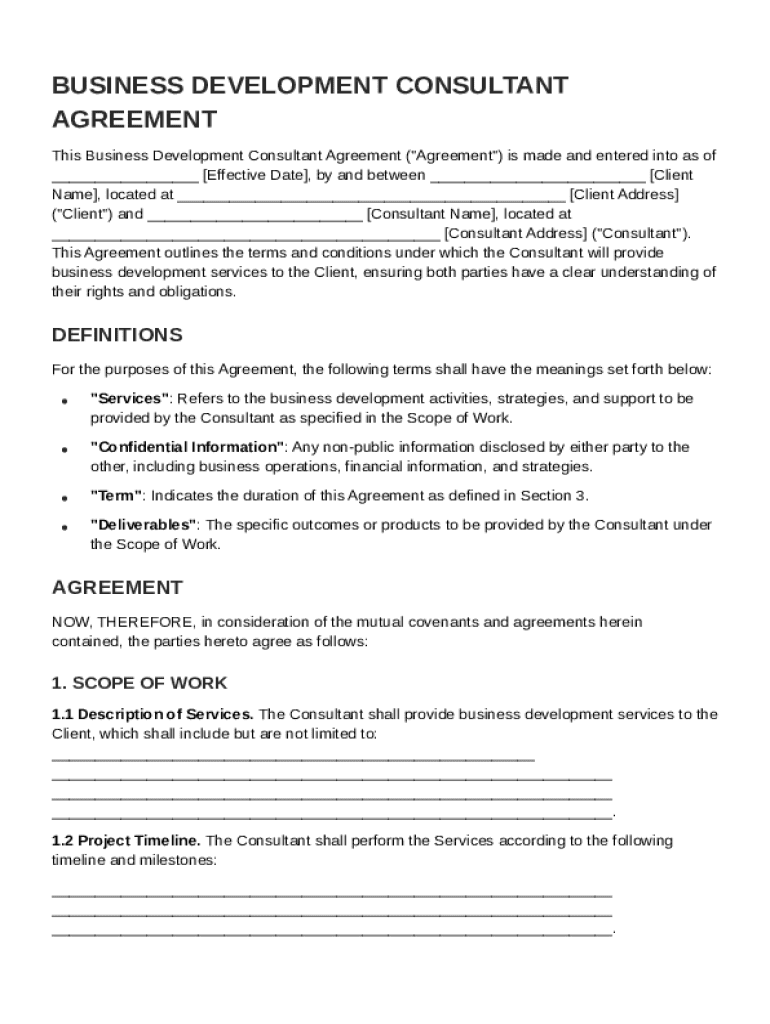
Business Development Consultant Contract Form
Use a Business Development Consultant Contract Template template to make your document workflow more streamlined.
Business Development Consultant Contract Form overview
A Business Development Consultant Contract Form is a written agreement defining the relationship between a business and a consultant who supports business-development activities. It identifies the parties, services, deliverables, compensation, confidentiality duties, ownership terms, duration, termination rights, and signatures. With signNow, a sender uploads the contract, reviews detected fields, assigns consultant and client roles, sends invitations, and stores the executed agreement with its audit trail. U.S. electronic contracting generally relies on ESIGN and applicable state law, including UETA or New York ESRA.
Business types using consultant contracts
The form fits independent consultants, agencies, and enterprise teams that need documented commercial terms before services begin.
Solo consultants can use the form to define scope, deliverables, fees, ownership, confidentiality, and termination terms before accepting client work. Consulting agencies can standardize contracts, route agreements to multiple parties, and preserve signNow audit trails for each engagement. Enterprise procurement teams can connect consultant agreements to approved workflows, role-based sending, and retention policies across departments.
These tasks are executed by both individual contributors and centralized administrators depending on organizational policy and required controls.
Key features for consultant contracts
The workflow focuses on accurate contract fields, accountable signer routing, completion evidence, reusable templates, and secure record handling.
Field detection
Upload the contract and review detected fields before assigning consultant, client, date, fee, and signature inputs.
Signer routing
Route the agreement to the consultant and client in a defined signing sequence with clear responsibility for each field.
Audit trail
Capture signer actions, timestamps, and completion history so the executed agreement can be reviewed alongside its audit trail.
Reusable templates
Use reusable templates for recurring consultant engagements while preserving the approved scope, compensation, and confidentiality language.
Mobile signing
Review and sign from signNow mobile apps when consulting work occurs away from the office or client site.
Secure storage
Store completed agreements with access controls and encryption supporting secure handling of commercial contract records.
How the consultant contract workflow works
The signNow workflow turns a prepared Business Development Consultant Contract Form into a controlled signing record with clear signer assignments and completion evidence.
Upload contract: Upload the completed contract and let signNow detect fillable areas. Check fields: Review consultant, client, scope, compensation, and signature fields. Invite signers: Send the contract by email or create a signing link. Archive record: Collect signatures and store the completed record with its audit trail.
Quick steps for completing the consultant contract
Prepare the contract once, assign its business terms and signatures, then preserve the executed agreement with supporting completion evidence.
Upload form:
Upload the Business Development Consultant Contract Form. Assign fields:
Review detected fields and assign each signer. Send contract:
Send invitations by email or signing link. Save records:
Download the signed contract and audit trail.
 Best ROI. Our customers achieve an average 7x ROI within the first six months.
 Scales with your use cases. From SMBs to mid-market, airSlate SignNow delivers results for businesses of all sizes.
 Intuitive UI and API. Sign and send documents from your apps in minutes.
Ways to send and sign consultant contracts
- Use the signNow web app when preparing the Business Development Consultant Contract Form, assigning fields, and sending it to the consultant and client.
- Use the signNow mobile app when a consultant reviews or signs the agreement away from the office, including supported offline workflows.
- Use kiosk mode when multiple consultants sign on a managed device; signNow lists kiosk mode with Business Premium.
- Use a shareable signing link when distributing the same approved contract workflow through a controlled channel.
Recommended consultant contract setup
Configure the Business Development Consultant Contract Form around signer identity, contract evidence, secure storage, and controlled access.
| Setting | Recommendation |
|---|---|
| Authentication method | Email invitation with SMS verification |
| Signature type | Electronic signature with signer intent |
| Audit trail | Enabled with completion certificate |
| Document retention | Business policy with regulatory review |
| Encryption | TLS 1.2/1.3 and AES-256 |
Mobile options for consultant contracts
Use the signNow iOS or Android app to review and sign a Business Development Consultant Contract Form away from a desk. The workflow supports mobile document capture and offline signing for eligible documents.
iPhone app iOS 15 or later Android app Android 9 or later Mobile signing Camera capture and offline signing
For field consultants, confirm the device is managed, current, and able to reconnect before synchronization. Camera capture can convert a paper contract into a workflow, while offline signing should be reviewed after reconnection so the completed record and audit trail remain available.



Security controls for consultant contracts
Transport and storage:
Service assurance:
Security management:
Electronic signatures:
Health information:
Privacy controls:
What the contract audit trail records
A signNow audit trail documents the technical events connecting each signer to the Business Development Consultant Contract Form and its completed record.
Authenticate signer:
Capture timestamp:
Hash document:
Seal record:
Build audit trail:
Export evidence:
Rollout and retention for consultant contracts
Move from contract preparation to team use while matching retention practices to the information and regulatory obligations in each record.
Setup:
First send:
Days 3–5: review:
Team onboarding:
7-day trial:
Signed record:
HIPAA records:
Tax records:
Risks from incomplete consultant contracts
Missing consent
Incomplete scope
Unstated fees
Lost audit trail
Business Development Consultant Contract Form troubleshooting
Resolve signing, field, plan, and compliance questions before sending a Business Development Consultant Contract Form through signNow.
Why does the contract show a missing signature field? Upload the final Business Development Consultant Contract Form again so signNow can auto-detect fields, then review placement before sending from the Business plan.
Can a consultant sign without a signNow account? Yes. A recipient can open the email invitation or signing link, review the Business Development Consultant Contract Form, provide the requested signature, and receive a completed copy without creating an account.
Does the Business plan include audit trails? Yes. signNow Business includes audit trails that record signing actions and timestamps. Retain the completed contract and audit trail together so intent, attribution, and record reproduction support ESIGN and UETA requirements.
Can signNow send this contract to several consultants? Business Premium includes bulk send. The Business plan supports individual invitations, while bulk distribution requires the Premium plan or another plan with that feature enabled.
Is a consultant contract covered by HIPAA automatically? No. HIPAA applies when the workflow handles protected health information. signNow lists HIPAA compliance with a business associate agreement required; the contract itself does not create HIPAA coverage.
What makes an electronic contract enforceable? Under ESIGN and applicable UETA provisions, the parties need intent, consent to electronic records, signer attribution, and retained reproducible records. signNow supplies workflow evidence, but the contract terms and legal review remain the parties’ responsibility.
Key performance indicators that demonstrate SignNow's proven track record.
BE READY TO GET MORE
Get this form now!

If you believe that this page should be taken down, please follow our DMCA take-down process.