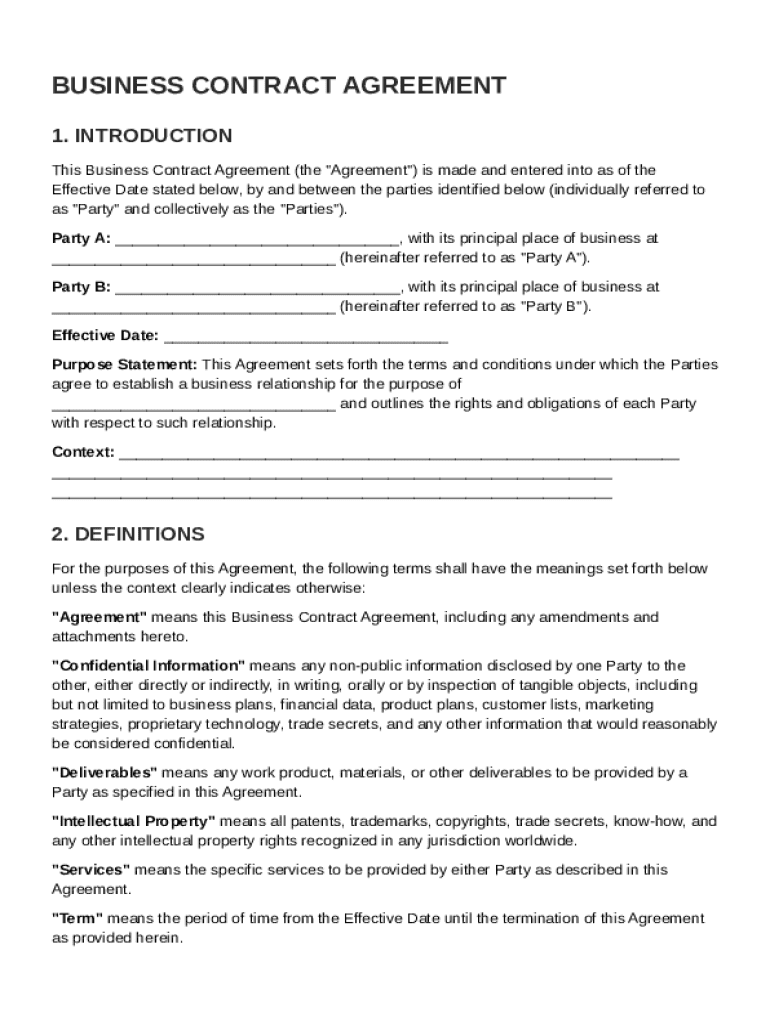
Business Contract Form
Use a Business Contract Template template to make your document workflow more streamlined.
What Business Contract Form covers
A Business Contract Form records the terms that two or more parties agree to follow in a commercial relationship. It can identify the parties, describe services or goods, state payment and delivery obligations, allocate responsibilities, address confidentiality, and establish renewal or termination conditions. The parties review the completed document, demonstrate intent, and sign it. In the United States, electronic signatures generally have legal effect under the ESIGN Act, 15 U.S.C. chapter 96, and applicable state law, including UETA or New York ESRA, when consent, attribution, and record retention requirements are satisfied.
Documents and audiences
Commercial agreements
A Business Contract Form can document services, sales, procurement, licensing, confidentiality, construction, or partnership terms when the parties identify obligations and sign with intent.
Business teams
Operations, sales, procurement, legal, and finance teams use the form to coordinate approvals, collect signatures, and retain an executed version for contract administration.
Business types using the form
Business Contract Form supports agreements ranging from independent service engagements to multi-party procurement and project contracts.
Solo practitioners can prepare service agreements, define payment terms, and collect client signatures without arranging an office meeting. Construction businesses can route bids and project contracts between office staff, contractors, and customers before work begins. Enterprise procurement teams can standardize vendor agreements, apply role-based review, and connect signed records with NetSuite or Microsoft Dynamics 365.
These tasks are executed by both individual contributors and centralized administrators depending on organizational policy and required controls.
How to complete the contract
Use signNow to prepare the Business Contract Form, route it to the right parties, and preserve evidence of execution.
Upload draft:
Upload the completed contract draft to signNow. Check details:
Confirm parties, terms, and fillable fields. Route signing:
Send signature fields to each signer. Store records:
Download the signed contract and audit trail.
 Best ROI. Our customers achieve an average 7x ROI within the first six months.
 Scales with your use cases. From SMBs to mid-market, airSlate SignNow delivers results for businesses of all sizes.
 Intuitive UI and API. Sign and send documents from your apps in minutes.
Recommended contract workflow setup
Configure Business Contract Form workflows around signer identity, evidence preservation, secure storage, and controlled access.
| Setting | Recommendation |
|---|---|
| Authentication method | Email verification with SMS OTP |
| Signature type | Typed or drawn electronic signature |
| Audit trail | Export certificate of completion |
| Document retention | Retain through the contract lifecycle |
| Encryption | TLS 1.2/1.3 and AES-256 |
Features for business contracts
Business Contract Form workflows combine structured fields, controlled signing, evidence capture, and integrations for agreements used across U.S. business operations.
Fillable fields
Place signature, initials, date, and text fields on the Business Contract Form so each party completes the intended section before execution.
Signer routing
Route the contract to multiple parties in a defined order, reducing uncertainty about whose approval must occur first.
Audit trail
Capture timestamps, actions, and signer evidence with the completed agreement for later review during a contract dispute.
Reusable templates
Reuse approved Business Contract Form templates while keeping negotiated terms and party details editable for each transaction.
Mobile signing
Use mobile apps when owners, customers, or vendors need to review and sign away from an office.
System integrations
Connect executed contracts with business systems such as Salesforce, NetSuite, Google Drive, or Procore.



What the contract audit trail records
The audit trail documents execution events separately from the contract’s negotiated terms, helping reviewers examine who signed and when.
Authenticate signer:
Timestamp action:
Record actions:
Bind document:
Seal record:
Export trail:
Privacy and disclosure pitfalls
Personal addresses, payment details, or confidential pricing can remain visible to recipients who need only limited contract access. Consumer contracts may lack the ESIGN disclosure explaining paper-record rights, electronic access, and withdrawal procedures. Broad workspace permissions can allow unauthorized users to view, edit, send, or download a Business Contract Form. A signed contract without its audit trail can make signer identity, timing, and document history harder to establish.
Why teams look for DocuSign alternatives
Organizations seek alternatives when they need different pricing models, stronger native automation, simpler bulk affidavit workflows, or more flexible identity-verification options than those available in a legacy envelope-based vendor.

State rules and document exclusions
Deed formalities
Statutory exclusions
Unproven intent
Evidence gaps
Key performance indicators that demonstrate SignNow's proven track record.
Business Contract Form troubleshooting
Resolve contract-preparation, signing, consent, and recordkeeping questions with product facts and applicable U.S. legal requirements.
Upload the source document again and verify that it is a supported, readable file. Then use signNow’s field placement tools to add signature, initials, date, and text fields manually where automatic detection does not identify the contract’s intended completion areas.
A Business plan includes legally binding eSignatures, audit trails, templates, and mobile apps at $8 per user per month when billed annually. If your workflow requires bulk send, Business Premium is listed at $15 per user per month annually.
The ESIGN Act, 15 U.S.C. chapter 96, generally gives electronic signatures legal effect in interstate commerce. UETA governs transactions in adopting jurisdictions, while New York uses ESRA. Confirm consent, signer authority, and any state-specific formalities before execution.
For a consumer-facing contract, provide the ESIGN electronic-record disclosure, explain the right to paper records, demonstrate electronic access, and explain how consent may be withdrawn under 15 U.S.C. §7001(c). Business-to-business transactions may involve different consent facts.
If a contract requires notarization, electronic signing alone may not satisfy the applicable state rule. Deeds, wills, family-law decrees, and certain court filings are excluded from ESIGN’s coverage; check the relevant state statute or recorder before sending.
Export the completed agreement together with its signNow audit trail and certificate of completion. Store both with the transaction record, restrict access to authorized personnel, and preserve a readable copy for the contract’s lifecycle and any applicable business or legal requirement.
BE READY TO GET MORE
Get this form now!

If you believe that this page should be taken down, please follow our DMCA take-down process.