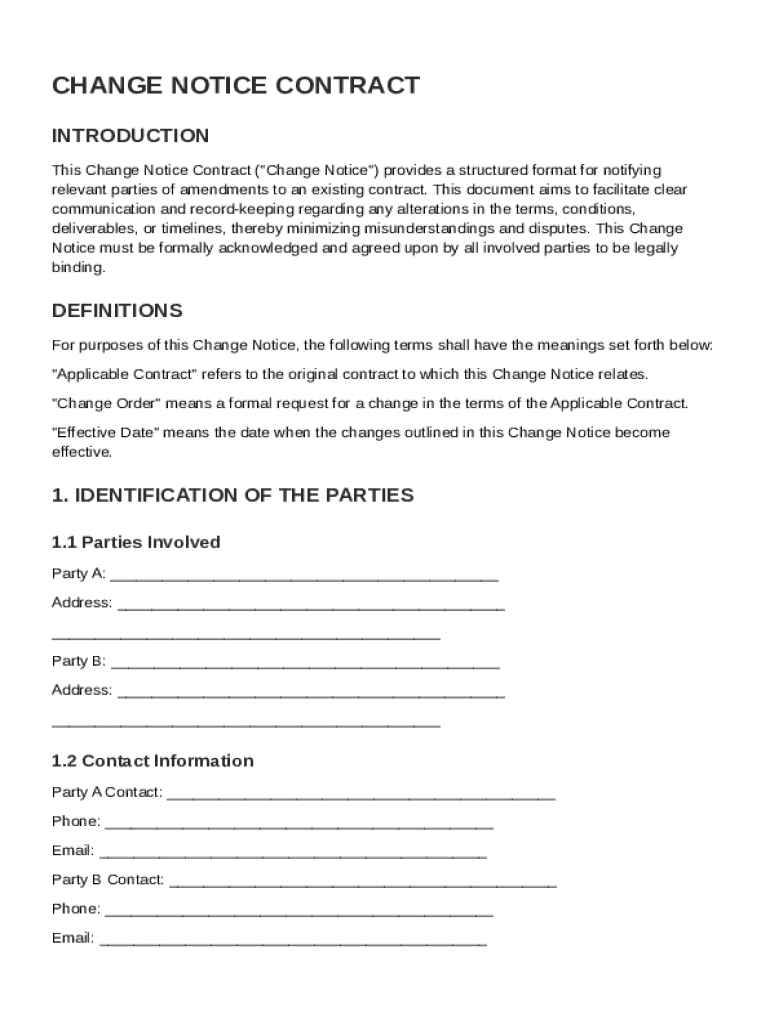
Change Notice Contract Form
Use a Change Notice Contract Template template to make your document workflow more streamlined.
What a change notice contract form does
A Change Notice Contract Form records an agreed modification to an existing contract, such as a revised scope, price, schedule, responsibility, or effective date. It identifies the underlying agreement, describes the proposed change, and provides approval and signature fields for authorized parties. In signNow, upload the form, review or add fillable fields, assign signers, send it electronically, and preserve the completed document with its audit trail. ESIGN and UETA generally recognize electronic signatures when intent, consent, attribution, and record retention requirements are satisfied.
Who uses a change notice contract form
Contract administration
Contract administrators use the form to document agreed changes, identify the affected agreement, and route approvals to authorized representatives. Completed records can support later contract review when the signed document, timestamps, and audit trail are retained together.
Business operations
Operations, procurement, construction, and legal teams can use change notices for scope, pricing, schedule, or responsibility updates. The workflow keeps the revised terms and signer evidence together instead of relying on disconnected email approvals.
How the change notice workflow works
The signNow workflow turns a proposed contract change into a traceable signed record through four document-specific stages.
Upload documents: Upload the change notice and existing contract reference. Review fields: signNow detects fields for review and placement. Route approval: Route the notice to authorized contract representatives. Store record: Store the signed notice with its audit trail.
How to complete the change notice
Use this sequence to prepare, route, sign, and retain a Change Notice Contract Form in signNow.
Upload form:
Upload the completed Change Notice Contract Form to signNow. Check fields:
Review detected fields and add missing text, date, or signature fields. Assign signers:
Add authorized signers and define the signing order. Send and store:
Send the change notice and retain the completed record.
 Best ROI. Our customers achieve an average 7x ROI within the first six months.
 Scales with your use cases. From SMBs to mid-market, airSlate SignNow delivers results for businesses of all sizes.
 Intuitive UI and API. Sign and send documents from your apps in minutes.
Features for contract change notices
signNow provides document controls that help teams prepare, route, sign, and retain Change Notice Contract Forms with consistent evidence.
Structured fields
Place signature, initials, date, text, and attachment fields directly on the change notice so each revised term has a defined completion point.
Signing order
Route the notice to named representatives in a required order when contract approval depends on sequential review.
Audit trail
Keep the signed change notice and completion evidence together for contract administration, audits, and later disputes about revised terms.
Reusable template
Use reusable templates when the organization issues recurring change notices with consistent sections, approval roles, and signature requirements.
Mobile signing
Send the form from desktop or mobile workflows when authorized personnel review changes away from the office or job site.
System connection
Connect completed notices to business systems such as NetSuite, Salesforce, Google Drive, Box, or Procore for downstream records.
Recommended setup for change notices
Use a controlled setup that matches signer identity, contract risk, audit evidence, and the retention rule governing the completed notice.
| Setting | Recommendation |
|---|---|
| Authentication method | Email link with SMS OTP |
| Signature type | Electronic signature with audit trail |
| Audit trail | Capture signer actions and timestamps |
| Document retention | Follow the applicable record rule |
| Encryption | TLS 1.2/1.3 and AES-256 |
How the audit trail records changes
The audit trail connects each Change Notice Contract Form action to a signer, time, document state, and retrievable completion record.
Authenticate signer:
Capture timestamp:
Hash document:
Seal record:
Log actions:
Export trail:
Security for signed change notices
Transport encryption:
Stored encryption:
Security certification:
Management certification:
Health data:
Electronic signing:
Best practices for change notices
Accurate scope, signer authority, version control, and retention decisions make a Change Notice Contract Form easier to administer and defend.
Export the signed record
Apply the governing retention rule
Preserve each approved version
Verify authority and scope
Retention periods for signed change notices
Retention depends on the record category and governing authority; preserve the signed notice and audit trail for the longest applicable requirement.
Three years after filing
Six years after filing
Six years from creation
Three years after creation
Longer period if required
Risks of an incomplete change notice
Unauthorized signer
Incomplete audit trail
Unclear contract change
Premature deletion



Troubleshooting change notice workflows
Resolve field detection, signature evidence, invite limits, consumer consent, and regulated-record questions before sending this contract change notice.
Upload the source file again and check whether the signature, date, and change-description areas are readable. signNow can detect fillable fields, but unclear scans may require manual placement before sending.
Business includes legally binding eSignatures, templates, mobile apps, and audit trails. If the form requires bulk sending, Business Premium adds bulk send; select the plan that matches the workflow.
Use a signNow audit trail to document signer identity evidence, timestamps, actions, and completion. ESIGN and UETA focus on intent, consent, attribution, and record retention; configure stronger authentication when risk requires it.
For consumer-facing electronic records, provide the ESIGN disclosure, demonstrate electronic access, and explain withdrawal procedures under 15 U.S.C. §7001(c). The disclosure is a legal workflow requirement, not merely a platform setting.
Business plans include 100 signature invites per user annually, with overage fees. The Site License uses $1.50 per signature invite and is intended for 1,000 or more documents annually.
If a change notice includes protected health information, use a signNow HIPAA-compliant configuration with a business associate agreement. HIPAA records generally require six-year retention under 45 CFR §164.530(j).
Key performance indicators that demonstrate SignNow's proven track record.
BE READY TO GET MORE
Get this form now!

If you believe that this page should be taken down, please follow our DMCA take-down process.