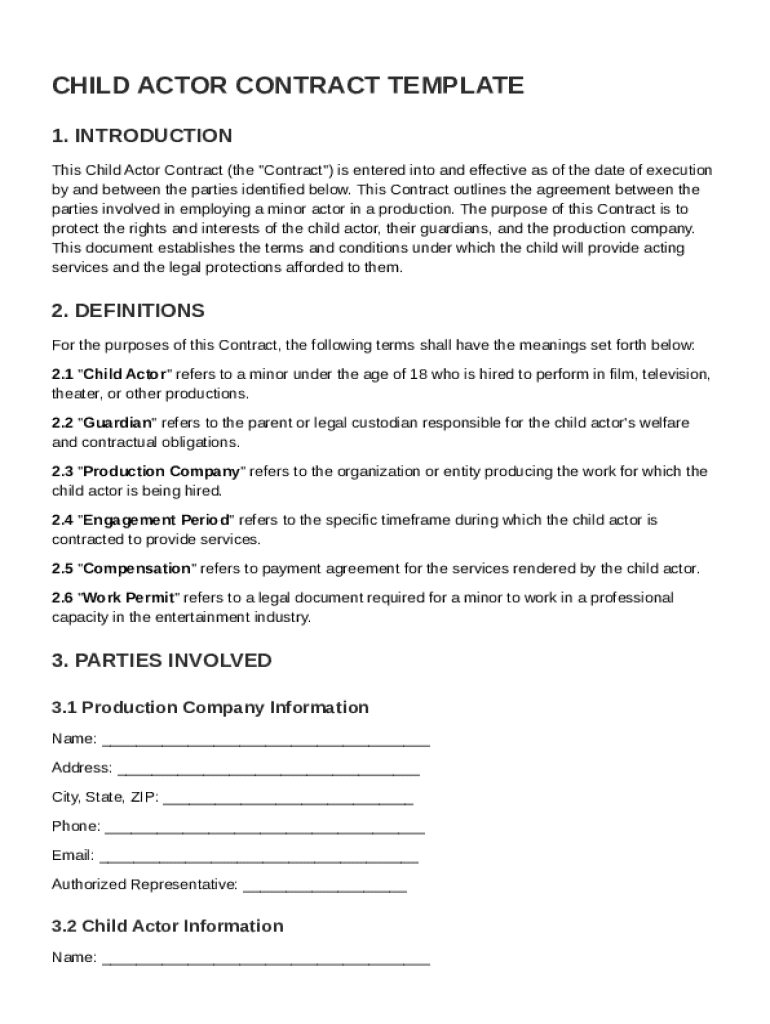
Child Actor Contract Form
Use a Child Actor Contract Template template to make your document workflow more streamlined.
What a child actor contract form covers
A Child Actor Contract Form records the agreement between a production or casting organization and a child performer’s parent or legal guardian. It can identify the role, production, compensation, appearance or performance terms, confidentiality obligations, permissions, and signature parties. In signNow, the sender uploads the approved contract, reviews detected fields, assigns guardian and organizational signers, and sends it electronically. ESIGN and applicable state electronic-transactions law may recognize eligible electronic signatures, but state child-performer rules, permits, trust requirements, union terms, and guardian authority still require separate review.
Who uses a child actor contract form
Production and casting
Casting agencies, production companies, studios, and independent filmmakers use child actor contracts to document roles, compensation, working terms, guardian permissions, and approved use of a minor’s performance. Legal and production teams can route the document to the appropriate parent or legal guardian, while payroll and accounting retain the completed agreement for project records.
Guardians and legal teams
Parents or legal guardians review and sign on behalf of the child when the agreement requires adult consent. The form can accompany confidentiality terms, appearance releases, payment provisions, and production schedules, but teams should confirm state-specific child labor, trust, permit, and contract requirements before relying on any template.
Features for child actor contracts
signNow connects field preparation, guardian routing, electronic signing, and audit evidence for production teams handling Child Actor Contract Forms.
Field detection
Upload the approved child actor agreement and let signNow identify fillable areas before the sender confirms every guardian, production, and performer field.
Signer routing
Assign the parent or legal guardian as the required signer and preserve the signing sequence when production or legal review must occur first.
Audit trail
Capture delivery, access, timestamps, IP details, and signing actions in an audit trail connected to the completed contract.
Reusable templates
Use reusable templates for recurring casting agreements while keeping role, compensation, production, and consent fields accurate for each engagement.
Mobile signing
Let authorized guardians review and sign from a desktop or signNow mobile app without arranging an in-person exchange of paper documents.
Controlled records
Keep completed contracts and their certificate of completion available to authorized production, legal, payroll, and guardian-facing personnel.
How the child actor contract workflow works
The signNow workflow turns an approved child actor contract into a controlled signing sequence for production staff, guardians, and authorized reviewers.
Upload the form: Upload the approved Child Actor Contract Form into signNow. Prepare fields: Auto-detect fillable areas and add guardian signature fields. Send for signature: Send the contract to the parent or legal guardian. Store the record: Store the completed agreement with its audit trail.
 Best ROI. Our customers achieve an average 7x ROI within the first six months.
 Scales with your use cases. From SMBs to mid-market, airSlate SignNow delivers results for businesses of all sizes.
 Intuitive UI and API. Sign and send documents from your apps in minutes.
Recommended setup for child actor contracts
Configure the contract workflow around guardian authentication, restricted access, complete audit evidence, and the production’s documented retention policy.
| Setting | Recommendation |
|---|---|
| Authentication method | Email verification with SMS OTP |
| Signature type | Typed or drawn electronic signature |
| Audit trail | Capture timestamps, IP, and action history |
| Document retention | Retain under state law and production policy |
| Encryption | TLS 1.2/1.3 and AES-256 encryption |
Privacy and disclosure pitfalls
A signed contract may expose a child’s full name, address, birth date, school, or guardian contact details beyond authorized production staff. Missing parent or legal guardian consent can leave the child actor’s participation, compensation, and permitted uses insufficiently documented. Unrestricted template access may let unauthorized staff view, alter, or send contracts containing sensitive child and family information. Emailing unsigned copies without controlled access can create duplicate versions and weaken confidentiality around production terms and personal data.
Security for child actor contract records
TLS encryption:
Stored data:
Security certification:
Information security:
Privacy controls:
Electronic signatures:
Record-keeping practices for child actor contracts
Preserve the signed contract, consent evidence, and audit history according to applicable state law, production policy, and the agreement’s business needs.
Set a documented retention schedule
Export the completion record
Restrict contract access by role
Archive records securely after completion
State rules and document exclusions
State notarization rule
Wills excluded
Family law documents
Real-estate deeds
Platform requirements for contract signing
Child Actor Contract Form workflows can run through signNow in Chrome, Firefox, Safari, or Edge on Windows and macOS. The signNow mobile apps support signing on iOS and Android devices, allowing guardians or production staff to review assigned fields away from a desktop.
Browsers Chrome, Firefox, Safari, and Edge Desktop systems Windows and macOS desktops Mobile apps iOS and Android signNow apps
Production teams should use managed devices, current browser versions, and access controls appropriate for minors’ personal information. Enterprise deployments can evaluate API access, SSO provisioning, and certificate or long-term validation requirements separately when their contracts, internal policies, or regulated workflows require stronger controls.
Who benefits from child actor contracts
Child actor contracts benefit organizations that coordinate guardian consent, performer terms, payment details, and production approvals across multiple projects.
Independent casting agencies can standardize child actor agreements, collect guardian signatures, and preserve each completed contract without repeatedly rebuilding fields for separate productions. Regional production companies can send role-specific contracts to parents or guardians, coordinate approvals remotely, and give legal teams a consistent audit record for every engagement. Enterprise studios can use shared templates, delegated sending, and role-based permissions to manage high volumes of child performer contracts while limiting access to sensitive family information.
These tasks are executed by both individual contributors and centralized administrators depending on organizational policy and required controls.
Child actor contract troubleshooting
Use these answers to resolve signing, access, privacy, and legal-scope questions before sending a Child Actor Contract Form.
Upload the original contract file again and check that it is not password-protected or corrupted. signNow can then detect fillable areas, after which the sender should verify guardian, child, production, compensation, and signature fields manually before sending.
A guardian signature may not replace any state-required notarization, permit, trust-account procedure, or in-person act. ESIGN and UETA generally support electronic signatures for eligible transactions, but state law and the contract’s subject matter control exclusions.
Use signNow’s audit trail and certificate of completion to review delivery, access, timestamps, IP information, and signing actions. These records support attribution and document integrity, but they do not determine whether the contract satisfies child-labor or state contract requirements.
The Business plan includes legally binding eSignatures, templates, audit trails, mobile apps, ISO 27001, SOC 2, GDPR, and ESIGN/UETA compliance. Business Premium adds bulk send when the production distributes many similar contracts.
Use restricted folders, role-based permissions, and approved shared templates. signNow encrypts data in transit with TLS 1.2/1.3 and at rest with AES-256; production teams remain responsible for lawful access, disclosure, and retention decisions.
Electronic signing does not make every child actor agreement enforceable. Confirm guardian authority, required disclosures, state child-performer rules, and any union or production requirements. For legal exceptions, ESIGN and UETA do not override excluded documents or inconsistent state law.
Key performance indicators that demonstrate SignNow's proven track record.
BE READY TO GET MORE
Get this form now!

If you believe that this page should be taken down, please follow our DMCA take-down process.