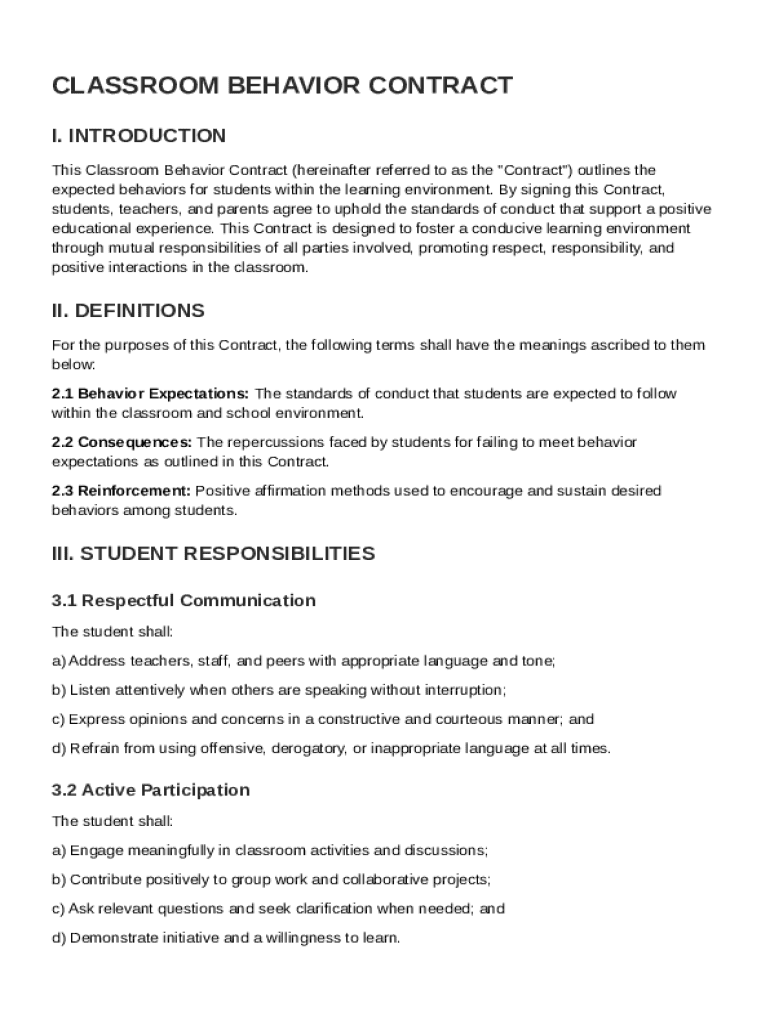
Classroom Behavior Contract Form
Use a Classroom Behavior Contract Template template to make your document workflow more streamlined.
What a classroom behavior contract does
A Classroom Behavior Contract Form records agreed classroom expectations, student responsibilities, support measures, and consequences in one signed document. A teacher, school, student, and parent or guardian can use it to clarify conduct goals and how progress will be reviewed. The form is not a federal filing and has no nationwide statutory deadline; schools should follow district policy, FERPA requirements, and applicable state education law. signNow can convert the completed form into a routed electronic signature workflow with signer identity, timestamps, document history, and a downloadable completion record.
Features for classroom behavior contracts
signNow organizes expectations, signatures, and completion evidence so schools can manage Classroom Behavior Contract Forms with a consistent, reviewable process.
Reusable template
Reusable fields keep expectations, goals, review dates, and signature areas consistent across classroom behavior contracts.
Signer routing
Role-based routing sends the agreement to the student, guardian, teacher, or administrator in the intended order.
Required fields
Required fields reduce incomplete contracts by prompting participants to finish assigned expectations and acknowledgment sections.
Audit trail
Audit trails preserve timestamps and participant actions alongside the completed classroom agreement for later review.
Mobile signing
Mobile signing lets guardians review and sign the contract without scheduling an in-person exchange.
Controlled storage
Controlled storage helps schools limit access to behavior agreements containing student information under district policy.
How the classroom contract workflow works
The form moves from preparation to individualized review, signature collection, and controlled record preservation.
Prepare form: Upload the contract template. Customize terms: Add student-specific expectations and review dates. Collect signatures: Route signatures to assigned participants. Preserve evidence: Export the signed record and audit trail.
Complete the classroom behavior contract
Use this sequence to prepare the classroom agreement, collect required signatures, and retain the completed record.
Upload form:
Upload the classroom contract template to signNow. Check fields:
Review detected fields and add expectations, goals, dates, and signatures. Assign signers:
Assign student, parent, and school staff signing roles. Send contract:
Send the completed contract and monitor each signature.
 Best ROI. Our customers achieve an average 7x ROI within the first six months.
 Scales with your use cases. From SMBs to mid-market, airSlate SignNow delivers results for businesses of all sizes.
 Intuitive UI and API. Sign and send documents from your apps in minutes.
Choose a classroom signing method
- Use the web app when staff prepare the Classroom Behavior Contract Form, add student-specific goals, and route it to assigned signers from a district workstation.
- Use the mobile app when a teacher or guardian needs to review and sign the agreement from an iOS or Android device.
- Use kiosk mode for supervised in-person signing when several participants complete agreements at a school office or scheduled conference.
- Use a shareable signing link when the school needs to distribute the same contract entry point while controlling which fields each signer completes.
Recommended contract workflow settings
Use district-approved controls to route, authenticate, complete, and preserve each Classroom Behavior Contract Form.
| Setting | Recommendation |
|---|---|
| Authentication method | Email link with SMS verification |
| Signature type | Electronic signature with signer intent |
| Audit trail | Enable completion certificate and action history |
| Document retention | Follow district records schedule |
| Encryption | TLS 1.2/1.3 and AES-256 protection |
Protect classroom contract records
Data in transit:
Data at rest:
Security assurance:
Information management:
Protected information:
Student records:
Review the contract audit trail
The audit trail records who handled this classroom agreement, when each action occurred, and how the completed file can be reviewed.
Authenticate signer:
Capture timestamp:
Hash document:
Seal record:
Link actions:
Export trail:
Platform requirements for classroom contracts
A Classroom Behavior Contract Form can be prepared in signNow through Chrome, Firefox, Safari, or Edge on Windows and macOS. signNow mobile apps support iOS and Android, while TLS 1.2/1.3 protects data in transit.
Browser support Chrome, Firefox, Safari, and Edge Operating systems Windows, macOS, iOS, and Android Connection security TLS 1.2/1.3 secured connection
District administrators should manage access through approved devices and school accounts. Before deployment, confirm FERPA-required access restrictions, retention rules, identity verification needs, and any district policy governing electronic consent or parent and guardian signatures.
Risks of incomplete classroom contracts
Unclear terms
Missing consent
Poor evidence
FERPA exposure
Troubleshoot classroom contract workflows
Resolve signing, access, field, and retention questions before the classroom agreement becomes part of the student record.
SignNow’s Business plan includes templates, audit trails, mobile apps, and legally binding eSignatures. Upload the contract, confirm student and guardian fields, then assign each signer before sending. FERPA obligations still require the school to limit access and disclose records only as permitted.
If automatic field detection misses a behavior goal or date field, add it manually in the document editor. Mark student, parent or guardian, teacher, and administrator fields as required where district policy requires completion before the contract is finalized.
The Business plan includes audit trails, while Business Premium adds bulk send and kiosk mode. For repeated classroom contracts, Premium can distribute the same template to multiple students, but each contract still needs accurate signer assignments and individualized expectations.
Use signNow’s available signer authentication settings, including SMS-based verification where configured. Authentication supports attribution, but it does not replace FERPA access controls, parent-consent rules, or a district’s required identity-checking process for student records.
A completed contract should be retained according to the school or district records schedule because no nationwide Classroom Behavior Contract Form retention period exists. Export the signed PDF and audit trail, restrict access, and document the applicable state or district rule.
Electronic signatures can generally be recognized under ESIGN, 15 U.S.C. chapter 96, and applicable state law, but school procedures still control consent and record access. Confirm that each signer intended to sign and could review the electronic record before completion.
Key performance indicators that demonstrate SignNow's proven track record.
BE READY TO GET MORE
Get this form now!

If you believe that this page should be taken down, please follow our DMCA take-down process.