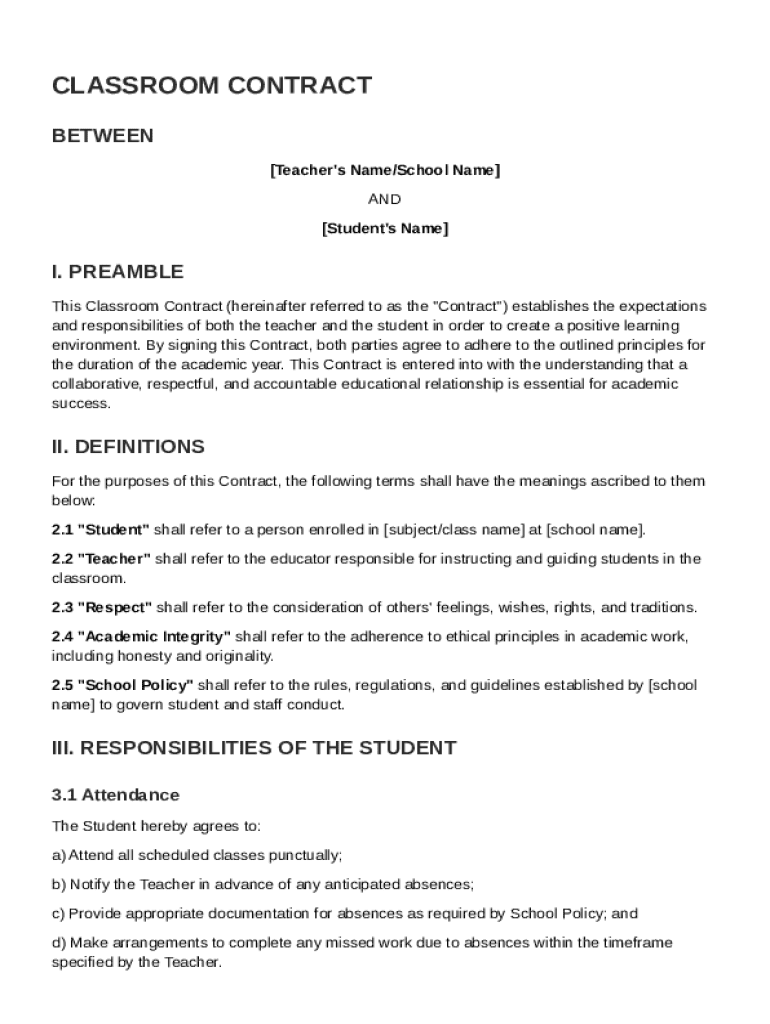
Classroom High School Contract Form
Use a Classroom High School Contract Template template to make your document workflow more streamlined.
What the classroom contract form does
The Classroom High School Contract Form records the agreement between a school, student, and authorized parent or guardian about a defined classroom activity, responsibility, or participation requirement. It can identify the student and school, state the applicable terms, collect acknowledgments and signatures, and preserve completion evidence. In signNow, the sender uploads the contract, reviews auto-detected fillable fields, assigns each field to the correct signer, sends the document, and stores the signed PDF with an audit trail. Student-record handling should follow FERPA and applicable state law.
Who uses classroom contract forms
School administrators
School administrators can route classroom contracts to students, parents, guardians, and staff while preserving signatures, dates, and completion evidence for each participant.
Teachers and coordinators
Teachers and activity coordinators can use contracts for classroom participation, field activities, media permissions, technology use, and other documented school acknowledgments.
How the classroom contract workflow works
A school can prepare one reusable contract, route fields to the appropriate adults, and preserve the completed record in signNow.
Upload the form: Upload the classroom contract PDF to signNow. Review fields: Auto-detect fields, then review required student and guardian information. Assign signers: Assign each signature, date, and consent field to its signer. Archive records: Send, complete, and store the signed contract with its audit trail.
 Best ROI. Our customers achieve an average 7x ROI within the first six months.
 Scales with your use cases. From SMBs to mid-market, airSlate SignNow delivers results for businesses of all sizes.
 Intuitive UI and API. Sign and send documents from your apps in minutes.
Complete the classroom contract online
Follow these steps to prepare, route, sign, and preserve the Classroom High School Contract Form.
Upload form:
Upload the Classroom High School Contract Form PDF. Check fields:
Review auto-detected fields and add missing fields. Add signers:
Add student, parent, guardian, or school signers. Send contract:
Send the prepared contract through signNow. Save record:
Download the completed PDF and audit trail.
Set up Classroom High School Contract Form
Use a controlled signing workflow that protects student information, records consent, and preserves a reliable completion history.
| Setting | Recommendation |
|---|---|
| Authentication method | Email verification with optional SMS OTP |
| Signature type | Typed, drawn, or click-to-sign signature |
| Audit trail | Capture timestamps, IP address, and action history |
| Document retention | Retain signed records under school policy and state law |
| Encryption | Use TLS 1.2 or 1.3 and AES-256 |
Review the contract audit trail
The audit trail shows who handled the Classroom High School Contract Form, what happened, and when each signing event occurred.
Authenticate signer:
Capture timestamp:
Hash document:
Seal record:
Retrieve evidence:
Export trail:
Best practices for classroom contracts
Accurate field assignment, informed consent, and controlled retention reduce disputes around student participation and guardian authorization.
Assign each contract field to the correct signer
Verify classroom and student details before sending
Document electronic-record consent requirements
Archive the signed contract and audit trail securely
Platform requirements for classroom contracts
The Classroom High School Contract Form can be prepared in a browser on Windows or macOS using Chrome, Firefox, Safari, or Edge. signNow also provides iOS and Android mobile apps for reviewing and signing documents. Use TLS-protected connections and an institution-managed device when student information is involved.
Browsers Chrome, Firefox, Safari, Edge Desktop systems Windows and macOS desktops Mobile apps iOS and Android apps
Schools should manage access through approved accounts, device controls, and role-based permissions. Administrators can connect signed records to storage or school systems through supported integrations, but the school remains responsible for FERPA-aligned access decisions, retention rules, and any required family disclosures.
Privacy pitfalls in classroom contracts
Including student health details or family contact information without limiting access can expose protected education records beyond the staff members who need them. Sending a contract before confirming the authorized parent or guardian can undermine attribution and create uncertainty about who consented to classroom participation. Leaving required acknowledgment or date fields optional can produce an incomplete record that does not show when the student or guardian agreed. Forwarding a signing link outside the intended recipient can disclose the contract and weaken confidence that the named signer completed it.
Troubleshoot classroom contract signing
Resolve field, delivery, consent, retention, and enforceability questions before distributing a Classroom High School Contract Form.
Upload the original PDF again and inspect each detected field. signNow’s auto-detection may not identify handwritten lines, embedded images, or unusual layouts. Add required signature, date, initials, and acknowledgment fields manually before assigning student, guardian, or school signers.
Confirm that the recipient email is correct, then resend the invitation or provide a controlled signing link. Ask the recipient to check spam filtering and use a supported browser. Do not forward a private link when the contract contains student information.
Review whether the account plan includes the needed workflow. Business includes templates, mobile apps, and audit trails; Business Premium adds bulk send and kiosk mode. If the school needs a different feature, verify plan availability before deployment.
For consumer-facing electronic records, review 15 U.S.C. §7001(c): disclose the right to paper records, confirm electronic access, and explain withdrawal procedures. The school should document consent before relying on electronic delivery for families.
A signNow audit trail records signing activity, timestamps, IP information, and document history. Export the completed contract and audit trail together, restrict access to authorized personnel, and apply the school’s FERPA and state-record retention policy.
Electronic signatures generally have legal effect under ESIGN and applicable state law, but the contract must still show intent, consent, attribution, and reproducibility. Review state requirements for notarization or special documents before using this workflow.
Key performance indicators that demonstrate SignNow's proven track record.
BE READY TO GET MORE
Get this form now!

If you believe that this page should be taken down, please follow our DMCA take-down process.