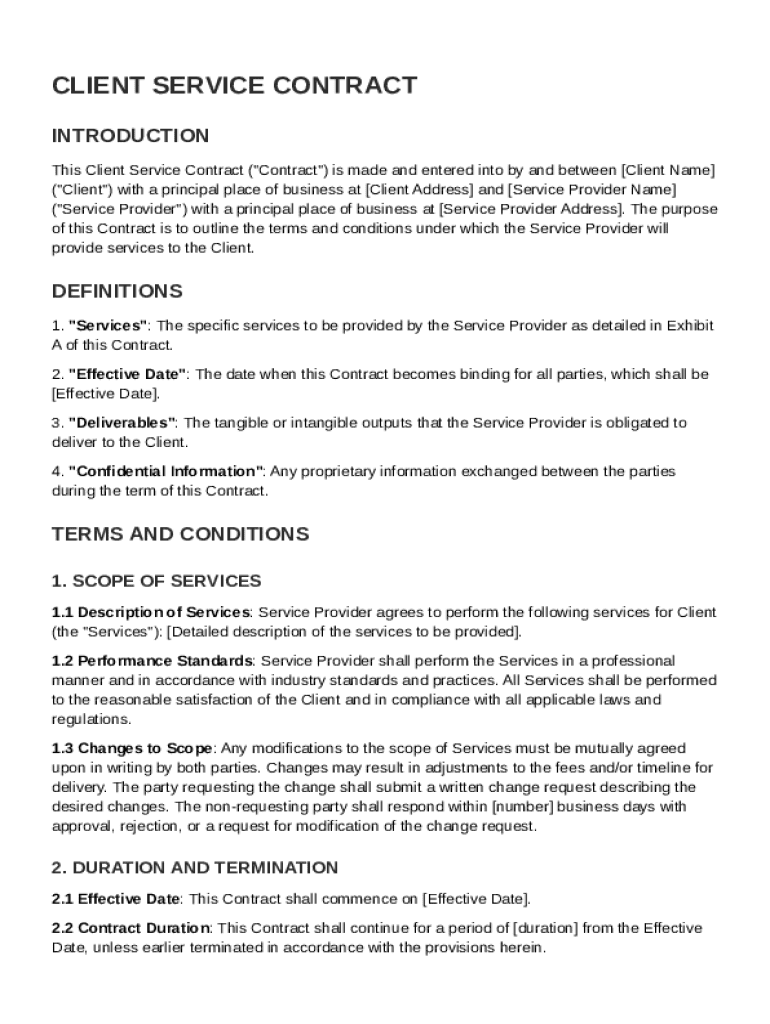
Client Service Contract Form
Use a Client Service Contract Template template to make your document workflow more streamlined.
What a client service contract does
A Client Service Contract Form records the terms between a service provider and a client, including the work covered, responsibilities, payment terms, timing, approvals, and signatures. It is completed by entering the parties’ information, reviewing the agreement, and signing the defined fields. With signNow, a sender uploads the contract, checks or adds fillable fields, assigns them to each party, sends the document, and stores the signed PDF with its audit trail. U.S. electronic execution generally depends on intent, consent, attribution, and record retention under ESIGN and applicable state law, including UETA or New York ESRA.
Who uses client service contracts
Professional services
Service providers use Client Service Contract Forms to define scope, fees, responsibilities, deliverables, and approval terms before beginning client work. Legal and operations teams can standardize clauses in signNow templates, assign signatures to the client and provider, and preserve the completed agreement with its audit trail.
Regulated industries
Healthcare, financial, legal, construction, and real-estate organizations use client contracts to document engagements, approvals, and obligations. Teams can route agreements in role-based order, apply stronger authentication where required, and connect signed records to client, project, billing, or compliance systems.
Key features for client contracts
signNow connects document preparation, assigned signing fields, delivery, audit evidence, and archival for a Client Service Contract Form workflow.
Field assignment
Upload a prepared Client Service Contract Form and place signature, initials, date, and text fields for each contracting party. Field assignment reduces omissions before the document reaches a client.
Reusable templates
Reuse an approved contract template with defined parties and required fields. Templates help staff issue consistent versions while preserving the terms authorized by the organization’s legal or operations team.
Flexible delivery
Send the agreement by email or a shareable signing link. Clients can review and sign from a browser, reducing coordination around paper copies and in-person appointments.
Audit trail
Capture timestamps, signer actions, IP information, and completion history in an audit trail. The record provides execution evidence alongside the finished Client Service Contract Form.
Completed records
Download the completed contract and its audit evidence after all assigned fields are finished. This creates a portable record for client service, legal review, and archival.
Protected documents
Use encryption in transit and at rest, with SOC 2 Type II and ISO 27001 certifications supporting the platform’s security program for contract workflows.
Mobile options for client contracts
signNow mobile apps let staff prepare and sign Client Service Contract Forms on iOS and Android devices, while camera capture can convert paper contract pages into uploadable documents.
iOS iOS app Android Android app Capture Camera capture
Use the signNow iOS or Android app when a client meeting occurs away from the office. Confirm device permissions, protect downloaded files, and apply the organization’s retention and access controls after signing. Offline work should be validated against the current app behavior and deployment policy before relying on it for time-sensitive contracts.
How client contract signing works
The signNow workflow turns a prepared Client Service Contract Form into an assigned, trackable, and archived electronic agreement.
Upload document: Upload the Client Service Contract Form and review its pages. Add fields: Use auto-detection, then assign fields to each signer. Send contract: Enter signer details and send the agreement securely. Store evidence: Collect signatures and retain the completed record with its audit trail.
 Best ROI. Our customers achieve an average 7x ROI within the first six months.
 Scales with your use cases. From SMBs to mid-market, airSlate SignNow delivers results for businesses of all sizes.
 Intuitive UI and API. Sign and send documents from your apps in minutes.
How the client contract audit trail works
A signNow audit trail records execution evidence separately from the contract’s commercial terms, helping explain who signed, when, and how.
Authenticate signer:
Capture timestamps:
Protect document integrity:
Export evidence:
Retrieve records:
Preserve completion:
Recommended client contract setup
Configure the Client Service Contract Form around signer identity, execution evidence, secure transport, and the retention rule applicable to the underlying engagement.
| Setting | Recommendation |
|---|---|
| Authentication method | Email link with SMS OTP |
| Signature type | Typed or drawn electronic signature |
| Audit trail | Enabled for every completed contract |
| Document retention | Three years from filing (IRC §6501(a)) |
| Encryption | TLS 1.2/1.3 and AES-256 |
Client contract processing timeline
Use these four stages to move a Client Service Contract Form from preparation through signed-record retention.
Prepare the contract
Deliver to signers
Collect client signatures
Complete and archive
Client contract retention practices
Retain the signed contract, completion evidence, and supporting client records according to the applicable business, tax, health, and state-law requirements.
Choose retention periods by record type
Export the audit trail with the contract
Archive signed records securely
Approve deletion against applicable rules
Client contract security controls
Transport encryption:
Storage encryption:
Independent controls:
Information security:
Privacy framework:
U.S. eSignature law:
Client contract signing capabilities
This comparison uses verified signNow capabilities; competitor details not present in the supplied vendor data are marked Not verified.
| signNow | DocuSign | Adobe Acrobat Sign | Feature |
|---|---|---|---|
| Reusable contract templates | Yes | Yes | Yes |
| Signer audit trail | Yes | Yes | Yes |
| ESIGN and UETA support | Yes | Not verified | Not verified |
| Mobile signing apps | Yes | Not verified | Not verified |
Legal standing of client contracts
A Client Service Contract Form can support a U.S. business transaction when the parties show intent, consent to electronic records, signer attribution, and reliable retention and reproduction. ESIGN, 15 U.S.C. chapter 96, and state UETA laws generally recognize qualifying electronic signatures; exclusions include wills, certain court filings, and family-law decrees.

State rules affecting contracts
State notarization
Wills excluded
Court documents
Real-estate deeds
Client Service Contract Form troubleshooting
Resolve field, consent, authentication, plan, and audit-trail questions before sending a Client Service Contract Form for signature.
Open the Client Service Contract Form in signNow, use the editor’s field detection, then add required text, date, initials, and signature fields manually before sending.
Business includes templates, audit trails, and legally binding eSignatures at $8/user/month with annual billing. Business Premium adds bulk send at $15/user/month.
For consumer-facing contracts, provide the ESIGN Act disclosure, explain the right to paper records, confirm electronic access, and document consent before signing under 15 U.S.C. §7001(c).
Use signNow’s audit trail to preserve signer identity, timestamps, IP details, and action history. ESIGN and applicable state UETA rules support electronic records when intent and attribution are established.
Business plans include 100 signature invites per user per year, with overage fees. If volume exceeds that allowance, review Business Premium, Enterprise, or the Site License pricing model.
A client can usually sign from the email link without creating an account. If stronger assurance is needed, configure SMS OTP or advanced signer authentication where available on the selected plan.
Key performance indicators that demonstrate SignNow's proven track record.
BE READY TO GET MORE
Get this form now!

If you believe that this page should be taken down, please follow our DMCA take-down process.