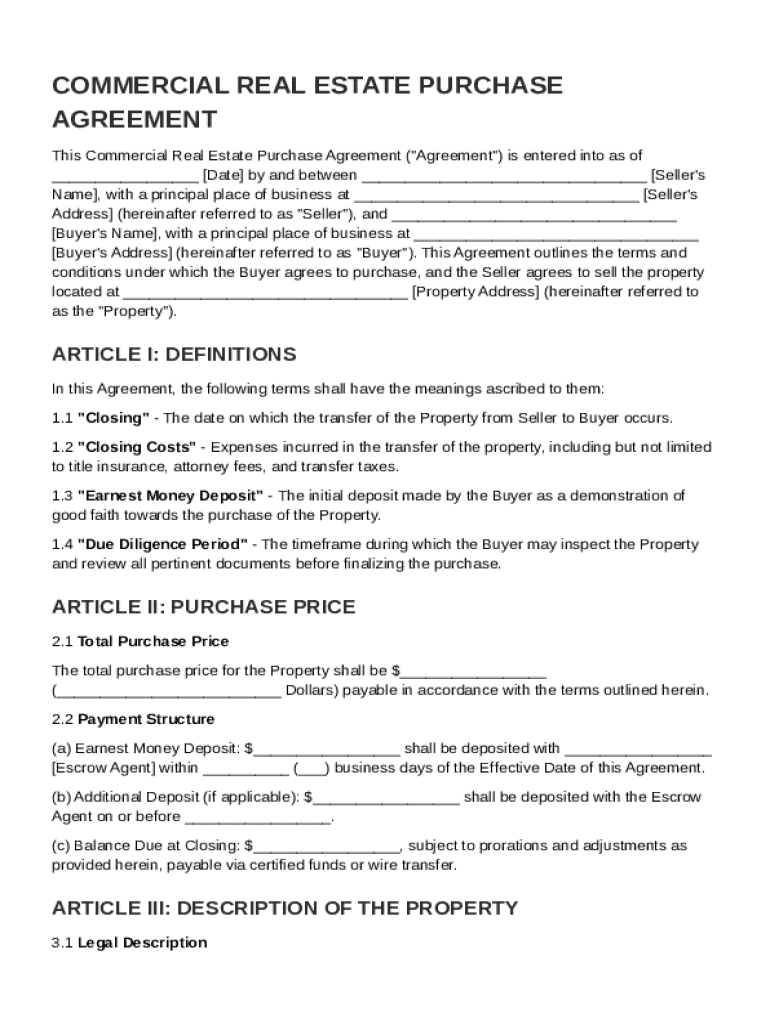
Commercial Real Estate Purchase Contract Form
Use a Commercial Real Estate Purchase Contract Template template to make your document workflow more streamlined.
Commercial real estate purchase contract overview
A Commercial Real Estate Purchase Contract Form records the negotiated agreement to buy a commercial property. It identifies the property and parties, states the purchase price and deposit, and sets conditions such as due diligence, financing, title, closing, possession, and included assets. Brokers, attorneys, buyers, and sellers review the terms before authorized parties sign. In the United States, electronic execution may be recognized under ESIGN and applicable state law, but a purchase contract does not itself replace a deed or satisfy every state-specific recording or notarization requirement.
Who uses this purchase contract form
Real estate teams
Commercial real estate brokers prepare purchase terms, disclosures, contingencies, and signature pages for buyers and sellers. The workflow keeps negotiated contract versions together while collecting signatures from authorized principals, attorneys, lenders, and other transaction participants.
Transaction parties
Commercial property buyers, sellers, and counsel use the form to document price, due diligence, title, financing, closing, and possession terms. SignNow can route the completed agreement sequentially and preserve the signed copy with its audit trail.
Business users for commercial purchases
The form serves commercial property transactions where multiple authorized parties must review, sign, and retain one definitive purchase agreement.
Solo commercial brokers use the form to send negotiated purchase agreements from property tours or offices, then collect buyer and seller signatures without printing multiple contract copies. Regional commercial real estate firms use reusable contract templates for acquisitions, assigning signing order and preserving each transaction’s completed agreement and audit trail. Enterprise property owners and development companies use controlled workflows for high-value purchases, coordinating executives, counsel, lenders, and counterparties across multiple states.
These tasks are executed by both individual contributors and centralized administrators depending on organizational policy and required controls.
How this purchase contract workflow works
The signNow workflow turns a negotiated commercial purchase agreement into a controlled signing sequence without changing its substantive deal terms.
Upload contract: Upload the negotiated purchase contract to signNow. Prepare fields: Review detected fields and add missing signatures. Route signers: Send the agreement to authorized parties. Archive records: Store the signed contract and audit trail.
Legal standing and document exclusions
A commercial real estate purchase contract may be admissible when the parties show intent, consent, attribution, and reliable record retention under ESIGN and applicable state law. Electronic records do not replace excluded wills, testamentary trusts, certain court orders, or official court filings.

 Best ROI. Our customers achieve an average 7x ROI within the first six months.
 Scales with your use cases. From SMBs to mid-market, airSlate SignNow delivers results for businesses of all sizes.
 Intuitive UI and API. Sign and send documents from your apps in minutes.
State rules and document boundaries
Check state law
Excluded documents
Family law
Title transfer
Best practices for contract execution
Accuracy, signer authority, and a complete execution record are central to a defensible commercial purchase agreement.
Verify negotiated contract terms
Assign every signing field
Preserve the execution record
Separate contract from deed
What the audit trail records
For a commercial purchase agreement, the audit trail connects each signer’s action with the final contract and its execution history.
Signer authentication:
Timestamp capture:
Document hashing:
Tamper-evident sealing:
Audit history:
Record retrieval:
Signer authentication and certificates
PKI certificates:
X.509 certificates:
Two-factor authentication:
SMS OTP:
ID verification:
Signer attribution:
Privacy and disclosure pitfalls
Unredacted personal information in purchase attachments can expose buyer, seller, lender, or tenant data beyond the transaction team’s need to know. A consumer-facing electronic record may require consent disclosures, paper-access information, and withdrawal procedures under ESIGN 15 U.S.C. §7001(c). Shared links without signer verification can weaken attribution when several transaction participants use the same mailbox or device. Broad folder permissions can expose purchase prices, financing terms, title information, and due-diligence materials to unauthorized staff.
Commercial purchase signing milestones
The contract can move electronically from final review to execution, while closing deadlines remain governed by the agreement and applicable state law.
Document preparation
Delivery to signers
Signer turnaround
Completion and archival
Platform requirements for contract signing
Commercial real estate teams can prepare and sign this purchase contract in Chrome, Firefox, Safari, or Edge on Windows and macOS; signNow also provides iOS and Android mobile apps.
Supported browsers Chrome, Firefox, Safari, and Edge on Windows or macOS. Mobile apps signNow apps for iOS and Android devices. Transport security TLS 1.2/1.3 secures transmitted contract data.
For regulated or distributed teams, administer access through managed devices, defined roles, and approved storage. Enterprise deployments may also evaluate API access, SSO provisioning, and signer-authentication settings against internal transaction controls and state-law requirements.



Key performance indicators that demonstrate SignNow's proven track record.
Commercial purchase contract troubleshooting
These answers address field setup, plan limits, electronic enforceability, consent, and retention for commercial real estate purchase agreements.
Upload the contract as a supported PDF or document, then review signNow’s detected fields. Add missing signature, initial, date, or text fields manually before sending; automated detection does not verify the legal sufficiency of the purchase terms.
Business includes templates, audit trails, and mobile apps at $8/user/month with annual billing. Business Premium is $15/user/month annually and adds bulk send, kiosk mode, request payments, and quick invite links.
SignNow states that its Business, Business Premium, and Enterprise plans include 100 signature invites per user per year, with overage fees. Confirm current plan terms before sending a large portfolio of purchase agreements.
ESIGN and UETA generally recognize electronic signatures when intent, consent, attribution, and record retention are demonstrated. State law may impose additional requirements for notarization, witnesses, recording, or related deed documents.
For consumer-facing electronic records, ESIGN 15 U.S.C. §7001(c) requires disclosure of paper rights, electronic access, and consent withdrawal procedures. Apply that rule only when the transaction involves a consumer recipient.
Use signNow’s audit trail, signer authentication, and completion record to support attribution. For a commercial transaction, export the signed contract and audit trail together, then retain them under counsel’s transaction-record policy and applicable state requirements.
BE READY TO GET MORE
Get this form now!

If you believe that this page should be taken down, please follow our DMCA take-down process.