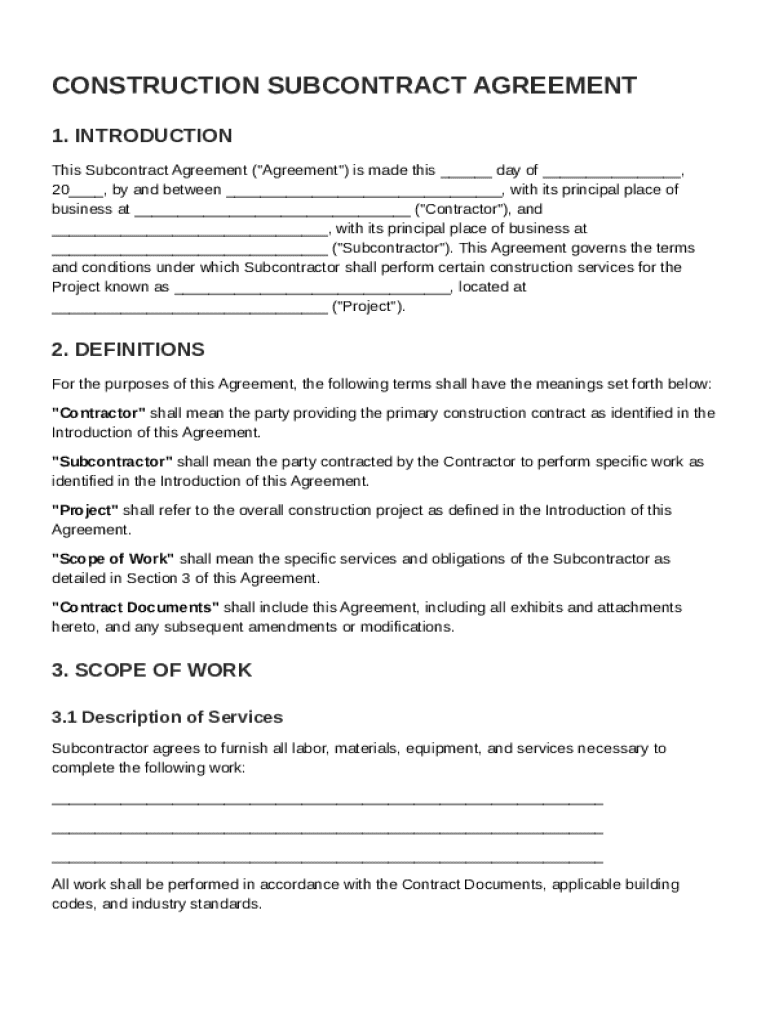
Construction Subor Contract Form
Use a Construction Subor Contract Template template to make your document workflow more streamlined.
Construction subcontract form overview
Construction Subor Contract Form is an agreement used to define a subcontractor’s work, compensation, schedule, deliverables, and responsibilities on a construction project. The parties complete the project-specific fields, assign signature and date fields, and send the document for electronic signing. With signNow, a sender uploads the form, reviews or edits automatically detected fillable fields, routes it to the contractor and subcontractor, and stores the completed agreement with an audit trail. Contract enforceability still depends on consent, authority, applicable state law, and the agreement’s terms.
Business types that use this form
Construction Subor Contract Form supports agreements that define subcontracted work, payment terms, deliverables, and responsibilities.
Independent construction contractors use the form to document project scope, payment terms, change-order procedures, and responsibilities before beginning work with a general contractor. Small subcontracting firms use repeatable templates to send trade-specific agreements to crews, collect signatures remotely, and preserve completed contracts with an audit trail. Enterprise construction companies use controlled workflows for multiple subcontractors, assigning signing responsibilities and retaining finalized agreements for procurement, project, and dispute records.
These tasks are executed by both individual contributors and centralized administrators depending on organizational policy and required controls.
How to complete the subcontract form
Prepare the project terms first, then use signNow to route the completed Construction Subor Contract Form to every required signer.
Upload form:
Upload the Construction Subor Contract Form to signNow. Check fields:
Review auto-detected fields and add missing fields. Assign signers:
Assign fields to the contractor and subcontractor. Send agreement:
Send the agreement for electronic signatures. Store records:
Download the signed contract and audit trail.
Recommended contract workflow settings
Use controlled signing and record-handling choices for construction subcontract agreements, project documentation, and payment obligations.
| Setting | Recommendation |
|---|---|
| Authentication method | Email verification with SMS OTP |
| Signature type | Typed or drawn electronic signature |
| Audit trail | Capture timestamps, IP addresses, and actions |
| Document retention | Retain signed contract and completion certificate |
| Encryption and user provisioning | Use TLS 1.2/1.3 and administrator-controlled access |
 Best ROI. Our customers achieve an average 7x ROI within the first six months.
 Scales with your use cases. From SMBs to mid-market, airSlate SignNow delivers results for businesses of all sizes.
 Intuitive UI and API. Sign and send documents from your apps in minutes.
Audit trail steps for subcontract forms
signNow records the technical events that connect each subcontractor’s actions with the finalized Construction Subor Contract Form.
Authenticate signer:
Capture timestamp:
Hash document:
Seal record:
Track actions:
Retrieve evidence:
Platform requirements for signing
Construction Subor Contract Form can be prepared and signed through supported versions of Chrome, Firefox, Safari, or Edge on Windows and macOS. signNow mobile apps for iOS and Android support field completion and signing, while TLS 1.2 or TLS 1.3 protects connections.
Desktop browsers Chrome, Firefox, Safari, and Edge on Windows or macOS Mobile apps signNow mobile apps for iOS and Android Connection security TLS 1.2 or TLS 1.3 for secure connections
Construction teams should use managed Windows, macOS, iOS, or Android devices when contracts contain project pricing, tax information, insurance details, or personal data. Administrators can also evaluate API access, SSO provisioning, and retention controls when subcontract agreements move between signNow and project systems such as Procore.
Construction subcontract signing timeline
Processing depends on document completeness, signer availability, and the number of subcontractors assigned to the agreement.
Prepare contract details
Deliver to signers
Review and sign
Complete and archive
Recordkeeping practices for subcontract forms
Accurate fields, complete audit evidence, and a retention rule tied to the underlying construction record make the signed agreement easier to retrieve and evaluate.
Export the completed agreement and audit trail
Map retention to the underlying record
Verify scope and payment terms
Secure archived subcontract records
Legal standing of subcontract agreements
A signed Construction Subor Contract Form can document intent, signer attribution, and agreed project obligations when the parties consent to electronic records and the record remains reproducible. ESIGN, 15 U.S.C. ch. 96, and applicable state law support electronic signatures, while wills, court orders, and family law decrees remain excluded.

State rules and document exclusions
Notarization
Excluded documents
Real-estate deeds
Family law
Construction subcontract form troubleshooting
Resolve field, signer, plan, compliance, and recordkeeping issues before a subcontract agreement is finalized.
Upload the original Construction Subor Contract Form again, then review detected fields manually. signNow lets you place or edit signature, date, initials, and text fields before sending the agreement.
Use signNow’s field-assignment controls to connect every signature and approval field with the correct subcontractor or contractor representative. Confirm signing order before sending to prevent incomplete execution.
The Business plan includes legally binding eSignatures, templates, mobile apps, and audit trails at $8/user/month when billed annually. Business Premium adds bulk send at $15/user/month annually.
For a consumer-facing transaction, obtain electronic-record consent and provide the disclosures required by ESIGN, 15 U.S.C. §7001(c). A business-to-business subcontract workflow may require different contract and state-law review.
Use signNow’s audit trail and completion certificate to preserve signer identity details, timestamps, IP information, and actions. Store the signed agreement with the project file and follow applicable state retention requirements.
Business and Business Premium include 100 signature invites per user per year, with overage fees. The Site License uses $1.50 per signature invite and supports unlimited users for high-volume document programs.
Key performance indicators that demonstrate SignNow's proven track record.
BE READY TO GET MORE
Get this form now!

If you believe that this page should be taken down, please follow our DMCA take-down process.