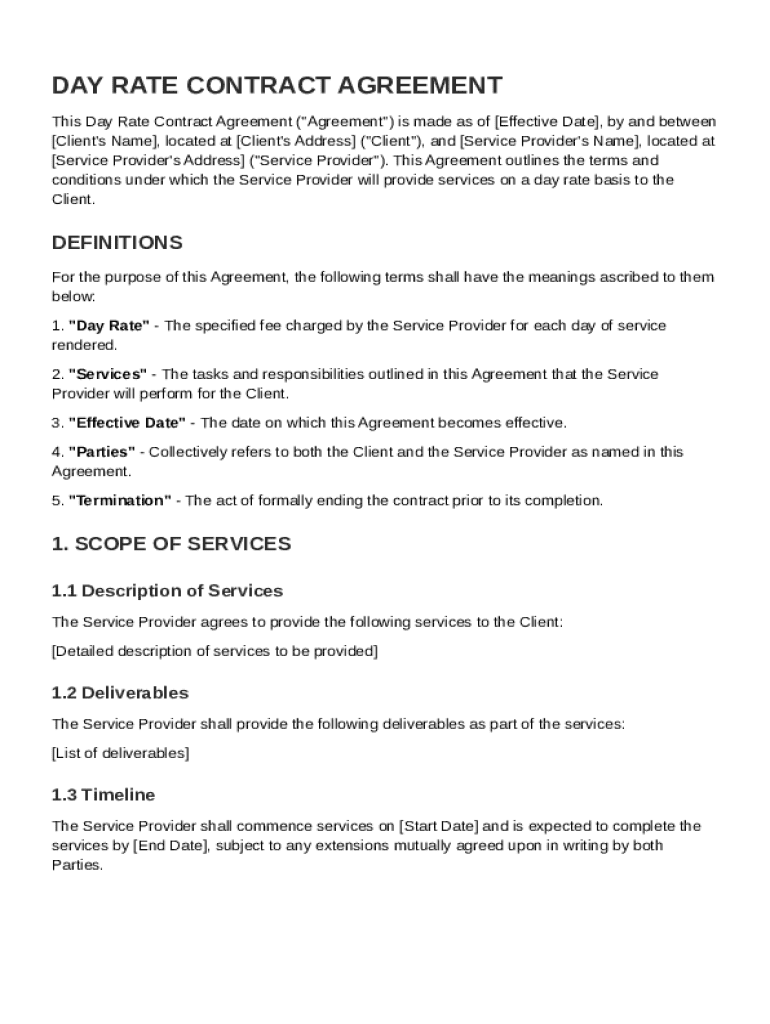
Day Rate Contract Form
Use a Day Rate Contract Template template to make your document workflow more streamlined.
What a day rate contract records
A Day Rate Contract Form records the agreed amount paid for each workday, the services or project covered, the parties, dates, payment terms, and signatures. It helps a business and an independent contractor confirm exactly what work is authorized and how compensation is calculated. The form is not an IRS tax form or a substitute for a required government filing. With signNow, upload the agreement, review detected fillable fields, add signer roles, send it for signature, and retain the completed document with its audit trail.
Who uses this contract form
Independent contractors
Independent contractors use the Day Rate Contract Form to document daily compensation, project scope, start and end dates, expenses, payment timing, and approval responsibilities before beginning work.
Hiring businesses
Businesses use it for consultants, technicians, construction workers, and project specialists whose compensation is calculated by approved workdays rather than a fixed project fee.
Business types that use day rate contracts
The form fits work arrangements where compensation depends on approved days rather than a fixed salary or one-time project price.
Solo consultants use the form to define daily compensation, deliverables, expenses, and payment timing before accepting project work from a business client. Construction and field-service businesses use it to approve technician or specialist day rates, collect signatures onsite, and match signed terms against invoices. Enterprise procurement and project teams use reusable agreements, delegated sending, and audit trails to manage contractors across departments and locations.
These tasks are executed by both individual contributors and centralized administrators depending on organizational policy and required controls.
Features that support this contract
signNow connects the day rate agreement’s compensation terms, signer workflow, and completion record in one document process.
Clear rate terms
Add the agreed daily compensation, project dates, services, expenses, and payment terms to one structured agreement before sending it for signature.
Detected fields
Upload an existing contract and review signNow’s automatically detected fillable fields before assigning signer roles and required signature locations.
Controlled sending
Send the same approved Day Rate Contract Form to the contractor and business representative without creating separate document versions.
Electronic signing
Collect typed or drawn signatures through a signNow workflow that records signer actions and completion details for later review.
Audit evidence
Keep the signed contract with its audit trail so finance and project teams can verify the agreed rate against invoices.
Mobile access
Use the signNow mobile apps when contractors or managers need to review and sign away from the office.
Complete and sign the form
Use this workflow to prepare a day rate agreement, collect signatures, and retain evidence of the completed transaction.
Upload form:
Upload the completed Day Rate Contract Form to signNow. Check fields:
Review detected fields and add missing rate details. Send contract:
Assign signer roles and send the contract. Store record:
Review signatures, download the final record, and preserve its audit trail.
 Best ROI. Our customers achieve an average 7x ROI within the first six months.
 Scales with your use cases. From SMBs to mid-market, airSlate SignNow delivers results for businesses of all sizes.
 Intuitive UI and API. Sign and send documents from your apps in minutes.
Recommended contract workflow setup
Configure the day rate agreement around signer identity, clear compensation terms, audit evidence, and the organization’s approved retention policy.
| Setting | Recommendation |
|---|---|
| Authentication method | Email verification with SMS OTP |
| Signature type | Typed or drawn electronic signature |
| Audit trail | Retain timestamped completion history |
| Document retention | Follow contract and tax policies |
| Encryption | TLS 1.2/1.3 and AES-256 |
What the audit trail records
The audit trail connects each signature on the Day Rate Contract Form with identity, time, document activity, and the final completed record.
Authenticate signer:
Timestamp event:
Hash document:
Seal record:
Track activity:
Retrieve history:
Security controls for day rate contracts
Transport encryption:
Stored encryption:
Security assurance:
Security certification:
Electronic signature law:
Signer protection:
Platform requirements for signing
Open the Day Rate Contract Form in Chrome, Firefox, Safari, or Edge on Windows or macOS. signNow also provides iOS and Android apps for reviewing and signing agreements from mobile devices.
Browsers Chrome, Firefox, Safari, and Edge Desktop systems Windows and macOS desktop access Mobile apps iOS and Android signNow apps
Organizations should manage access through approved devices and user permissions. Before deployment, confirm that contractors can receive email or SMS authentication, access the document on their chosen operating system, and download or view the completed contract and audit trail.



Challenges when managing day rate contracts
Unclear daily rates, payment timing, or deliverables can create disputes about the amount owed under the contract. Paper-based approvals delay contractor onboarding, especially when project managers, finance teams, and contractors work from different locations. Missing initials, dates, or signature fields can leave the day rate agreement incomplete and difficult to administer. Separating signed contracts from invoices and project records makes rate verification and later review unnecessarily difficult.
Risks of incomplete contracts
Unclear compensation
Missing approval terms
Incomplete audit trail
Unclear scope
Best practices for day rate agreements
Clear compensation language and a controlled signing record make this form easier to approve, administer, and review later.
Define compensation and payment terms
Identify the work and deliverables
Send one controlled version
Preserve the signed record
Key performance indicators that demonstrate SignNow's proven track record.
Questions about day rate contracts
These answers address signing, field detection, consent, authentication, plan selection, and record retention for a Day Rate Contract Form.
Upload the signed contract to signNow as a new document, then review the automatically detected fields. Add or correct the daily rate, dates, signer names, and signature fields before sending the agreement.
The Business plan includes legally binding eSignatures, audit trails, templates, and mobile apps at $8/user/month when billed annually. Business Premium adds bulk send at $15/user/month annually.
For a consumer-facing day rate agreement, provide the ESIGN consumer disclosure, explain the right to receive paper records, confirm electronic access, and explain consent withdrawal procedures under 15 U.S.C. §7001(c).
ESIGN supports electronic signatures in interstate commerce, while UETA generally governs intrastate transactions in adopting jurisdictions. New York uses ESRA instead of UETA; contract terms and state law still matter.
Use signNow’s signer authentication options, including email delivery and SMS-based verification when configured. Confirm the signer’s identity and role before sending compensation details or project information.
Preserve the completed Day Rate Contract Form and its audit trail under the organization’s contract, tax, and dispute-hold policies. There is no single federal retention period for every private day rate agreement.
BE READY TO GET MORE
Get this form now!

If you believe that this page should be taken down, please follow our DMCA take-down process.