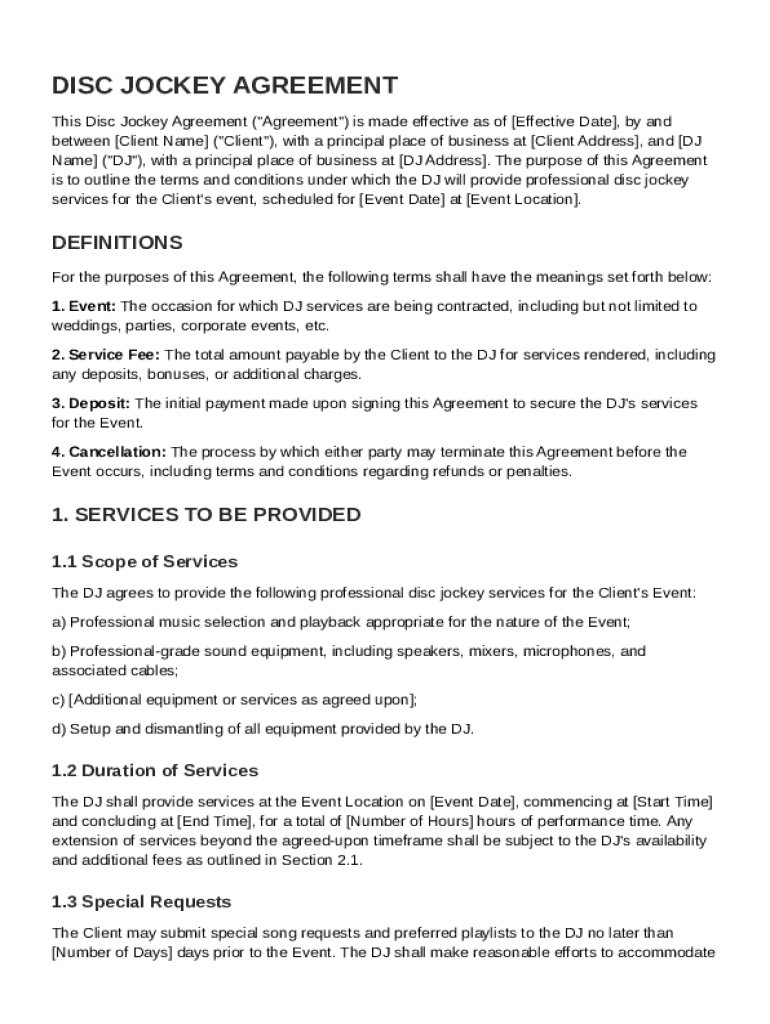
Disc Jockey Contract Form
Use a Disc Jockey Contract Template template to make your document workflow more streamlined.
What the Disc Jockey Contract Form does
A Disc Jockey Contract Form records the terms of a DJ performance booking between the entertainer and the hiring party. It identifies the event date, location, performance schedule, services, equipment duties, compensation, deposit, cancellation rules, and signatures. With signNow, the sender uploads the agreement, reviews automatically detected fillable fields, assigns the DJ and client as signers, sends invitations or a signing link, and retains the completed document with its audit trail. ESIGN and applicable UETA provisions can support electronic execution when intent, consent, attribution, and reproducible records are present.
Business types that use DJ contracts
The form fits businesses that arrange live music services and need signed evidence of event-specific performance obligations.
Solo DJs use a reusable contract template to document each booking’s date, location, fee, deposit, performance hours, equipment duties, cancellation terms, and client signature before accepting the engagement. Event-planning companies use assigned signer roles and audit trails to coordinate DJs, clients, venues, and planners while preserving one executed agreement for each event and payment schedule. Entertainment agencies and venue groups use shared templates, delegated sending, and organized storage to manage recurring performance agreements without changing the underlying event terms for unrelated bookings.
These tasks are executed by both individual contributors and centralized administrators depending on organizational policy and required controls.
Who uses a Disc Jockey Contract Form
Independent DJs
Independent DJs use the form to define event dates, performance duties, payment terms, cancellation rules, and equipment responsibilities before accepting a booking.
Event businesses
Event planners and venues use it to document booking terms, arrival requirements, insurance expectations, payment milestones, and client approvals in one signed record.
How the contract workflow works
The Disc Jockey Contract Form moves from event-term preparation to signer review and an auditable completed agreement.
Upload: Upload the DJ agreement Prepare fields: Auto-detect or place fields Send: Invite each contract signer Archive: Store the signed record
 Best ROI. Our customers achieve an average 7x ROI within the first six months.
 Scales with your use cases. From SMBs to mid-market, airSlate SignNow delivers results for businesses of all sizes.
 Intuitive UI and API. Sign and send documents from your apps in minutes.
How to complete the contract online
Use this sequence to prepare event terms, collect every required signature, and preserve the final Disc Jockey Contract Form.
Upload form:
Upload the completed Disc Jockey Contract Form. Check fields:
Review detected fields and add missing dates, fees, or initials. Add signers:
Assign the DJ, client, venue, or planner as signers. Send and track:
Send the agreement and monitor its audit trail.
Features for DJ booking agreements
The Disc Jockey Contract Form combines event-specific field preparation, signer routing, audit evidence, mobile access, and organized storage for completed bookings.
Field preparation
Upload a DJ agreement, review detected fields, and add missing event dates, payment terms, venue details, initials, and signatures before sending it to the parties.
Signer routing
Assign signing roles for the DJ, client, venue, or planner so each person receives only the fields and actions required by the booking agreement.
Reusable templates
Use reusable templates for recurring performance agreements while updating event-specific dates, fees, locations, equipment duties, and cancellation language before each send.
Audit trail
Capture timestamps, signer actions, and completion evidence with the agreement, creating a record that can be reviewed when payment or performance terms are disputed.
Mobile signing
Complete the contract from a desktop or mobile device when event work happens away from the office, including review and signature steps.
Secure records
Store the executed agreement with its audit evidence so the DJ, client, planner, and venue can retrieve the same final record.
Platform requirements for Disc Jockey Contract Form
Complete and sign the Disc Jockey Contract Form through a current browser using Windows, macOS, or Android devices with TLS 1.2 or later.
Desktop browsers Chrome and Firefox on Windows 10 or later Apple devices Safari on macOS 12 or later Android devices Chrome on Android 10 or later
For managed teams, confirm that Windows and macOS devices permit browser storage and email access, and that Android devices run the current signNow app. API, SSO, certificate, and long-term validation requirements should be configured separately for the organization’s deployment and record-retention policy.



Audit trail for the DJ contract
The audit trail records evidence around the Disc Jockey Contract Form rather than merely storing the signed page.
Authenticate:
Timestamp:
Hash:
Seal:
Log actions:
Export:
Signer authentication and certificates
Signer authentication:
Two-factor control:
ID verification:
PKI signatures:
X.509 certificates:
Signing evidence:
Best practices for DJ contracts
Accurate event terms, deliberate signer routing, and preserved completion evidence reduce disputes about the Disc Jockey Contract Form.
Specify every booking term
Assign the correct parties
Preserve the executed record
Handle electronic consent carefully
Legal standing of the contract
A Disc Jockey Contract Form can support a U.S. booking agreement when parties show intent, consent, attribution, and reliable record retention under ESIGN, 15 U.S.C. ch. 96, and applicable UETA law. Those frameworks do not cover wills, codicils, testamentary trusts, court orders, or family law decrees.

Troubleshooting the Disc Jockey Contract Form
Resolve field, signer, evidence, and document-scope questions before treating the event agreement as fully executed.
Upload the contract as a PDF or supported document, then review the field-detection result. Add fields manually where the DJ’s fee, event date, venue, cancellation terms, or signature location was not detected.
The Business plan is $8/user/month when billed annually and includes legally binding eSignatures, templates, and audit trails. Business Premium is $15/user/month annually and adds bulk send and kiosk mode.
The Business plan includes audit trails and supports secure signing workflows. signNow states that its service is ESIGN- and UETA-compliant, but the parties must still demonstrate intent, consent, attribution, and record retention.
If the client cannot open the invitation, confirm the recipient email address, resend the invite, or generate a signing link. The sender should verify that the link is shared only with the intended signer.
Use the audit trail to review signer identity evidence, timestamps, IP information, and the action history. Export the completed agreement and its certificate of completion with the signed contract.
A Disc Jockey Contract Form should not replace a separate notarial act, will, court order, or family law decree. ESIGN exceptions in 15 U.S.C. ch. 96 require separate legal handling.
Key performance indicators that demonstrate SignNow's proven track record.
BE READY TO GET MORE
Get this form now!

If you believe that this page should be taken down, please follow our DMCA take-down process.