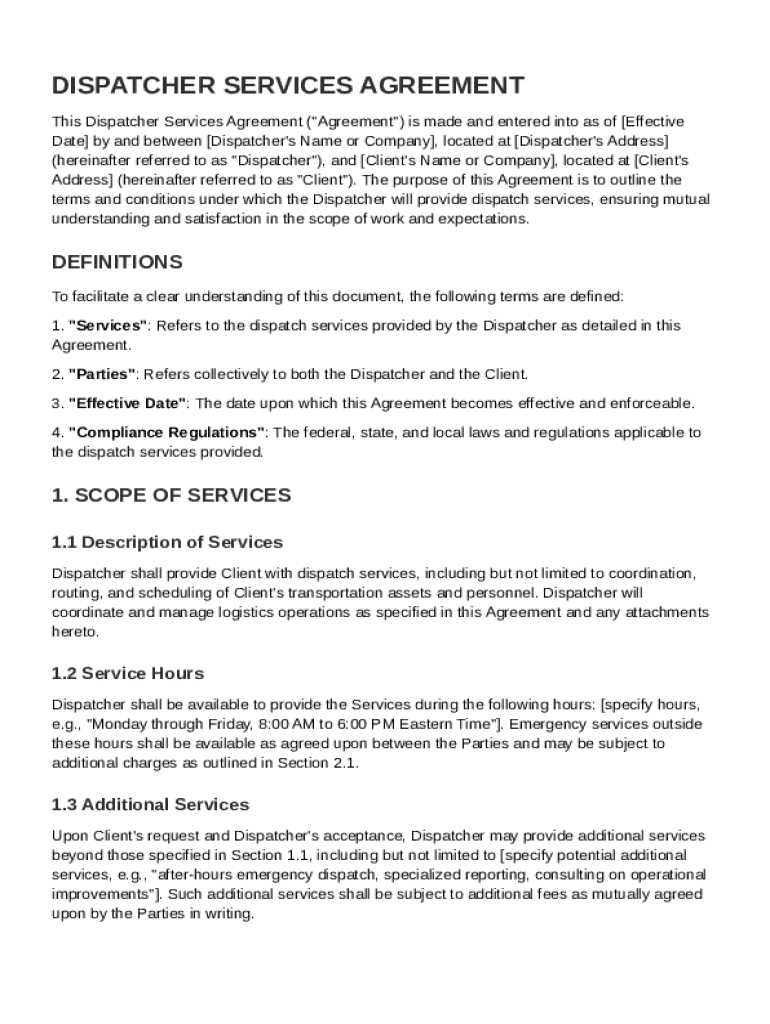
Dispatcher Contract Form
Use a Dispatcher Contract Template template to make your document workflow more streamlined.
What a dispatcher contract form does
A Dispatcher Contract Form is a business agreement used to define the duties, authority, payment terms, and operating expectations of a dispatcher working with a carrier, broker, or transportation company. Because the exact form is not tied to a federal agency or standardized government filing, the parties must confirm its clauses, applicable state law, and signature requirements before use. With signNow, a sender uploads the form, reviews detected fields, adds signer and date fields, sends it electronically, and stores the completed agreement with its audit trail.
Business types that use dispatcher contracts
Dispatcher Contract Forms fit transportation businesses that need documented authority, service expectations, and signed records for recurring dispatch arrangements.
Independent freight dispatchers use the form to define services, carrier communication duties, payment terms, and limits on authority before accepting loads or representing a carrier. Small trucking companies use it to standardize agreements with dispatchers, document responsibilities, and preserve a signed record for later operational or payment questions. Regional transportation enterprises use reusable templates, controlled signer access, and audit trails when multiple dispatchers, carriers, or operating units execute similar agreements.
These tasks are executed by both individual contributors and centralized administrators depending on organizational policy and required controls.
Who uses a dispatcher contract form
Carriers
Transportation companies use the Dispatcher Contract Form to document dispatch services, authority limits, carrier duties, compensation, communication expectations, and termination terms before assigning work.
Dispatchers
Independent dispatchers use it to present their service arrangement, identify the parties, confirm operational responsibilities, and preserve a signed agreement for business records.
Features that support dispatcher agreements
signNow connects the Dispatcher Contract Form to a controlled signing workflow, helping transportation teams complete, track, and retrieve each agreement.
Defined duties
Place the dispatcher’s services, carrier responsibilities, compensation terms, and authority limits into one reviewable agreement before work begins.
Guided completion
Add signer, initials, date, and required text fields so each party completes the Dispatcher Contract Form consistently.
Reusable template
Send the same approved agreement to carriers or dispatchers without recreating field placement for every transaction.
Audit trail
Record delivery, access, signing activity, and completion details alongside the executed dispatcher agreement for later review.
Mobile signing
Let authorized parties review and sign from supported mobile apps when dispatch operations take place away from an office.
Central record
Keep the completed form and certificate of completion together so operations teams can retrieve the executed agreement when questions arise.
 Best ROI. Our customers achieve an average 7x ROI within the first six months.
 Scales with your use cases. From SMBs to mid-market, airSlate SignNow delivers results for businesses of all sizes.
 Intuitive UI and API. Sign and send documents from your apps in minutes.
How to complete the dispatcher contract form
Prepare the agreement first, then use signNow to place fields, route the document, collect signatures, and preserve the completed record.
Upload form:
Upload the approved Dispatcher Contract Form to signNow. Check fields:
Review detected fields and add missing signature, date, or initials fields. Assign signers:
Assign each field to the correct dispatcher or carrier representative. Send form:
Send the agreement and monitor its signing status. Store record:
Store the completed agreement with its audit trail.
Ways to send and sign the agreement
- Use the web app when an administrator prepares the Dispatcher Contract Form, checks its clauses, places fields, and sends the agreement to named signers.
- Use the mobile app when a dispatcher or carrier representative needs to review and sign the agreement from a phone or tablet during field operations.
- Use kiosk mode for supervised, in-person completion when an office coordinator controls the device and verifies that the intended party signs the agreement.
- Use a shareable signing link when a controlled distribution process allows recipients to open the Dispatcher Contract Form without a separately addressed email invitation.
Recommended dispatcher form setup
Configure the Dispatcher Contract Form around signer identity, authority, audit evidence, and the transportation company’s documented retention policy.
| Setting | Recommendation |
|---|---|
| Authentication method | Email invitation with SMS OTP |
| Signature type | Typed or drawn electronic signature |
| Audit trail | Retain the completed audit trail |
| Document retention | Follow the parties’ records policy |
| Encryption | AES-256 at rest and TLS 1.2/1.3 in transit |
What the dispatcher contract audit trail records
The audit trail documents the signing event separately from the business terms, helping teams review who acted, when they acted, and which agreement was completed.
Signer authentication:
Timestamp capture:
Document record:
Activity history:
Completion evidence:
Audit retrieval:
Security for dispatcher agreements
TLS 1.2/1.3 encryption:
AES-256 encryption:
SOC 2 Type II certified:
ISO 27001 certified:
HIPAA compliant with BAA:
ESIGN and UETA compliant:
Privacy and disclosure pitfalls
Including a dispatcher’s authority without defining whether the dispatcher may bind the carrier can expose the carrier to disputes over unauthorized commitments. Sending a completed agreement to the wrong recipient can disclose compensation, carrier information, or personal contact details. Failing to capture electronic consent or preserve the signed record can weaken evidence that the parties agreed to electronic delivery. Leaving signer permissions unrestricted can allow an employee to access or execute a Dispatcher Contract Form outside company policy.
Legal standing of the signed agreement
A signed Dispatcher Contract Form can support a U.S. business agreement when the parties show intent, consent to electronic records, signer attribution, and reliable retention and reproduction. ESIGN, 15 U.S.C. ch. 96, and applicable state law, including UETA or New York’s ESRA, provide the electronic-signature framework. Wills, court orders, and certain family-law documents are excluded from ESIGN.

Dispatcher contract troubleshooting
These answers address field setup, signer authority, electronic-consent requirements, and plan limitations that can affect a Dispatcher Contract Form workflow.
Upload the Dispatcher Contract Form as a PDF, then check whether signNow detected every intended field. Auto-detection does not validate business terms, so the sender must review labels, signer assignments, required fields, and any dispatcher-specific clauses before sending.
The Business plan includes templates and audit trails, while Business Premium adds bulk send and kiosk mode. Choose the plan based on the number of agreements and distribution method; do not assume bulk sending exists on Business.
SignNow records the signing event and audit trail, but the parties remain responsible for proving authority, intent, and agreement to the Dispatcher Contract Form. ESIGN and applicable state law provide the legal framework; the form’s clauses still require review.
For a consumer-facing electronic transaction, provide the ESIGN consumer disclosure, demonstrate electronic access, and explain how consent may be withdrawn under 15 U.S.C. §7001(c). A dispatcher-to-business agreement may require a different analysis depending on the parties.
If the agreement contains protected health information, confirm that the workflow is appropriate for HIPAA-covered use and that a business associate agreement is required. SignNow identifies HIPAA compliance as requiring a BAA; it does not replace the parties’ privacy analysis.
Use signNow’s audit trail and completed-document record to investigate missing signatures, dates, or signer actions. If a dispatcher signed for a company without authority, the audit record cannot cure the underlying authorization problem; obtain the correct representative’s signature.
Key performance indicators that demonstrate SignNow's proven track record.
BE READY TO GET MORE
Get this form now!

If you believe that this page should be taken down, please follow our DMCA take-down process.