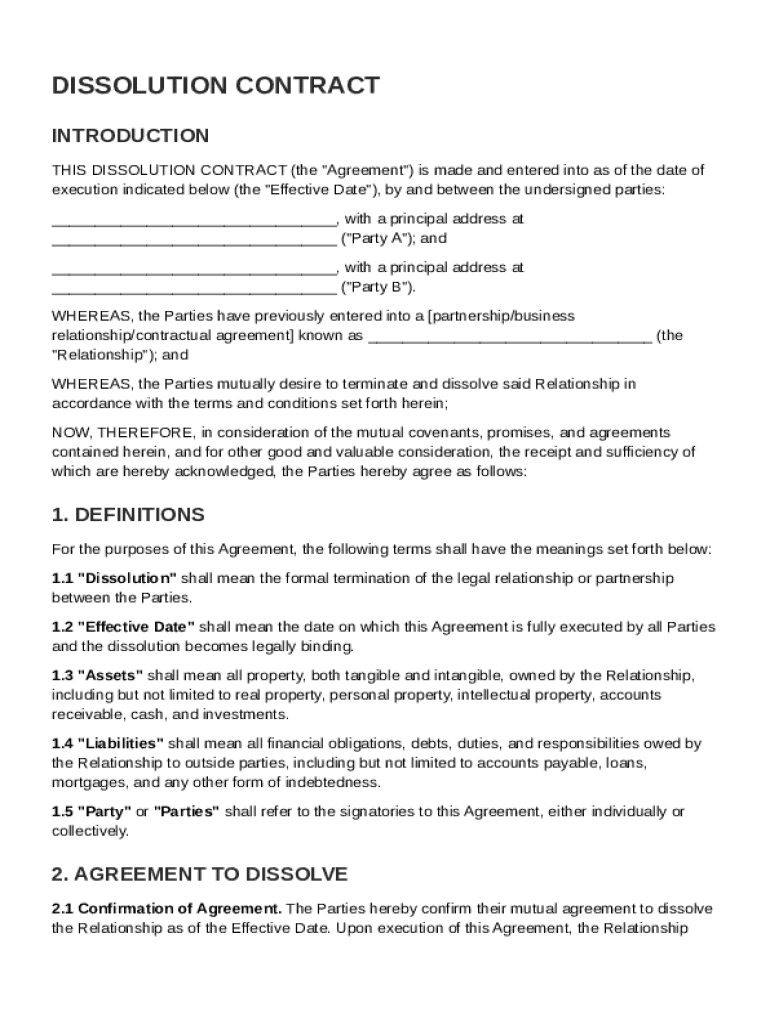
Dissolution Contract Form
Use a Dissolution Contract Template template to make your document workflow more streamlined.
What a dissolution contract does
A Dissolution Contract Form is a written agreement that records how business owners or partners end an entity or venture and resolve what remains. It commonly identifies the parties, effective dissolution date, approval, asset distribution, debt responsibility, final accounting, and continuing obligations. In the United States, electronic signing may be enforceable under the federal ESIGN Act and applicable state law, including UETA or New York ESRA, but the agreement does not replace required Secretary of State filings, tax submissions, or court documents. signNow lets the sender upload the agreement, detect or add fields, route signatures, and preserve an audit trail.
Business types using dissolution contracts
A dissolution contract records how owners close a business relationship, resolve obligations, and preserve evidence of mutual approval.
Small LLCs closing operations can use the form to document member approval, settle responsibilities, and preserve signed dissolution terms before filing state termination paperwork. Regional partnerships ending a venture can record agreed asset distribution, debt allocation, final accounting duties, and each partner’s approval in one signable document. Enterprise legal departments can standardize subsidiary wind-downs with reusable templates, controlled approvals, and audit trails covering executives, finance teams, and outside counsel.
These tasks are executed by both individual contributors and centralized administrators depending on organizational policy and required controls.
Who uses a dissolution contract
LLCs and partnerships
Members or partners use the Dissolution Contract Form to document approval of closure, distribute remaining assets, assign debts, and record final obligations before completing applicable state filings.
Corporate departments
Corporate legal, finance, and compliance teams use the form for subsidiary wind-downs, coordinating approvals, final accounting, contract assignments, and retention of signed evidence.
How the dissolution workflow works
The signNow workflow follows the document from upload through signer review, completion, and controlled record storage.
Upload document: Upload the dissolution agreement. Prepare fields: Add or review signature fields. Route for signing: Send assigned owners the form. Preserve evidence: Store the signed record and audit trail.
 Best ROI. Our customers achieve an average 7x ROI within the first six months.
 Scales with your use cases. From SMBs to mid-market, airSlate SignNow delivers results for businesses of all sizes.
 Intuitive UI and API. Sign and send documents from your apps in minutes.
Complete the dissolution contract
Use this sequence to prepare, route, sign, and preserve a Dissolution Contract Form with signNow.
Prepare document:
Upload the completed agreement Check fields:
Review detected fields and add missing signature, date, and initials fields. Add signers:
Assign each owner or representative to the correct signing fields. Send securely:
Send the dissolution contract through signNow for electronic signatures. Archive records:
Download the completed agreement and audit trail for business records.
Recommended dissolution workflow setup
Configure the workflow around verified signer identity, clear approval intent, reproducible records, and the state filing requirements attached to dissolution.
| Setting | Recommendation |
|---|---|
| Authentication method | Email plus SMS verification |
| Signature type | Electronic signature with intent |
| Audit trail | Export with completed agreement |
| Document retention | Apply the underlying legal obligation |
| Encryption | AES-256 at rest and TLS 1.2/1.3 |
Inside the dissolution audit trail
A signNow audit trail links the Dissolution Contract Form to signer actions, timestamps, document history, and the final downloadable record.
Signer authentication:
Timestamp capture:
Document integrity:
Tamper evidence:
Event history:
Audit retrieval:
Features that support dissolution records
signNow connects document preparation, signer routing, field control, and record preservation around the specific approvals required by a Dissolution Contract Form.
Field detection
Upload the completed Dissolution Contract Form and let signNow detect existing fields, reducing manual recreation before the sender reviews the agreement.
Signer assignment
Assign each owner or representative to specific signature, initials, and date fields so approvals are attributed to the correct person.
Flexible delivery
Route the agreement by email or signing link, allowing parties to review the same dissolution terms without exchanging paper copies.
Audit trail
Capture timestamps, signer actions, and document history in an audit trail that accompanies the final signed agreement.
Reusable templates
Use reusable templates for recurring subsidiary or partnership closures while restricting edits to approved dissolution language.
Record export
Download the completed agreement and certificate of completion for controlled retention with related state filing evidence.
Security for dissolution records
Encryption:
Transport security:
Security certification:
Information security:
Electronic records:
Health data:
Mobile options for dissolution contracts
The signNow mobile apps support preparing and signing Dissolution Contract Form documents on iOS and Android devices, including offline signing and camera-based capture.
Mobile apps iOS and Android Offline mode Offline signing available Document capture Camera document capture
Organizations should manage mobile access through approved devices and user permissions. For dissolution agreements containing ownership, banking, or tax information, require an authenticated account, verify recipients carefully, and synchronize completed documents and audit trails to the organization’s controlled repository.
Retention practices for dissolution records
A dissolution agreement is most useful when its signed copy, approval history, and related filing evidence remain organized and reproducible.
Match retention to the underlying obligation
Export the audit trail with the agreement
Limit access to authorized personnel
Preserve a reproducible signed copy
Privacy and disclosure pitfalls
Leaving member names, ownership percentages, effective dates, or asset schedules incomplete can create uncertainty about who approved dissolution and what obligations remain. Including bank details, tax identifiers, or personal addresses in broadly shared copies can expose sensitive information beyond the owners and advisors who need access. Failing to capture electronic consent and signer identity weakens evidence that each party intended to approve the Dissolution Contract Form. Giving every team member unrestricted template or sending access can allow outdated dissolution terms to circulate without legal or financial review.
Dissolution contract troubleshooting
These answers address field detection, signer assignment, electronic validity, audit records, and plan capabilities for Dissolution Contract Form workflows.
Upload the source PDF again, then inspect each detected field before sending. signNow Business includes templates and audit trails; manually add signature, date, or initials fields when the dissolution agreement’s layout does not expose them automatically.
Use signNow’s signer assignment controls to give every owner or authorized representative the correct fields. Review recipient order and email addresses before sending, because an incorrect assignment can leave the agreement incomplete or misattribute approval.
Business includes audit trails, while stronger authentication options depend on the selected plan and configuration. For sensitive ownership or financial terms, consider SMS authentication or Enterprise features and document the chosen method in your internal procedure.
Electronic execution can support U.S. transactions under ESIGN and applicable state law, including UETA or New York ESRA. Confirm that the specific dissolution filing or state Secretary of State process accepts electronic signatures; the contract does not replace required filings.
Download the completed agreement and its audit trail from signNow after all required parties sign. Store both together with the effective date and related state filing receipt so the approval record remains reproducible.
Business is listed at $8/user/month with annual billing and includes 100 signature invites per user annually. Business Premium is $15/user/month and adds bulk send; Enterprise is $30/user/month and adds advanced signer authentication.
Key performance indicators that demonstrate SignNow's proven track record.
BE READY TO GET MORE
Get this form now!

If you believe that this page should be taken down, please follow our DMCA take-down process.