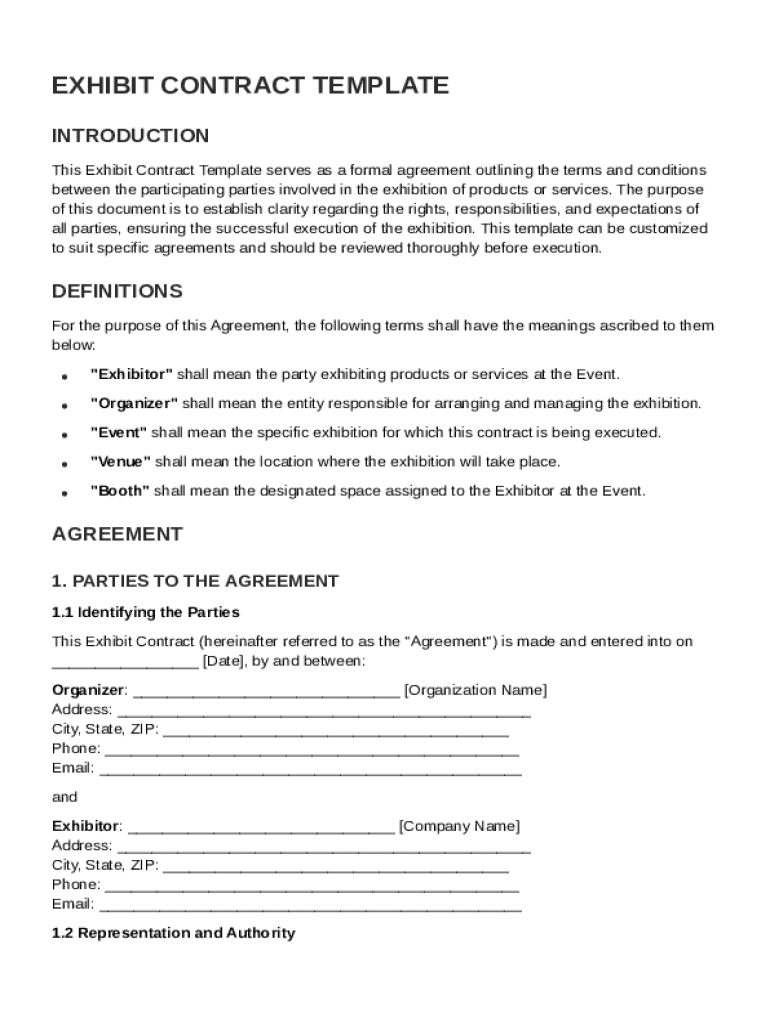
Exhibit Contract Form
Use a Exhibit Contract Template template to make your document workflow more streamlined.
What Exhibit Contract Form is
Exhibit Contract Form is a supporting document used with a larger agreement to record additional terms, information, approvals, or signatures. Its exact legal purpose depends on the agreement and applicable state law, so the exhibit should identify the related contract and its parties clearly. With signNow, upload the form, review automatically detected fillable fields, assign signers, and send it for electronic signature. The completed record can include signer authentication, timestamps, an action history, and a downloadable audit trail.
How Exhibit Contract Form works
Complete Exhibit Contract Form in signNow by preparing its fields, routing it to signers, and preserving the completed record with its audit trail.
Upload form: Upload the completed Exhibit Contract Form document. Detect fields: Auto-detect fillable fields and review placements. Prepare request: Add signers, signature fields, and authentication. Complete record: Send, collect signatures, and store the audit trail.
Steps to complete Exhibit Contract Form
Use signNow to move Exhibit Contract Form from an uploaded file to a completed, auditable electronic record.
Upload document:
Upload the Exhibit Contract Form file. Detect fields:
Let signNow auto-detect fillable fields. Assign signers:
Review fields and add each signer. Send request:
Send the form for electronic signatures. Store evidence:
Download the signed form and audit trail.
 Best ROI. Our customers achieve an average 7x ROI within the first six months.
 Scales with your use cases. From SMBs to mid-market, airSlate SignNow delivers results for businesses of all sizes.
 Intuitive UI and API. Sign and send documents from your apps in minutes.
Recommended Exhibit Contract Form setup
Configure the form around signer identity, signature evidence, secure transmission, and the retention policy governing your Exhibit Contract Form records.
| Setting | Recommendation |
|---|---|
| Authentication method | Email verification with SMS OTP |
| Signature type | Typed or drawn electronic signature |
| Audit trail | Capture timestamps, IP addresses, and actions |
| Document retention | Apply your business records schedule |
| Encryption | AES-256 at rest and TLS 1.2/1.3 in transit |
Security controls for Exhibit Contract Form
Data at rest:
Data in transit:
Security assurance:
Security certification:
Healthcare safeguards:
Electronic compliance:
Platform requirements for Exhibit Contract Form
Exhibit Contract Form can be prepared and signed through a modern browser on Windows or macOS. signNow protects browser connections with TLS 1.2/1.3 and provides mobile apps for iOS and Android.
Browsers Chrome, Firefox, Safari, and Edge Desktop systems Windows and macOS desktop access Mobile systems iOS and Android mobile apps
Organizations should manage access through approved devices and accounts, especially when Exhibit Contract Form contains confidential business information. Confirm browser updates, mobile permissions, identity controls, and retention settings before routing the document. API, SSO, and certificate requirements depend on the selected signNow plan and deployment design.
Challenges when completing Exhibit Contract Form
Unclear exhibit references can make it difficult to match the signed form with the underlying agreement. Missing signature or date fields can delay completion and require a corrected Exhibit Contract Form. Incorrect signer routing may leave a required party without a documented opportunity to review or sign. Storing the completed form without its audit trail weakens the available evidence about signing events.
Risks of an incomplete exhibit
Signer identity disputed
Electronic consent absent
Required terms omitted
Audit evidence weakened
Exhibit Contract Form processing stages
Processing depends on document readiness and signer response; signNow records each stage from preparation through final archival.
Document preparation
Signer delivery
Signer turnaround
Completion and archival
Exhibit Contract Form troubleshooting
Resolve field, signer, authentication, plan, enforceability, and record-preservation questions before treating an Exhibit Contract Form as complete.
Upload the source PDF again and check whether the exhibit contains readable text or an image-only page. signNow can auto-detect fillable fields, but field placement may require manual review before sending the Exhibit Contract Form.
Open the document preparation view, inspect every detected field, and assign each one to the correct signer. Add missing signature, date, or text fields manually before routing the Exhibit Contract Form.
Use signNow signer authentication settings to require email verification or SMS OTP when the exhibit needs stronger identity evidence. Authentication should match the risk and the parties’ agreement.
The Business plan includes legally binding eSignatures, audit trails, templates, and mobile apps. Business Premium adds bulk send, kiosk mode, request payments, and quick invite links; plan availability should match the Exhibit Contract Form workflow.
ESIGN and UETA generally recognize electronic signatures when intent, consent, attribution, and record retention requirements are satisfied. For consumer-facing records, review the electronic-record disclosure requirements in 15 U.S.C. §7001(c).
Download both the completed Exhibit Contract Form and its audit trail after signing. Preserve them together under the applicable business or industry retention policy so the signing history remains available with the document.
Key performance indicators that demonstrate SignNow's proven track record.
BE READY TO GET MORE
Get this form now!

If you believe that this page should be taken down, please follow our DMCA take-down process.