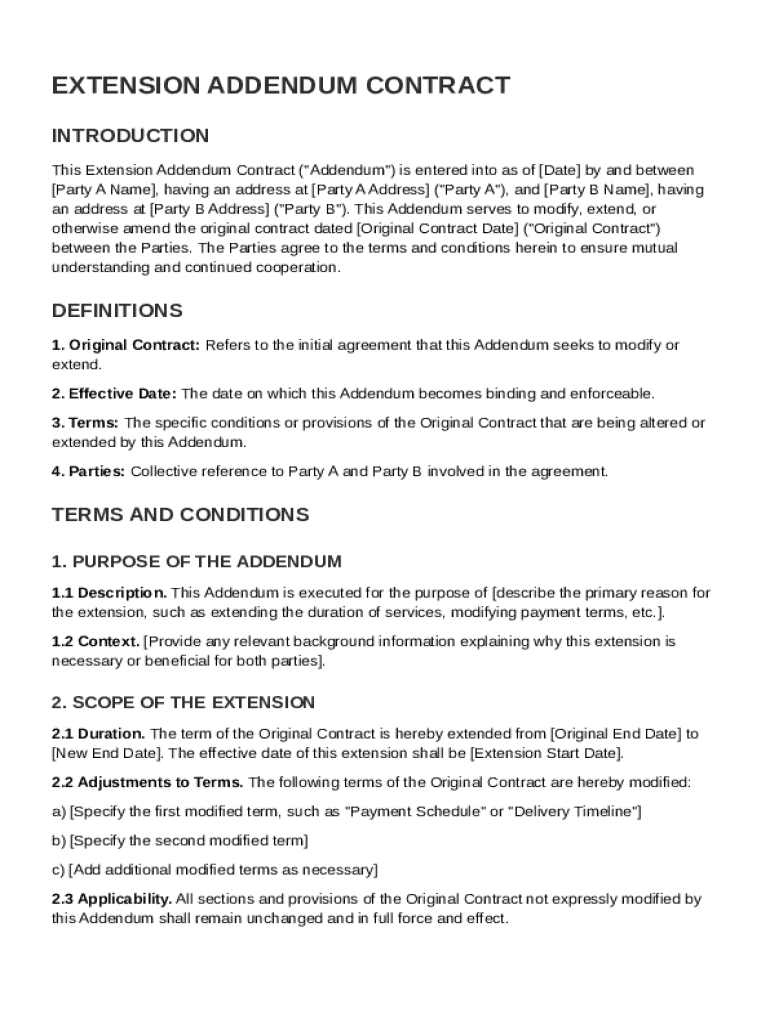
Extension Addendum Contract Form
Use a Extension Addendum Contract Template template to make your document workflow more streamlined.
What an extension addendum does
An Extension Addendum Contract Form is a written agreement that extends or changes a contract without replacing the underlying document. It identifies the original agreement, states the revised term or obligation, and records approval by the parties. In signNow, upload the addendum, review automatically detected fields, assign signatures and dates, then send it for signing. The completed PDF and audit trail preserve who signed, when the action occurred, and which version was executed. U.S. electronic transactions generally rely on the ESIGN Act and applicable state law, including UETA or New York ESRA.
Why teams look for DocuSign alternatives
Organizations seek alternatives when they need different pricing models, stronger native automation, simpler bulk affidavit workflows, or more flexible identity-verification options than those available in a legacy envelope-based vendor.

How to complete the extension addendum
Complete the extension addendum by uploading the agreement, checking its fields, routing it to signers, and storing the executed record.
Upload document:
Upload the completed extension addendum contract to signNow. Check fields:
Review detected fields and add missing signature or date fields. Assign signers:
Assign each field to the correct contracting party. Send for signing:
Send the extension addendum for electronic signatures. Store records:
Download the executed agreement and audit trail.
How the extension workflow works
The signNow workflow keeps the extension addendum, signer assignments, and execution evidence together from upload through completion.
Upload: Upload the extension addendum PDF to signNow. Review: Auto-detect fields and verify revised contract details. Assign: Route assigned fields to each contracting party. Complete: Capture signatures and preserve the completed record.
 Best ROI. Our customers achieve an average 7x ROI within the first six months.
 Scales with your use cases. From SMBs to mid-market, airSlate SignNow delivers results for businesses of all sizes.
 Intuitive UI and API. Sign and send documents from your apps in minutes.
Features that strengthen contract extensions
An Extension Addendum Contract Form works best when revised terms, signer responsibilities, evidence, and the original agreement remain connected throughout execution.
Clear amendments
Keep the original contract and revised end date together, helping each signer see exactly which agreement the extension modifies before signing.
Assigned fields
Assign signature, initials, and date fields to identified parties so the extension records approval without relying on handwritten annotations.
Audit trail
Capture signer actions, timestamps, and document history in an audit trail that supports later review of the executed addendum.
Reusable templates
Use reusable templates for recurring contract extensions while preserving fields for dates, revised terms, and authorized signatures.
Mobile access
Send the addendum from desktop or mobile workflows when parties are working outside the office or on a project site.
Record continuity
Store the completed addendum with its certificate of completion so the extension and underlying agreement remain available as one record.
Recommended extension addendum setup
Use deliberate signer controls, assigned fields, audit evidence, and protected storage when preparing an Extension Addendum Contract Form.
| Setting | Recommendation |
|---|---|
| Authentication method | Email verification with SMS OTP |
| Signature type | Typed or drawn electronic signature |
| Audit trail | Capture timestamps and signer actions |
| Retention and encryption | Store with AES-256 protection |
| User provisioning | Assign role-based workspace access |
Security for signed addenda
Stored encryption:
Transit encryption:
Security certification:
Information security:
Electronic records:
Health information:



Best practices for contract addenda
Accurate cross-references, deliberate field assignment, and controlled storage help make an extension addendum easier to interpret and defend.
Identify the original agreement
Check revised terms carefully
Assign fields to parties
Preserve the execution record
What the audit trail records
For an Extension Addendum Contract Form, the audit trail connects signer identity, document integrity, timestamps, and retrieval of execution evidence.
Authenticate signer:
Capture timestamp:
Hash document:
Seal history:
Log actions:
Export audit trail:
Extension addendum signing tools compared
The table identifies documented signNow capabilities for preparing, signing, and retaining an Extension Addendum Contract Form; competitor values are not verified here.
| signNow | DocuSign | Adobe Acrobat Sign | Feature |
|---|---|---|---|
| Electronic signature workflow | Yes | Not verified | Not verified |
| Reusable contract templates | Yes | Not verified | Not verified |
| Detailed audit trail | Yes | Not verified | Not verified |
| Mobile signing access | Yes | Not verified | Not verified |
Key performance indicators that demonstrate SignNow's proven track record.
Extension addendum troubleshooting
Resolve field, signer, consent, validity, storage, and plan questions before sending an Extension Addendum Contract Form for execution.
Upload the PDF again and check whether the extension addendum is password-protected, image-only, or missing selectable text. signNow can detect fillable fields, but manually add signature and date fields when detection does not identify them.
Open the document’s recipient roles and confirm every signature, initial, and date field belongs to the intended contracting party. Reassign fields before sending; the Business plan includes templates and audit trails for this reviewable workflow.
Use signNow’s audit trail and certificate of completion to show the signer, timestamps, actions, and document history. ESIGN and UETA recognize electronic records when intent, consent, attribution, and reliable retention requirements are satisfied.
For a consumer-facing transaction, provide the ESIGN Act disclosure under 15 U.S.C. §7001(c), confirm electronic access, and explain how consent can be withdrawn. Do not treat a business addendum as automatically exempt from applicable state requirements.
Export the completed addendum and audit trail after all parties sign, then store them with the underlying contract. signNow supports audit trails and secure storage; your organization must apply its own legal and records-retention policy.
Business Premium adds bulk send and Enterprise adds advanced signer authentication. For one negotiated extension, verify the recipient, fields, and audit trail manually rather than using bulk distribution intended for repeated documents.
BE READY TO GET MORE
Get this form now!

If you believe that this page should be taken down, please follow our DMCA take-down process.