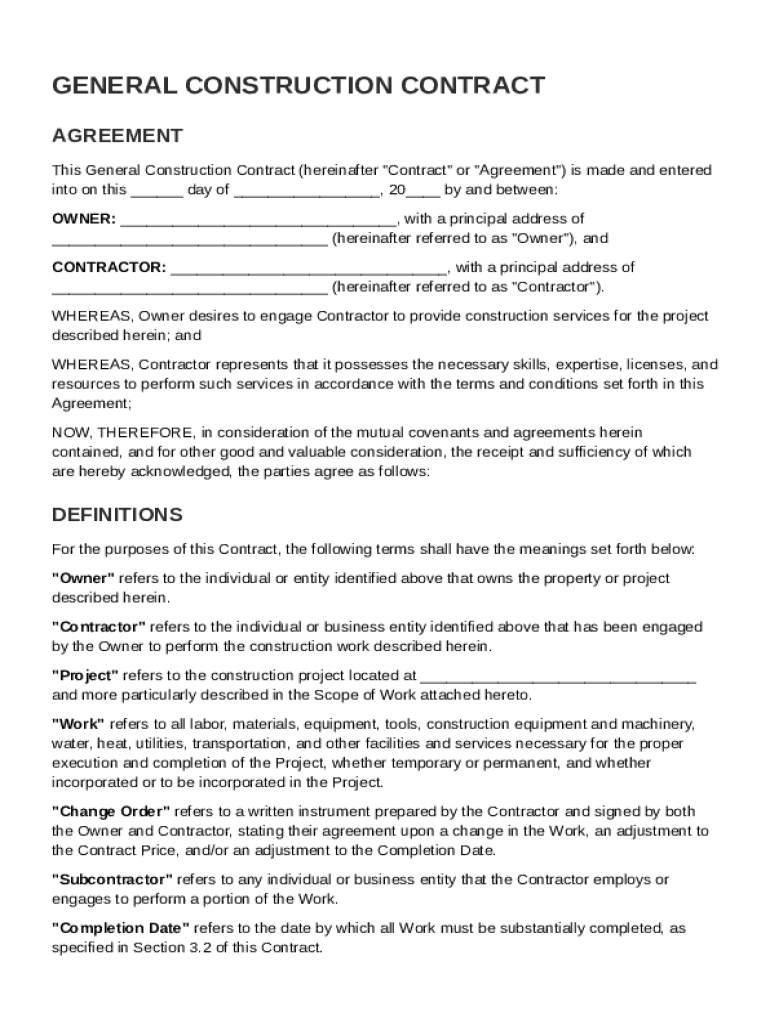
General Or Construction Contract Form
Use a General Or Construction Contract Template template to make your document workflow more streamlined.
What the construction contract form does
A General Or Construction Contract Form records the agreement between construction parties about work, scope, price, schedule, responsibilities, approvals, and signatures. It is not a single federally issued form, so the parties should adapt its provisions to the project, governing contract terms, and applicable state law. With signNow, a sender uploads the contract, reviews or places fields, assigns signers, and sends it for electronic signature. The completed PDF and audit trail preserve the executed agreement, while ESIGN and UETA provide the federal and state framework for qualifying electronic transactions.
Who uses construction contract forms
Construction companies
Construction companies use the form for bids, scopes of work, payment terms, change orders, and subcontractor agreements. Project leaders can route signatures among owners, contractors, architects, and suppliers while preserving the executed contract and audit trail for project administration.
Property and development teams
Real estate developers, commercial owners, and facilities teams use construction contracts to document responsibilities, pricing, schedules, insurance obligations, and approvals. SignNow supports desktop and mobile signing so authorized parties can complete project agreements without exchanging paper copies.
Business types that use construction contracts
Construction agreements help businesses document scope, responsibilities, payment terms, approvals, and changes before work begins or continues.
Small construction contractors can prepare reusable agreements, collect owner signatures, and preserve payment terms without coordinating paper documents across job sites. Commercial developers can route contracts among owners, architects, lenders, and contractors while maintaining an organized record of approvals, exhibits, and amendments. Enterprise construction firms can standardize contract templates, delegate sending, and connect completed agreements to project systems for controlled administration.
These tasks are executed by both individual contributors and centralized administrators depending on organizational policy and required controls.
How the construction contract workflow works
A construction contract moves from document preparation through assigned signatures, completion, and organized storage in signNow.
Upload the contract: Upload the completed construction agreement and review its detected fields. Assign signature fields: Assign dates, initials, and signature fields to each party. Send for signatures: Send the agreement in role-based signing order. Archive the record: Store the executed contract with its audit trail.
 Best ROI. Our customers achieve an average 7x ROI within the first six months.
 Scales with your use cases. From SMBs to mid-market, airSlate SignNow delivers results for businesses of all sizes.
 Intuitive UI and API. Sign and send documents from your apps in minutes.
Steps for completing the contract
Use this sequence to prepare, sign, and preserve a General Or Construction Contract Form without losing exhibits or signing evidence.
Prepare document:
Upload the final contract and exhibits. Review terms:
Check parties, scope, price, and dates. Add fields:
Place fields for every required signer. Send contract:
Send the agreement through signNow. Store records:
Download the completed PDF and audit trail.
What the contract audit trail records
The audit trail connects each construction contract signature to signer activity, timestamps, document integrity evidence, and the final downloadable record.
Authenticate signer:
Capture timestamp:
Hash document:
Seal record:
Log activity:
Retrieve evidence:
Key features for construction contracts
signNow organizes the contract journey from field preparation through signature routing, audit evidence, mobile completion, and connected project records.
Field preparation
Upload a construction contract, review detected fields, and place missing signature, initial, date, or text fields before sending the agreement to its assigned parties.
Signer routing
Route construction contracts in a defined order when owners, architects, lenders, contractors, or subcontractors must review and sign at separate stages.
Audit trail
Capture timestamps, signer activity, delivery events, and document history with the completed contract for stronger project records.
Reusable templates
Use reusable templates for recurring construction agreements while preserving project-specific scope, pricing, schedules, and exhibits in each transaction.
Mobile signing
Let field personnel review and sign construction contracts through signNow mobile apps, including workflows that require offline work before synchronization.
Project integrations
Connect executed contracts with Procore, NetSuite, Salesforce, Microsoft 365, Google Drive, Box, or Egnyte when project records require integrated storage or administration.



Record-keeping practices for construction contracts
Preserve the executed contract, signing evidence, amendments, and project records under a documented retention and access policy.
Set a documented retention schedule
Export the audit trail
Archive executed contracts securely
Link amendments to originals
State rules and document exclusions
Missing notarization
Deed formalities fail
Wills excluded
Incomplete audit trail
Troubleshooting contract signing issues
Resolve field, routing, enforceability, mobile, and plan questions before treating a General Or Construction Contract Form as fully executed.
Upload the final PDF again and verify that exhibits are included before placing fields. signNow can detect fillable fields, but a blank or flattened source may require manual field placement. Review every page, especially schedules, change-order pages, and signature blocks, before sending the contract.
Assign each signature, initial, date, and required text field to a named party. A construction contract can remain incomplete when an owner, contractor, architect, or guarantor receives fields intended for another signer. Correct assignments before sending rather than editing the executed document.
Use signNow’s audit trail and certificate of completion to show intent, attribution, timestamps, and document history. ESIGN and applicable UETA rules recognize electronic signatures when statutory requirements are met, but contract terms and state law may impose additional formalities.
Add a signing order when the agreement requires review by an architect, lender, owner, or contractor before the next party signs. Role-based routing reduces premature execution and keeps the final audit trail aligned with the contract’s approval sequence.
For mobile crews, use the signNow app and verify that offline work synchronizes before treating the agreement as complete. Keep the final PDF and audit trail together, and avoid relying on an unsigned local copy as the executed contract.
Business includes legally binding eSignatures, templates, mobile apps, and audit trails at $8/user/month with annual billing. Business Premium adds bulk send at $15/user/month, while Enterprise adds advanced signer authentication at $30/user/month. Confirm plan limits before sending many contracts.
Key performance indicators that demonstrate SignNow's proven track record.
BE READY TO GET MORE
Get this form now!

If you believe that this page should be taken down, please follow our DMCA take-down process.