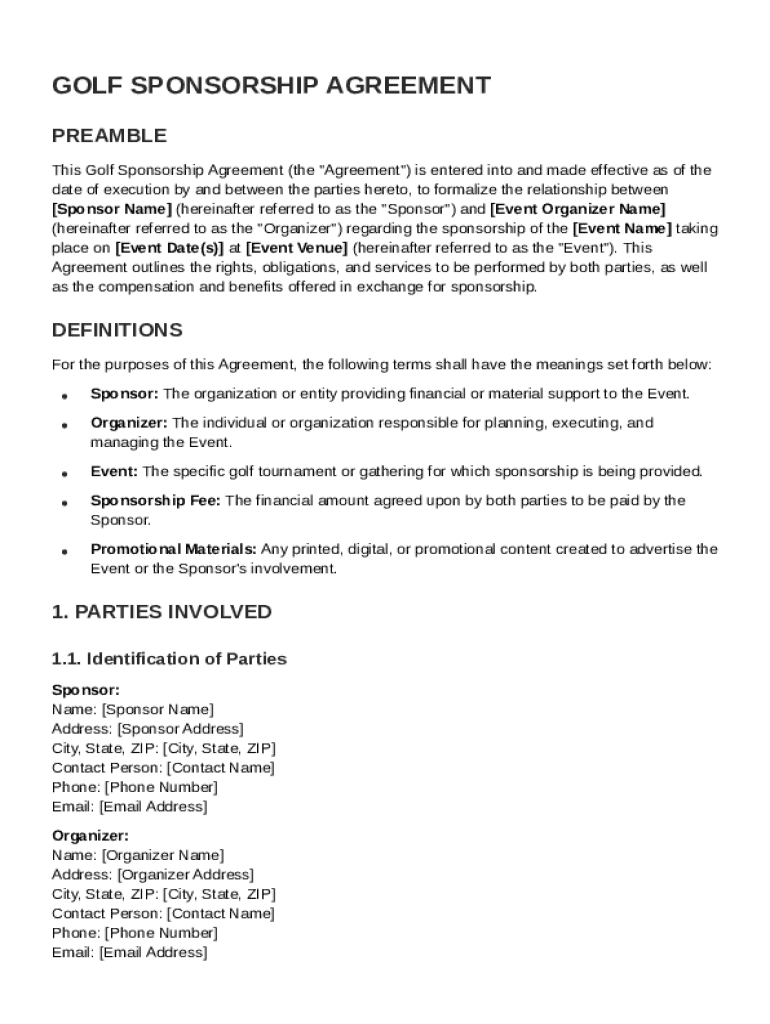
Golf Sponsorship Contract Form
Use a Golf Sponsorship Contract Template template to make your document workflow more streamlined.
What a golf sponsorship contract does
A Golf Sponsorship Contract Form records the agreed exchange between a golf club, tournament, or organizer and a sponsoring business. It identifies the parties, sponsorship package, promotional benefits, event dates, payment terms, approval rights, cancellation conditions, and authorized signatures. In signNow, the sender uploads the agreement, reviews detected fillable fields, assigns sponsor and organizer signers, and sends it for electronic execution. The completed contract and audit trail provide a retrievable record of the commercial agreement under applicable U.S. contract law, ESIGN, and UETA.
Who uses a golf sponsorship contract
Golf clubs
Golf clubs use the form to document sponsor benefits, event placement, payment terms, and activation responsibilities before tournament promotion begins.
Sponsors and organizers
Sponsors and event organizers use it to confirm deliverables, branding rights, payment obligations, and approval contacts in one signed record.
Features for golf sponsorship contracts
signNow supports the document preparation, signer coordination, evidence capture, and record handling needed for golf sponsorship agreements.
Signature fields
Place sponsor, club, and representative signature fields directly on the agreement, reducing missed approvals and clarifying who accepted the sponsorship terms.
Audit trail
Capture timestamps, signer actions, and document history with the completed golf sponsorship contract for later review of approval sequence and execution evidence.
Reusable template
Reuse a reviewed sponsorship template while updating event names, benefit schedules, fees, and dates for each sponsor relationship.
Signing order
Send the agreement to multiple signers in a defined order when club approval, sponsor approval, or legal review must occur sequentially.
Record control
Keep the executed contract and completion evidence together so event, finance, and legal teams can retrieve the same approved record.
Mobile signing
Allow authorized parties to review and sign from desktop or mobile workflows when sponsor representatives are traveling or attending tournaments.
How the golf sponsorship contract works
signNow turns a prepared golf sponsorship agreement into a controlled signing workflow with fields, recipients, reminders, and an audit trail.
Upload document: Upload the completed sponsorship agreement to signNow. Check fields: Review detected fields and add missing signature fields. Send for signing: Send the contract to sponsors and representatives. Archive contract: Collect signatures and store the completed agreement.
Steps to complete the contract
Complete the golf sponsorship contract by confirming commercial terms, assigning authorized signers, and preserving the finalized record.
Prepare agreement:
Upload the final agreement and verify every sponsor-specific field. Assign signers:
Add the sponsor, club, and authorized representative as signers. Add fields:
Place signatures, dates, initials, and approval fields. Complete signing:
Send, monitor completion, and download the signed contract.
 Best ROI. Our customers achieve an average 7x ROI within the first six months.
 Scales with your use cases. From SMBs to mid-market, airSlate SignNow delivers results for businesses of all sizes.
 Intuitive UI and API. Sign and send documents from your apps in minutes.
Recommended contract workflow setup
Configure the golf sponsorship workflow around signer identity, execution evidence, secure storage, and organization-specific contract retention requirements.
| Setting | Recommendation |
|---|---|
| Authentication method | Email verification with SMS OTP |
| Signature type | Electronic signature with signer intent |
| Audit trail | Export completion evidence with contract |
| Document retention | Follow applicable state contract policy |
| Encryption | AES-256 at rest and TLS 1.2/1.3 transit |
Inside the sponsorship audit trail
The audit trail documents execution evidence separately from the agreement’s commercial terms, helping teams review how the golf sponsorship contract was completed.
Authenticate signer:
Capture timestamp:
Record document history:
Check tampering:
Attribute signature:
Export evidence:
Security for sponsorship agreements
Stored encryption:
Transport encryption:
Security reporting:
Information security:
Electronic signatures:
Execution evidence:



Processing stages for the contract
The contract moves from commercial-term review through signer delivery, execution, and preservation of the completed agreement.
Prepare the agreement
Deliver to signers
Track signer turnaround
Archive completed record
Best practices for sponsorship agreements
Clear commercial terms and disciplined record handling reduce disputes over sponsor benefits, payments, approvals, and event obligations.
Define every sponsorship deliverable
Confirm parties and signing authority
Separate payment and benefits
Preserve the complete contract record
Risks of incomplete sponsorship contracts
Benefit dispute
Collection difficulty
Authority challenge
Proof weakness
Legal standing of the contract
A golf sponsorship contract can be admissible evidence when parties show intent, consent, signer attribution, and reliable record retention under ESIGN, 15 U.S.C. ch. 96, and applicable state law such as UETA. Wills, codicils, certain court orders, family law decrees, and other statutory exclusions require separate legal treatment.

Challenges with sponsorship contracts
Sponsor benefits lack measurable placement, timing, audience, or approval requirements, making event fulfillment difficult to evaluate after signing. Cash sponsorship and in-kind contributions are combined without separate values, creating uncertainty for invoicing, reconciliation, and contract performance records. A club employee sends the agreement without confirming authority, leaving the sponsor able to question whether the organization approved the promised benefits. Last-minute event changes are handled through messages instead of an amended signed contract, creating conflicting versions of the sponsorship obligations.
Troubleshooting golf sponsorship contracts
Resolve signing, delivery, plan, evidence, and legal-scope questions before relying on a completed golf sponsorship contract.
Upload the original PDF again and inspect its page permissions before placing fields. signNow Business supports templates and audit trails, while automatic field detection may require manual correction when the source document has unusual layouts or scanned pages.
Confirm that the sponsor’s email address is correct and resend the invitation from the document workspace. signNow signing links and email delivery do not replace verifying the intended recipient, especially when the contract contains payment or branding obligations.
Business includes legally binding eSignatures, templates, mobile apps, and audit trails at $8/user/month when billed annually. Business Premium adds bulk send at $15/user/month annually, which is useful for repeated sponsor agreements.
Use signNow’s audit trail to review timestamps, signer actions, and document history, then export the completion record with the signed contract. ESIGN and UETA recognize electronic records when intent, consent, attribution, and reproducibility are established.
For consumer-facing electronic records, review the ESIGN Act disclosure requirements in 15 U.S.C. §7001(c), including paper-record access and consent procedures. A sponsor’s contract process should preserve evidence that the signer agreed to electronic records.
Do not use a golf sponsorship contract as a substitute for a will, codicil, court order, or family law decree. ESIGN excludes these categories, so obtain legal guidance when the document also serves a statutory purpose.
Key performance indicators that demonstrate SignNow's proven track record.
BE READY TO GET MORE
Get this form now!

If you believe that this page should be taken down, please follow our DMCA take-down process.