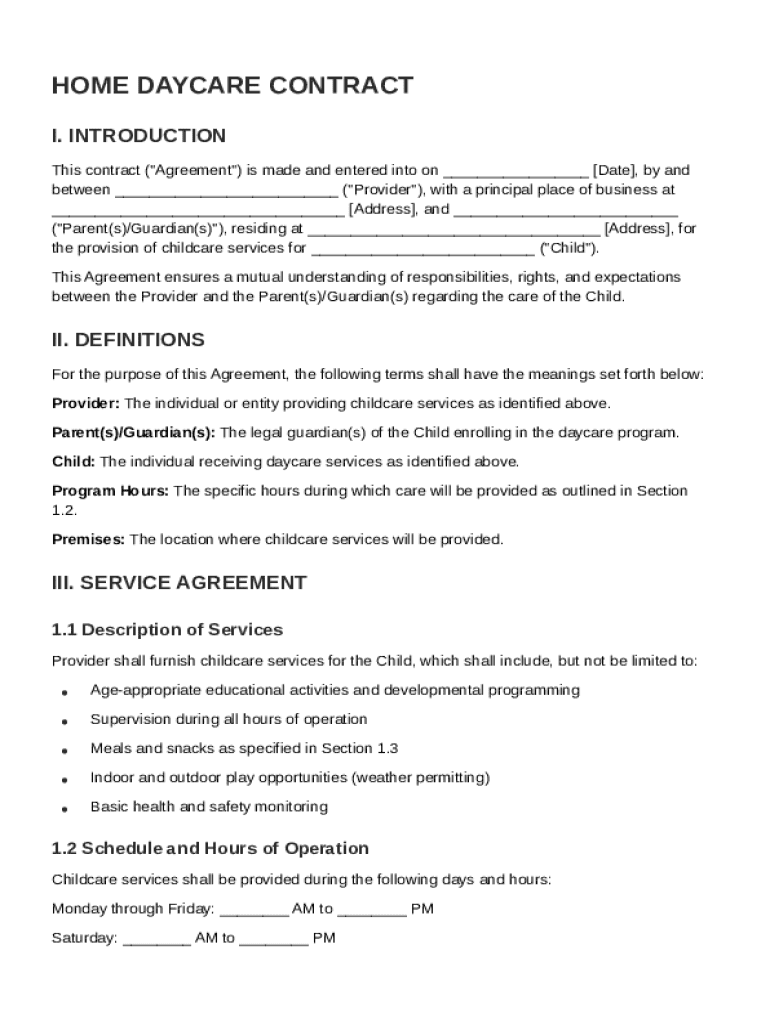
Home Daycare Daycare Contract Form
Use a Home Daycare Daycare Contract Template template to make your document workflow more streamlined.
What the home daycare contract covers
A Home Daycare Daycare Contract Form records the agreement between a home daycare provider and a child’s parent or guardian. It typically identifies the parties, child, care schedule, fees, payment terms, pickup permissions, emergency contacts, health disclosures, policies, and signatures. The exact requirements depend on the contract and applicable state childcare rules. With signNow, upload the form, review or place fillable fields, assign parent and provider roles, send invitations, collect signatures, and preserve the completed PDF with its audit trail.
Who uses this daycare contract
Home daycare providers
Home daycare providers use this agreement for enrollment, scheduled care, fees, late-pickup terms, authorized pickup instructions, emergency contacts, health disclosures, and parent acknowledgments. The provider should adapt the document to applicable state childcare licensing rules and avoid treating a generic template as legal advice.
Parents and guardians
Parents and guardians review the child-specific terms, provide accurate contact and authorization information, and sign the agreement electronically when permitted. They should receive a reproducible copy and understand any electronic-record consent or paper-record rights that apply to the transaction.
Who benefits from daycare contract forms
Home daycare operators, multi-provider childcare businesses, and organized childcare groups use this contract to document care terms and obtain traceable parent approvals.
A licensed home daycare provider can use the form to document each child’s enrollment terms, attendance schedule, payment obligations, emergency contacts, authorized pickup people, and parent acknowledgments before care begins. A multi-provider childcare business can standardize contracts across locations, route parent signatures in signNow, and retain completed agreements with audit trails while administrators manage reusable templates and delegated sending. A childcare organization with several sites can connect signed daycare contracts to Google Drive, Box, or Microsoft 365, giving authorized teams a controlled record of enrollment terms without repeatedly rekeying parent information.
These tasks are executed by both individual contributors and centralized administrators depending on organizational policy and required controls.
 Best ROI. Our customers achieve an average 7x ROI within the first six months.
 Scales with your use cases. From SMBs to mid-market, airSlate SignNow delivers results for businesses of all sizes.
 Intuitive UI and API. Sign and send documents from your apps in minutes.
Key features for daycare contracts
signNow supports the complete Home Daycare Daycare Contract Form workflow, from field preparation and signer routing through audit-trail capture and controlled storage.
Field placement
Place parent, guardian, provider, child, date, payment, emergency-contact, and authorization fields directly on the uploaded daycare contract before sending it for completion.
Signer routing
Assign each signature and acknowledgment to the correct parent, guardian, or provider so the Home Daycare Daycare Contract Form follows a defined signing order.
Reusable templates
Use reusable templates for recurring enrollment agreements while preserving the specific care schedule, fees, policies, and authorized pickup details for each family.
Audit trail
Capture signing timestamps, signer actions, and document history in an audit trail that accompanies the completed daycare contract for later review.
Remote signing
Collect signatures through email invitations, signing links, or mobile workflows when parents and providers are not together at the same location.
Record storage
Store completed contracts in signNow or connected services such as Google Drive, Box, or Microsoft 365 according to the daycare’s retention and access policy.
How to complete the daycare contract
Prepare the exact care terms, route the document to the right adults, and retain the signed contract with its completion evidence.
Upload form:
Upload the blank contract. Check fields:
Review detected fields and add missing parent, provider, child, and signature fields. Assign roles:
Assign each field to the correct signer. Send contract:
Send the contract by email or signing link. Store record:
Review the signed PDF and audit trail.
Recommended daycare contract setup
Configure signer identity, signature capture, evidence, retention, and encryption before sending a Home Daycare Daycare Contract Form to a family.
| Setting | Recommendation |
|---|---|
| Authentication method | Email link with SMS verification |
| Signature type | Typed or drawn electronic signature |
| Audit trail | Enabled for every completed contract |
| Document retention | Follow state licensing policy |
| Encryption | TLS 1.2/1.3 and AES-256 |
How the daycare contract audit trail works
The signNow audit trail connects each Home Daycare Daycare Contract Form action with signer, time, document, and completion evidence.
Authenticate signer:
Capture timestamps:
Hash document:
Seal record:
Review evidence:
Export records:
Record-keeping practices for daycare contracts
Retain the signed agreement and its evidence together, limit access to family information, and apply the rule that actually governs the daycare’s records.
Set retention using the applicable authority
Export the contract and audit trail together
Restrict access to child and family information
Document secure archival and deletion
Risks from incomplete daycare contracts
Incomplete assent
Contract ambiguity
Pickup dispute
Weaker proof
Home daycare contract troubleshooting questions
These answers address field detection, signer access, electronic-signature validity, plan limits, privacy, and record handling for this daycare contract.
If the uploaded Home Daycare Daycare Contract Form has no detected fields, use signNow’s editor to place text, date, checkbox, and signature fields manually. The Business plan includes templates and audit trails; confirm every parent, provider, child, schedule, fee, and authorization field before sending.
A signer can complete the Home Daycare Daycare Contract Form without a signNow account when the sender uses an email invitation or signing link. If stronger identity evidence is needed, Business Premium or Enterprise workflows can add authentication options, including SMS verification where configured.
A completed daycare contract is generally supported by ESIGN and applicable state electronic-transactions law when intent, consent, attribution, and record reproduction are established. signNow’s audit trail records signing activity, but it does not replace state licensing, disclosure, or childcare-record requirements.
The Business plan is priced at $8 per user per month when billed annually and includes 100 signature invites per user each year. Business Premium costs $15 annually and adds bulk send, while Enterprise costs $30 and adds advanced signer authentication.
If a parent reports an invalid signing link, the sender should resend the Home Daycare Daycare Contract Form invitation or generate a new shareable link. Avoid forwarding a completed link; verify the recipient’s email and review the audit trail afterward.
A daycare contract containing protected health information may require a HIPAA-compliant workflow and a business associate agreement. signNow identifies HIPAA compliance as requiring a BAA; the daycare operator remains responsible for limiting disclosures and applying applicable state privacy rules.
Key performance indicators that demonstrate SignNow's proven track record.
BE READY TO GET MORE
Get this form now!

If you believe that this page should be taken down, please follow our DMCA take-down process.