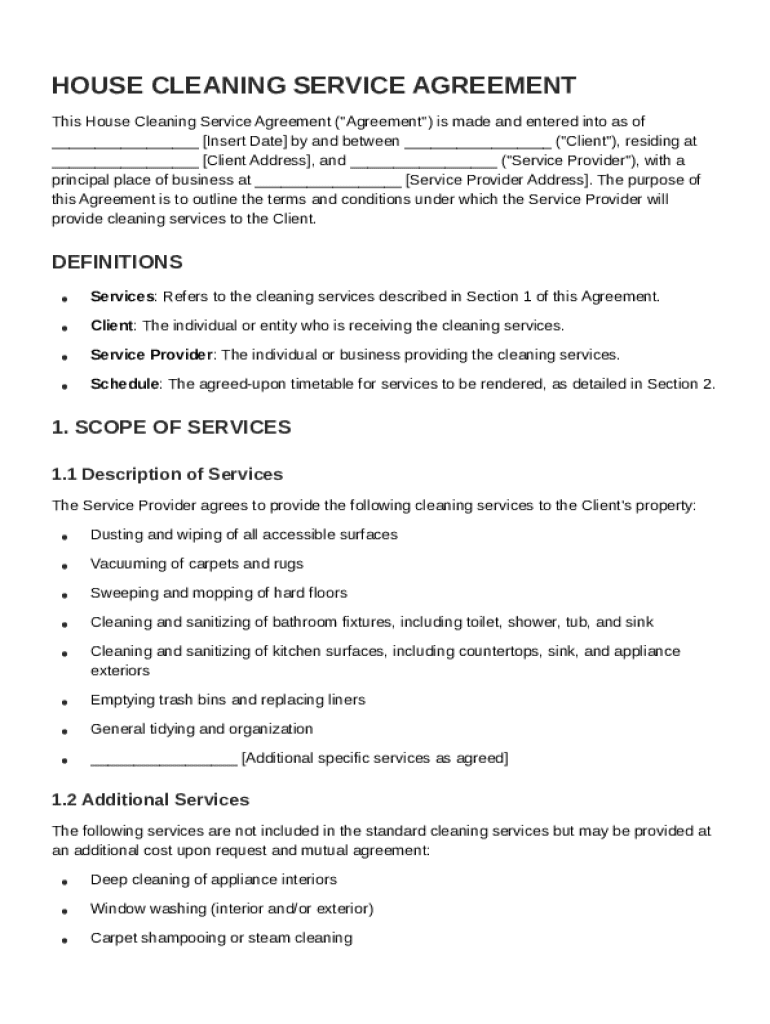
House Cleaner Contract Form
Use a House Cleaner Contract Template template to make your document workflow more streamlined.
What the House Cleaner Contract Form does
A House Cleaner Contract Form records the agreement between a cleaning provider and a household client before recurring or one-time work begins. It identifies the parties, property, cleaning tasks, schedule, price, payment method, supplies, access instructions, cancellation terms, and signatures. With signNow, the sender uploads the form, reviews detected fields, adds any missing fields, and sends it for electronic signature. Each signer receives a completed copy and the transaction retains an audit trail. ESIGN and applicable state electronic-transactions law can support enforceability when intent, consent, attribution, and record retention requirements are satisfied.
How the cleaning contract works
The signNow process turns the House Cleaner Contract Form into a controlled agreement from upload through signed-record storage.
Upload document: Upload the House Cleaner Contract Form PDF. Prepare fields: Review detected fields and add missing terms. Request signatures: Send the contract to the client and cleaner. Retain evidence: Store the signed PDF with its audit trail.
How to complete the cleaning contract
Use this signNow workflow to prepare, send, sign, and retain a House Cleaner Contract Form without recreating its service terms.
Upload form:
Upload the House Cleaner Contract Form PDF to signNow. Check fields:
Review auto-detected fields and add missing signature, date, and initials fields. Send contract:
Enter the client and cleaner details, then send the contract for signature. Store records:
Download the signed contract and retain its audit trail with the service records.
Recommended contract workflow setup
Configure the House Cleaner Contract Form around signer identity, clear service terms, controlled access, and a reproducible electronic record.
| Setting | Recommendation |
|---|---|
| Authentication method | Email link with SMS OTP |
| Signature type | Typed or drawn e-signature |
| Audit trail | Capture timestamps, IP, and actions |
| Document retention | Follow applicable state policy |
| Encryption | TLS 1.2/1.3 and AES-256 |
 Best ROI. Our customers achieve an average 7x ROI within the first six months.
 Scales with your use cases. From SMBs to mid-market, airSlate SignNow delivers results for businesses of all sizes.
 Intuitive UI and API. Sign and send documents from your apps in minutes.



Security for cleaning agreements
Transport encryption:
Stored-data encryption:
Security certification:
Information security:
Electronic signatures:
Privacy frameworks:
Privacy and disclosure pitfalls
The contract may expose a client’s address, alarm details, entry codes, or payment information to unnecessary recipients. A client may sign service terms without a clear electronic-record disclosure when consumer-facing consent procedures apply. Shared accounts or unrestricted templates can let an unauthorized person change pricing, cleaning scope, or cancellation terms. Missing initials beside access instructions or special cleaning requirements can create disputes about what the parties accepted.
Best practices for cleaning contracts
Accurate service terms, controlled access, and a reproducible signing record make the House Cleaner Contract Form easier to administer and review.
Define the cleaning scope precisely
Record commercial terms clearly
Protect household access information
Retain the executed agreement securely
Risks from incomplete contracts
Service disagreement
Electronic-record challenge
Weak audit record
Access-control breach
House Cleaner Contract Form processing stages
A clear signing sequence keeps the house cleaner, client, services, and payment obligations aligned before work begins.
Prepare the contract
Deliver to signers
Review and sign
Archive completed copy
House Cleaner Contract Form troubleshooting
These answers address field detection, electronic-signature validity, plan limits, audit evidence, and privacy controls for House Cleaner Contract Form workflows.
Upload the original House Cleaner Contract Form as a PDF, then use signNow’s field detection and inspect every detected field. Add signature, initials, date, and text fields that the imported file does not contain before sending it.
SignNow’s Business plan costs $8 per user per month with annual billing and includes 100 signature invites per user per year. Additional invites may incur overage fees, so review usage before sending recurring cleaning agreements.
A typed or drawn signature can satisfy ESIGN and UETA when the signer intends to sign, consents to electronic records, can be identified, and the completed record remains reproducible. Consumer disclosures may apply under 15 U.S.C. §7001(c).
Use signNow’s audit trail to preserve signer actions, timestamps, and transaction history. For a dispute about cleaning scope or payment, retain the signed PDF together with its certificate of completion and related amendments.
Business Premium adds bulk send at $15 per user per month with annual billing. It can help when the same House Cleaner Contract Form is sent repeatedly, but plan pricing and invite usage should be reviewed for your volume.
SignNow lists HIPAA compliance with a business associate agreement for protected health information. A household cleaning contract ordinarily does not require HIPAA handling, but any health information should be minimized and access-controlled.
Key performance indicators that demonstrate SignNow's proven track record.
BE READY TO GET MORE
Get this form now!

If you believe that this page should be taken down, please follow our DMCA take-down process.