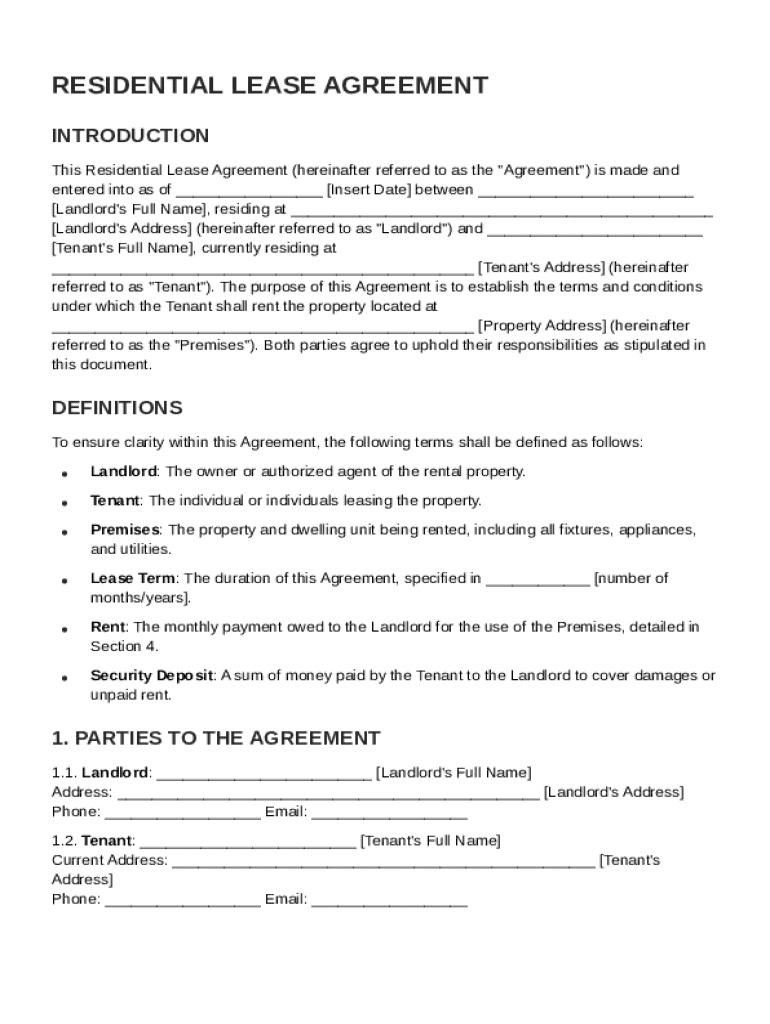
House For Rent Contract Form
Use a House For Rent Contract Template template to make your document workflow more streamlined.
What a house rental contract does
A House For Rent Contract Form is a written agreement that records the terms for renting a specific residential property. It identifies the landlord, tenant, premises, lease dates, rent, deposit, utilities, maintenance duties, house rules, notices, and termination conditions. In signNow, the sender uploads the contract, places or reviews fillable fields, assigns signatures and initials, and sends it to the parties. Each signer reviews the terms, completes assigned fields, and receives the executed document with an audit trail showing the signing events.
Who uses a house rental contract
Property owners
Property owners and residential landlords use the House For Rent Contract Form to document occupancy dates, rent, deposits, utilities, maintenance duties, notices, and house rules before delivering possession. They can send the completed agreement to tenants through signNow and retain the executed version with its audit trail.
Tenants and managers
Tenants and property managers use the form to review the exact house address, payment obligations, included services, access rules, renewal provisions, and termination conditions. Managers can coordinate signatures for owners while preserving a consistent contract version for each occupied property.
How the rental contract workflow works
Prepare the property terms first, then use signNow to create a controlled signing sequence for the landlord and tenant.
Upload contract: Upload the finalized House For Rent Contract Form. Place fields: Review detected fields and add missing fields. Assign signers: Assign landlord and tenant signing roles. Complete and archive: Send, sign, and store the completed agreement.
Key features for rental agreements
signNow connects the property details, signer assignments, electronic execution, and completed record needed to manage a House For Rent Contract Form.
Complete terms
Record the complete rental address, parties, lease dates, rent, deposit, utilities, and maintenance duties in one controlled agreement.
Role-based fields
Assign landlord and tenant fields so each person signs, initials, dates, or acknowledges only the sections intended for them.
Remote signing
Send the contract by email invitation or signing link without requiring every participant to meet at the property.
Audit trail
Capture timestamps, signer actions, and completion history to support the executed contract’s evidentiary record.
Reusable template
Reuse an approved rental contract template while updating property-specific terms before each transaction.
Mobile access
Open, complete, and review rental documents through signNow mobile apps when property work occurs away from an office.
Recommended rental contract setup
Configure the House For Rent Contract Form around verified signer identity, a complete audit trail, secure transfer, and state-specific record policies.
| Setting | Recommendation |
|---|---|
| Authentication method | Email verification with SMS OTP |
| Signature type | Typed or drawn electronic signature |
| Audit trail | Enable completion history and export |
| Document retention | Retain through the applicable state period |
| Encryption | TLS 1.2/1.3 and AES-256 |
 Best ROI. Our customers achieve an average 7x ROI within the first six months.
 Scales with your use cases. From SMBs to mid-market, airSlate SignNow delivers results for businesses of all sizes.
 Intuitive UI and API. Sign and send documents from your apps in minutes.
House rental contract challenges
Missing property addresses, rent amounts, or repair responsibilities can create disputes about what the landlord and tenant agreed to. Unclear late-fee language, renewal terms, or notice periods may conflict with applicable state or local landlord-tenant requirements. Handwritten changes made after signing can create uncertainty about which version of the rental contract controls. Sending an unsigned lease draft or incomplete addendum can leave occupancy terms, deposits, and maintenance duties undocumented.
Best practices for rental contracts
Accurate property details, precise financial terms, and a controlled execution process reduce disputes over the house rental agreement.
Complete party and property details
Define rent and deposit terms
Assign maintenance responsibilities
Preserve one executed agreement
Why teams look for DocuSign alternatives
Organizations seek alternatives when they need different pricing models, stronger native automation, simpler bulk affidavit workflows, or more flexible identity-verification options than those available in a legacy envelope-based vendor.

Processing stages for rental contracts
House rental contracts have no single nationwide signing deadline; processing depends on document readiness, signer availability, and applicable state requirements.
Prepare the contract
Deliver to signers
Complete signer review
Archive completed records
Inside the rental contract audit trail
A signNow audit trail documents how the landlord and tenant interacted with the House For Rent Contract Form from invitation through completion.
Authenticate signer:
Capture timestamps:
Seal document history:
Record actions:
Export completion record:
Archive evidence:
Security for rental contracts
Transport encryption:
Stored document protection:
Security reporting:
Information security:
Electronic signature law:
Privacy frameworks:
Mobile options for rental contracts
signNow supports House For Rent Contract Form workflows through its iOS and Android mobile apps, including offline signing and camera-based document capture. Use current supported app versions and maintain device security through the applicable Apple or Google operating-system updates.
Mobile apps iOS and Android apps Offline access Offline signing support Document capture Camera document capture
A landlord or manager can photograph a paper lease, upload it for field placement, and send it from a mobile device. Offline work can help when connectivity is limited, but the completed contract should be synchronized and checked for its audit trail before property records are finalized.



Risks of incomplete rental contracts
Ambiguous clauses
Missing audit trail
Noncompliant provision
Uncontrolled changes
House rental contract troubleshooting
Resolve field, consent, authentication, and document-version issues before relying on a signed House For Rent Contract Form.
Upload the final House For Rent Contract Form as a PDF or supported document, then use signNow’s field placement tools. Review the detected fields and add any missing tenant initials, landlord signatures, dates, or required acknowledgments before sending.
The signNow Business plan includes templates and audit trails, while Business Premium adds bulk send. For one house contract, prepare one document and assign each required field to the correct landlord or tenant before delivery.
For a consumer-facing rental transaction, review the ESIGN Act’s electronic-record consent requirements, including access to electronic records and the right to receive paper records under 15 U.S.C. §7001(c). Obtain any required consent before relying on electronic delivery.
signNow records signer actions, timestamps, and the completion history in an audit trail. Confirm that each party used the intended email or authentication method, then download the completed contract and certificate of completion for property records.
A House For Rent Contract Form may be enforceable electronically under ESIGN and applicable state law, including UETA in adopting jurisdictions. State landlord-tenant rules, notarization requirements, and excluded documents can impose additional conditions, so review the governing state law.
If a tenant cannot open the signing request, verify the email address, resend the invite, or provide a signNow signing link. The sender should confirm that the document version and signer order remain unchanged before completion.
Key performance indicators that demonstrate SignNow's proven track record.
BE READY TO GET MORE
Get this form now!

If you believe that this page should be taken down, please follow our DMCA take-down process.