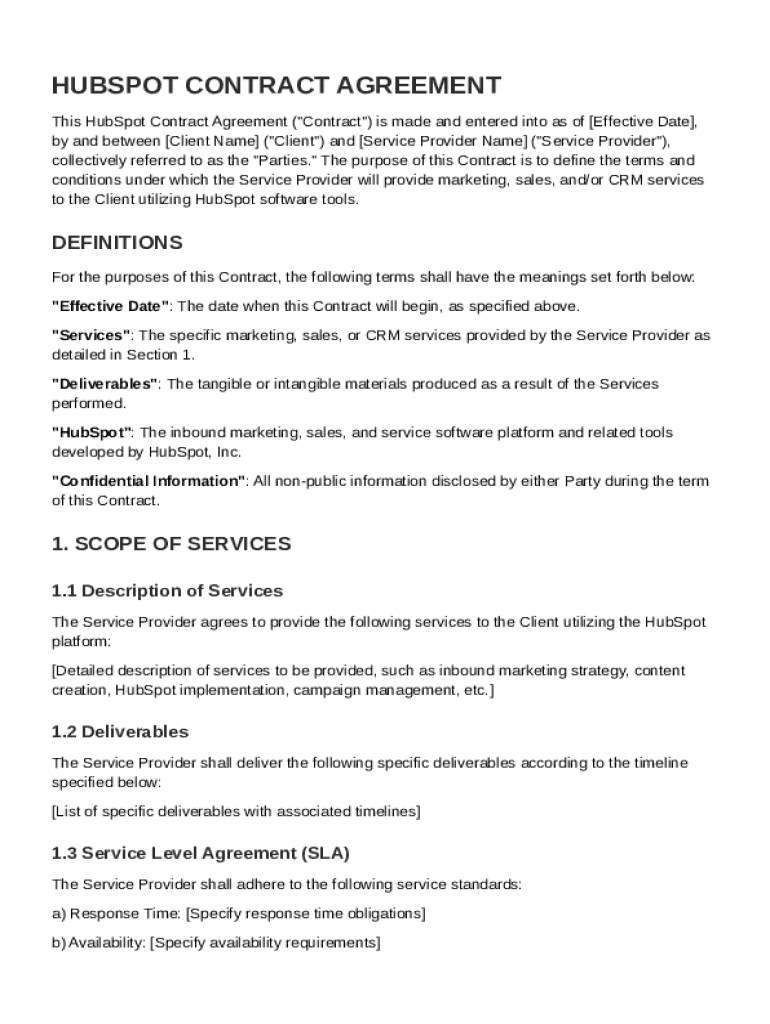
Hubspot Contract Form
Use a Hubspot Contract Template template to make your document workflow more streamlined.
What Hubspot Contract Form is
Hubspot Contract Form is a business agreement template used to document terms between HubSpot and another party. In signNow, a sender uploads the form, reviews automatically detected fillable fields, adds signer roles, and sends it for electronic completion. Signers review the terms, provide required information, and apply their signatures. signNow then produces the completed contract and an audit trail showing delivery, actions, timestamps, and signing events. The form’s enforceability depends on intent, consent, attribution, retention, and applicable U.S. law, including ESIGN and UETA.
Businesses that benefit from Hubspot Contract Form
Hubspot Contract Form is useful wherever teams need signed business agreements, approvals, or customer-facing records.
Independent consultants use Hubspot Contract Form to approve client scopes, statements of work, and service agreements without arranging in-person meetings. Marketing agencies use Hubspot Contract Form to collect approvals for campaign briefs, content licenses, and vendor agreements while preserving a searchable signing record. Growing enterprises use Hubspot Contract Form with shared templates, delegated sending, and audit trails to standardize sales, procurement, and partner contracts.
These tasks are executed by both individual contributors and centralized administrators depending on organizational policy and required controls.
Recommended Hubspot Contract Form setup
Use a controlled signing workflow that verifies recipients, captures intent, preserves audit evidence, and restricts access to authorized team members.
| Setting | Recommendation |
|---|---|
| Authentication method | Email verification with SMS OTP |
| Signature type | Typed or drawn electronic signature |
| Audit trail | Export with the completed contract |
| Document retention | Three years from filing for tax records |
| Encryption and users | AES-256 with controlled team access |
How to complete Hubspot Contract Form
Use signNow to prepare the Hubspot Contract Form, route it to the correct parties, and preserve evidence of completion.
Upload document:
Upload the Hubspot contract template or completed document. Check fields:
Review detected fields and add missing signer fields. Add signers:
Enter signer details and set the signing order. Send contract:
Send the contract by email or signing link. Store records:
Download the completed contract and audit trail.
 Best ROI. Our customers achieve an average 7x ROI within the first six months.
 Scales with your use cases. From SMBs to mid-market, airSlate SignNow delivers results for businesses of all sizes.
 Intuitive UI and API. Sign and send documents from your apps in minutes.
What the Hubspot audit trail records
The audit trail documents the technical and identity events surrounding each Hubspot Contract Form signature.
Authenticate signer:
Capture timestamp:
Hash document:
Seal document:
Log activity:
Export evidence:



Authenticate Hubspot Contract Form signers
Digital certificates:
X.509 signatures:
Two-factor authentication:
SMS verification:
Identity verification:
Signing evidence:
Privacy and disclosure issues to avoid
Personal information copied into a Hubspot Contract Form may be exposed when access permissions are broader than the contract workflow requires. A consumer-facing Hubspot Contract Form may require electronic-record consent disclosures under 15 U.S.C. §7001(c) before signing. Sending the form to the wrong email address can weaken signer attribution and create an evidentiary dispute. Unrestricted template access can let users change payment terms, parties, or approval fields without documented authorization.
Best practices for Hubspot Contract Form
A controlled template, verified signer identity, complete audit evidence, and purpose-based retention make the Hubspot Contract Form easier to administer and review.
Lock the approved contract template
Verify signer identity and authority
Export the signed contract evidence
Set retention by record purpose
Platform requirements for Hubspot Contract Form
Hubspot Contract Form can be prepared in Chrome, Firefox, Safari, or Edge on Windows or macOS. signNow mobile apps support iOS and Android, while TLS 1.2/1.3 protects data in transit.
Browser support Chrome, Firefox, Safari, and Edge Operating systems Windows, macOS, iOS, and Android Secure access TLS 1.2/1.3 and signNow mobile apps
For regulated deployments, administrators should manage supported devices, identity controls, API access, and user provisioning centrally. Confirm that retention, authentication, and access policies match the contract’s business purpose and any applicable state or industry requirements before rollout.
Hubspot Contract Form pricing comparison
signNow pricing and capabilities are shown first; competitor values remain Not verified where the supplied vendor data does not confirm them.
| Features | signNow | DocuSign | Adobe Sign | PandaDoc | Dropbox Sign |
|---|---|---|---|---|---|
| Starting price | $8/user/month annually | Not verified | Not verified | Not verified | Not verified |
| Free trial | 7 days, no card required | Not verified | Not verified | Not verified | Not verified |
| Bulk send | Business Premium includes it | Not verified | Not verified | Not verified | Not verified |
| Audit trail | Included with Business | Not verified | Not verified | Not verified | Not verified |
| HIPAA compliance | Available with BAA | Not verified | Not verified | Not verified | Not verified |
Hubspot Contract Form troubleshooting
These answers address plan selection, signer access, legal validity, privacy controls, and evidence requirements for Hubspot Contract Form workflows.
The Business plan includes templates and audit trails for Hubspot Contract Form workflows. If bulk sending is required, signNow identifies that capability with Business Premium, priced at $15 per user monthly when billed annually.
signNow supports legally binding eSignatures and audit trails under its Business plan. For U.S. transactions, legal effect also depends on intent, consent, attribution, and the ability to retain and reproduce the record under ESIGN and applicable state law.
A Hubspot Contract Form containing protected health information requires an appropriate HIPAA workflow and business associate agreement. signNow lists HIPAA compliance as available with a BAA; configure access and retention controls separately.
If a signer cannot access the email invitation, verify the recipient address, resend the invitation, or provide a controlled signing link. Keep the delivery and access events with the completed Hubspot Contract Form.
Use signNow’s audit trail to review timestamps, signer actions, authentication events, and document history. Export the trail with the final contract when proving who signed and when becomes important.
A seven-day signNow free trial requires no credit card. Paid subscription plans include 100 signature invites per user annually, with overage fees; the Site License uses $1.50 per signature invite.
Key performance indicators that demonstrate SignNow's proven track record.
BE READY TO GET MORE
Get this form now!

If you believe that this page should be taken down, please follow our DMCA take-down process.