Movie Director Contract Form
Use a Movie Director Contract Template template to make your document workflow more streamlined.
What the Movie Director Contract Form does
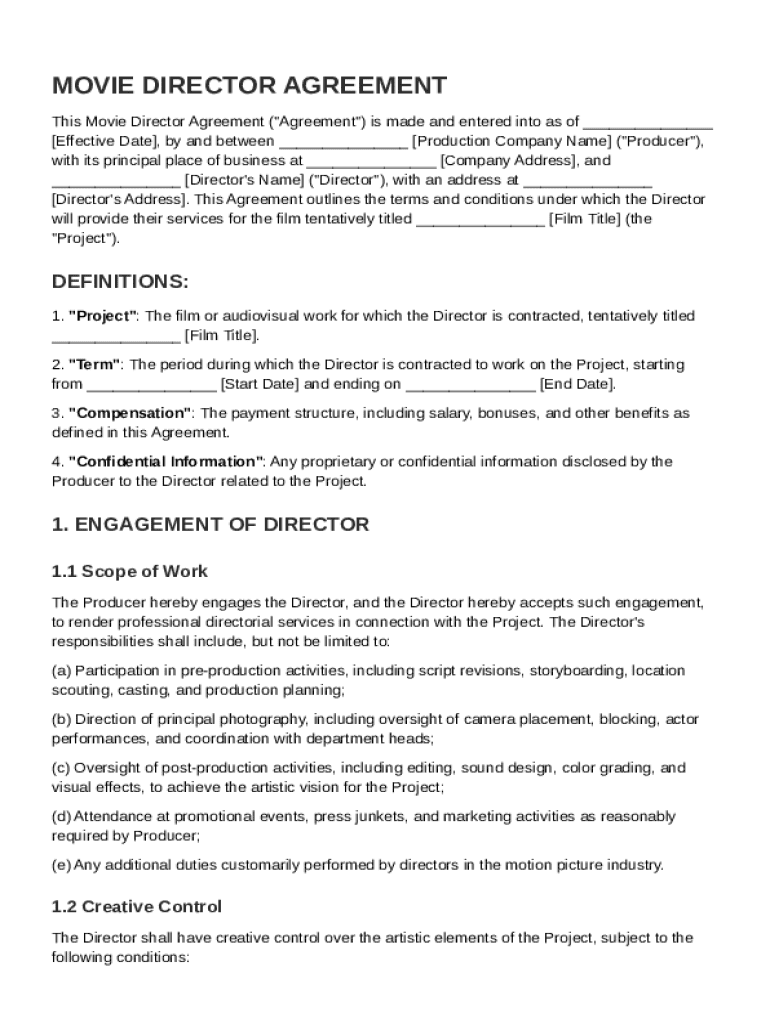
The Movie Director Contract Form is a written agreement documenting a director’s relationship with a film or production company. It organizes the director’s services, compensation, creative responsibilities, approvals, schedule, deliverables, confidentiality, rights, and termination terms when those provisions are included by the parties. With signNow, a sender uploads the agreement, reviews or adds fillable fields, identifies the director and other signers, sends the contract for electronic signatures, and retains the completed document with its audit trail. ESIGN and applicable state law govern electronic execution; contract-specific legal review remains separate.
Who benefits from this contract workflow
Movie Director Contract Form supports independent filmmakers, production companies, and studio teams managing director engagements and approvals.
Independent film directors use the form to document directing services, compensation, creative responsibilities, delivery expectations, and rights before production begins. Production companies use it to coordinate director approvals, signatures, attachments, and contract records across producers, legal teams, and finance staff. Enterprise studios use structured signNow workflows to route director agreements through authorized reviewers, apply signer authentication, and retain auditable records centrally.
These tasks are executed by both individual contributors and centralized administrators depending on organizational policy and required controls.
Key features for director agreements
signNow provides a document workflow for preparing, routing, executing, and preserving the Movie Director Contract Form across production stakeholders.
Structured contract
Complete director services, compensation, rights, approvals, and production obligations in one signable agreement instead of coordinating disconnected paper copies.
Fillable fields
Place signature, initials, date, and text fields where each production participant must complete the Movie Director Contract Form.
Signer routing
Route the agreement to the director and authorized production representatives in a defined signing order.
Audit evidence
Capture delivery, viewing, signing, and completion events in an audit trail tied to the executed contract.
Mobile signing
Use signNow mobile apps when directors or production staff review and sign away from a desk.
Record storage
Retain the completed contract and supporting completion evidence for production administration and later contract review.
How the Movie Director Contract Form works
Complete the contract in signNow, route it to each required signer, and preserve the signed agreement with its supporting audit trail.
Upload the form: Upload the Movie Director Contract Form to signNow for preparation. Prepare fields: Auto-detect fillable fields and add missing signer, date, or initials fields. Send for signatures: Send the completed contract to the director and production representatives. Archive records: Store the signed contract with its audit trail for later reference.
 Best ROI. Our customers achieve an average 7x ROI within the first six months.
 Scales with your use cases. From SMBs to mid-market, airSlate SignNow delivers results for businesses of all sizes.
 Intuitive UI and API. Sign and send documents from your apps in minutes.
What the audit trail records
A signNow audit trail documents the technical events surrounding execution of the Movie Director Contract Form, separately from the contract’s business terms.
Authenticate signer:
Capture timestamps:
Record document hash:
Seal signing history:
Connect audit events:
Export audit trail:
Complete the director contract in signNow
Use this sequence to prepare, route, execute, and retain the Movie Director Contract Form in signNow.
Upload:
Upload the Movie Director Contract Form. Prepare:
Review detected fields and add missing fields. Assign:
Assign the director and production signers. Send:
Send the contract for electronic signatures. Archive:
Review completion evidence and store the record.
Recommended contract workflow setup
Configure the Movie Director Contract Form around signer identity, electronic consent, audit evidence, secure transfer, and controlled production access.
| Setting | Recommendation |
|---|---|
| Authentication method | Email link with SMS OTP |
| Signature type | Electronic signature with signer intent |
| Audit trail | Capture timestamps and signer actions |
| Document retention | Retain executed contract under production policy |
| Encryption and access | Use TLS and role-based user permissions |
Signer authentication and certificates
PKI:
X.509 certificates:
Two-factor authentication:
SMS OTP:
ID verification:
Audit trail:
Best practices for director contracts
Prepare the Movie Director Contract Form with precise production terms, verified signer assignments, and records that support later contract administration.
Define director responsibilities clearly
Identify every required signer
Preserve signing evidence
Review rights and state requirements
Privacy and disclosure challenges
Director compensation, approval rights, or delivery obligations may remain ambiguous when the contract lacks precise production-specific language. Personal addresses, tax details, or identification information can be exposed when access permissions are broader than the production team requires. A missing electronic-consent disclosure may create issues when a consumer-facing signer must receive electronic records under 15 U.S.C. §7001(c). Sending the contract to an unauthorized production representative can weaken attribution and complicate later enforcement of approval terms.
State rules and document exclusions
State notarization
Wills and codicils
Family law orders
Real-estate deeds
Key performance indicators that demonstrate SignNow's proven track record.
Troubleshooting director contract signing
Use these answers to resolve field, routing, authentication, consent, and plan questions while handling a Movie Director Contract Form.
Upload the contract as a supported document and check whether signNow detects the intended fillable areas. Add signature, initials, date, or text fields manually when auto-detection does not place a required field correctly.
Confirm that every recipient has the correct email address and signing role. In signNow, review the recipient order and resend the invitation after correcting the routing rather than creating conflicting duplicate contracts.
Use signNow’s audit trail to review delivery, viewing, authentication, and signing events. If signer identity is disputed, preserve the completed contract and completion evidence together for legal or production review.
For a consumer-facing electronic transaction, provide the required electronic-record disclosure and confirm access to the electronic format under 15 U.S.C. §7001(c). Contract counsel should assess whether the disclosure applies.
signNow Business is listed at $8 per user per month with annual billing and includes legally binding eSignatures, audit trails, templates, and mobile apps. Confirm the current plan terms before deployment.
signNow lists a 7-day free trial without a credit card. Paid subscription plans include 100 signature invites per user per year, while overage terms depend on the selected plan.
BE READY TO GET MORE
Get this form now!

If you believe that this page should be taken down, please follow our DMCA take-down process.